Audience Choice Awards
Let your audience vote for their favourite performers after a show, with photo-led voting on your website and winners announced when you choose.
Key Features
Nominees from your cast
Pick nominees for each category straight from the show's cast and crew list.
As many categories as you like
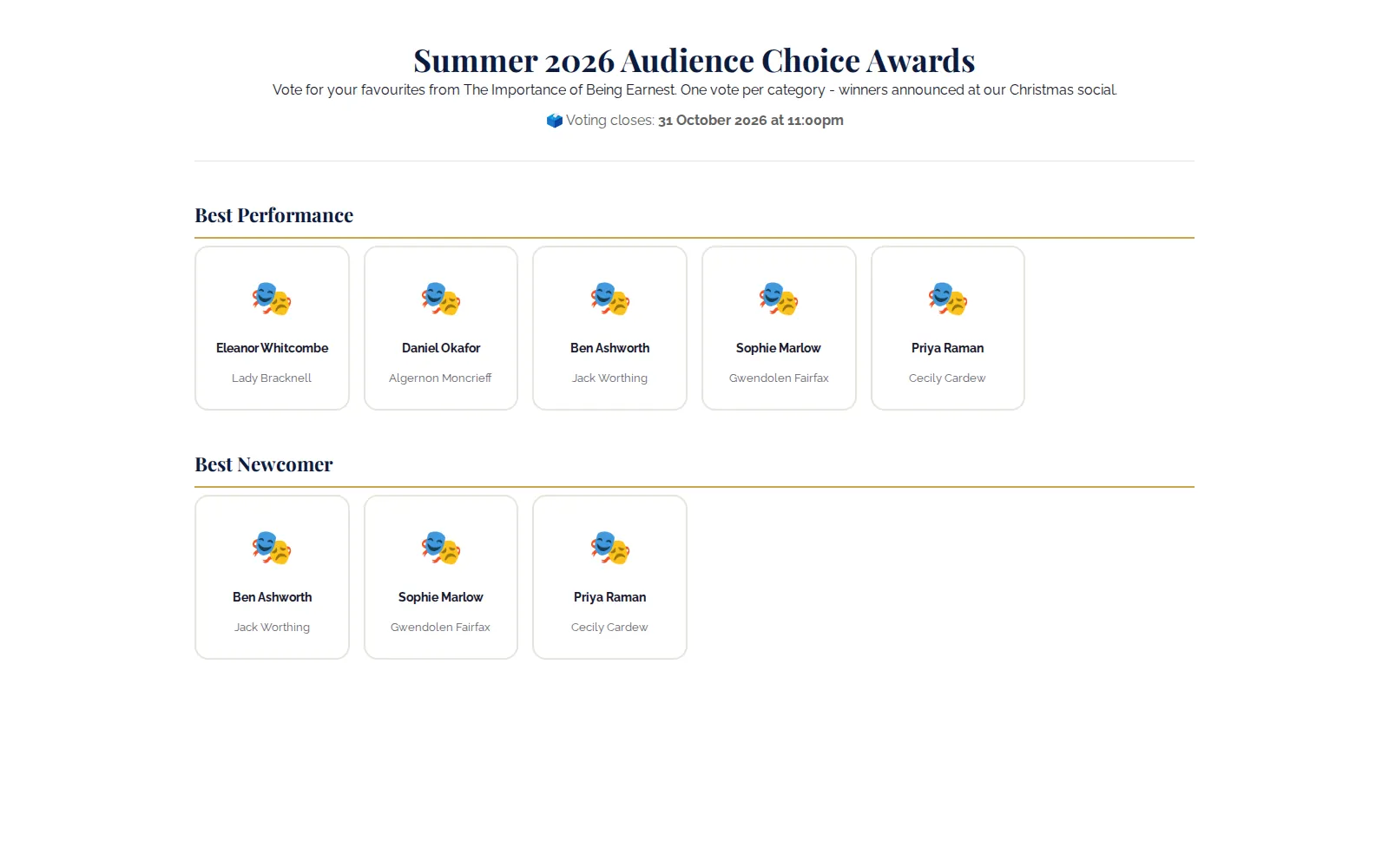
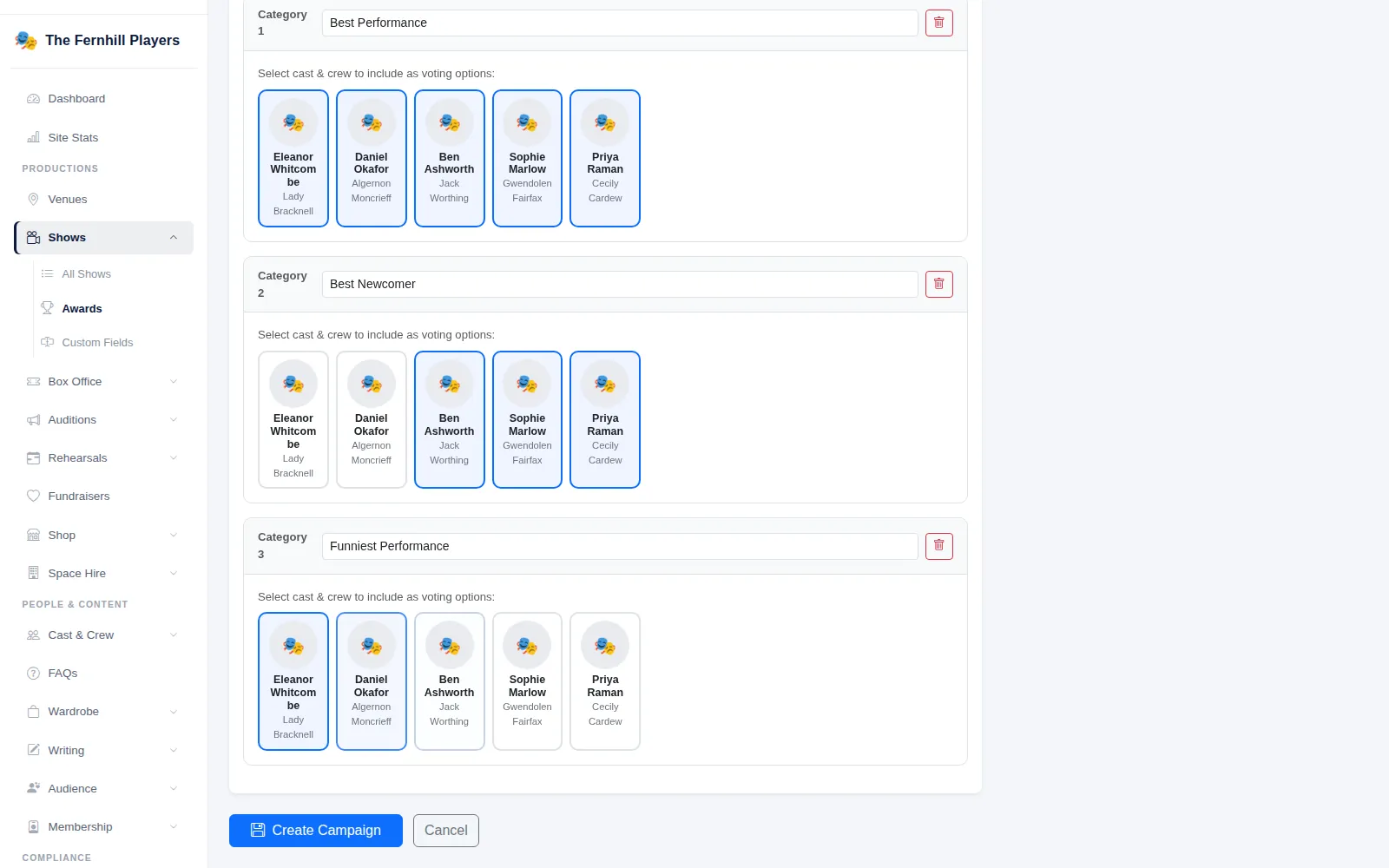
Best Performance, Best Newcomer, Funniest Performance: add a category for each award.
A set voting window
Choose when voting opens and closes. The vote page shows the closing date.
One vote per category
Each browser can vote once in each category, and votes are anonymous.
Announce when you're ready
Show winners as soon as voting closes, or hold them back until an announcement date.
Winners on your website
The vote page shows each category's winner and their vote count once results are public.
Give your audience a say
After the curtain comes down, Audience Choice Awards let the people who watched the show tell you who they loved. Create a campaign for a past production, add the awards you want to give, and your website's Audience Vote page does the rest. It is a friendly way to keep audiences talking about a show after it closes, and a lovely thing to present at your end-of-season social.
Build the ballot from your cast
Choose the production and give the campaign a title and description. Then add categories. For each one, tick the cast and crew who should be nominated: they are loaded from the production's cast list with their roles, and their profile photos appear on the vote page automatically.
Set the voting window with an opening and closing date and time. Only one campaign can be open at a time, so the vote page always has one clear ballot.
If you use audience emails, the campaign can work with your automations too: an invitation when voting opens and a reminder the day before it closes go to audience members who have opted in to voting reminders, when those automations are switched on.
Fair votes, announced on your terms
Each visitor picks one nominee per category and casts their votes in one go. Each browser can vote once in each category, and votes are anonymous. When bot protection is set up for your site, a quick automatic check runs before the votes are counted. Once votes have been cast, the categories and nominees are locked so the result cannot be changed under anyone's feet.
When voting closes, winners can appear straight away or stay hidden until an announcement date you choose, so you can reveal them at a party first. Once announced, the vote page shows the winner of each category with their vote count. You can also choose to email your audience when the winners are announced.
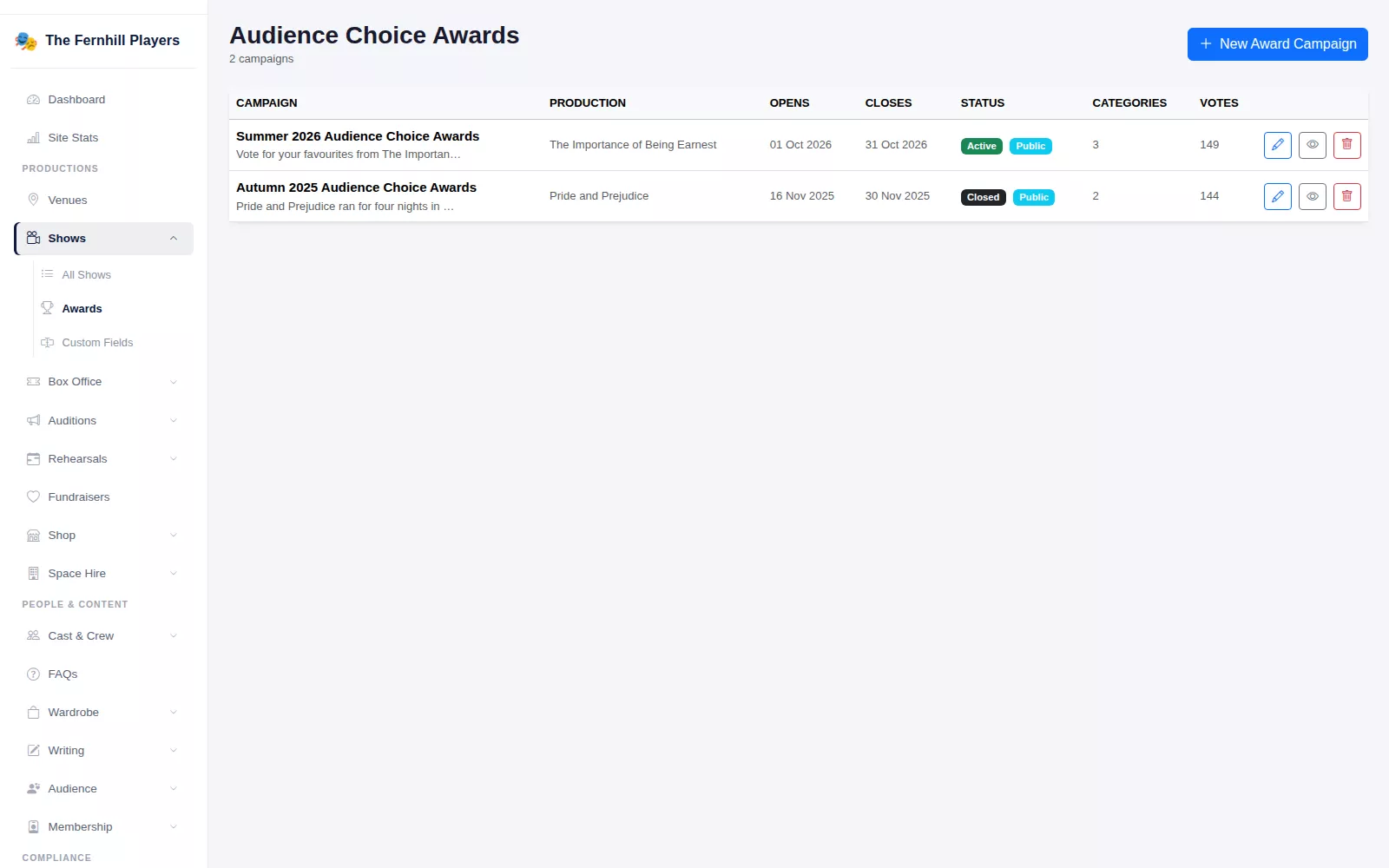
The Audience Choice Awards screen lists every campaign with its production, opening and closing dates, status, number of categories and votes cast, so you can see at a glance which vote is running and how many people have taken part.
Frequently asked questions
Ready to get started?
Join groups across the UK already on TheatreHQ. No card, no commitment.
Start your trial →