Online Shop
Sell T-shirts, posters, mugs and programmes from your own website, with stock control, delivery options and sales reports built in.
Key Features
Products with options
Give each product its own colours and sizes, with a SKU, stock level and price adjustment for every variant.
Linked to your shows
Tie a poster or mug to a production and visitors can filter the shop by show.
Stock that keeps count
Set a low stock alert per product and see what is running low or sold out on one screen.
Collection or delivery
Offer Collect at Show and Local Collection for free, plus paid delivery priced by band or by weight.
Profit at a glance
Record a cost price alongside the sell price and the reports show revenue, cost, profit and margin per product.
Exports for your treasurer
Download order lines, product sales, stock levels or a Xero invoices CSV for any date range.
A shop that belongs on your own site
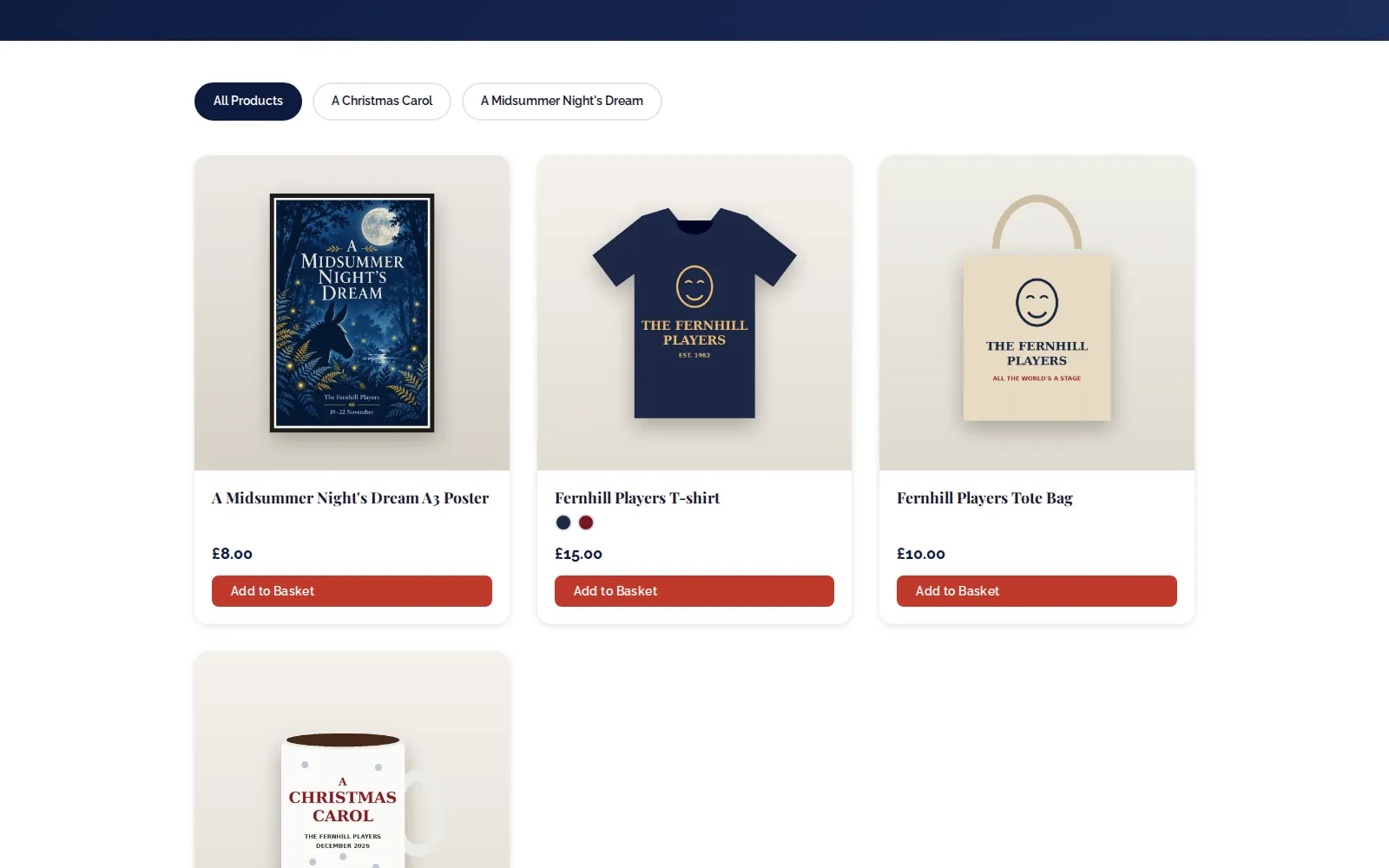
Your merchandise sits on your society's website next to your shows, not on a separate marketplace. Visitors browse a grid of products with photos, prices and colour swatches, add items to a basket and check out. Anything linked to a production can be filtered by show, so the poster and mug for your Christmas panto are easy to find while it is on sale.
Set up products, sizes and stock
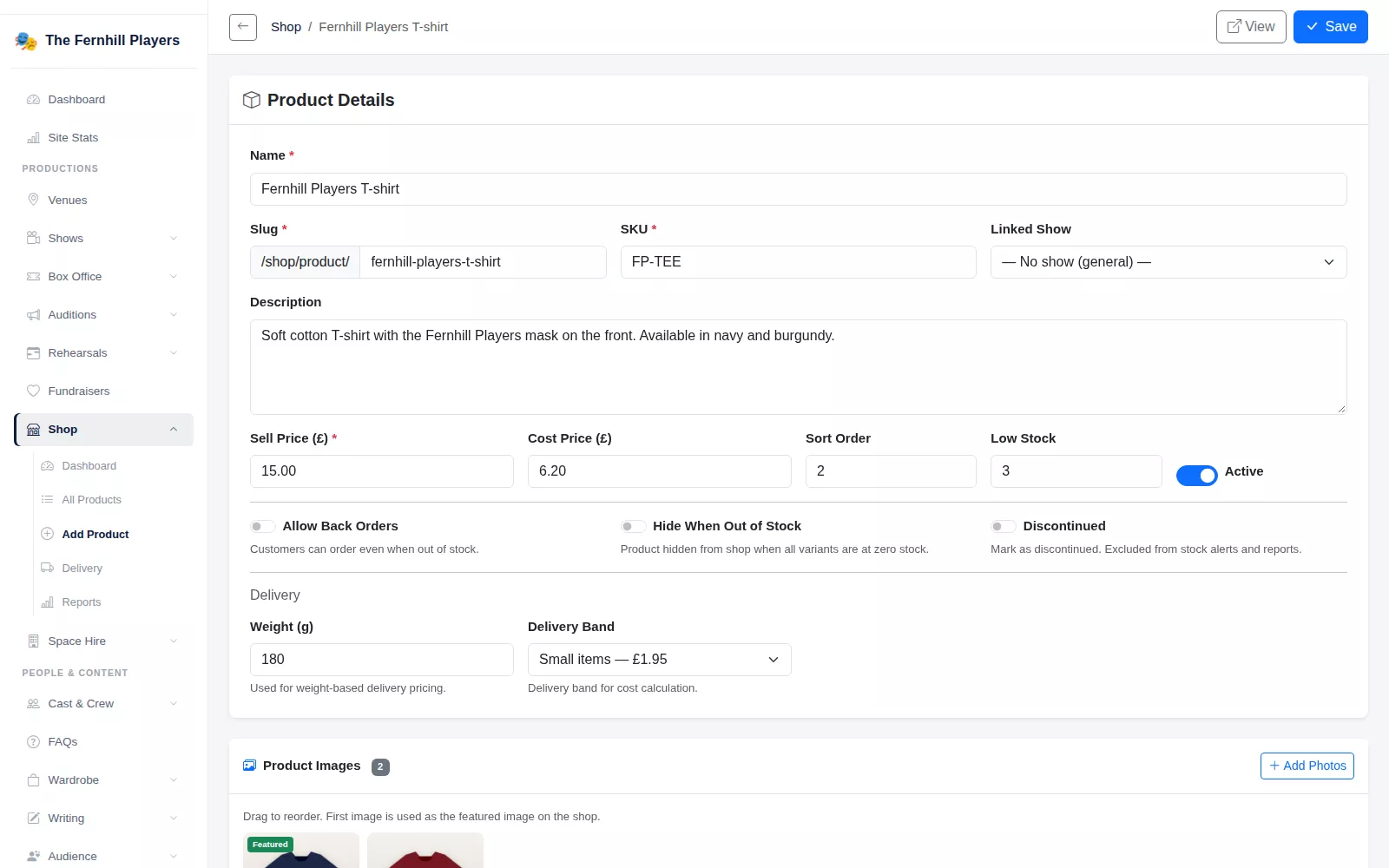
Each product has a name, SKU, description, sell price and cost price, and can be linked to a show. Upload several photos and choose which one is featured. Then add variants for each colour and size, each with its own SKU and stock quantity, or use the variant generator to create every colour and size combination in one go. Leave stock blank for items you never run out of.
Switches on the product control what happens when stock runs out: allow back orders, hide the product when it is out of stock, or mark it as discontinued. The Manage Shop screen lists everything below its low stock alert and everything at zero, with a box to restock each line.
The product list shows every item with its photo, linked show, price, number of variants and status, so you can hide something for a while without deleting it. Because each variant records its own cost and price adjustment, a larger size that costs you more can also sell for a little more.
Collection, delivery and checkout
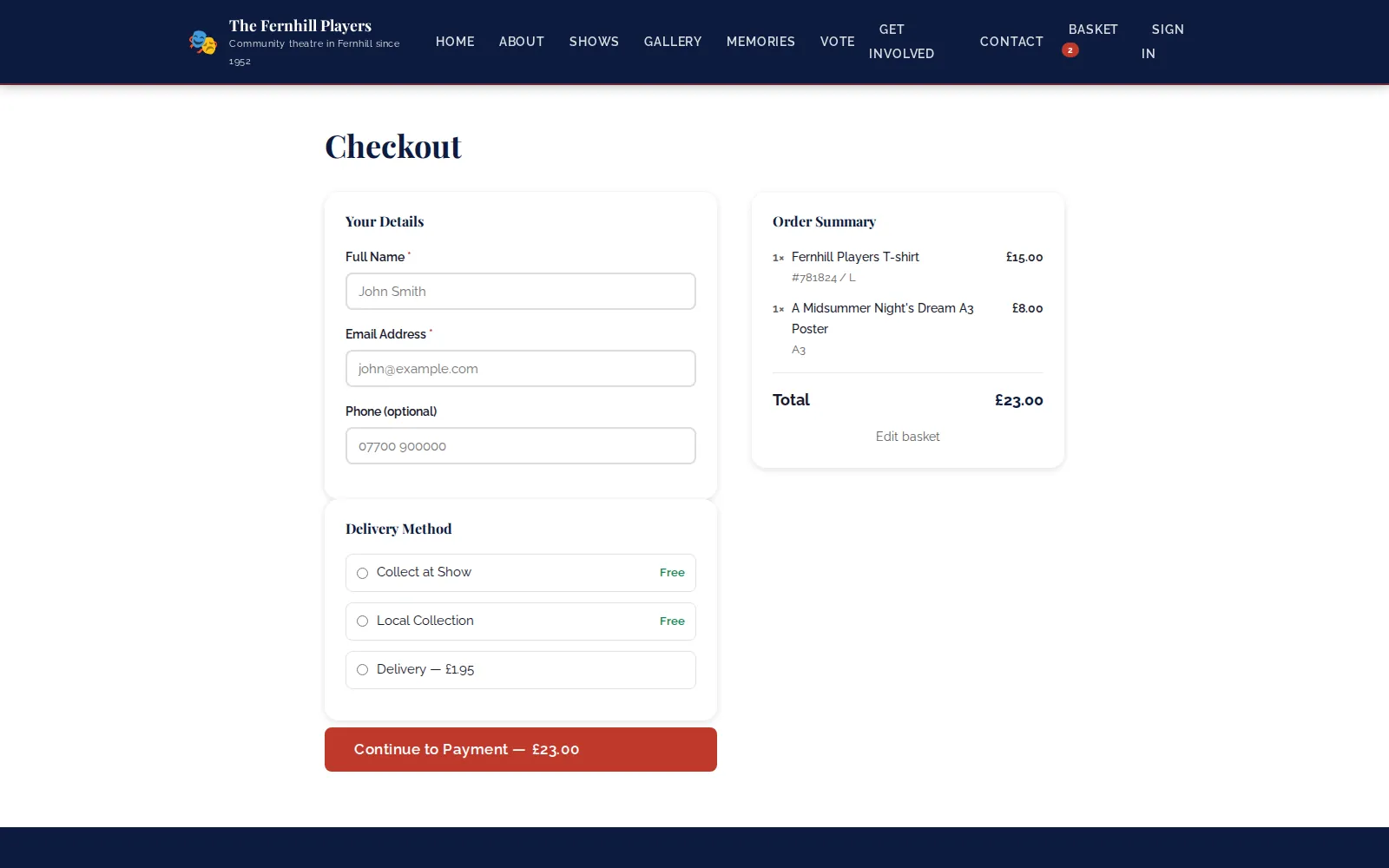
In Delivery Settings you choose what customers can pick at checkout. Collect at Show and Local Collection are free options. For posted orders, use delivery bands such as small and large items, charged per item or by the highest band in the basket, or weight-based tiers worked out from each product's weight. You also choose which countries you deliver to and can switch on UK postcode lookup.
Give each product a weight or a delivery band and the right charge is added at checkout. The basket keeps a running total, and the customer sees the delivery options you offer before they continue to payment.
Reports and exports
Shop Reports show revenue over time, revenue and profit by product, units sold and margin, top-selling variants, a delivery breakdown and products with no sales, filtered by date range or production. When it is time to do the books, export CSVs of order line items, a product sales summary, stock levels, or invoices laid out for import into Xero.
Frequently asked questions
Ready to get started?
Join groups across the UK already on TheatreHQ. No card, no commitment.
Start your trial →