News & Photo Galleries
Post your society's news, tag each story with the show and the people in it, and keep a photo album for every production on your own website.
Key Features
A proper post editor
Write in a block editor with headings, lists, quotes, tables and images, then save as a draft or publish.
Tag shows and cast
Link a post to productions and cast & crew, and they appear beside the article as Tagged Shows and Featured Cast.
Photos with every story
Give any post its own photo gallery and tag the people in each picture.
An album for each production
Upload photos to a show and they appear on its page and in your public gallery, grouped by show.
Browse by show or by person
Visitors can view All Photos, By Show or By Cast & Crew, and open any picture full size.
Audience photo submissions
The public can send in photos from a production; nothing appears until someone approves it.
Write news your audience will read
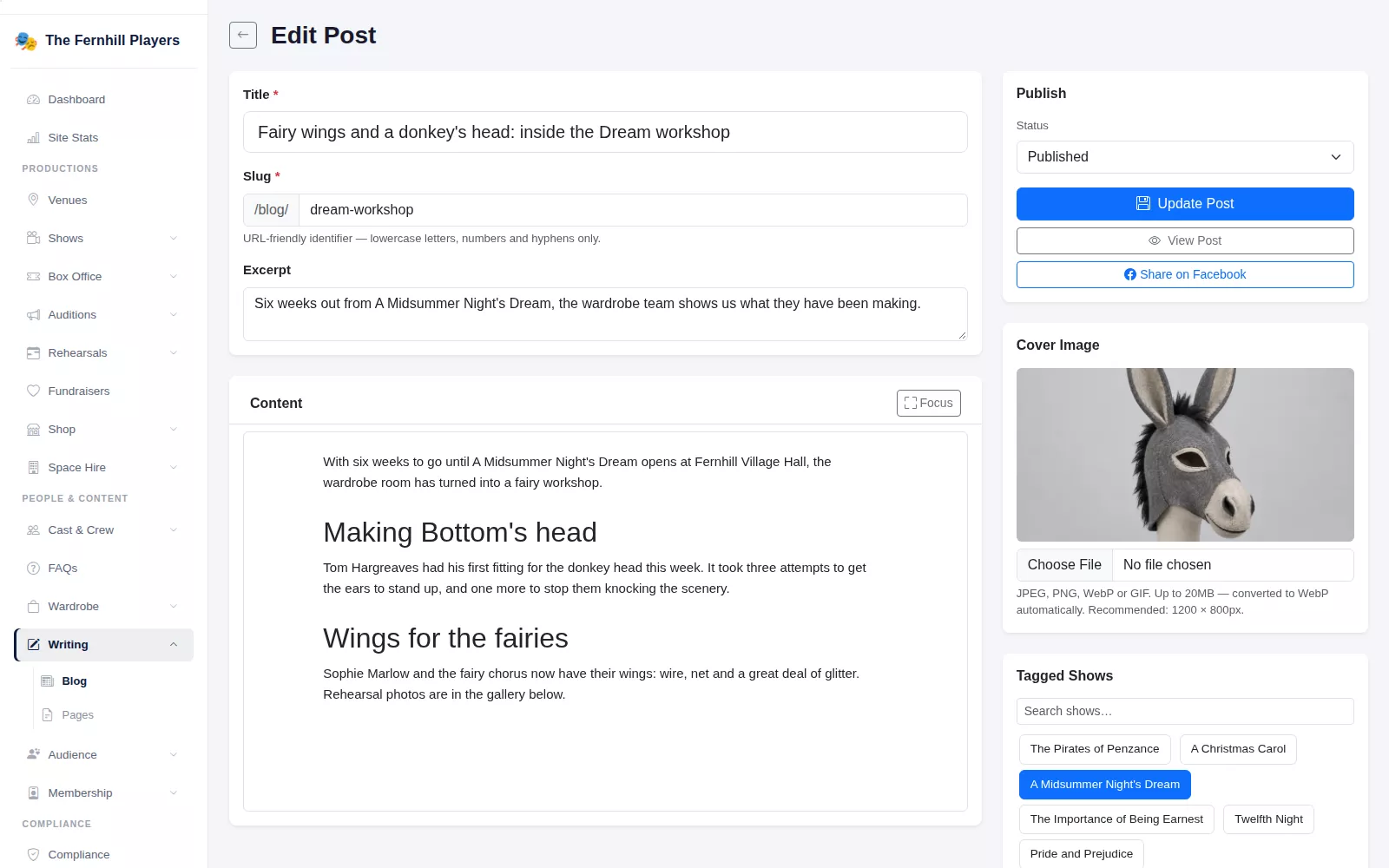
Your blog is where the society's news lives: cast announcements, rehearsal diaries, a look back at last season. Each post has a title, a web address, a short excerpt for the listing page and a cover image. You write the body in a block editor with headings, lists, quotes, tables, warnings and inline images, and the Focus button clears the rest of the screen away while you write. Keep a post as a Draft until it is ready, then set it to Published.
Would you rather call it News? Change the Blog / News Label once in Settings and the new name is used for the page heading and the footer link.
Connect every story to a show and its people
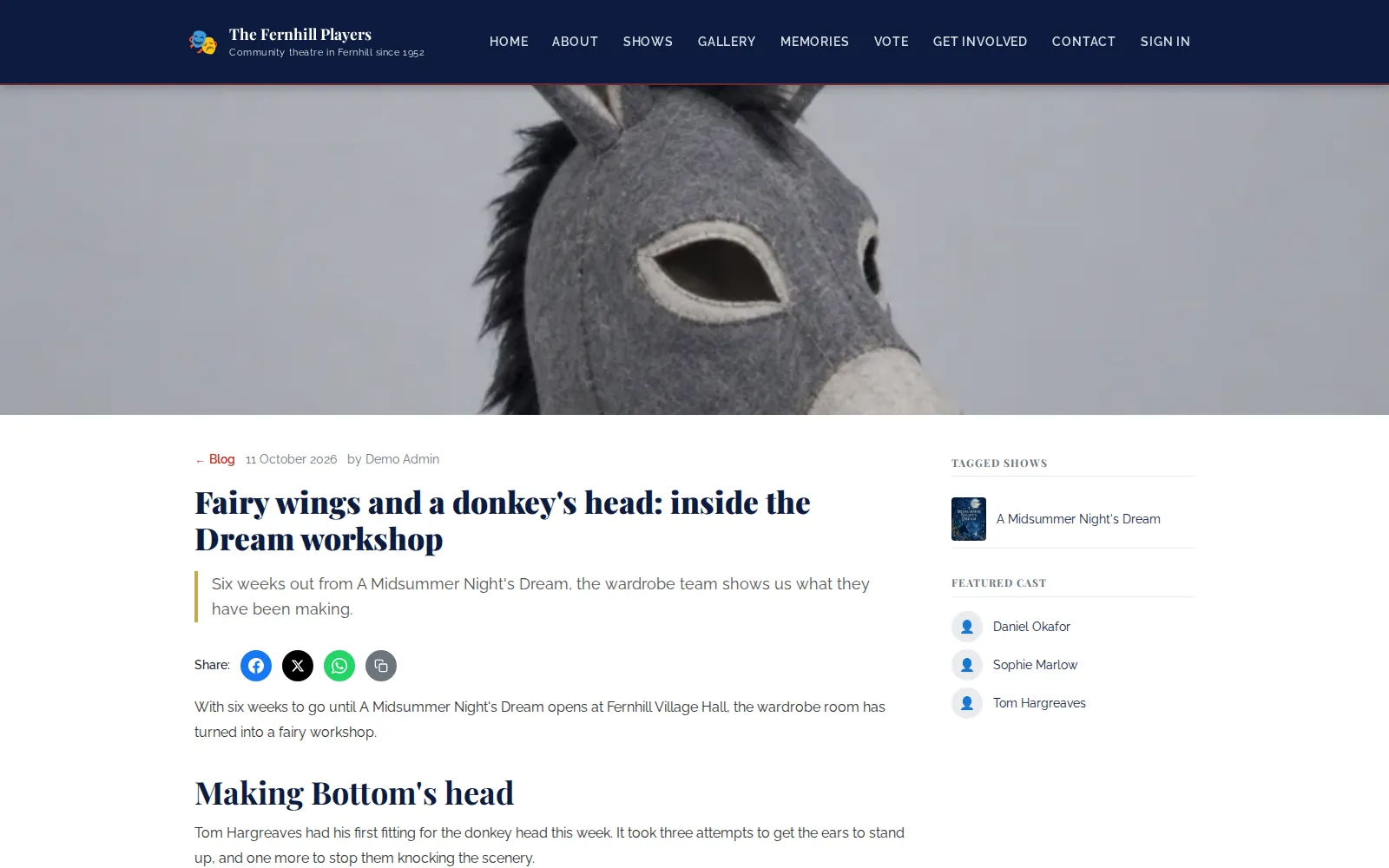
Down the side of the editor you tick the productions and the cast & crew a post is about. On the published article they appear as Tagged Shows, with the poster, and Featured Cast, each linking to their own page. The post is also listed under Related Articles on the show's page, so someone reading about the production finds the rehearsal diary too.
Every post has share buttons for Facebook, X and WhatsApp, plus a copy-link button, and the editor has its own Share on Facebook button.
A photo album for every production
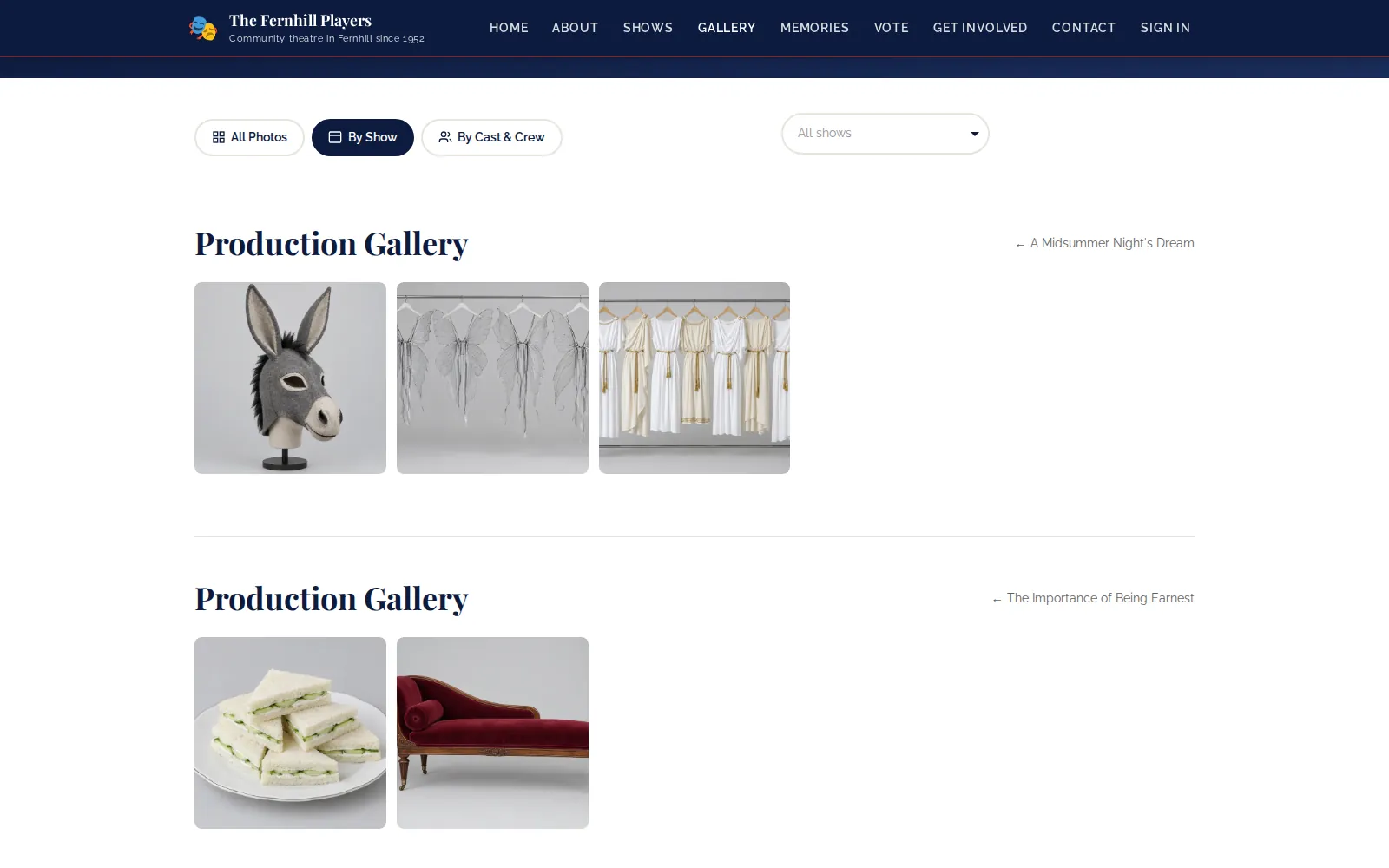
Upload photos straight to a show from its edit page and they become that production's album. Your public Photo Gallery lets visitors browse All Photos, By Show or By Cast & Crew, pick one show or one person from a search box, and step through pictures full size. The same photos appear in the Production Photos section of the show's own page.
Posts can carry their own gallery as well. Open a saved post, choose Add Photos, drop in several pictures at once, then tag the people in each one. Anyone tagged gets the photo on their cast page, under In the Spotlight.
Let your audience send photos in
The gallery page has a Submit Your Photos button. Visitors give their name and email, choose the production, add a caption and a photographer credit, and confirm they have the right to share the picture. Each submission waits in the Pending Photos queue on your dashboard until someone approves or rejects it, which is exactly the job the Approver role is designed for.
Frequently asked questions
Ready to get started?
Join groups across the UK already on TheatreHQ. No card, no commitment.
Start your trial →