Site Stats & SEO
See which pages people visit, where they come from and what devices they use without adding a tracking service, and check your shows are ready for search.
Key Features
Counting built in
Page views are counted by TheatreHQ itself, so there is no tracking service to set up.
Bots kept apart
Search engine crawlers and other bots are recognised and counted separately from real visitors.
Where visitors come from
Top Pages, Top Referrers and Top Entry Pages, with daily, hourly and device charts.
Site Stats overview
Website traffic beside ticket revenue, tickets sold, top shows and upcoming activity.
SEO Health for each show
Upcoming productions are scored on the details Google uses for event listings, with anything missing listed.
Broken links fixed
See each address that came up not found and redirect it to the right page.
Visitor numbers without a tracking service
Plenty of societies add Google Analytics and then never open it. TheatreHQ counts page views itself. Each public page sends a small signal back to your own site when it loads; admin pages are left out, and search engine crawlers and other bots are recognised and kept apart from real visitors. People are counted using a scrambled (hashed) version of their IP address that changes every month, so no cookie is needed.
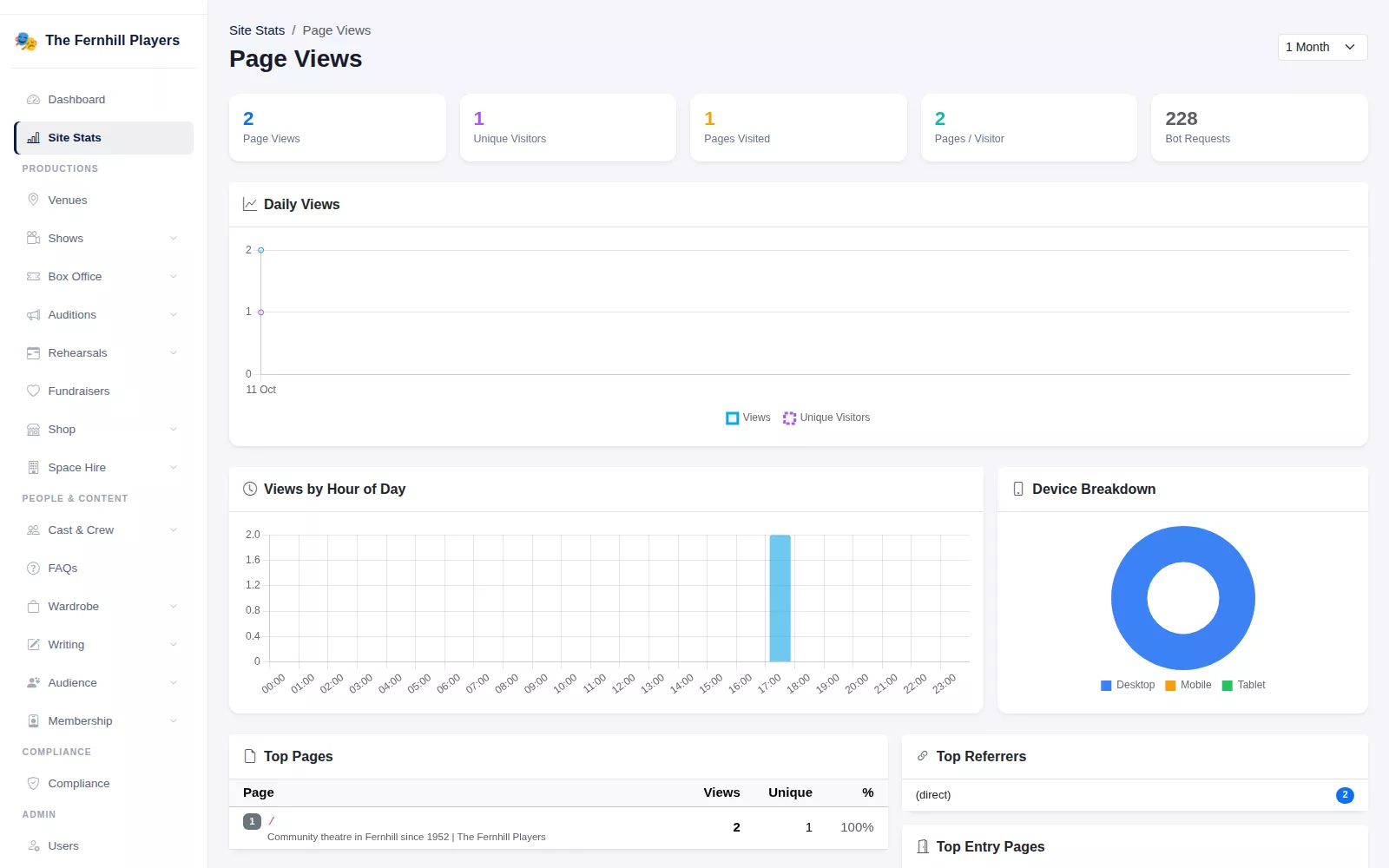
The Page Views screen shows Page Views, Unique Visitors, Pages / Visitor and Bot Requests for anything from the last 7 days to All Time, with charts of daily views, views by hour of day and a device breakdown, plus tables of Top Pages, Top Referrers and Top Entry Pages. You can see whether people are arriving from Google or Facebook, and which show page they land on.
If you also want Google Analytics, Microsoft Clarity or Meta Pixel, they can be added in Settings and are tied to the categories on your cookie banner.
The whole society on one screen
Site Stats puts website traffic next to everything else: ticket revenue and tickets sold, space bookings, new sign-ups, reviews and blog posts, with revenue and audience growth charts, your top shows by revenue and the next performances and bookings.
Help your shows appear in search
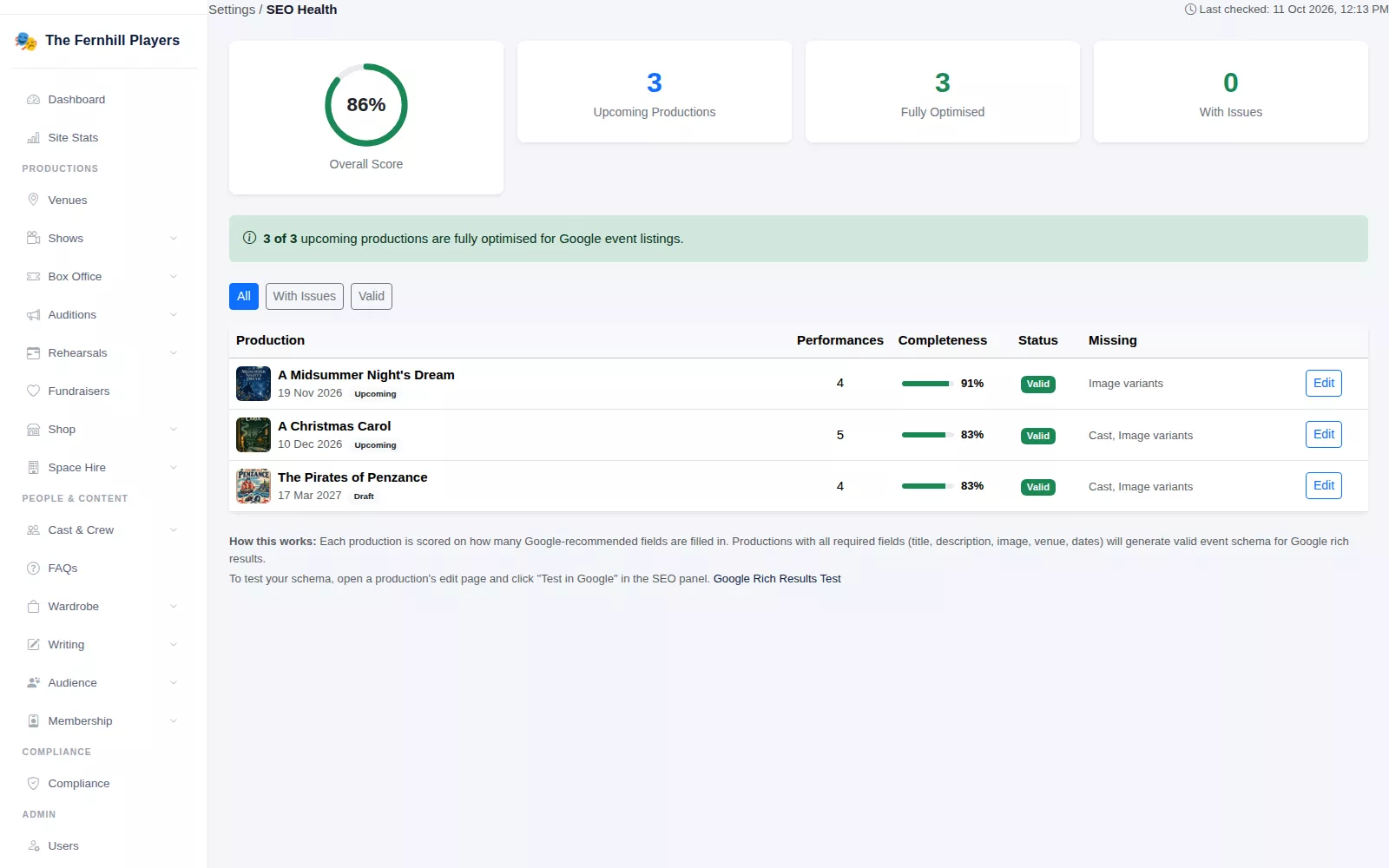
SEO Health checks each upcoming, running and draft production against the details Google recommends for event listings: title, description, image, dates, venue name and address, ticket offers, performers, and images in several shapes. Each show gets a completeness score and a list of what is missing, and the overall score shows how ready your season is. A production's edit page links to Google's Rich Results Test so you can check it yourself.
Fix broken links and share your calendar
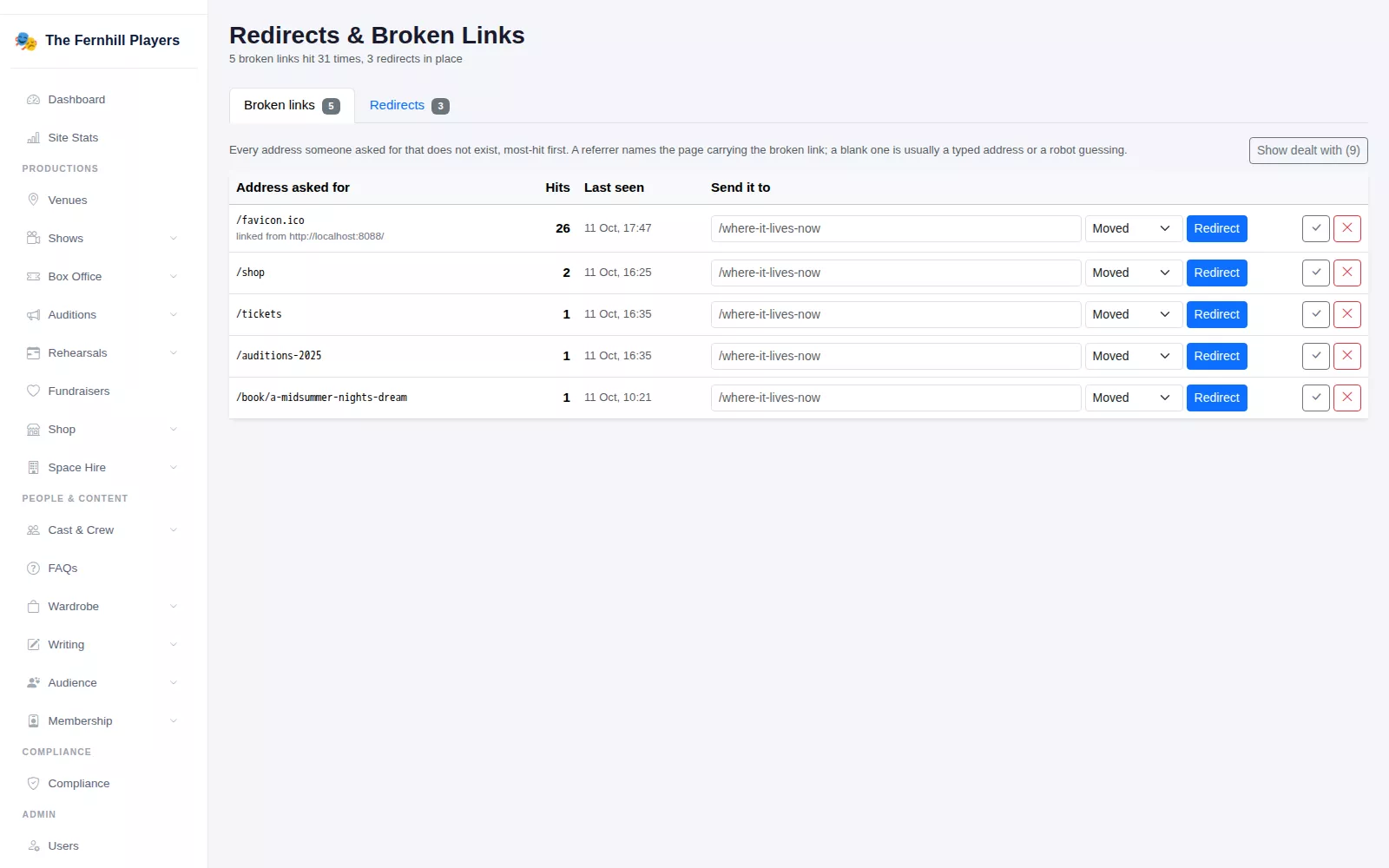
When someone follows an old link or mistypes an address, Redirects & Broken Links records it, with the number of hits, when it was last seen and the page that linked to it. Type where it should go and press Redirect, choosing Moved or Temporary. Mark an entry as dealt with and it only comes back if the address is hit again.
Your site also publishes feeds automatically: RSS for shows, blog, events and fundraisers, and iCal calendars for all shows, events and fundraisers, plus one for each show that audiences can add to Google, Apple or Outlook calendars.
Frequently asked questions
How-to guides
Step by step, with screenshots
Ready to get started?
Join groups across the UK already on TheatreHQ. No card, no commitment.
Start your trial →