Seeing how your society is doing with Site Stats
One page with your website visitors, ticket and hire income, top shows and what's coming up, for any period you choose.
Site Stats brings the numbers the committee asks about onto one page: how many people are visiting the website, how much the box office and room hire have taken, which shows did best and what's coming up next. It's a good page to open before a committee meeting.
1. Open Site Stats and choose a period
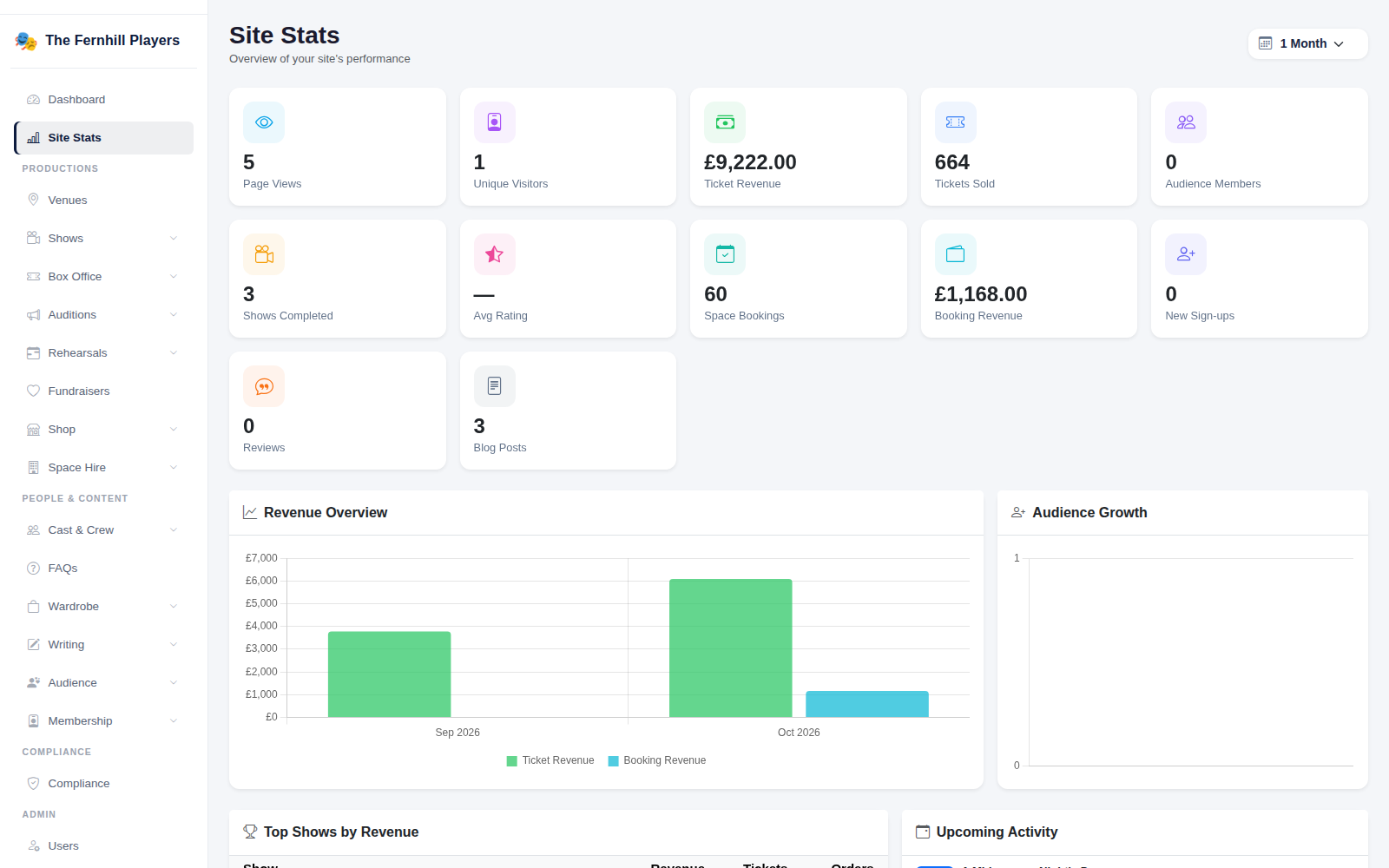
Click Site Stats near the top of the admin menu. Use the period menu in the top right to choose 7 Days, 1 Month, 3 Months, 6 Months, 1 Year or All Time. Everything on the page changes to match.
2. The headline numbers
The tiles across the top show the period at a glance:
- Page Views and Unique Visitors on your website.
- Ticket Revenue and Tickets Sold.
- Audience Members and New Sign-ups.
- Shows Completed, the Avg Rating from audience reviews and the number of Reviews.
- Space Bookings and Booking Revenue from room hire.
- Blog Posts published.
3. Revenue and audience growth
Revenue Overview shows money coming in month by month, with ticket sales and space hire in different colours, so you can see the busy months and the quiet ones. Audience Growth shows how your audience list has grown over the same time.
4. Top shows and what's coming up
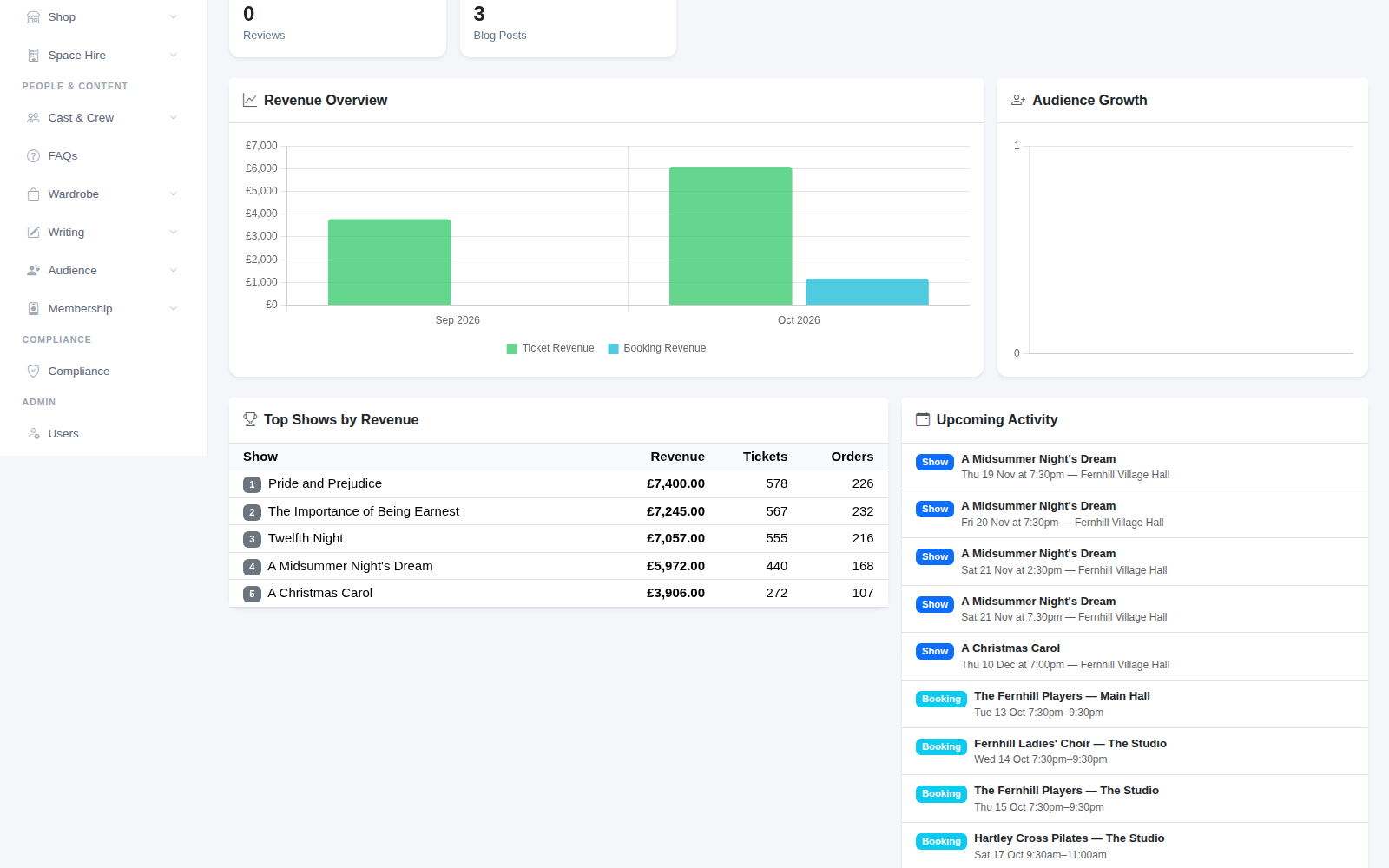
Top Shows by Revenue ranks your productions by takings, with tickets sold and number of orders. It's useful when you're planning a season and want to know what your audience comes out for. Upcoming Activity lists the next performances and room bookings, so you can see the weeks ahead without opening the calendar.
5. Top pages and module health
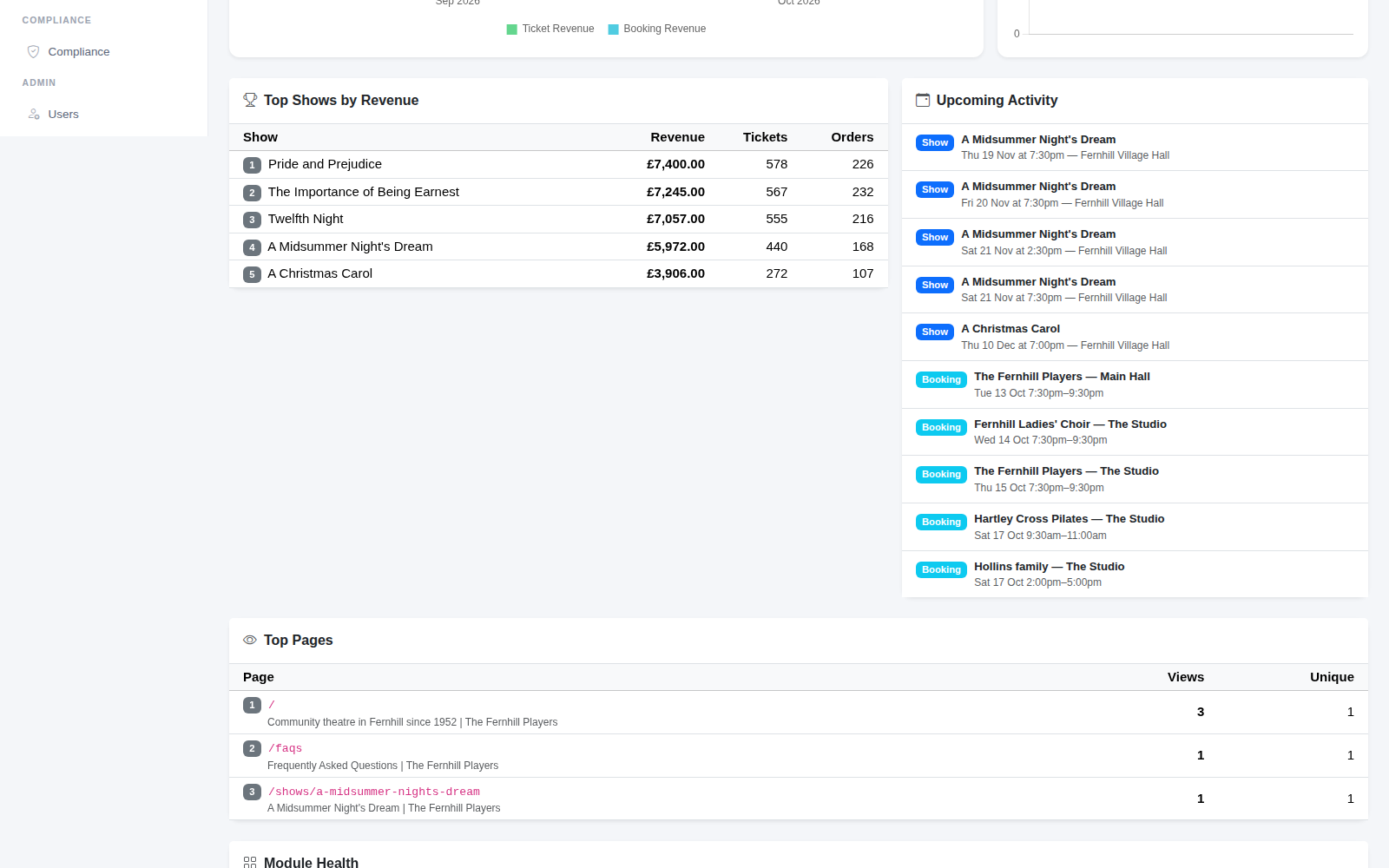
Top Pages shows which pages on your website people visit most, with views and unique visitors. If a show page is getting plenty of visits but few bookings, that's a sign the page or the booking process needs a look.
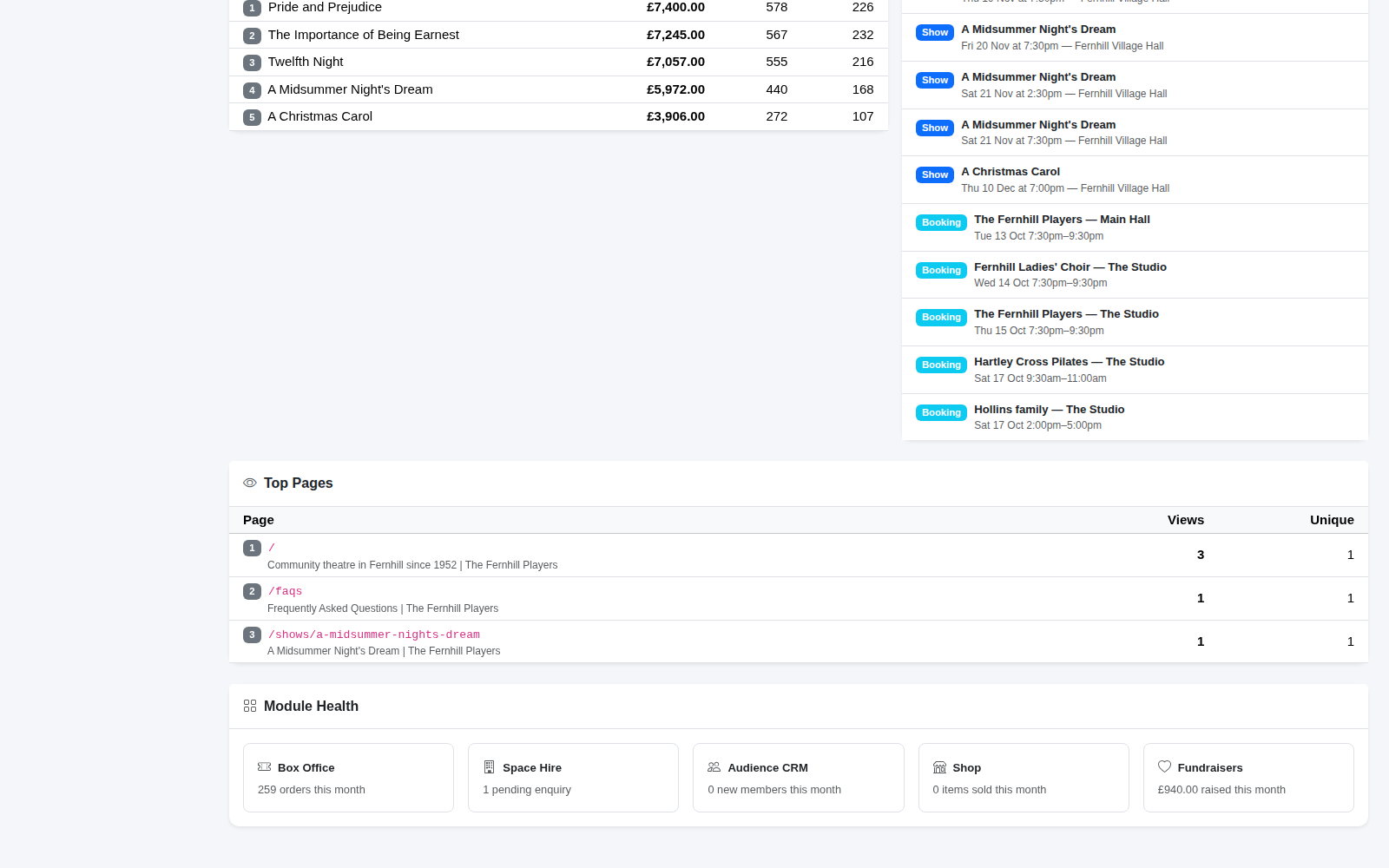
Module Health at the bottom gives a quick check on each part of the system this month: box office orders, space hire enquiries waiting for a reply, new audience members, shop sales and money raised for fundraisers.
Tip: compare the same period around each show. Looking at the month before opening night for this show and the last one tells you more than any single number.