Checking how ticket sales are going
See revenue, seats sold, online versus cash sales and attendance for each production and performance.
Whether you're deciding when to push publicity or reporting to the committee, TheatreHQ shows how each production is selling as orders come in. This guide shows where to find the figures.
1. Start at the Box Office
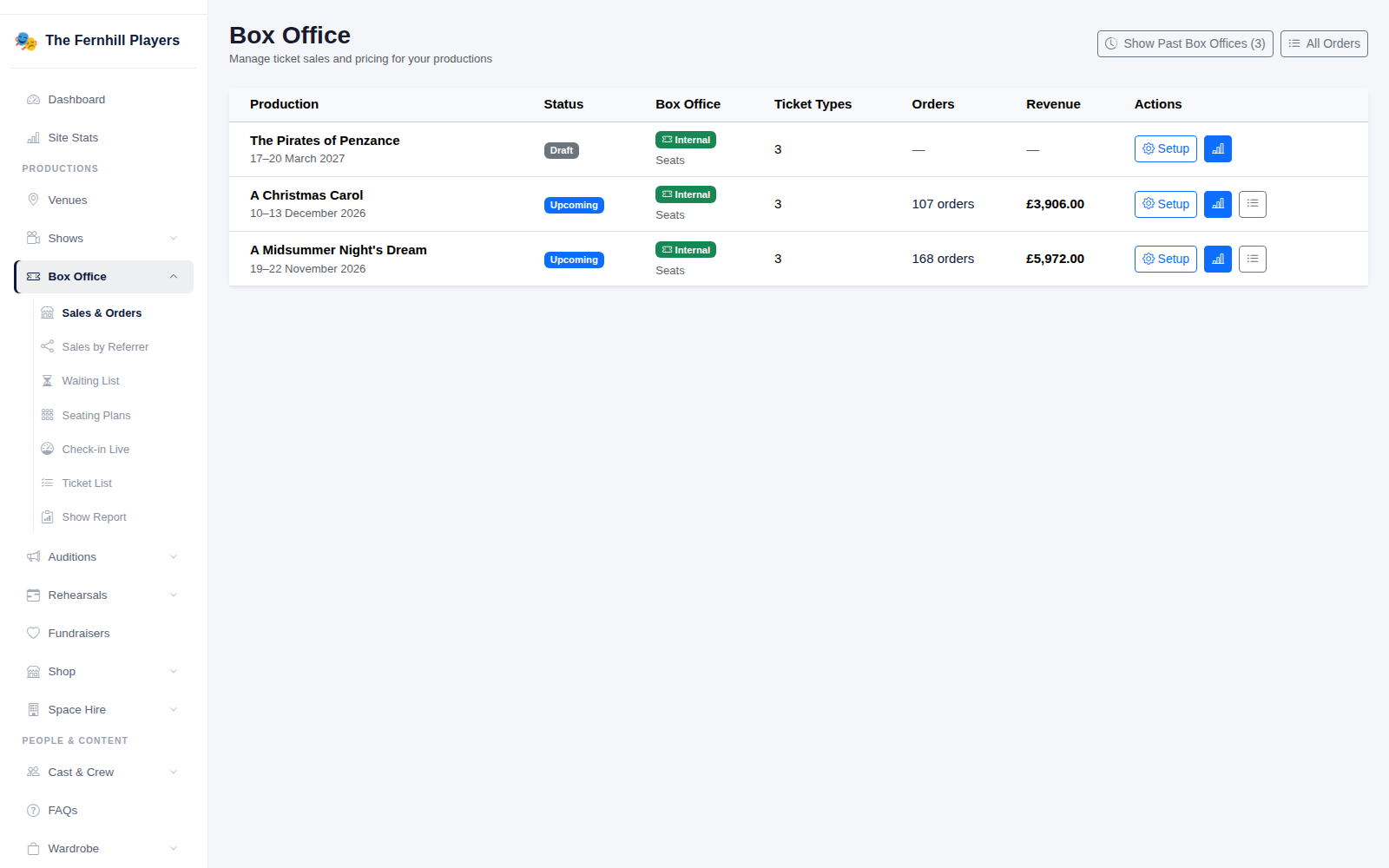
Go to Box Office. Every production is listed with its status, the number of orders and revenue so far. Use Show Past Box Offices to see earlier productions.
2. Open a production's sales analytics
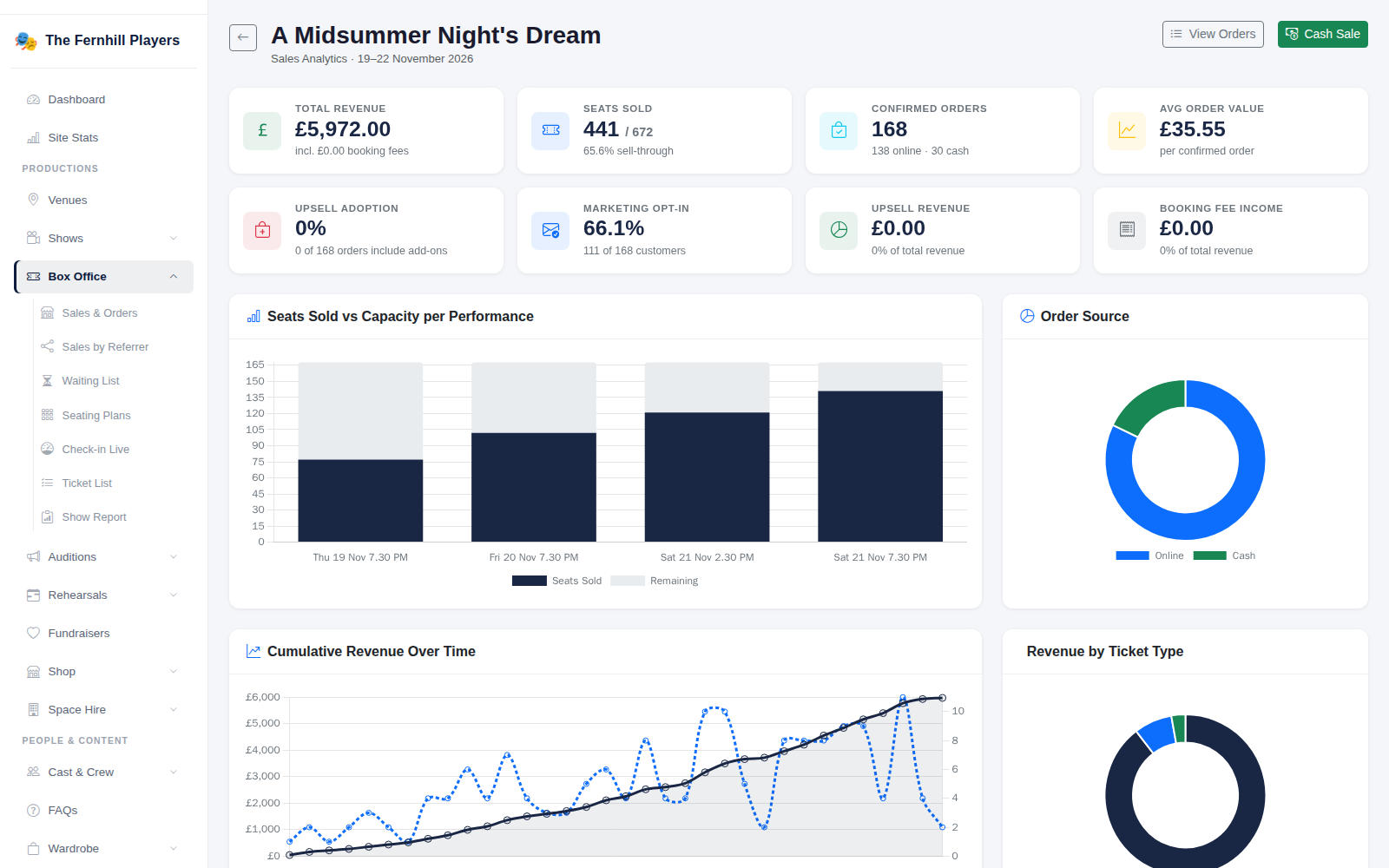
Open a production to see its Sales Analytics. Along the top are Total Revenue, Seats Sold against capacity with the sell-through percentage, Confirmed Orders split into online and cash, Avg Order Value and Marketing Opt-in — the share of customers happy to hear from you again.
3. Read the charts
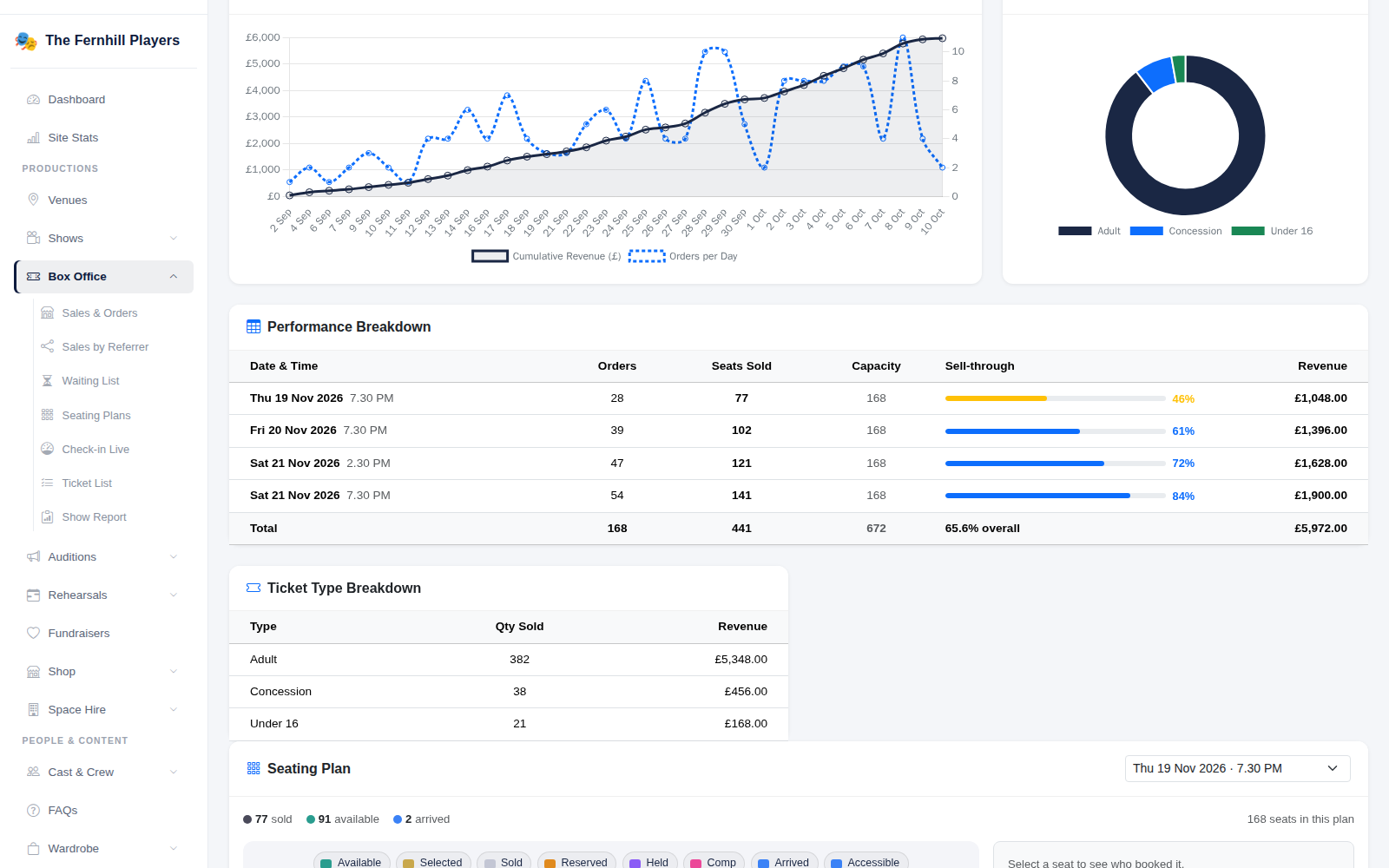
Below the totals, charts show Seats Sold vs Capacity per Performance, Order Source, Cumulative Revenue Over Time and Revenue by Ticket Type. The Performance Breakdown table lists orders, seats sold, capacity, sell-through and revenue for each night, so you can see at a glance which performances need a push.
4. After the show: who came
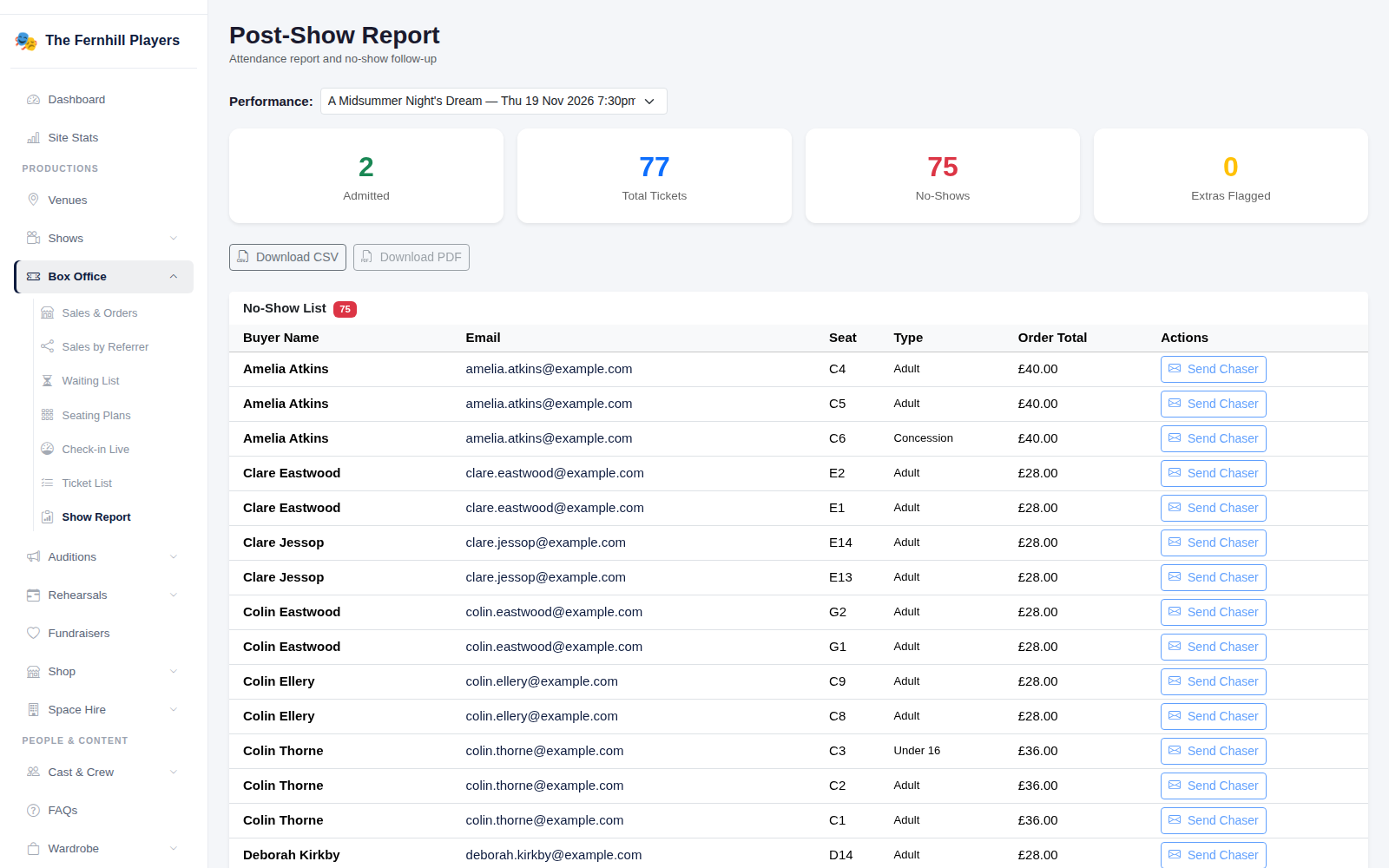
Box Office > Show Report gives the attendance for a performance: how many were admitted out of the tickets sold, and the number of no-shows. The No-Show List shows who didn't come, and Download CSV exports it.
Tip: Sales & Orders has the full list of individual orders if you need to look up a particular booking.