Sponsors & Supporters
Keep track of the businesses and people who back your shows, with logos, tiers and website links, and thank them on your website's About page.
Key Features
Logos and links
Upload each sponsor's logo and website address; on your site the logo links straight to them.
Five tiers
Mark each sponsor as Platinum, Gold, Silver, Bronze or Supporter, colour-coded in the admin list.
Your running order
A sort order number puts your headline sponsor first; ties are arranged by tier, then name.
Shown on your About page
Active sponsors with Show on About page switched on appear under Our Supporters.
Private notes and contacts
Contact name, email, dates and internal notes stay in the admin and are never shown publicly.
Pause without deleting
Switch a sponsor to inactive and they leave the website but stay in your records.
Everyone who backs your shows, in one list
Most societies rely on a handful of local businesses and a few generous individuals: the printer who does your posters at cost, the pub that hosts the opening-night party, the photographer who gives up every dress rehearsal. The Sponsors & Supporters screen keeps them together, with a form on the left for adding or editing and the Current Sponsors list on the right showing each logo, website, tier and where it appears.
For each sponsor you enter a name, a short description, a logo, their website and a tier: Platinum, Gold, Silver, Bronze or Supporter. For your own records you can add a contact name and email, start and end dates and internal notes, such as when the renewal conversation is due or what they would like in return. None of that private detail appears on your website. Tiers are there to help you keep track of who gives what; on the website they decide the running order rather than appearing as labels.
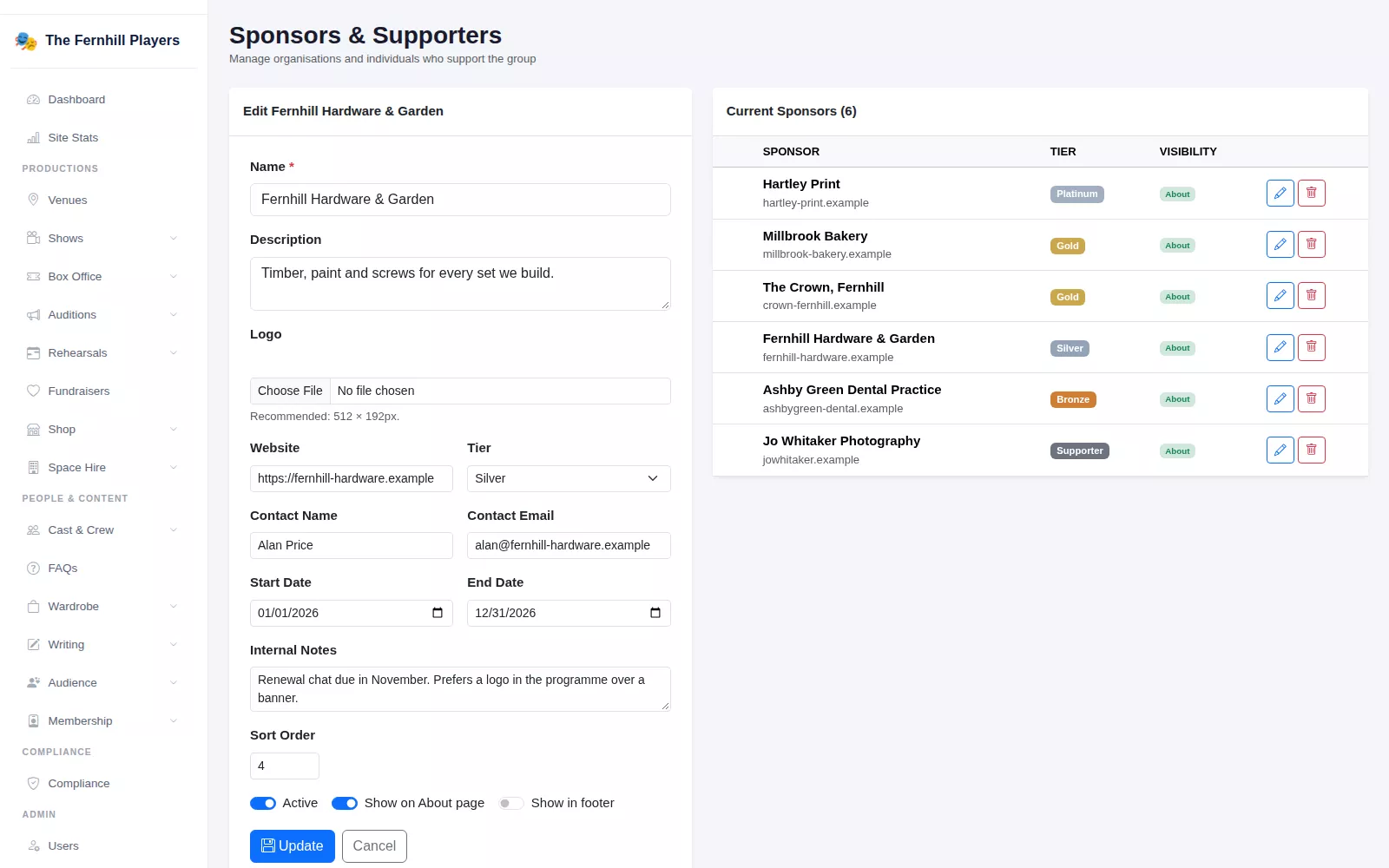
A sponsors page that keeps itself up to date
Switch on Show on About page and the sponsor appears in the Our Supporters section of your About page, with their logo linking to their website and their description underneath. The section ends with a line inviting other businesses to get in touch about sponsoring a production, linked to your contact page, so the page does a little fundraising for you.
The order is up to you. Give your headline sponsor sort order 1 and they lead the list; sponsors sharing a number are arranged by tier and then alphabetically. Add a new supporter in the admin and they are on your website as soon as you save.
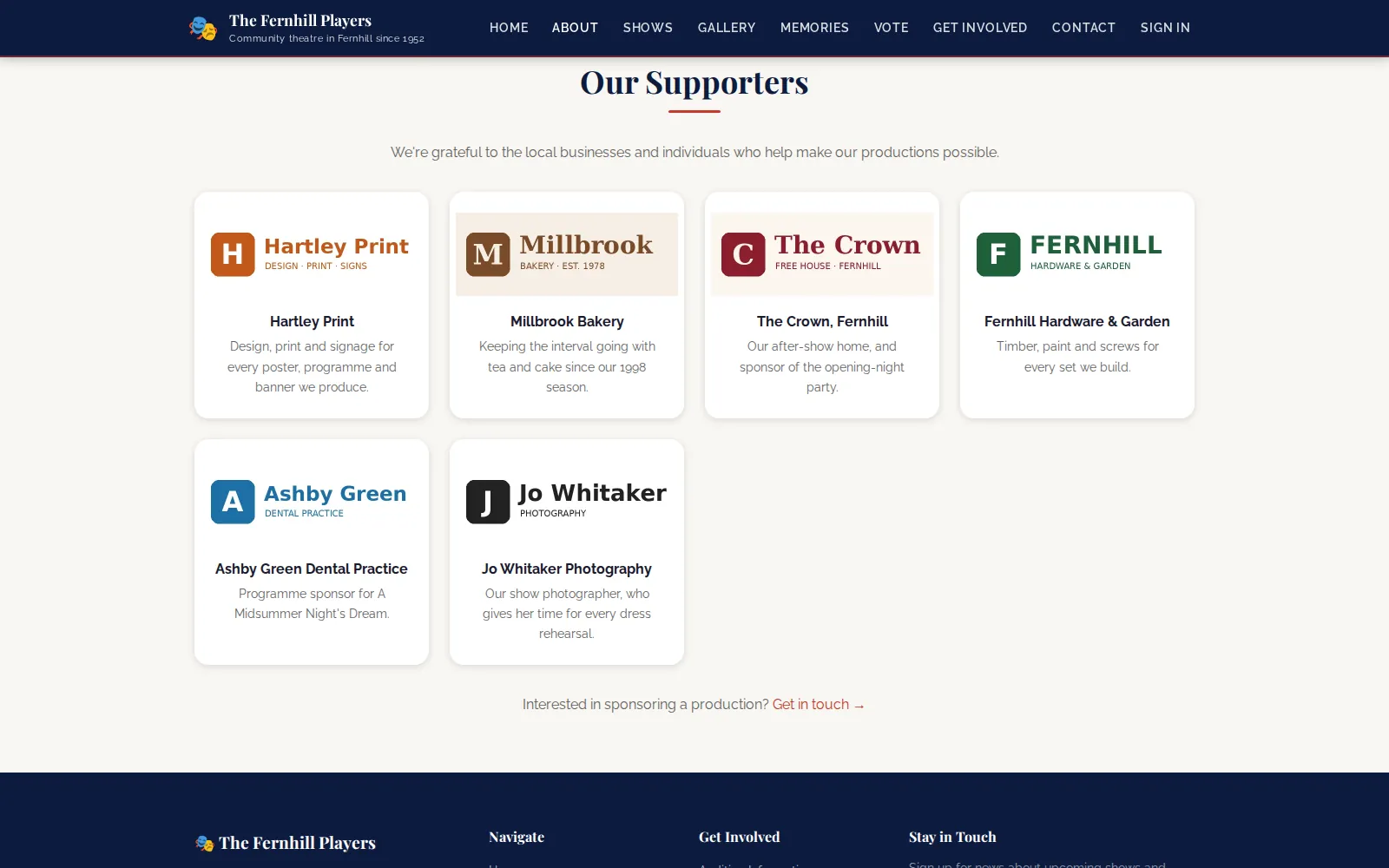
When a sponsorship comes to an end
Turn off Active and the sponsor disappears from your website straight away but stays in your admin, greyed out and marked Inactive, ready to switch back on if they renew next season. If you want them gone for good, delete removes them after a confirmation.
Only administrators can manage sponsors, so the list cannot be changed by accident by someone who only looks after the blog or the box office.
Frequently asked questions
Ready to get started?
Join groups across the UK already on TheatreHQ. No card, no commitment.
Start your trial →