Getting your shows found on Google
Use SEO Health to check each show has everything Google needs to list it as an event, and fix what's missing.
When someone searches for theatre near them, Google can show events — with dates, venue and a link to book — straight in the results. TheatreHQ describes every production to Google automatically, but only if the show has the details Google needs. SEO Health tells you which shows are ready and what the others are missing.
1. Check your score
Go to Settings > SEO Health. You'll see an Overall Score, how many upcoming productions there are, how many are Fully Optimised and how many have issues. Each production is listed with its number of performances, a Completeness score, whether its event details are valid, and what's Missing.
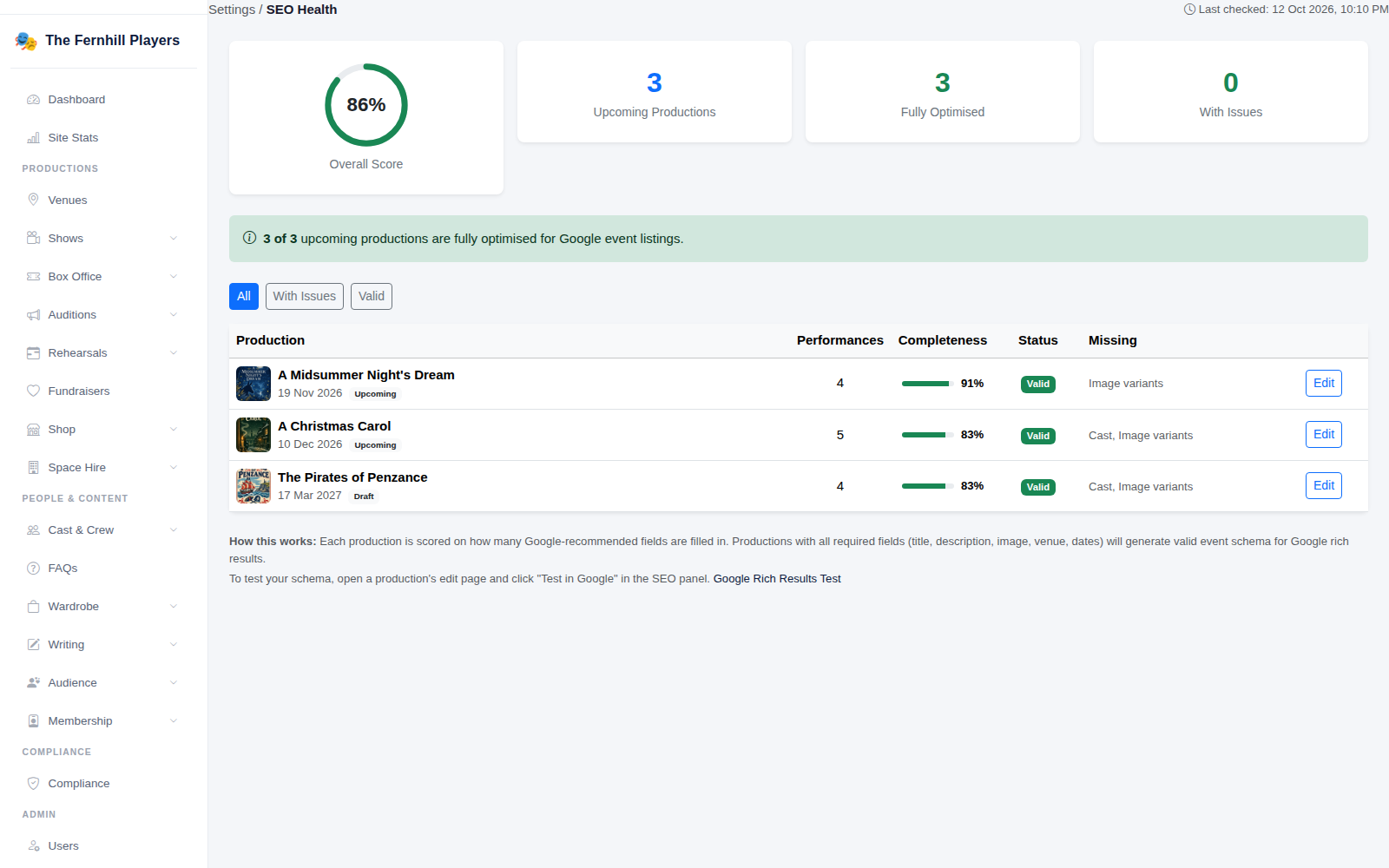
2. Fix what's missing
Click Edit beside a production to open it. The SEO & Discoverability panel on the right shows the show's score and lists exactly what would improve it — for example adding the cast, or uploading a landscape production image so Google has the picture sizes it prefers. Fill in what's suggested and save.
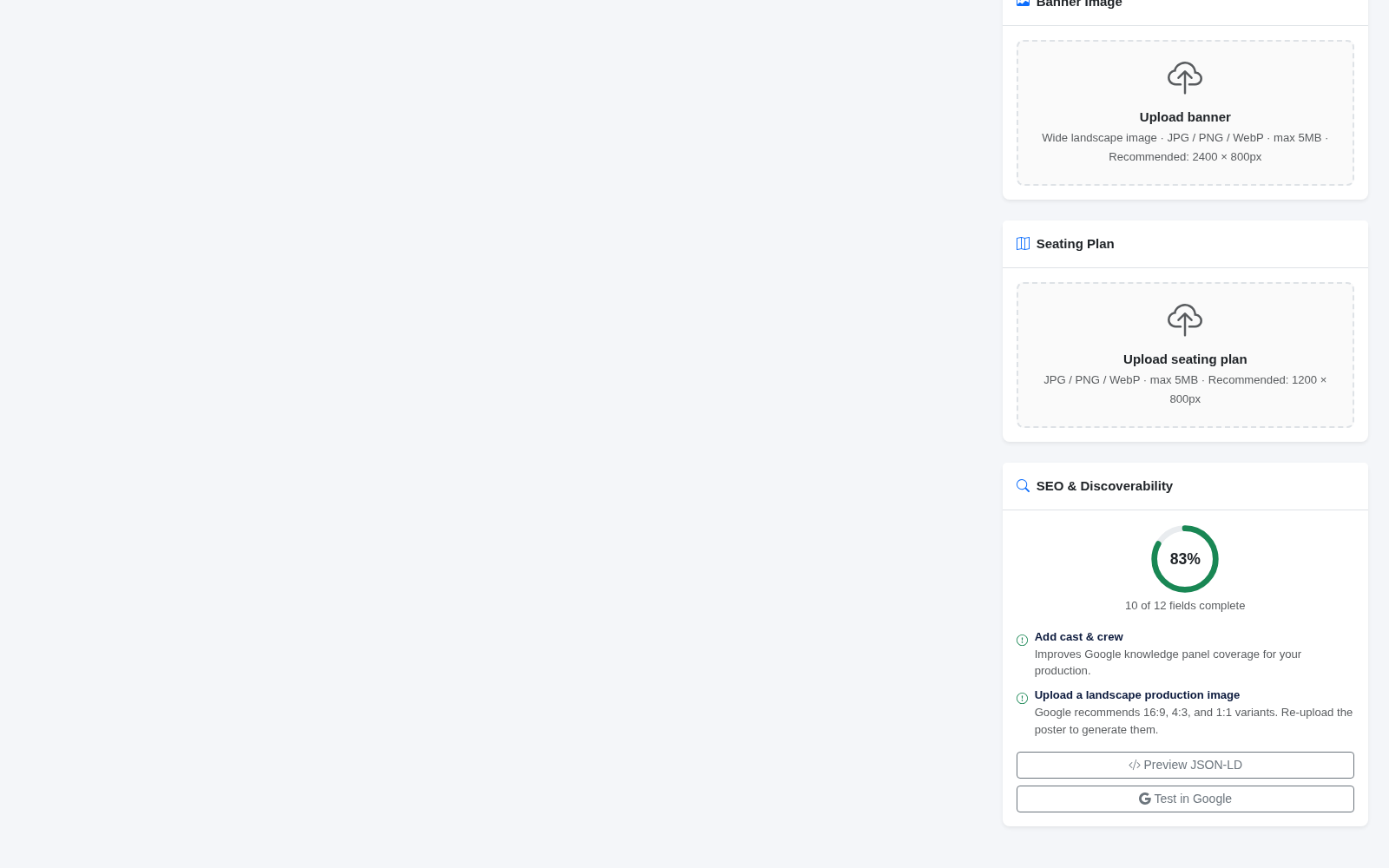
3. Check it with Google
The same panel has Test in Google, which opens Google's own tool to check how it reads the show's event details. A valid result means the show can appear in event listings — though Google decides when and where to show it.
What makes a show easy for Google
- A clear description of at least a few sentences.
- Every performance date and time, with the venue.
- A good poster and a landscape image.
- The cast, so searches for performers can find the show.
- Ticket prices and a booking link, which TheatreHQ adds from your box office.
Tip: complete these details when you first set a show up, not the week before it opens — Google can take a while to pick events up.