Referral Links
Give every cast member their own booking link and see exactly how many tickets each one has sold, from a single leaderboard.
Key Features
A link for everyone
Create a personal booking link for every cast member of a production with one button.
Posters and posts too
Add links for things that aren't people, like a library poster, a Facebook post or a newspaper advert.
Short, unambiguous codes
Each link has an eight-character code with no 0/O or 1/I to mix up.
Customers see who they're supporting
Booking through a link shows whose sale it will be credited to.
A leaderboard that motivates
See orders, tickets and money raised for each link, ranked from the top seller down.
Box office sales count
Credit a cash sale at the box office to a cast member or source from the sale form.
Every cast member, their own booking link
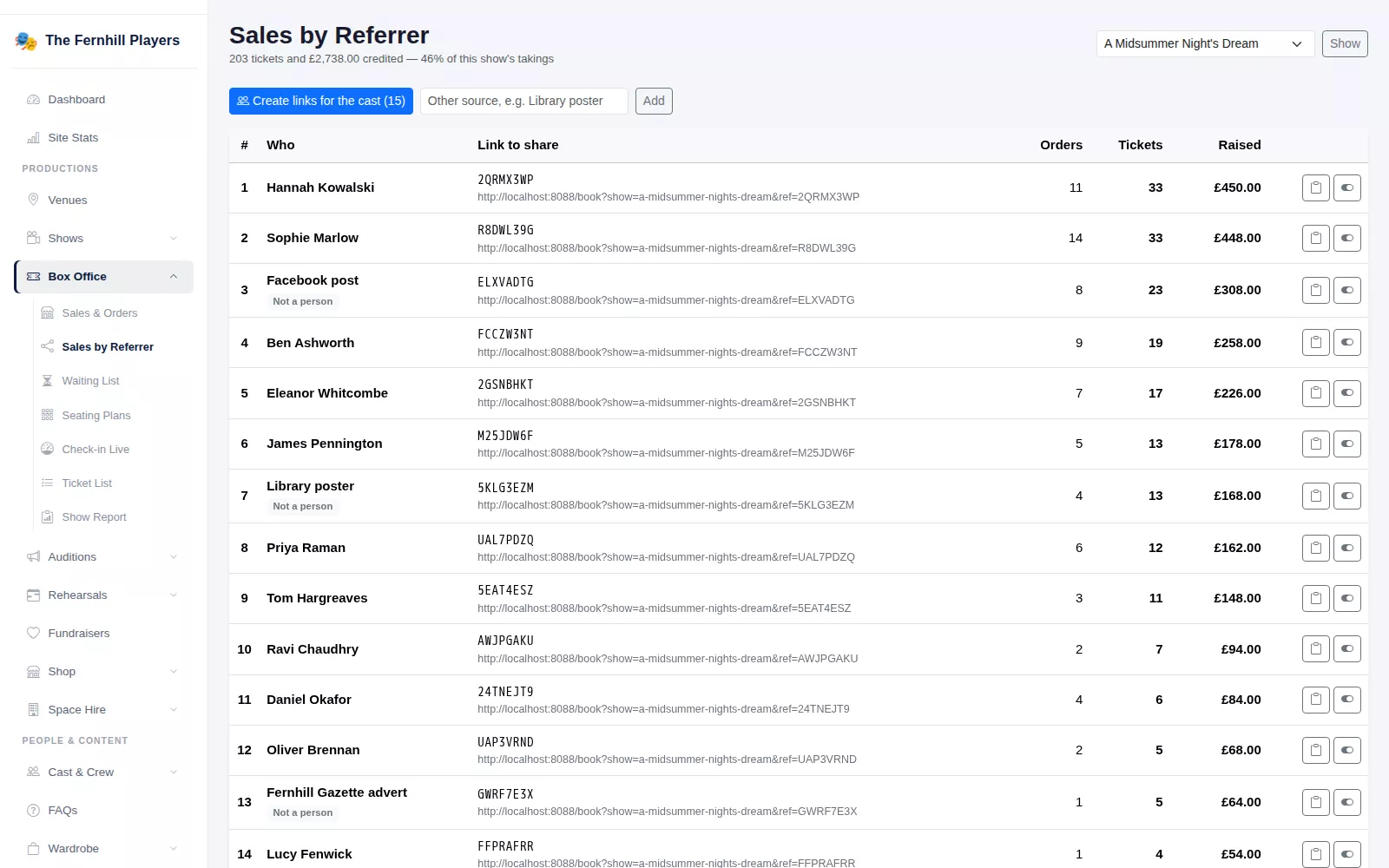
Your cast are your best sales team, and most of their selling happens in WhatsApp groups and on social media. On the Sales by Referrer screen, choose a production and press Create links for the cast. Everyone cast in that show gets their own link to your booking page, ready to copy and share. Nobody needs an account or a password.
Add the cast later and press the button again: only the new people get links, and nobody's existing link changes. You can also add other sources, such as a library poster, a Facebook post or an advert in the local paper, to see which publicity actually sells tickets.
Codes are eight characters long and avoid letters and numbers that are easy to confuse, such as O and 0 or I and 1, so they can be read out or copied off a poster without mistakes. Each row has a copy button, so sending a link to the cast group takes seconds.
Credit where it is due
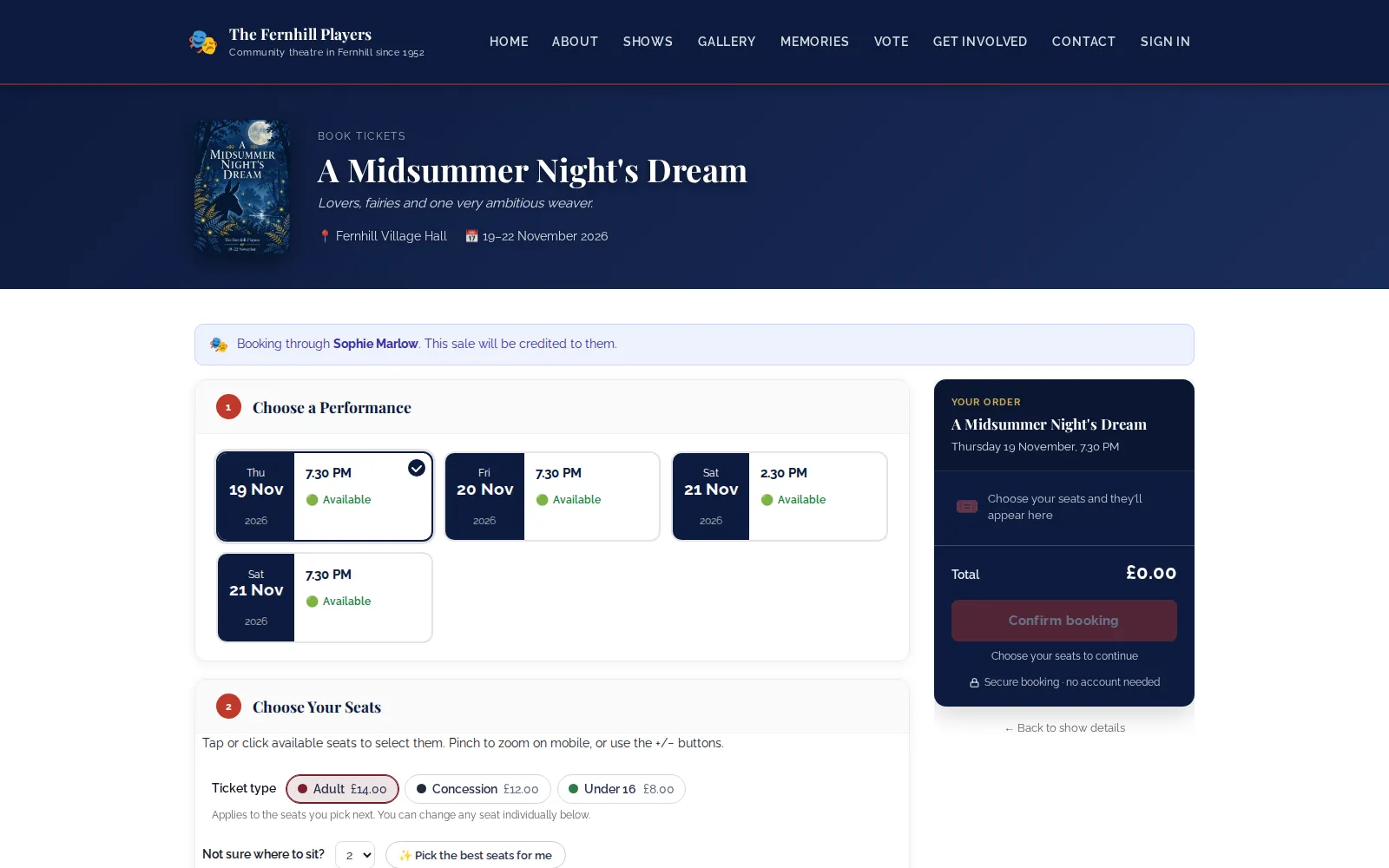
When someone follows a link, the booking page tells them who they are booking through and that the sale will be credited to them. The link is remembered for the rest of their visit, so they can look around before they book. If they follow a second person's link, the most recent one gets the credit.
Links only work for the production they were made for, so a link shared for your spring play never claims sales for the autumn musical. If someone pays at the box office, choose who to credit in the Credit this sale to box on the cash sale form.
See who is selling
The leaderboard shows orders, tickets and money raised for every link, with totals at the bottom and the share of the show's takings that came through referral links. Only confirmed orders count, and a link can be switched off at any time so it stops earning credit.
Share the leaderboard at rehearsals and a little friendly competition does the rest. It is also a fair way to thank the people who sold the most, and to see whether that poster in the library was worth printing.
Frequently asked questions
Ready to get started?
Join groups across the UK already on TheatreHQ. No card, no commitment.
Start your trial →