Waiting Lists
When a performance sells out, audiences can leave their details and are emailed automatically, in the order they joined, if seats come back.
Key Features
Sign-up where it's sold out
The booking page offers the waiting list the moment someone picks a sold-out performance.
One night or any night
People can wait for a particular performance or tick to be told about any performance.
First come, first served
When seats free up, people are told in the order they joined.
No stampede
Only as many people as there are free seats are emailed, and parties are never offered fewer seats than they asked for.
Booked means done
When someone on the list books, they are marked as booked and not chased again.
You stay in control
Resend the email, put someone back in the queue or take them off from one screen.
Turn a sold-out night into a list of keen people
When someone chooses a performance with no seats left, the booking page tells them it is sold out, shows the other dates that still have seats, and offers a short form: Tell me if seats come back. They give their name, email and how many seats they need, and can tick Any performance, not just this one.
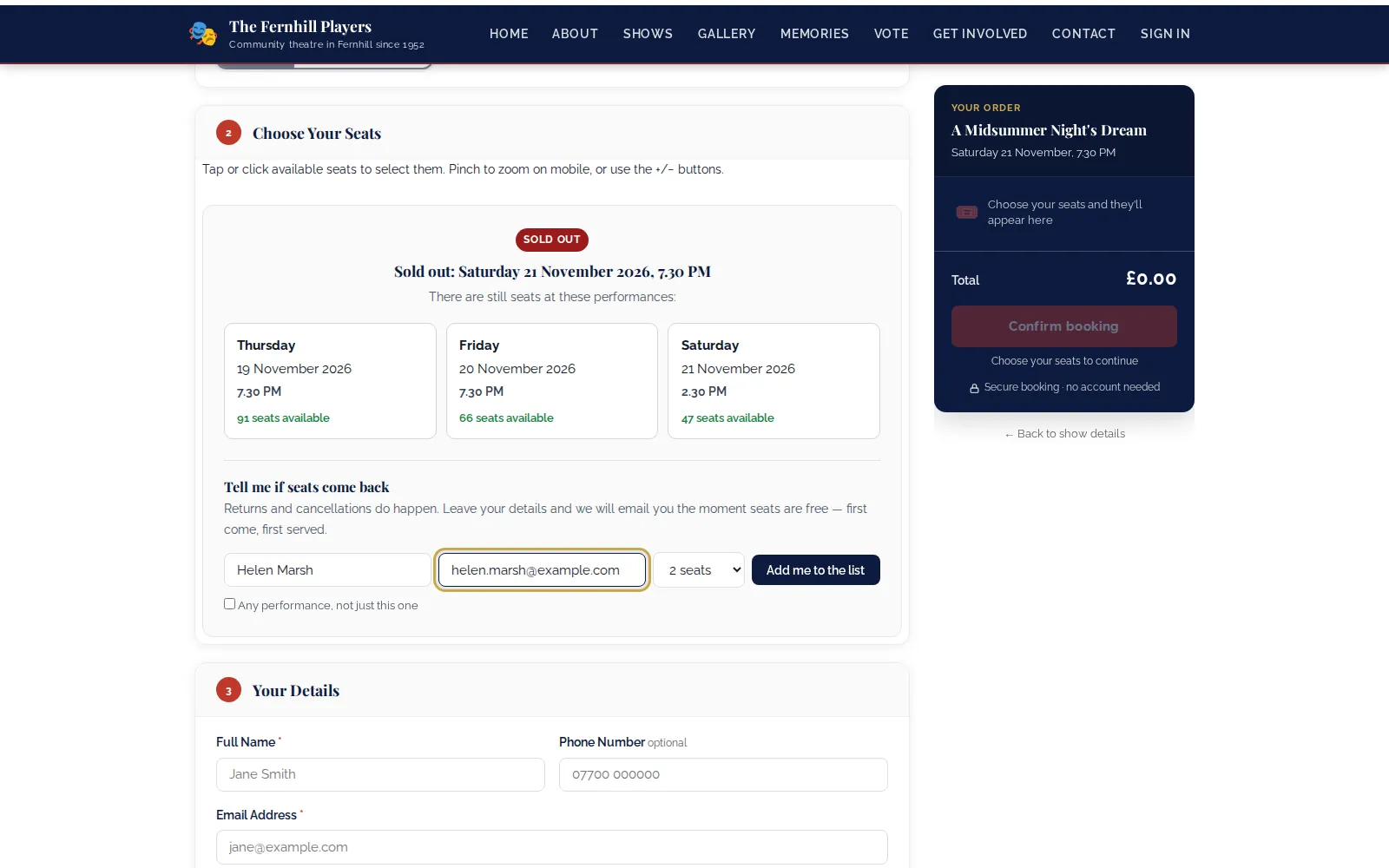
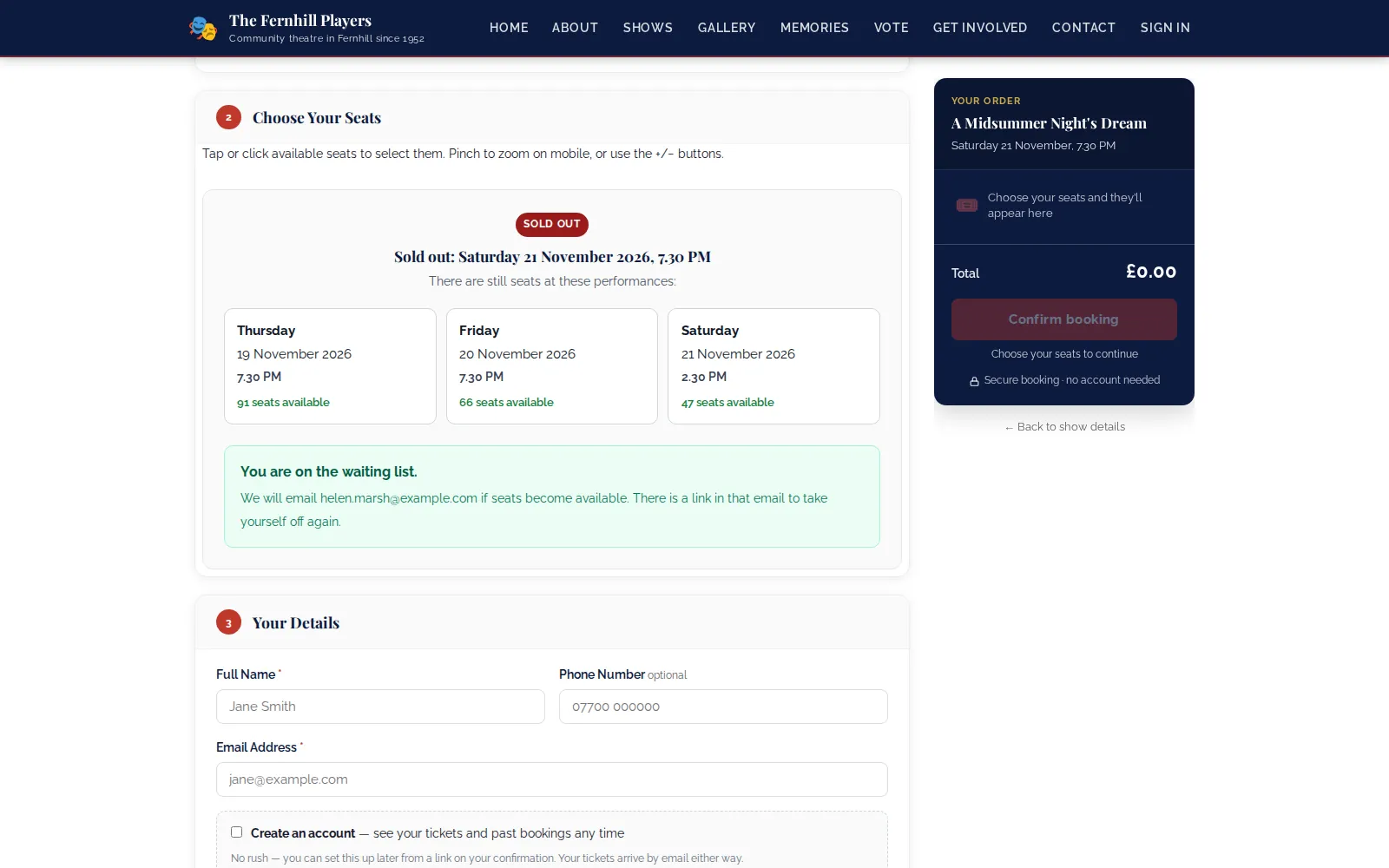
They see a confirmation straight away. Signing up twice does not push anyone to the back: their details are updated and they keep their original place.
If every performance has sold out, the page says so plainly and the waiting list is the one thing it offers, so a full run still ends with a list of people who want to come.
Seats come back, the right people hear first
Seats come back when orders expire, bookings are cancelled or tickets are refunded. TheatreHQ checks for free seats in the background and emails people in the order they joined, telling only as many people as there are seats. Someone waiting for four is not offered two; the next party that fits is told instead. The email links straight to booking for that performance and includes a link to leave the list.
Seats someone has just been told about are set aside from the count for a day, so the next check does not email the whole list about the same two seats. If they book, their entry is marked as booked automatically.
See who is waiting
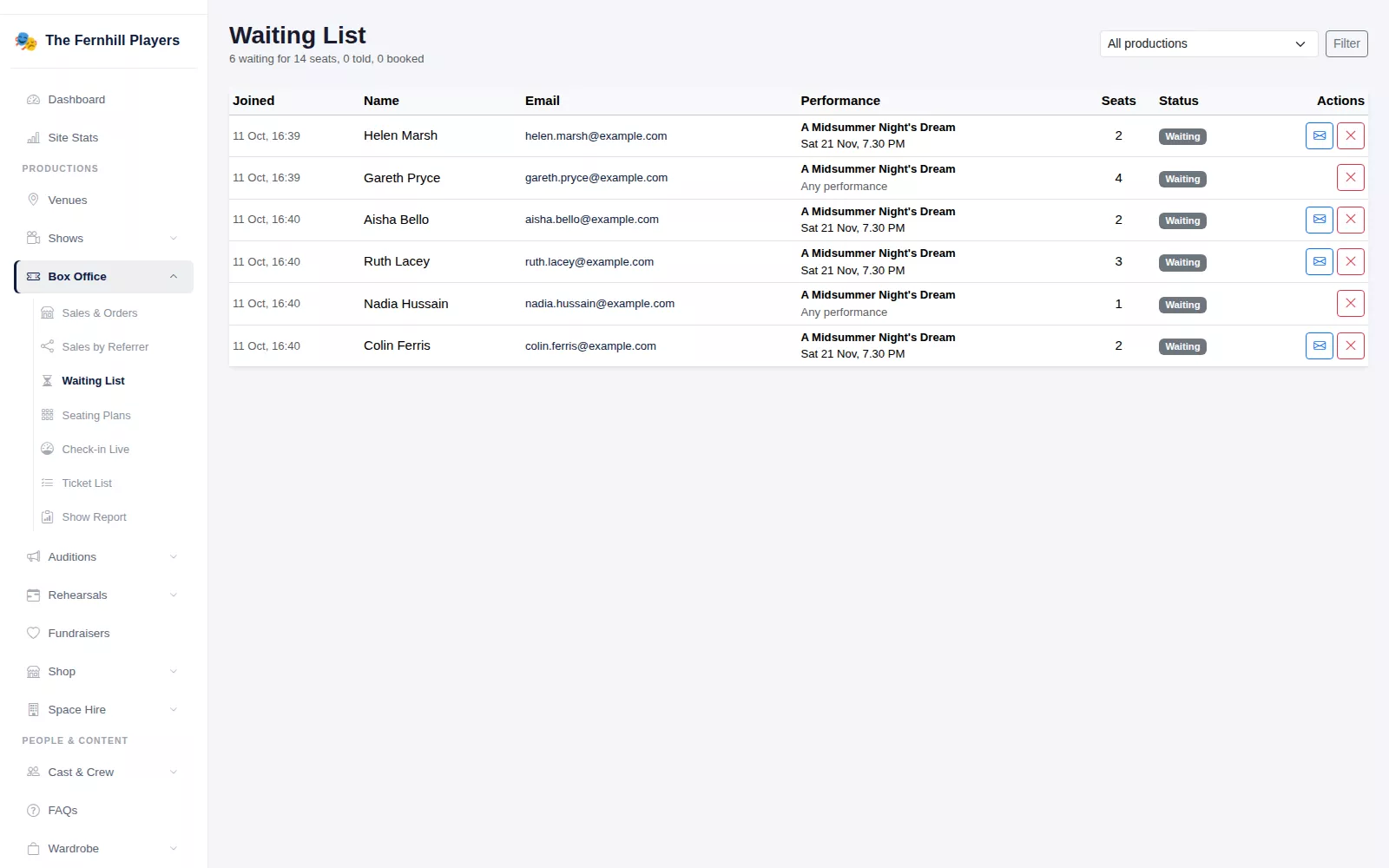
The Waiting List screen shows everyone, oldest first, with the performance they want, the number of seats and whether they are waiting, told or booked. The summary at the top tells you how many people are waiting for how many seats. Filter by production, send the seats-available email by hand when a seat frees up at the door, put someone back in the queue, or remove somebody who rang to say they no longer need tickets.
Because the list remembers who asked for which night, it also shows you where demand is strongest, which is handy when you are deciding whether to add an extra matinee next time.
Frequently asked questions
Ready to get started?
Join groups across the UK already on TheatreHQ. No card, no commitment.
Start your trial →