Door Scanner App
Check audiences in at the door with a phone: scan the QR code on each ticket, search by name when there isn't one, and watch arrivals in real time.
Key Features
Any phone, no app store
Open the scanner in the phone's browser and add it to the home screen so it opens like an app.
Scan the QR code
Point the camera at a ticket and the screen turns green with the buyer's name and seat.
Duplicates caught
A ticket that has already been used shows when and by whom, with the option to override.
Search by name
No ticket to hand? Search by buyer name or email and check them in from the results.
Keeps going offline
Scans made without signal are saved on the phone and sent when it reconnects.
Live attendance
See how many are in, who is still to arrive and when people came through the door.
Your front of house, on a phone
The Door Scanner runs in the browser on any phone with a camera. Sign in as a box office or staff user, pick tonight's performance and start scanning. There is nothing to download from an app store: the scanner offers to install itself on the home screen, with step-by-step instructions for the phone and browser you are using.
Give each phone a device label, such as Main Entrance or Side Door, so you can see which door each person came through. The counter in the header shows how many of tonight's tickets have been admitted so far.
If nothing is on today, the scanner lists your upcoming performances instead, so you can set phones up and test them before opening night.
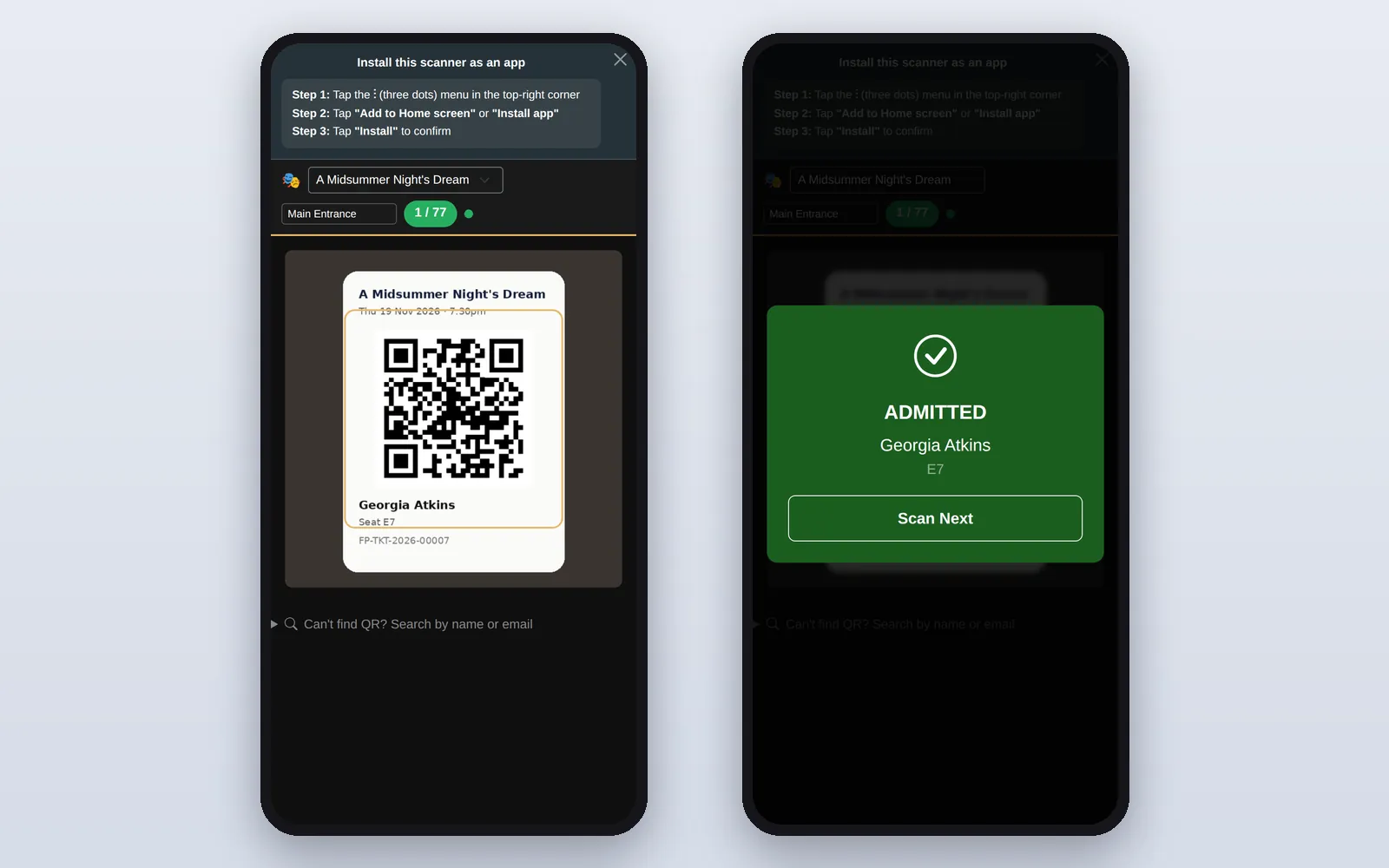
Green for go, and a clear answer every time
Each scan gives a full-screen result your volunteers can read at a glance. ADMITTED shows the buyer's name and seat or ticket type. If the ticket has already been scanned you see the time and who scanned it, with Override & Admit or Reject. An unknown code lets you type the reference in by hand. If the order includes extras such as programmes or interval drinks, or has notes, they appear on the result so the person can be pointed to the desk.
- Can't find QR? Search by buyer name or email and tap the result to check them in
- Scans made without a connection are queued on the phone and synced automatically when it is back online
- Turn on Allow Re-entry and the scanner gains Entry and Exit modes for people popping out at the interval
A printed list as a back-up
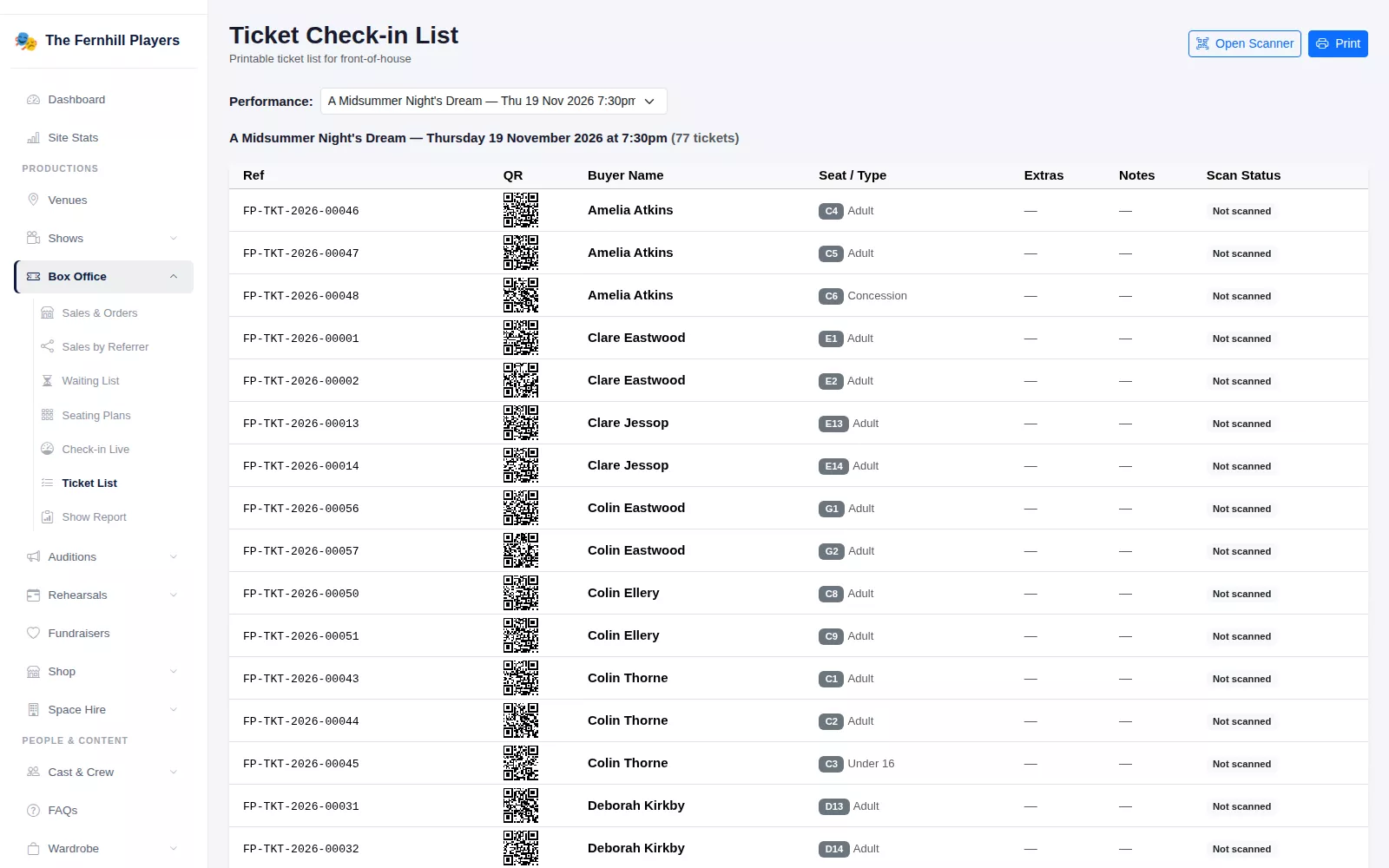
The Ticket Check-in List gives you every ticket for a performance, with its reference, a small QR code, buyer name, seat or ticket type, extras, notes and scan status. Print it for the front-of-house table, or keep it open on a laptop where scanned tickets are marked as they come in.
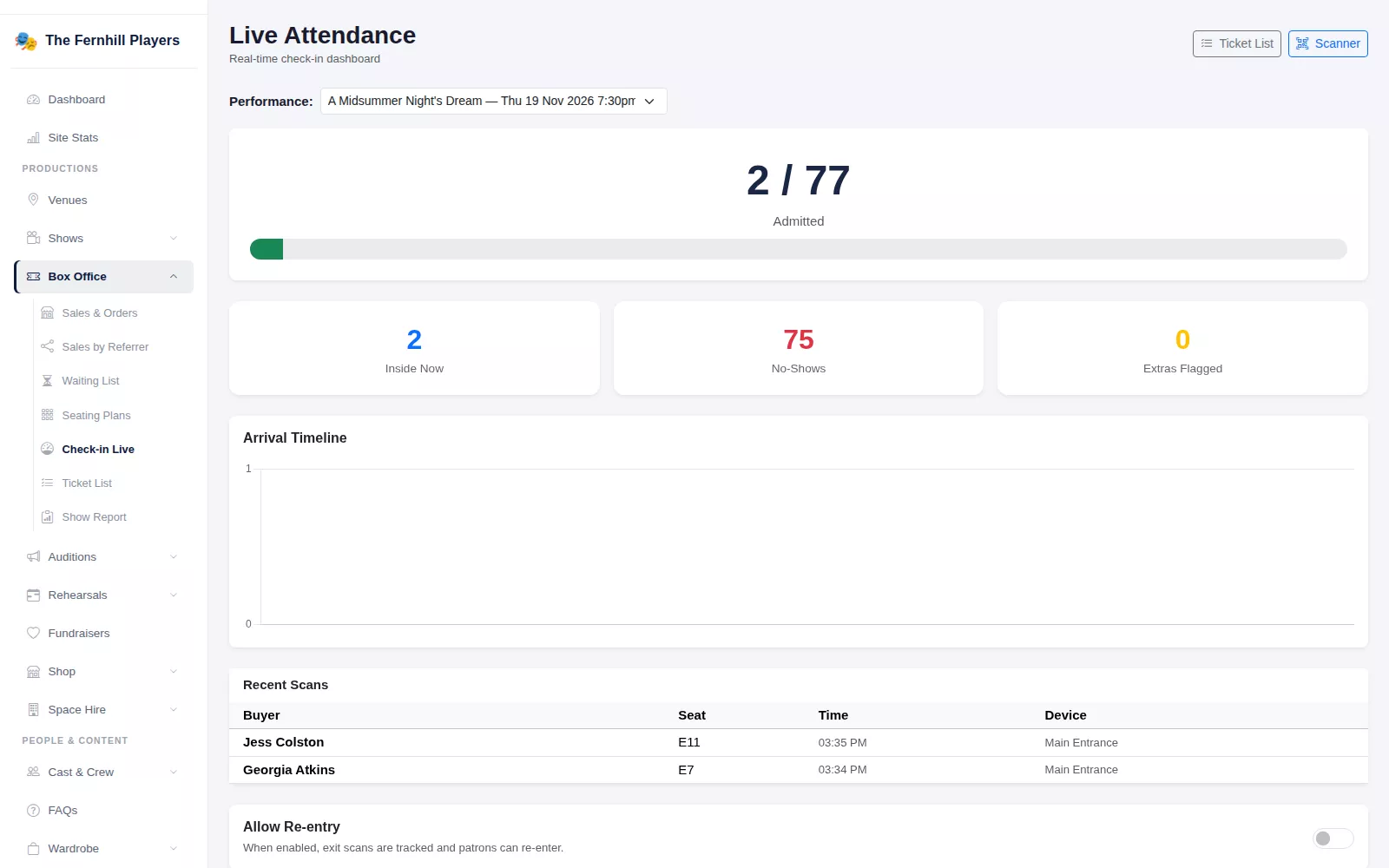
Watch the house fill up
Live Attendance shows who is inside now, how many are still to arrive, tickets with extras to collect, and a timeline of arrivals with the device and time of each scan. After the show, the Post-Show Report lists the no-shows with their contact details and lets you download the attendance as a CSV.
Frequently asked questions
How-to guides
Step by step, with screenshots
All guidesReady to get started?
Join groups across the UK already on TheatreHQ. No card, no commitment.
Start your trial →