Automated Emails
Booking confirmations, welcome emails and other messages that send themselves when something happens, each with a template you can edit.
Key Features
Confirmations on by default
Ticket Confirmation, Shop Order Confirmation and Welcome Email are switched on from day one.
Tickets in the inbox
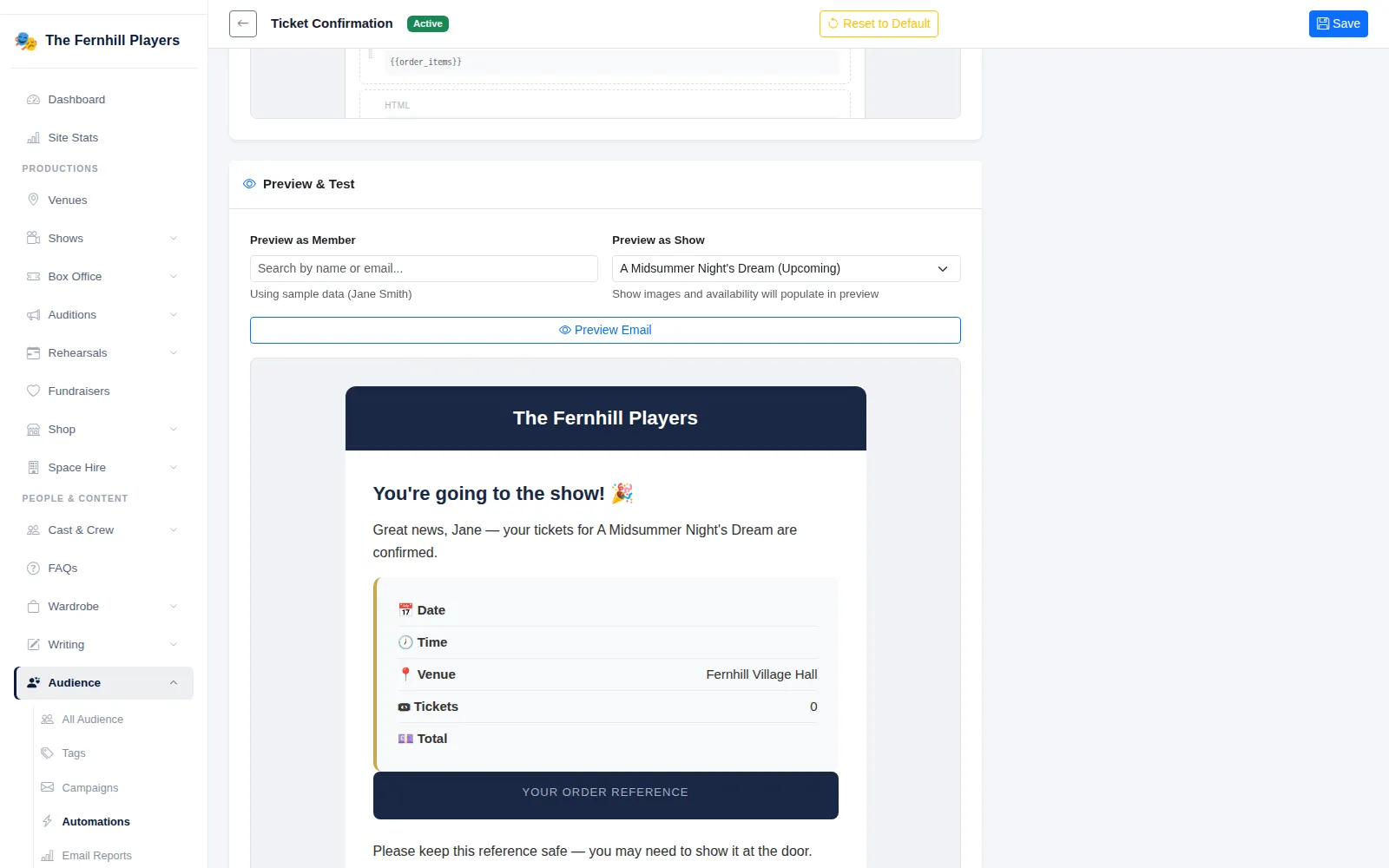
The ticket confirmation lists the date, time, venue, tickets, total and order reference, with a link to view the tickets.
Triggered, not remembered
Birthday Greeting, We Miss You, Review Thank You and more send when their moment comes.
Editable templates
Change the wording and layout of any automated email in the visual editor, or reset it to the default.
Preview with real data
Preview as a chosen audience member and show before you save, and send yourself a test.
Results per email
Each automation shows how many were sent, delivered, opened, clicked and bounced.
The emails your audience expects straight away
When someone buys a ticket they want proof in their inbox within seconds. TheatreHQ's Ticket Confirmation is sent the moment an order completes, with the show, date, time, venue, number of tickets, order total and a large order reference to show at the door. A View My Tickets button takes them to their tickets without logging in.
Ticket Confirmation, Shop Order Confirmation and the Welcome Email for new accounts are marked Core and are active from the start. Because pausing one would leave a customer with no confirmation at all, TheatreHQ asks you to confirm before turning a core email off.
Messages that send on cue
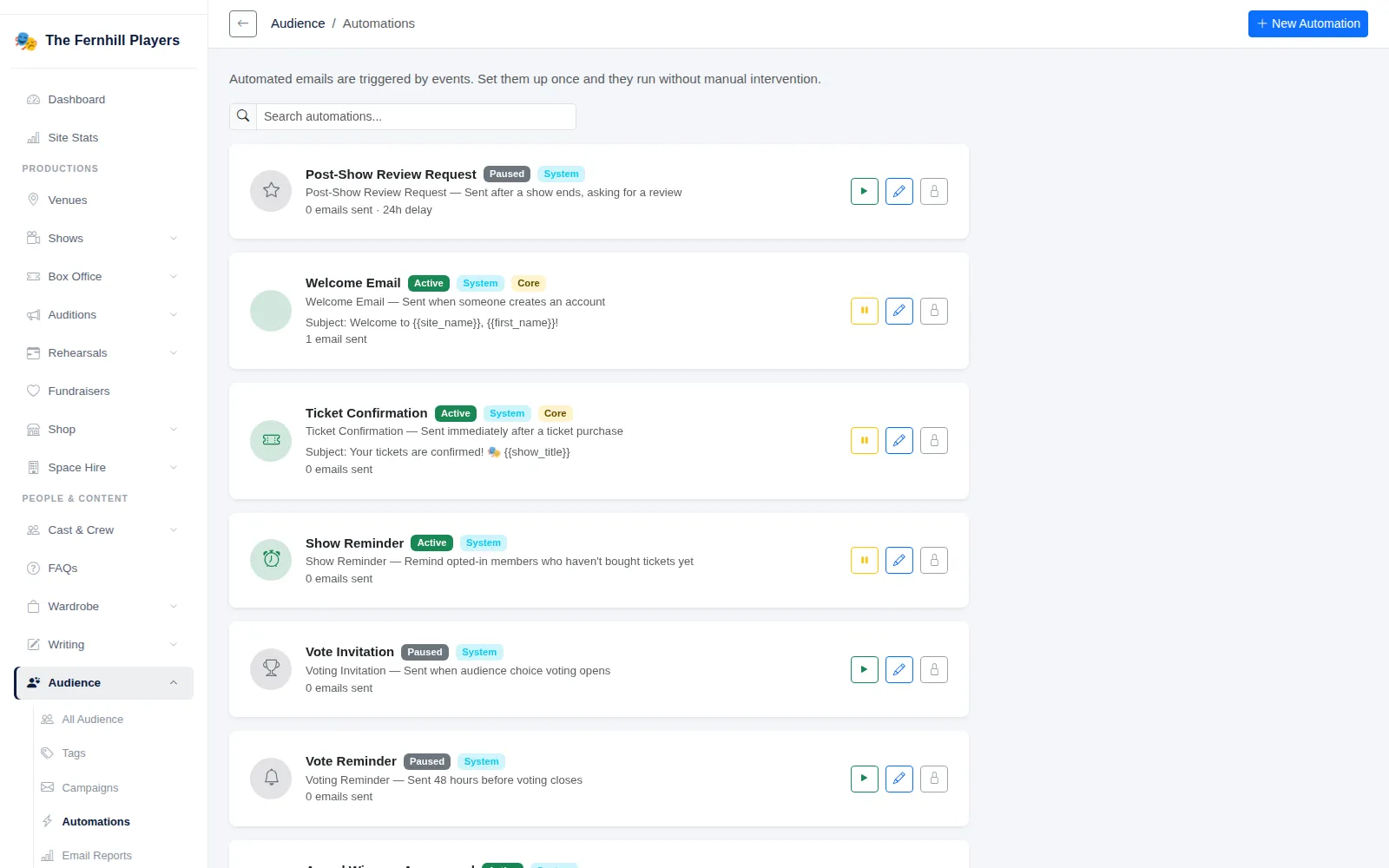
The Automations page lists every triggered email with its status, its trigger and how many have been sent. Alongside the confirmations there are automations for moments that are easy to forget:
- Birthday Greeting, for audience members who have added their date of birth
- We Miss You, for people who have not booked or interacted for a set number of days
- Review Thank You and Post-Show Review Request
- Donation Thank You and Audition Slot Confirmed
- Show messages such as New Show Announcement, Show Reminder, Tickets 50% Sold to Show Sold Out, switched on for each production from its show page
Apart from the core confirmations, these start paused, so nothing goes out until you have checked the wording and switched it on. Marketing-style automations such as birthday and win-back emails only go to people who have opted in.
Make every message sound like you
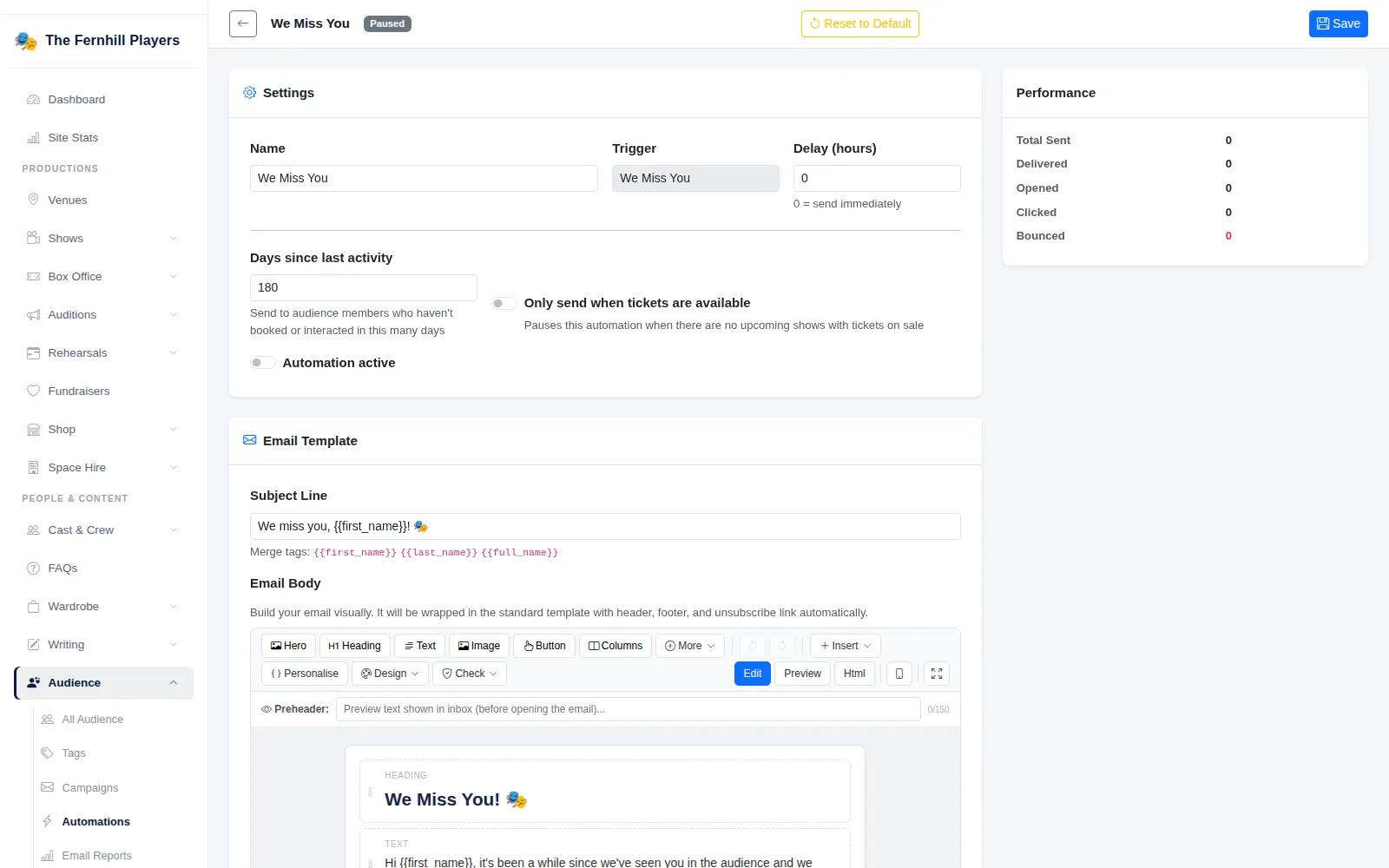
Open any automation to change its name, subject line and body in the same visual editor used for campaigns. Show and order merge tags such as {{show_title}}, {{order_ref}} and {{tickets_url}} are listed above the editor. A Delay (hours) setting holds an email back, with 0 meaning send immediately. We Miss You adds Days since last activity and an Only send when tickets are available switch, so you never invite people back when there is nothing to book.
Preview & Test renders the email for a chosen member and show, Send Test sends it to you, and Reset to Default restores the original template. The Performance panel counts emails sent, delivered, opened, clicked and bounced.
Frequently asked questions
Ready to get started?
Join groups across the UK already on TheatreHQ. No card, no commitment.
Start your trial →