Audience CRM
Every ticket buyer in one searchable list, with their bookings, tags, notes, accessibility needs and seating preferences on a single profile.
Key Features
Profiles that build themselves
Buying a ticket, sharing a photo or memory, or creating an account adds the person to your audience list.
Tags you define
Create colour-coded tags such as VIP, Regular, Donor or Press and filter the whole list by any of them.
Notes for the team
Leave dated notes on a profile so whoever is on the box office knows the background.
Access and seating needs
Record wheelchair spaces, hearing loop, companion seats, aisle seats and more against each person.
Households
Link people at the same address so you can see the whole family's bookings together.
CSV in and out
Import an existing mailing list from a spreadsheet and export your audience whenever you need it.
Know who is in your audience
Most societies have their audience scattered across old spreadsheets, a box office tin and someone's memory. TheatreHQ keeps one list instead. When somebody books tickets, uploads a photo, shares a memory or registers for an account, they get an audience profile automatically, matched on their email address so repeat bookers are not duplicated.
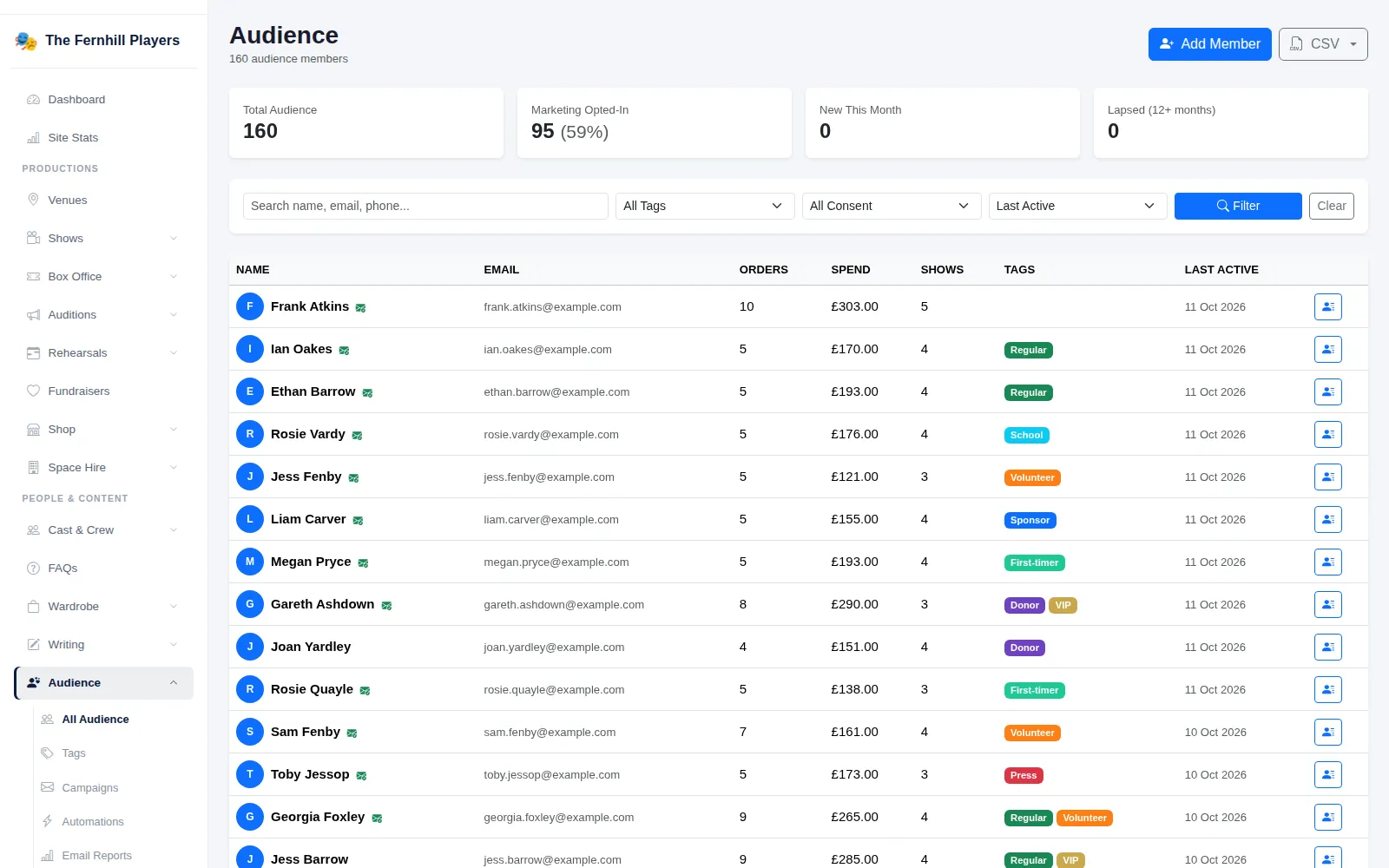
The Audience page opens with four figures: Total Audience, Marketing Opted-In, New This Month and Lapsed (12+ months). Below them you can search by name, email or phone, filter by tag or marketing consent, and sort by last activity, total spend, number of orders or newest first. Each row shows orders, spend, shows attended and tags at a glance.
Everything about one person on one page
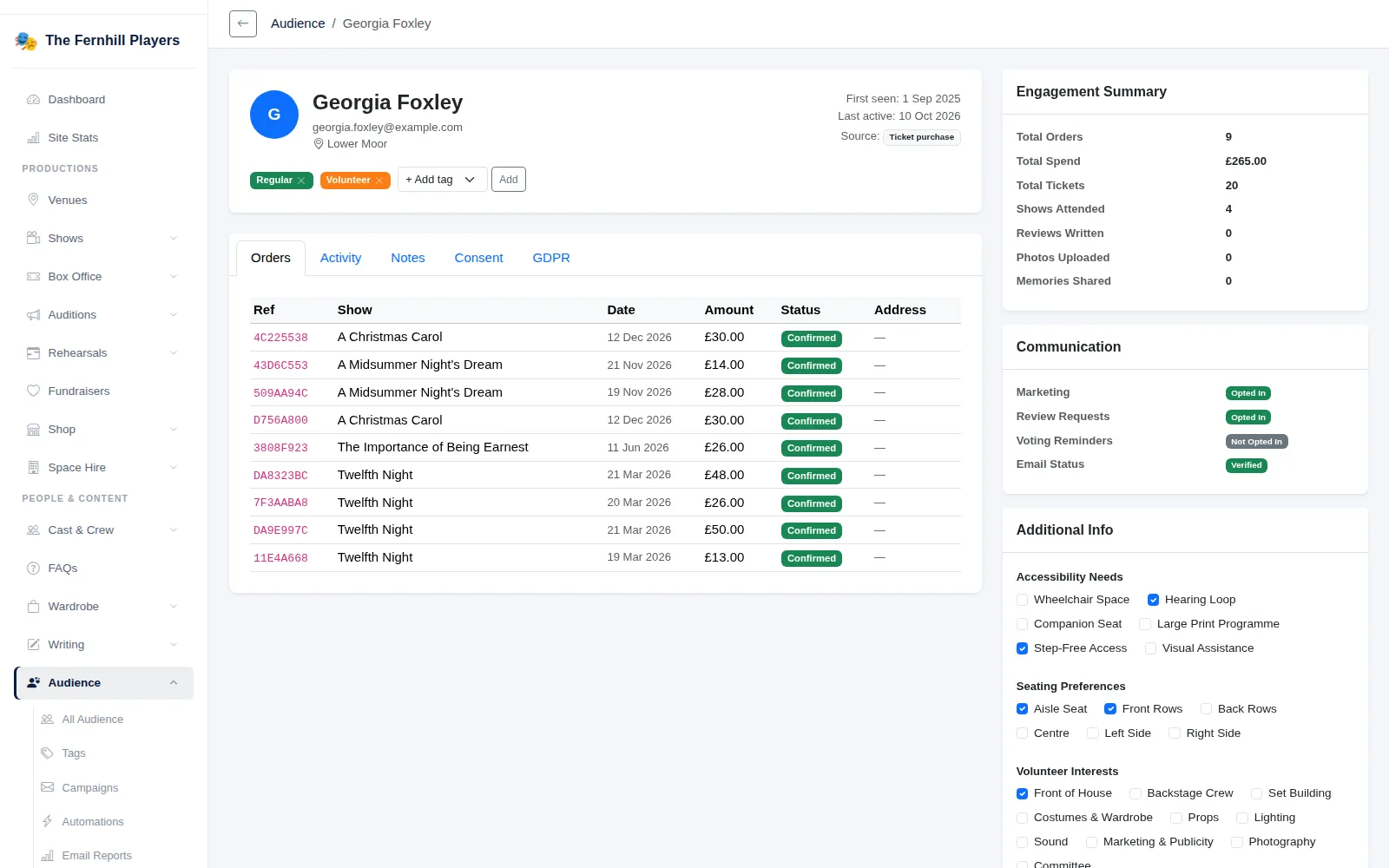
Open a profile and you see their contact details, when they were first seen and last active, and where they came from. The Orders tab lists every booking with its reference, show, date, amount and status. Activity is a timeline of orders, reviews, photos and memories. Notes lets anyone on your team add a dated comment, such as which night a family prefers or a conversation at the box office. Consent and GDPR show their marketing choices and a log of data requests.
Tags sit right under the name. Pick one from the + Add tag menu and it appears as a coloured badge; click the cross to remove it. You create and recolour the tags themselves on the Tags page, so they match how your society talks about its audience.
Access needs, seating and households
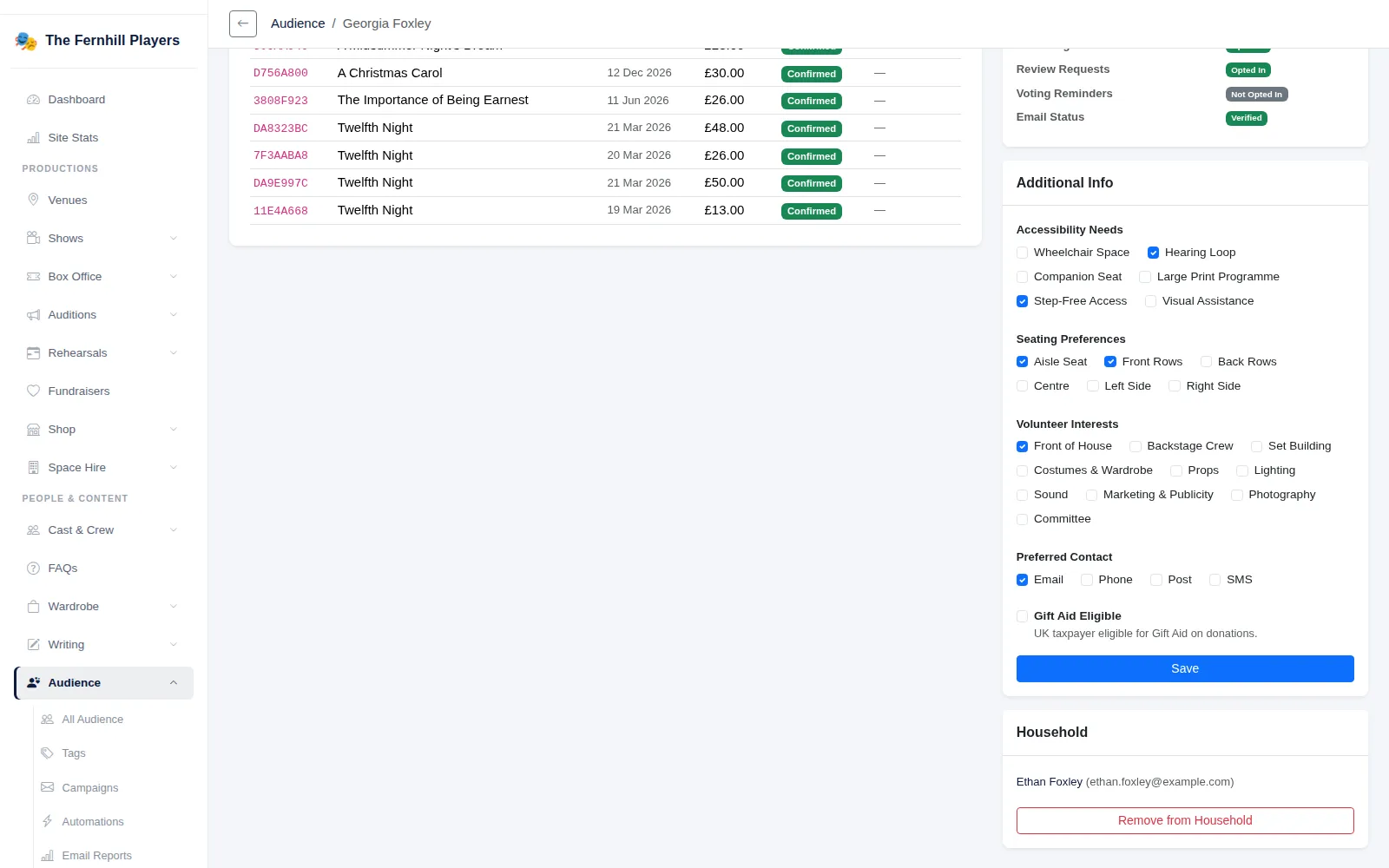
The Additional Info panel records what helps someone enjoy the show. Under Accessibility Needs you can tick Wheelchair Space, Hearing Loop, Companion Seat, Large Print Programme, Step-Free Access or Visual Assistance. Seating Preferences covers Aisle Seat, Front Rows, Back Rows, Centre, Left Side and Right Side. There are also volunteer interests, preferred contact method and Gift Aid eligibility. People with an account can fill in the same details themselves from their own account pages.
The Household panel links two profiles by email, so partners or family members at the same address appear together and you can move between them in one click.
Bring your list with you
Already have a mailing list? Download the CSV template, fill it in and use Import Audience. Anyone whose email is already on file has their empty fields filled in; nothing you already hold is overwritten. Export Audience gives you a CSV of contact details, marketing opt-in, source, first and last activity, orders, spend and shows attended.
Frequently asked questions
How-to guides
Step by step, with screenshots
All guidesReady to get started?
Join groups across the UK already on TheatreHQ. No card, no commitment.
Start your trial →