GDPR Tools
Tools to help your society look after personal data: cookie consent, a versioned privacy policy, data exports, anonymising, retention reviews and a breach register.
Key Features
Cookie consent banner
Your own banner with Accept All, Reject All and Customise, and Analytics and Marketing categories you name yourself.
A record of consent
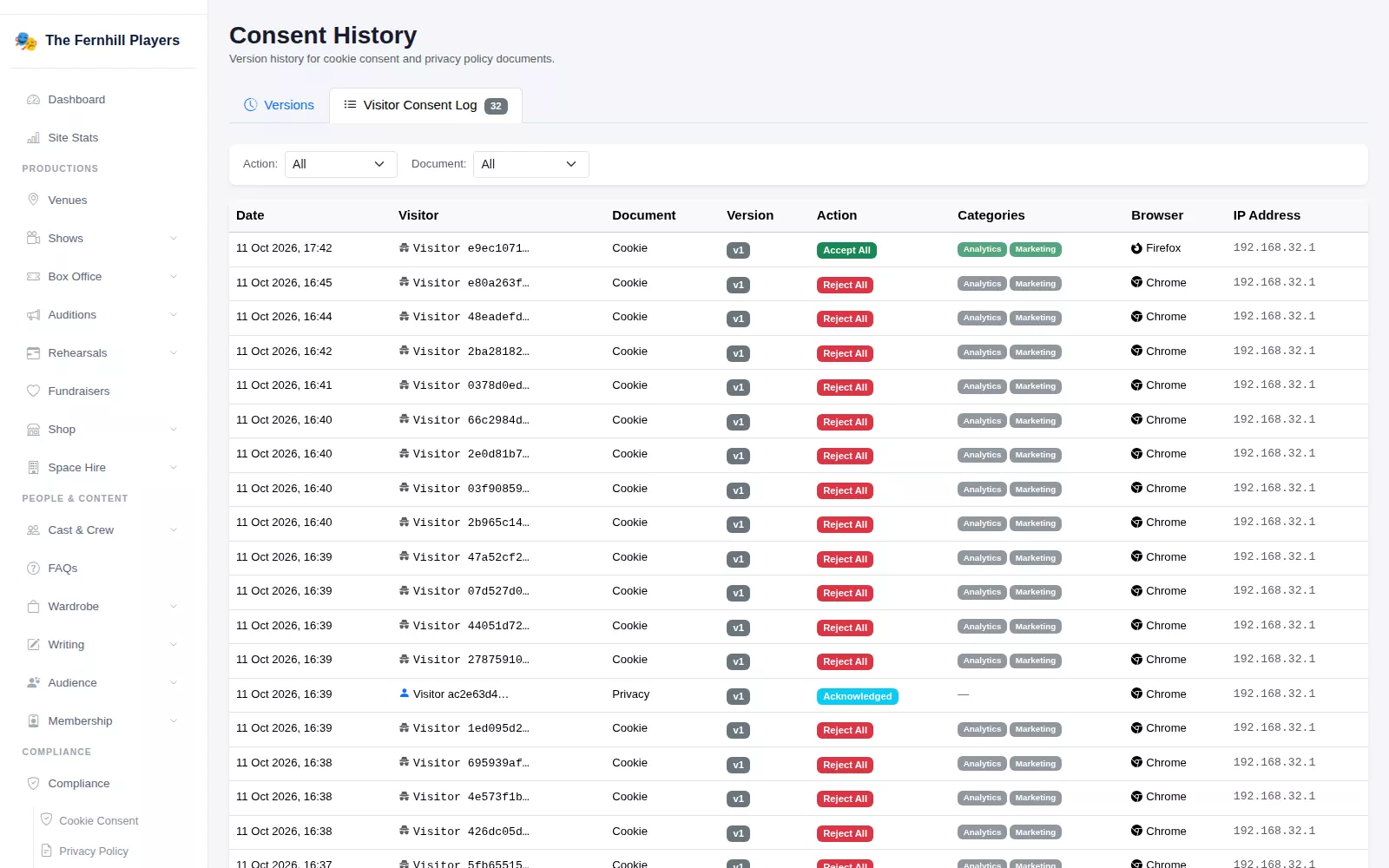
Each visitor's choice is logged with the policy version, categories, browser and IP address.
A versioned privacy policy
Edit your policy section by section; publishing a new version asks logged-in members to acknowledge it.
Export or anonymise a person
Download someone's audience record as JSON, or permanently anonymise their profile.
Retention reviews
Set how long to keep lapsed member, safeguarding, DBS and medical records, and review what is flagged.
Breach register
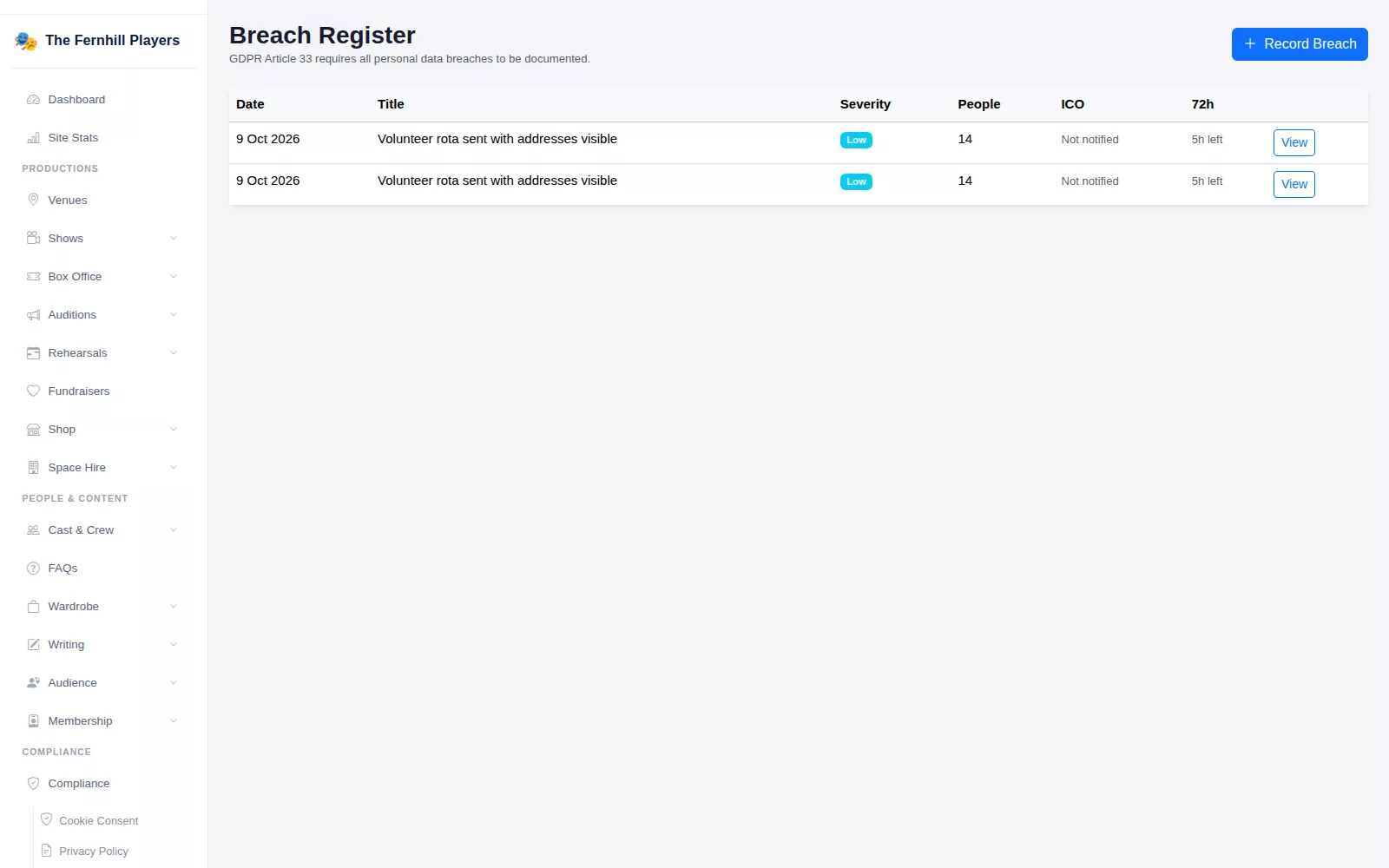
Log a personal data breach with its severity, the people affected and your actions, with a 72-hour ICO countdown.
Personal data comes with running a society
A drama society holds more personal information than people expect: ticket buyers' email addresses, members' contact details and emergency contacts, sometimes DBS and medical details for a youth section. TheatreHQ includes tools to help you look after that information and keep a record of what you have done. They support your own policies rather than replace them; they are not legal advice, and your committee still decides what its obligations are.
Cookies and consent, on the record
The Cookie Consent screen controls the banner visitors see: its text, position and colours, plus the Analytics and Marketing categories with your own names and descriptions. Strictly Necessary cookies are always on, and the screen shows which tracking scripts each category covers. Change the wording and a new version is created, so every visitor is asked again.
Consent History keeps every version of your cookie policy and privacy policy, who published it and when, and how many consents each collected. The Visitor Consent Log lists every choice, whether Accept All, Reject All or Custom, with the categories, browser and IP address.
A privacy policy you can keep current
Your public privacy policy at /privacy is built from sections you can edit, reorder, hide or add to. It starts with suggested sections, such as What Data We Collect and Your Rights Under UK GDPR, containing placeholders for your own details. Publishing a new version needs a short change summary, and logged-in members are asked to acknowledge the update.
Requests about one person
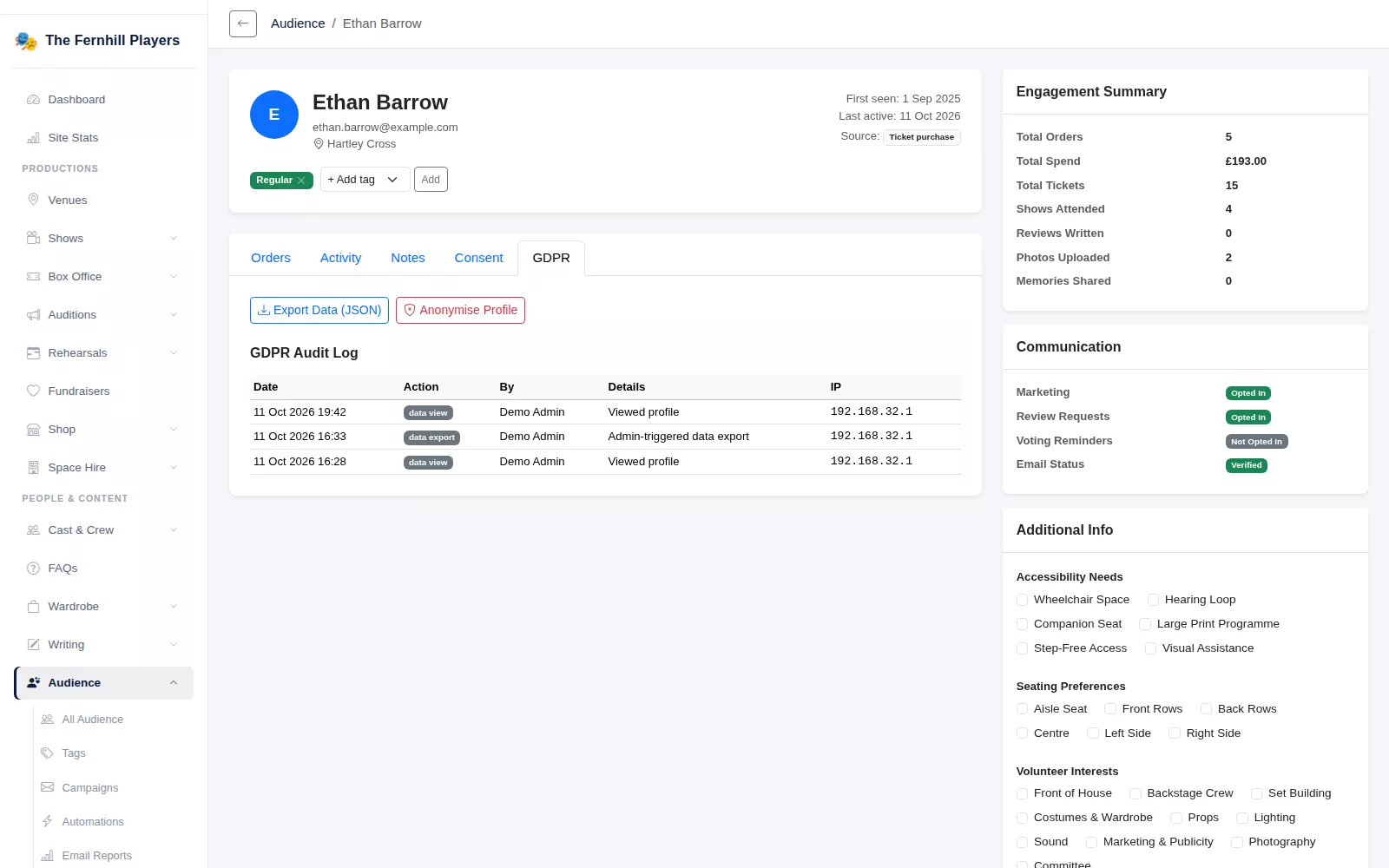
Open anyone's audience profile and the GDPR tab offers Export Data (JSON), which downloads the information held about them, and, for administrators, Anonymise Profile. Anonymising removes their name, email, phone and postcode, keeps order records without the personal details, credits their reviews to "A member of the audience" and deletes notes and tags. It cannot be undone. Views, exports and anonymising are written to the GDPR Audit Log.
Retention and breaches
Data Retention, under Membership, sets how many months to keep records for lapsed members, safeguarding, DBS and medical information. Records that pass those limits are flagged, and you record a decision for each one, Retain, Anonymise or Delete, with notes.
The Breach Register is for writing down anything that goes wrong, from a lost laptop to an email sent with everyone's address on show. Record what happened, the data and people affected, the severity and the actions taken, and tick when the ICO has been notified. Until then, the register counts down the 72 hours.
Frequently asked questions
Ready to get started?
Join groups across the UK already on TheatreHQ. No card, no commitment.
Start your trial →