Adding members and recording membership payments
Add someone as a member, record payments taken in cash or by bank transfer, and keep track of renewals.
Once your membership types are set up, you can add members, record what they've paid and see at a glance who is due to renew. This guide covers the everyday membership tasks.
1. Your members at a glance
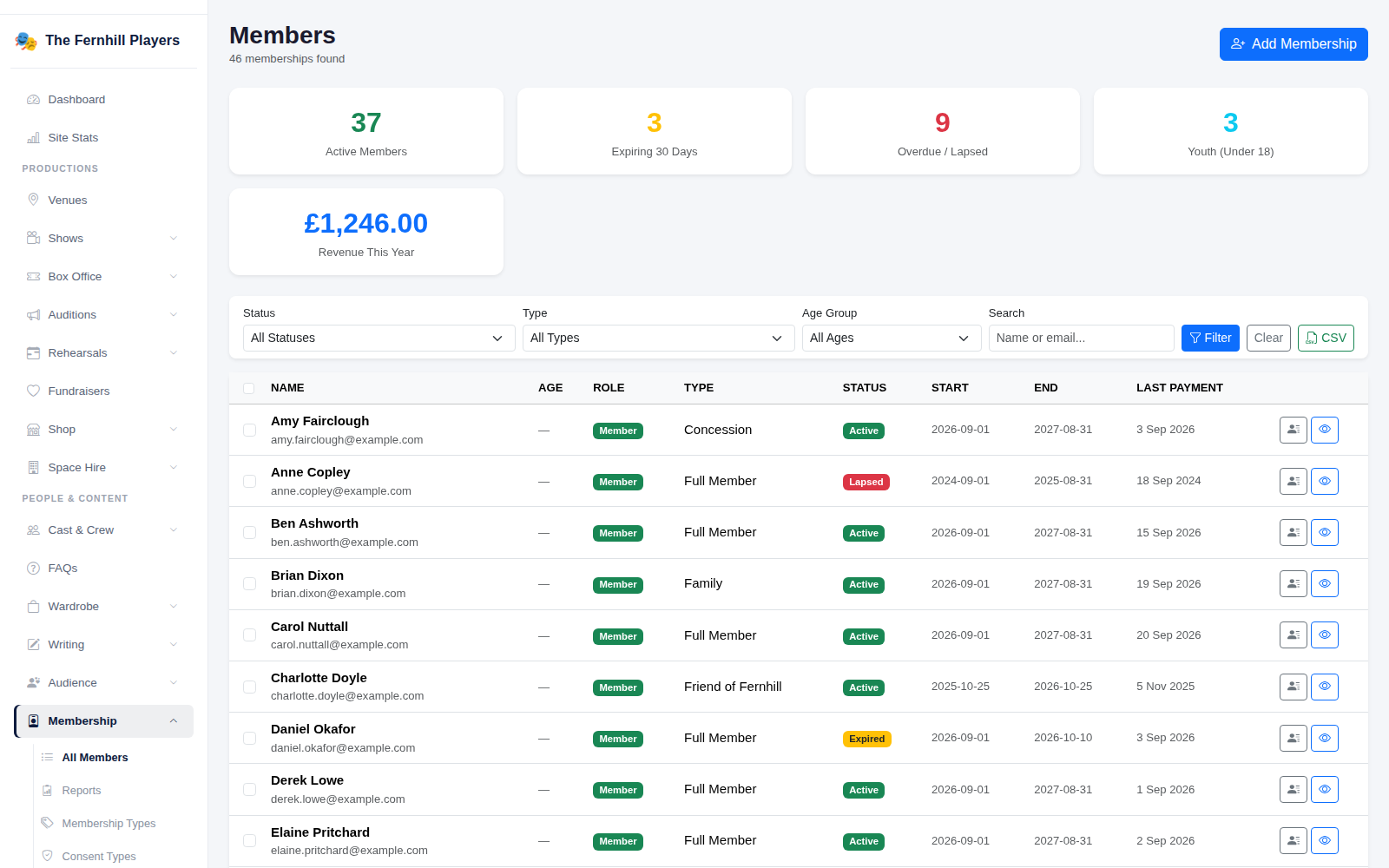
Go to Membership. The top of the page shows your active members, those expiring in the next 30 days, anyone overdue or lapsed, how many are under 18 and the revenue this year. Filter the list by Status, Type or Age Group, or search by name or email; CSV exports the list.
2. Add a membership
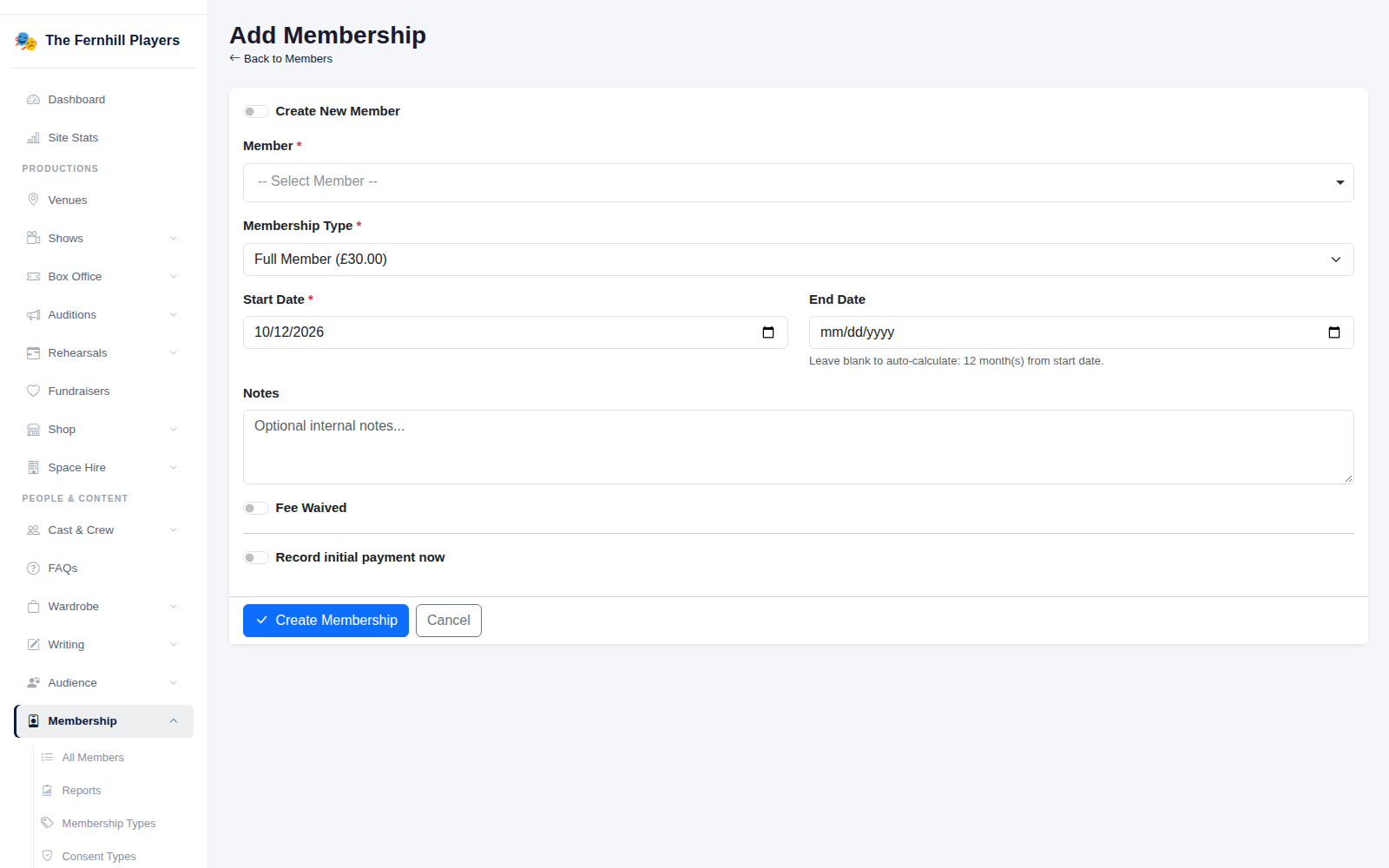
Click Add Membership. Choose the Member (or create a new one), pick the Membership Type — its price is shown beside it — and set the Start Date. Leave the End Date blank and it's worked out from the membership type.
If they've already paid, tick Record initial payment now. If you're not charging them — an honorary member, say — tick Fee Waived. Click Create Membership.
3. Record a payment
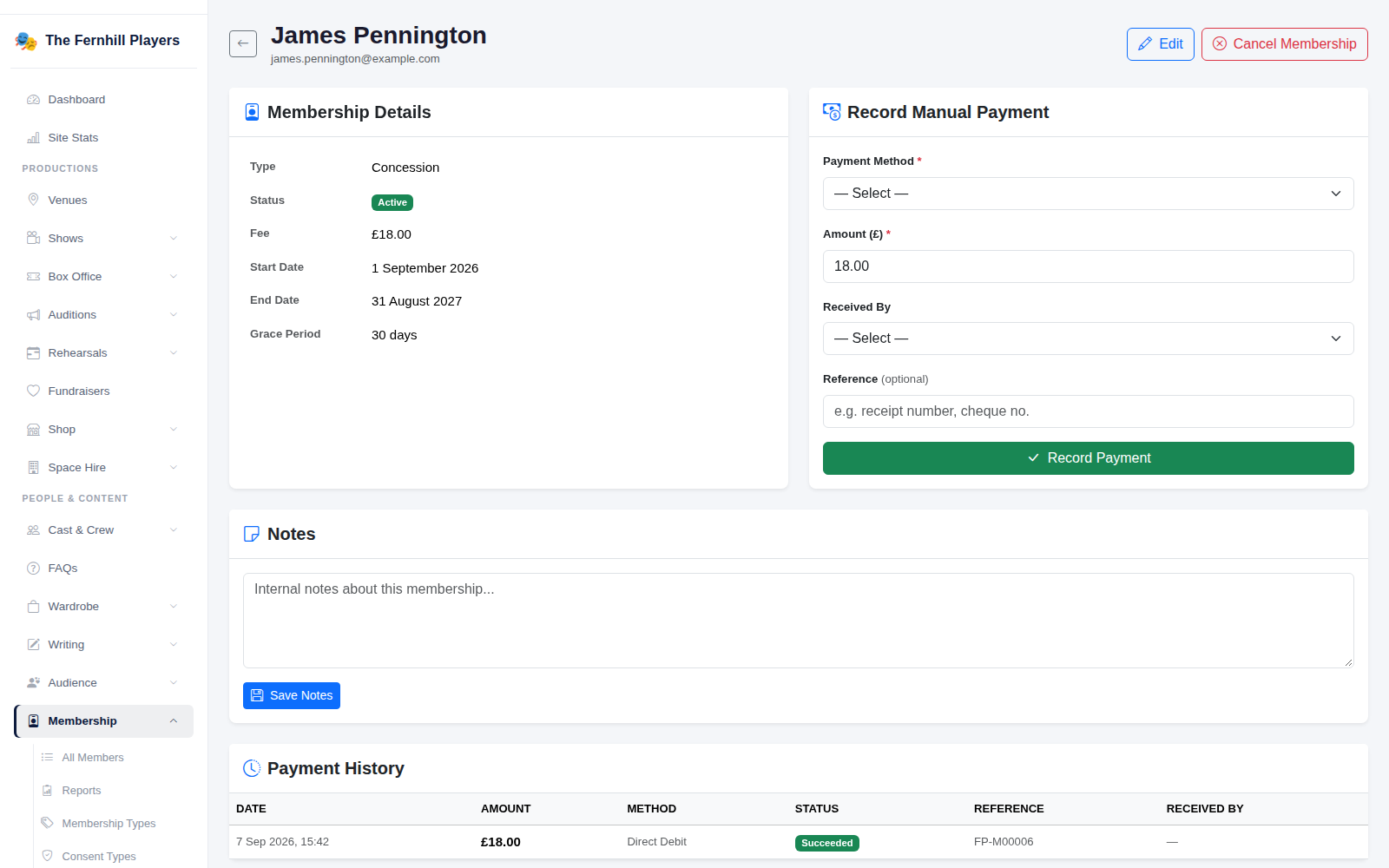
Open a member to see their membership details, notes and full payment history. When someone pays you directly, use Record Manual Payment: choose the Payment Method (Cash or Bank Transfer), enter the Amount, who received it, and a reference if there is one, then click Record Payment.
4. Renewals
Each membership type sends renewal reminders automatically before and after the end date, so members are nudged to renew without anyone chasing them. Keep an eye on the Expiring 30 Days and Overdue / Lapsed figures for anyone who needs a personal word.
Tip: use the Notes box on a member's page for anything the committee should know, such as a payment plan agreed with the treasurer.