Consent forms and membership compliance reports
Set up the consents you need from members, such as photos and emergency treatment, and use the compliance reports to spot gaps.
Most societies need some permissions from their members: can we use your photo, can we seek emergency treatment, can your child go on the trip to the panto? TheatreHQ collects these as part of each membership, and the compliance reports show you at a glance who's missing what.
1. Set up your consent types
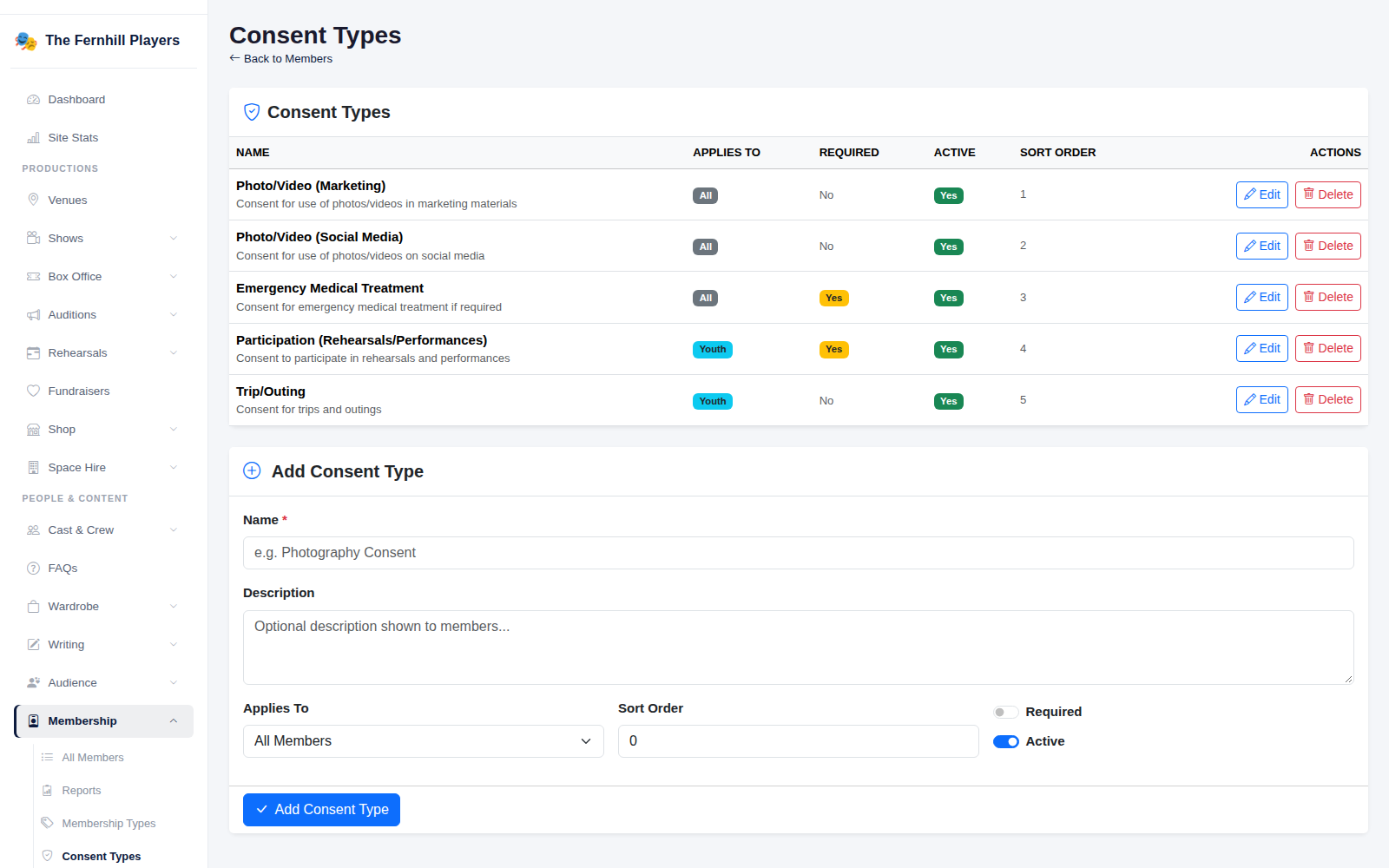
Go to Membership > Consent Types. Each consent is listed with who it applies to, whether it's required, and whether it's active. Most societies start with something like:
- Photo/Video (Marketing) and Photo/Video (Social Media), kept separate so people can agree to one and not the other.
- Emergency Medical Treatment, usually required.
- Participation and Trip/Outing for youth members, agreed by a parent or carer.
2. Add or change a consent
Under Add Consent Type, give it a Name and a Description. Members see the description, so write it in plain words and say exactly what they're agreeing to. Use Applies To to ask only Youth or only Adult members, switch on Required if a membership can't go ahead without it, and use Sort Order to put the most important first.
If a consent is no longer needed, switch off Active rather than deleting it. The record of who agreed to it in the past is kept.
3. Check the compliance reports
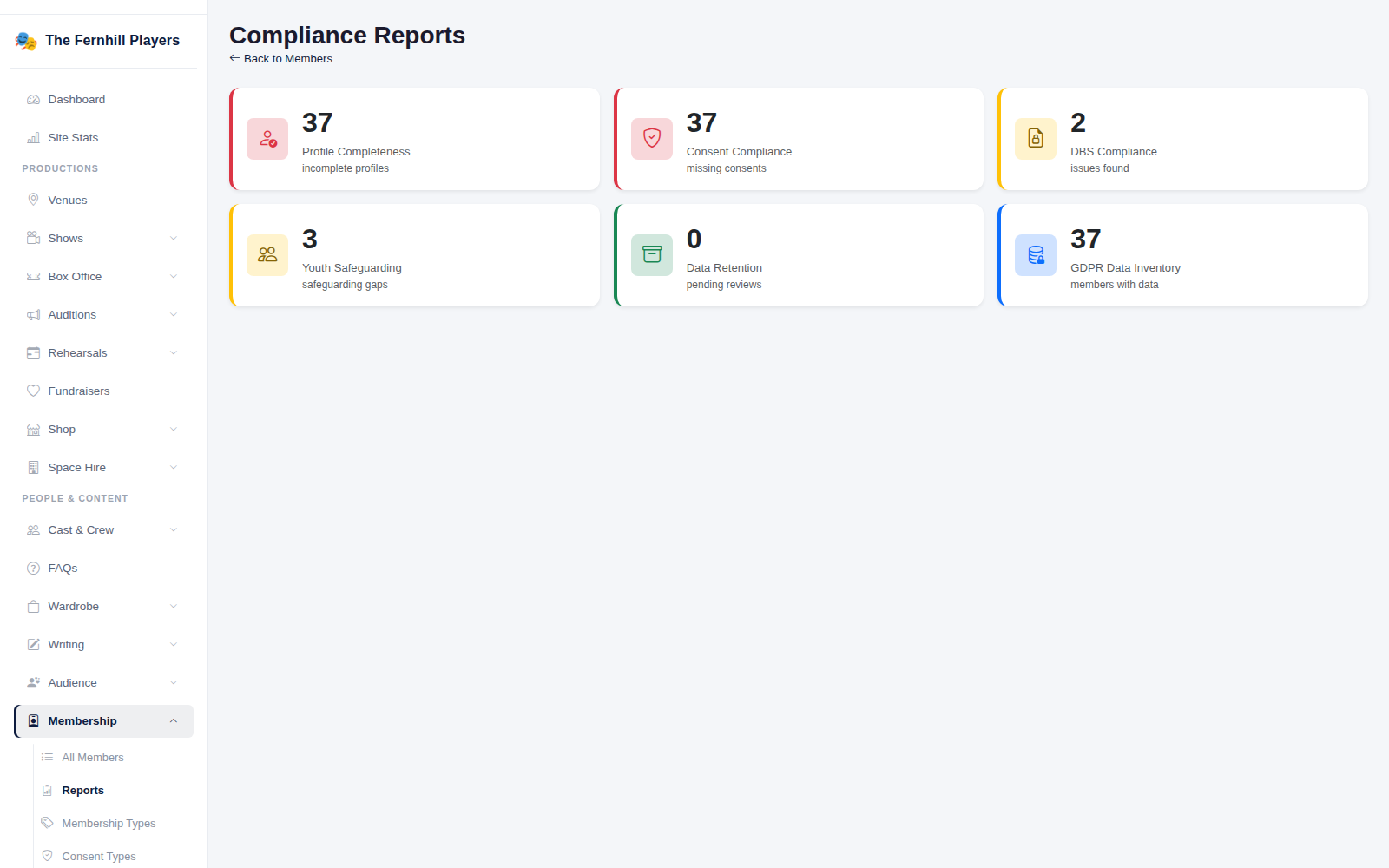
Go to Membership > Reports. Each card shows how many members need attention:
- Profile Completeness: members with details missing.
- Consent Compliance: members missing a required consent.
- DBS Compliance: members whose DBS check is missing or out of date, where one is needed.
- Youth Safeguarding: gaps in youth members' records, such as a missing emergency contact.
- Data Retention: records due for review under your retention rules.
- GDPR Data Inventory: how many members you hold data for.
Using it well
- Check the reports before rehearsals start for a new show, especially for youth productions.
- Make one person, often the membership secretary or safeguarding officer, responsible for following them up.
- Re-ask for consents at renewal time; circumstances change.
Tip: consents only help if people can find them in a hurry. Make sure whoever is in charge at rehearsals knows how to look up a member's emergency consent. See Looking after personal data for the GDPR tools.