Creating your membership types: fees, joining fees and renewals
Set up the kinds of membership you offer: the fee, a one-off joining fee, rolling or fixed-date renewal, the grace period and the cut-off for late joiners.
Membership types are the kinds of membership you offer, like Full member, Concession, Youth, Family or Life. Each type has its own fee and its own rules for renewing. This guide is part of the free course Running membership in TheatreHQ.
1. Open Membership types
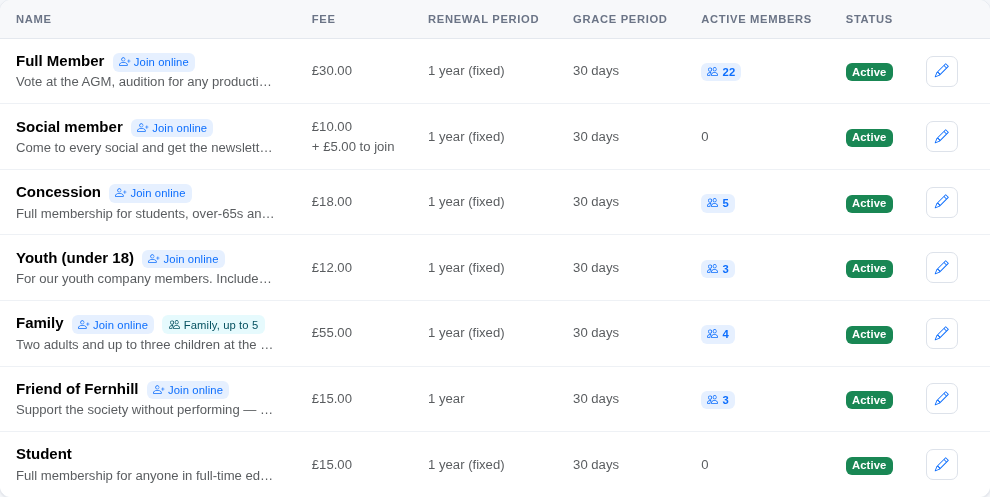
Go to Membership > Membership types. Your types are listed at the bottom, with their Fee, Renewal period, Grace period and how many Active members each has. Click Add type to make a new one, or the pencil beside a type to change it.
2. Name, fee and joining fee
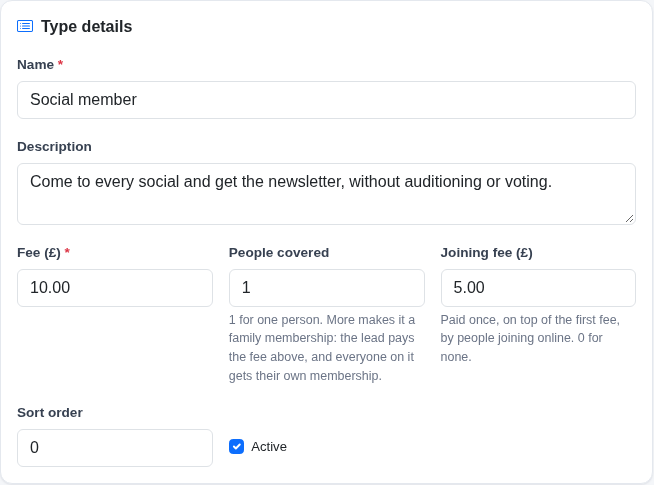
- Name and Description: both are shown on the join page.
- Fee (£): what's charged for each renewal period.
- Joining fee (£): charged once, on top of a new member's first payment. Leave it at 0 if you don't have one.
- People covered: 1 for one person. More than 1 makes it a family membership: the lead pays the fee, and everyone on it gets their own membership.
3. Renewal period and grace period
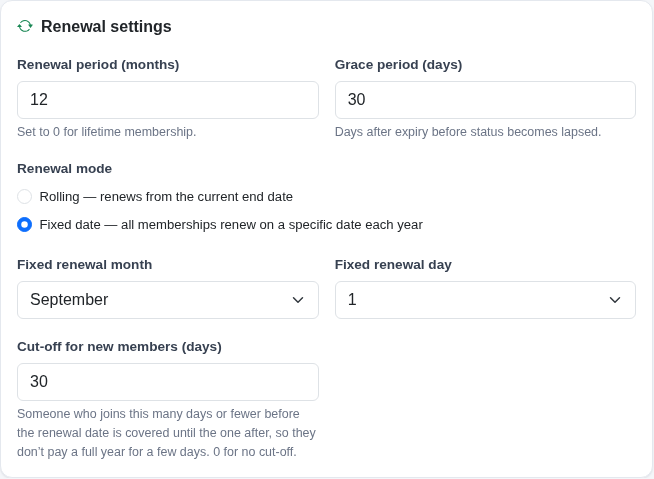
Under Renewal settings, the Renewal period (months) is 12 for a year, or 0 for a lifetime membership that never needs renewing. The Grace period (days) is how long after the end date a membership stays Expired before it becomes Lapsed. A renewal paid within the grace period runs on from the old end date, so renewal dates don't drift later each year.
4. Rolling or fixed date
- Rolling: each membership renews from its own end date, so it runs a year from when it started.
- Fixed date: everyone renews on the same day each year, for example 1 September. Choose the Fixed renewal month and Fixed renewal day. A fixed-date type renews every 12, 24 or 36 months, or is lifetime.
With a fixed date, the Cut-off for new members (days) matters. Someone who joins this many days or fewer before the renewal date is covered until the one after, so they don't pay a full year for a few weeks. It starts at 30; set it to 0 for no cut-off.
5. Payment methods, joining online and Gift Aid
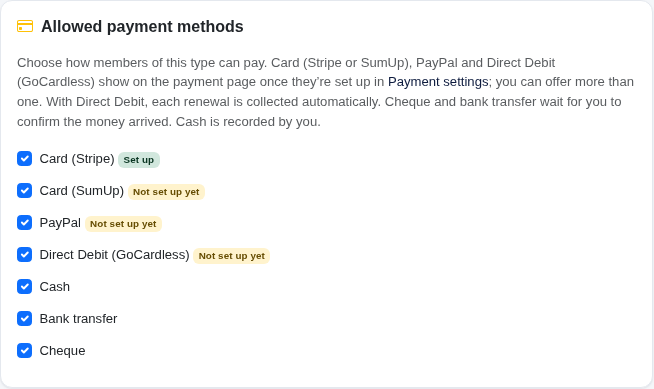
Tick the Allowed payment methods for this type: Card (Stripe), Card (SumUp), PayPal, Direct Debit (GoCardless), Cash, Bank transfer and Cheque. Online methods show Not set up yet until they're connected in Payment settings (see Taking membership payments).
On the right, switch on Offer on the join form if people can choose this type when they join online, and Offer Gift Aid on this membership if your society is a charity or CASC that can claim it. Then click Create type (or Save changes).
Tip: a new type comes with ready-made renewal reminders (30 and 7 days before, on the day, a week after) and a re-enrol email. You can change them when you edit the type; see Membership welcome emails and renewal reminders.
Track your progress
Make a free account to take the quick quiz after each guide, keep your place in the course and get a certificate when you finish.