For members: your membership account, renewing and your card
What members see in their account: their membership and payments, renewing, their details and consents, Gift Aid, their data and their card.
Members look after their own membership in the members' area, on a phone or a computer. This guide shows what they see, so you can help them, or share it with them. This guide is part of the free course Running membership in TheatreHQ.
1. My membership
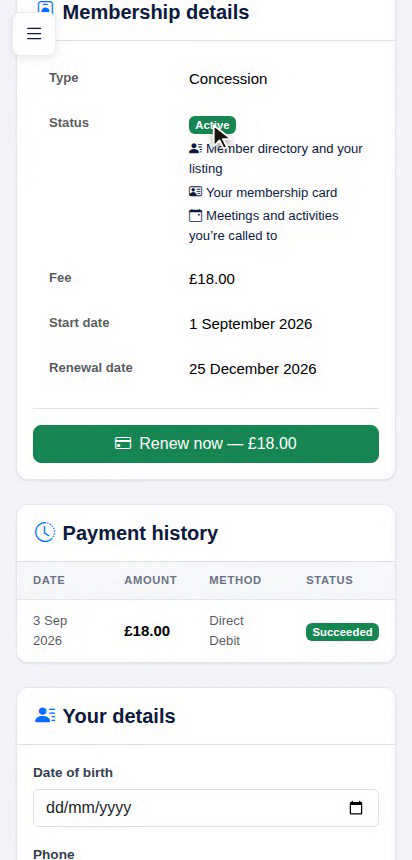
My membership shows their type, their status and their renewal date, with their Payment history underneath. Links under their status open the member directory, their membership card, and the meetings and activities they're called to.
2. Renewing
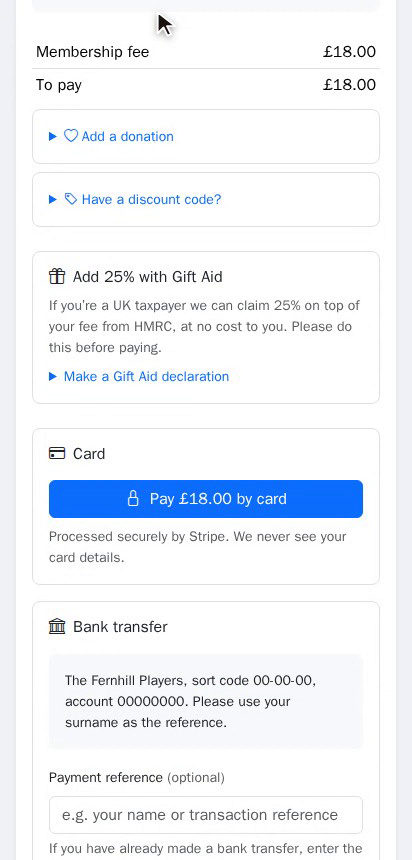
When it's time, Renew now takes them to their payment page, to pay by card or any of the other ways you take. They can add a donation, use a discount code or add Gift Aid there too.
3. Your details
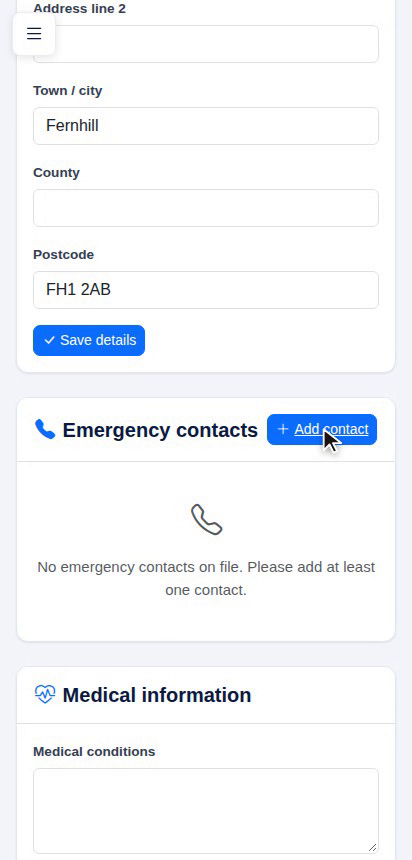
Under Your details, they keep their phone number and address up to date and click Save details. They can add emergency contacts (Add contact) and medical information, and say what they'd like to help with.
4. Consents, Gift Aid and their data
Under Consent management, they Give consent or Withdraw each consent themselves. They can Make Gift Aid declaration, and Download my data gives them a copy of everything you hold about them as a member.
5. Their membership card
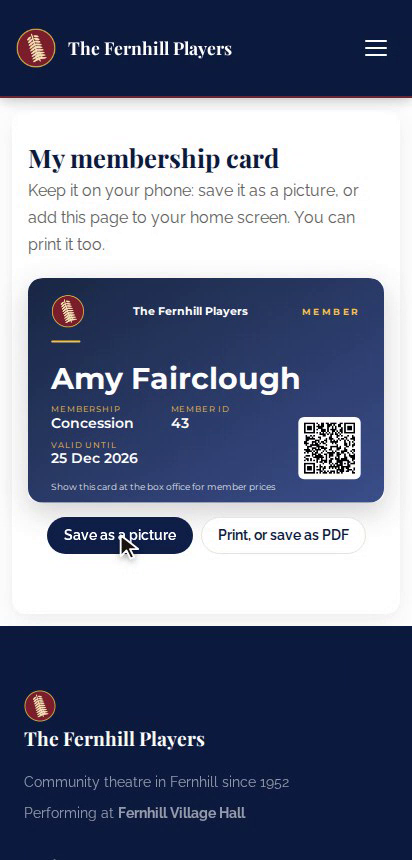
Your membership card opens their card, ready to show at the door, Save as a picture, or Print, or save as PDF.
Track your progress
Make a free account to take the quick quiz after each guide, keep your place in the course and get a certificate when you finish.