Members grid: bulk actions, and adding members by pasting
Email, send payment links, mark as paid or group lots of members at once from the grid, and add new members by pasting.
The grid works on lots of members at once, and can add new members just by pasting. This guide is part of the free course Running membership in TheatreHQ.
1. Actions
Tick members down the left, or tick none to act on everyone shown. Actions offers Set a column for them…, Email them…, Email their payment links…, Mark as paid…, Add to a group… and Take out of a group….
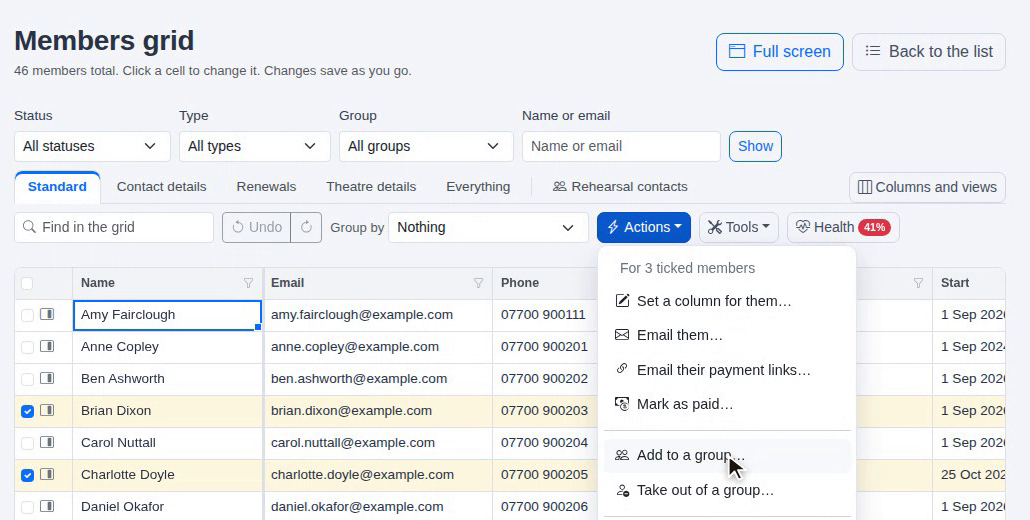
For example, Add to a group…: choose the group and click Add them.
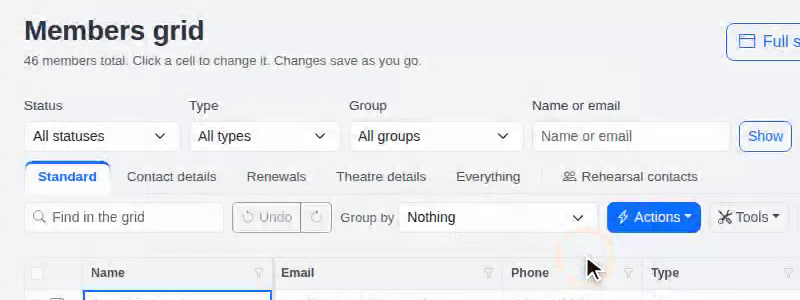
2. Add members by pasting
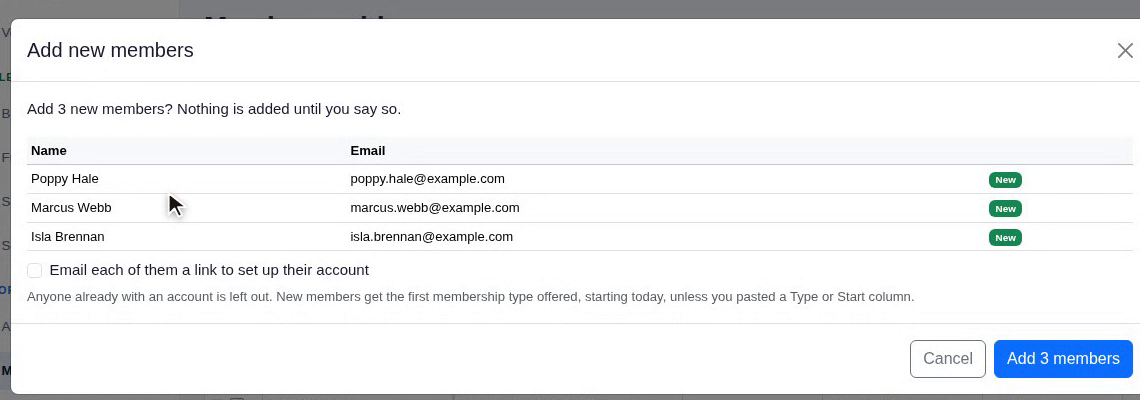
Copy rows from a spreadsheet with at least a Name and an Email column, click the last member's name in the grid, and paste. Rows that go past the last member open Add new members, which checks each one (no proper email, already in the grid, twice in the paste).
Tick Email each of them a link to set up their account if you'd like, and click Add. New members get the first membership type offered, starting today, unless you pasted a Type or Start column. Anyone who already has an account is left out.
Track your progress
Make a free account to take the quick quiz after each guide, keep your place in the course and get a certificate when you finish.