Members grid: filters, sorting, grouping and saved views
Show exactly the members you need in the grid, with filters, column filters, grouping and saved views you can share.
The grid can show exactly the members you need, and save that as a view for next time. This guide is part of the free course Running membership in TheatreHQ.
1. Filters
Use Status, Type, Group or Name or email at the top. Choosing from a list filters straight away; for a name, click Show.
2. Column filters and sorting
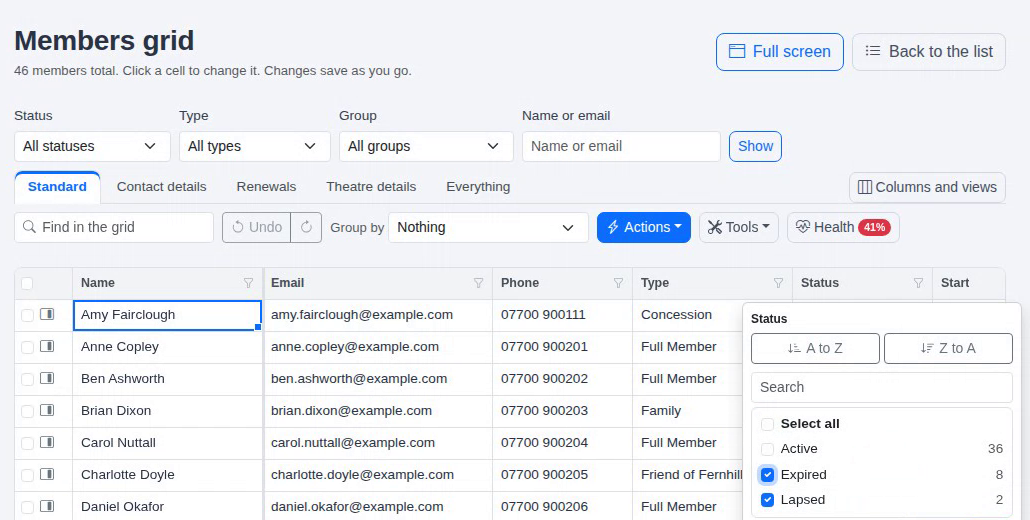
Click the funnel in a column heading to sort A to Z or Z to A, search, or tick just the values you want, then OK. Filters in use show above the grid, with Clear all filters.
3. Group by
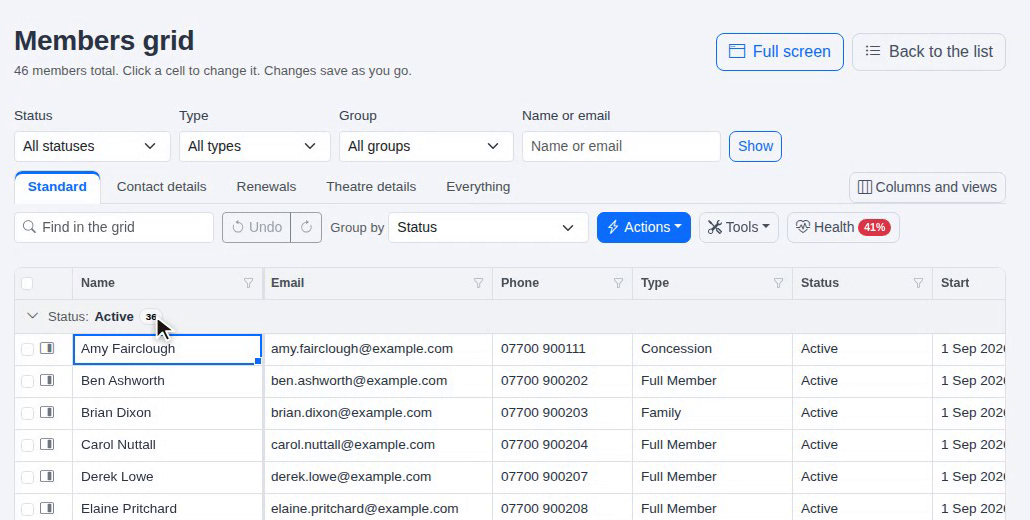
Group by puts members together under a heading for each value: type, status, or start, end or last payment by month.
4. Columns and saved views
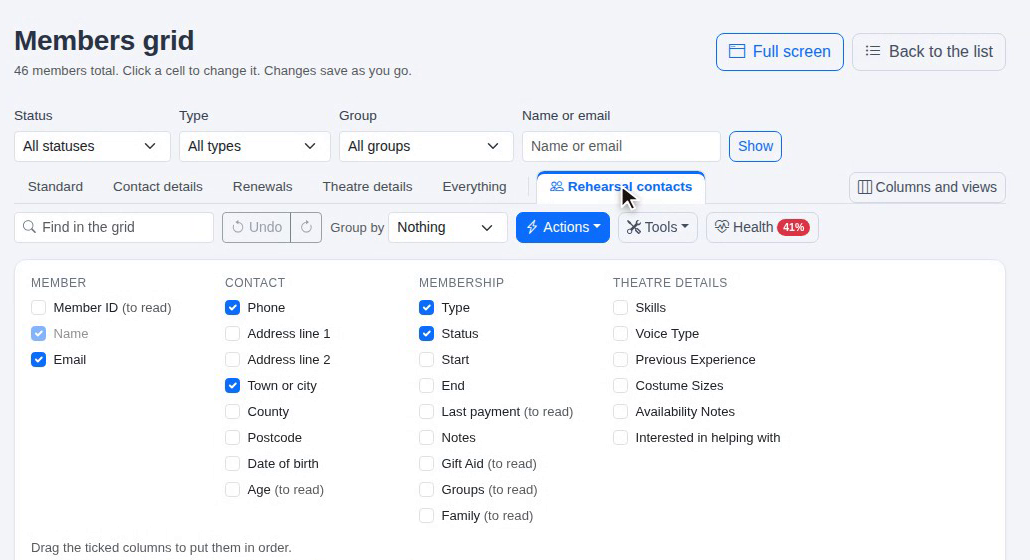
Columns and views lets you tick the columns to show and drag them into order. Name the view, tick Share with the other admins if they should have it too, and click Save as a view. It becomes a tab beside Standard, with its columns, filters and sort.
5. Full screen and download
Full screen gives the grid the whole window; Fill the screen goes further (Esc leaves it), and Leave full screen goes back. Under Tools, Download what you see gives you a CSV of exactly the rows and columns showing.
Track your progress
Make a free account to take the quick quiz after each guide, keep your place in the course and get a certificate when you finish.