Members grid: health check, cell history and charts
Find gaps and mistakes in your member list, see who changed a cell, chart any column, and see a member's details beside the grid.
The grid can check your list for gaps and mistakes, show who changed a cell, and chart any column. This guide is part of the free course Running membership in TheatreHQ.
1. The health check
Click Health. Member list health scores how complete the key details are (name, email, phone, address, town, postcode and date of birth) and lists what's worth fixing: active members past their end date, under 18s with no guardian on record, emails, postcodes or phone numbers that look wrong, the same email or name twice, memberships ending in the next 30 days, and missing details. It's worked out from the members loaded, so it updates as you fix things.
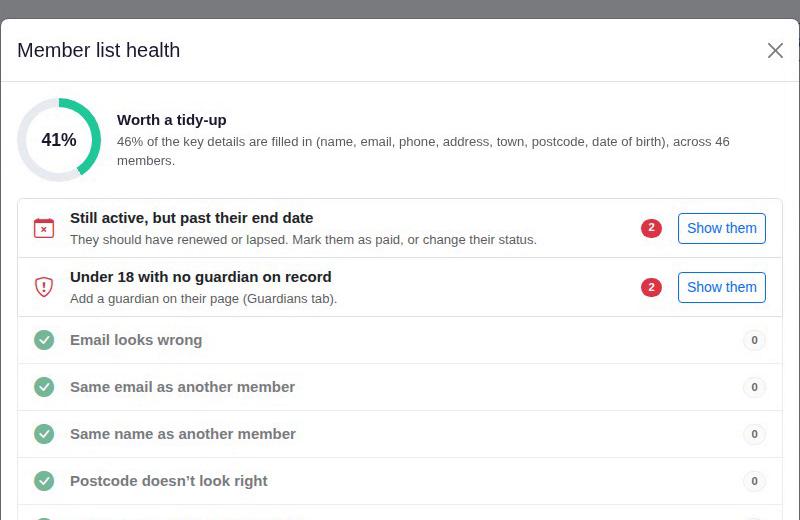
Click Show them beside a check and the grid shows just those members, ready to fill in.
2. History of a cell
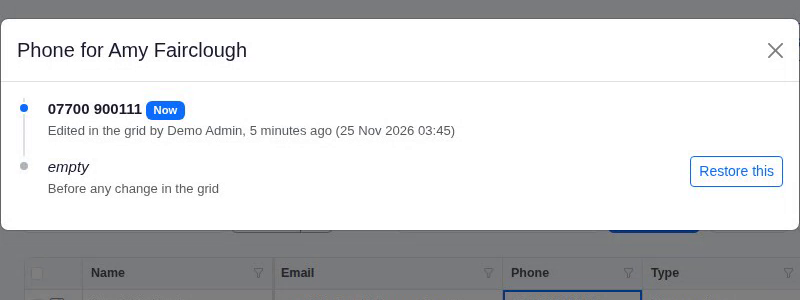
Right-click a cell and choose History of this cell to see each change, who made it and when, with Restore this to put an earlier value back.
3. Charts
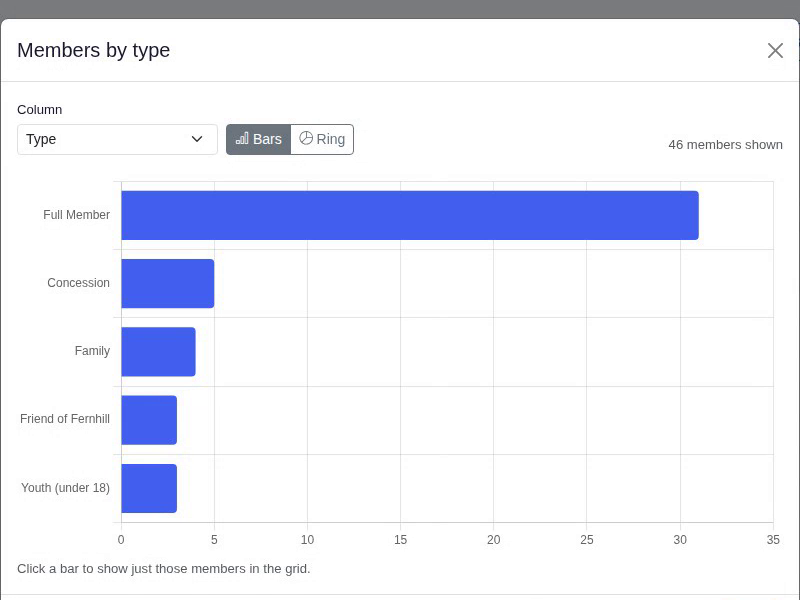
Tools > Chart a column draws Bars or a Ring for any column, such as members by type or status. Click a bar to show just those members, or Save as a picture for a committee report.
4. The side panel
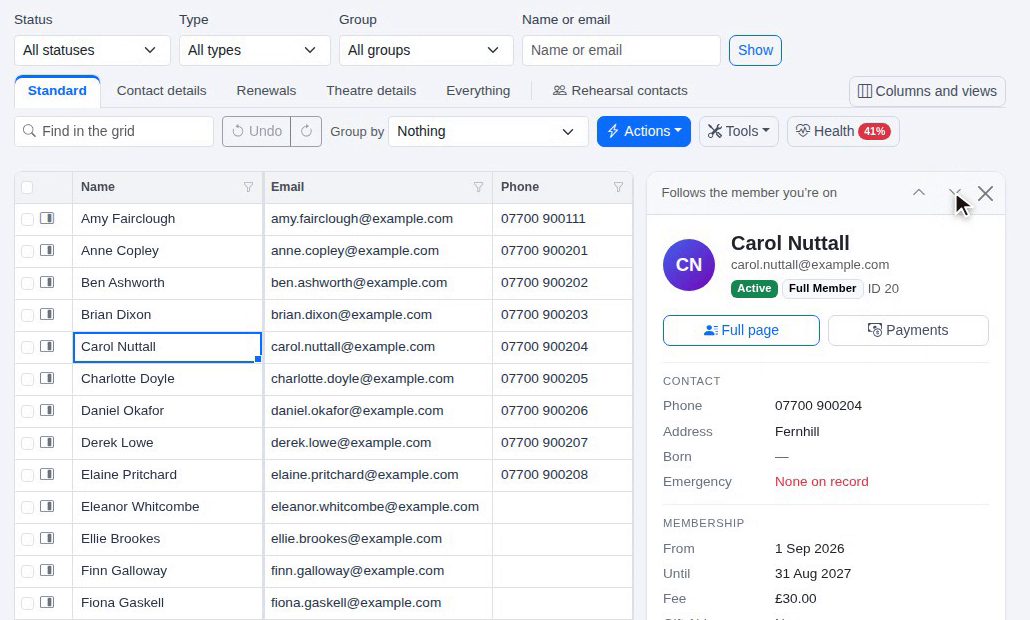
The button at the start of each row (or Ctrl+I) opens the member's details beside the grid: contact details, membership, consents and more, with Full page and Payments links. The arrows move to the previous or next member.
Track your progress
Make a free account to take the quick quiz after each guide, keep your place in the course and get a certificate when you finish.