Membership consents, compliance reports and complete member records
Use the compliance reports to find missing consents and incomplete profiles, and record a consent someone gave you on paper.
Membership keeps the records your society needs, and Reports shows you where the gaps are. This guide is part of the free course Running membership in TheatreHQ.
1. Compliance reports
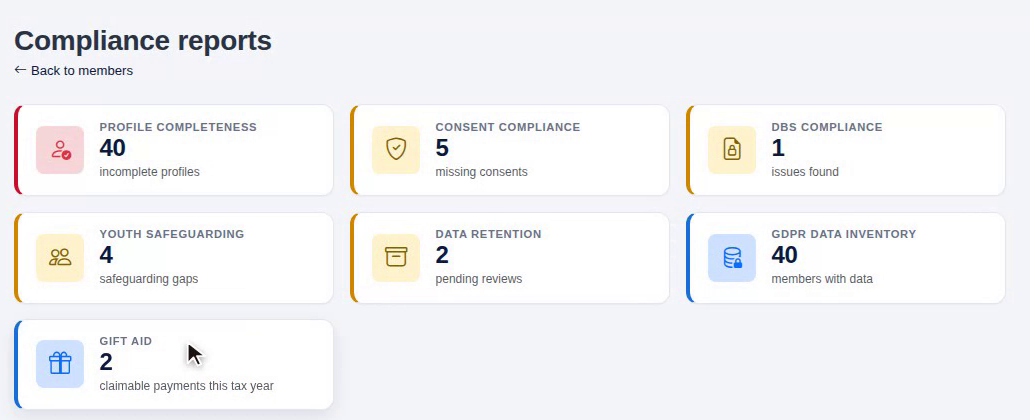
Under Membership, open Reports. Compliance reports has a card for each check: Profile completeness, Consent compliance, DBS compliance, Youth safeguarding, Data retention, the GDPR data inventory and Gift Aid. The DBS and youth reports need the Safeguarding permission.
2. Consent compliance
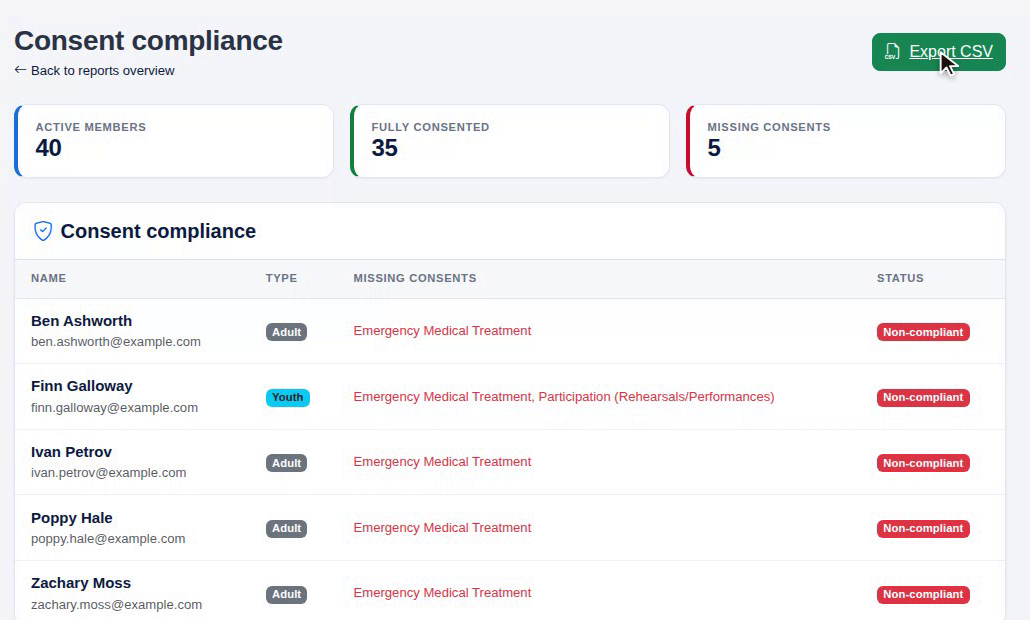
Consent compliance lists the active members who are missing a required consent, like Emergency Medical Treatment, or Participation for youth members. Export CSV gives you the list to chase. You choose which consents are required in Consent types.
3. Profile completeness
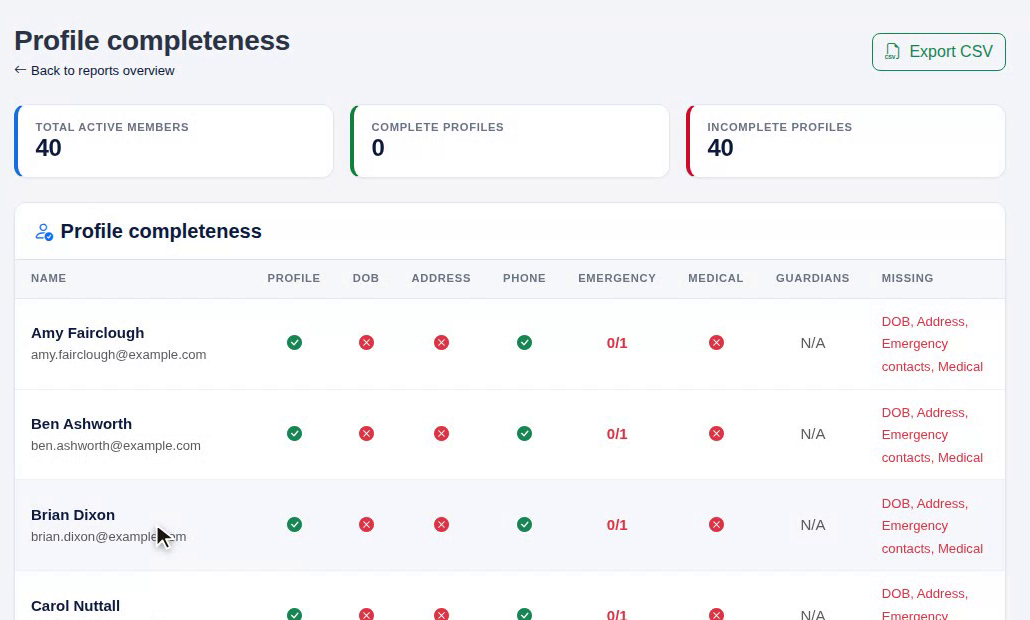
Profile completeness shows who's missing a date of birth, an address, a phone number, emergency contacts (two for youth members), medical details, guardians for youth members, or a DBS check where one is needed.
4. Recording a consent
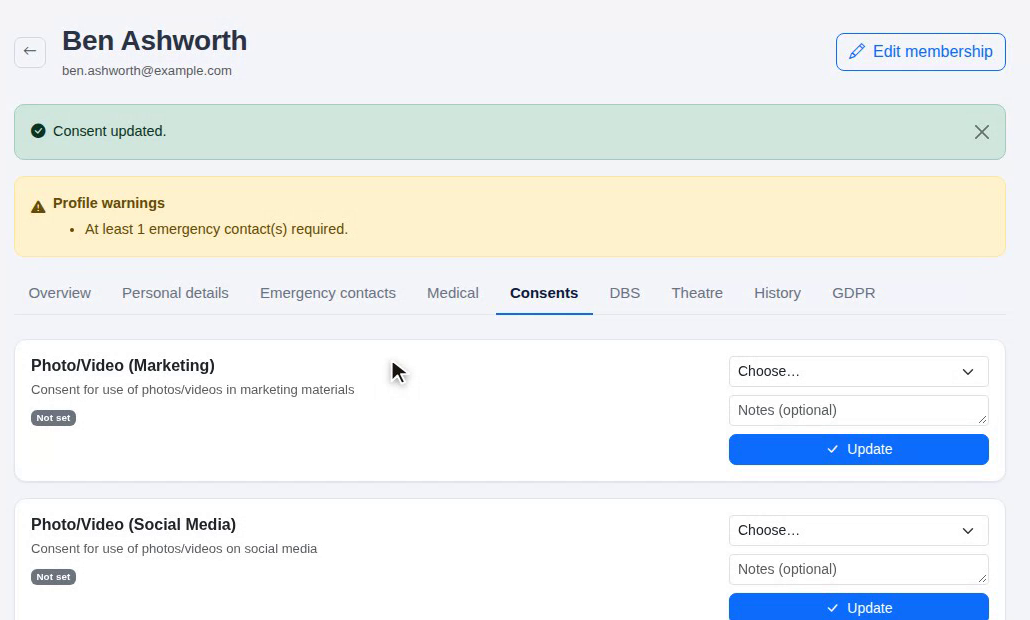
Open a member: the Profile warnings at the top tell you what's missing. On the Consents tab, choose Granted (or Withdrawn) for a consent they've given you on paper or by email, add a note if you like, and click Update. The consent history keeps every change, with who made it and when, and the member drops off the report.
Track your progress
Make a free account to take the quick quiz after each guide, keep your place in the course and get a certificate when you finish.