Membership discount codes and joining fees
Charge a one-off joining fee, and make discount codes for offers, with limits on what they come off, who can use them and when.
Joining fees and discount codes help with your membership offers: a freshers' fair discount, or a one-off fee for new members. This guide is part of the free course Running membership in TheatreHQ.
1. Joining fees
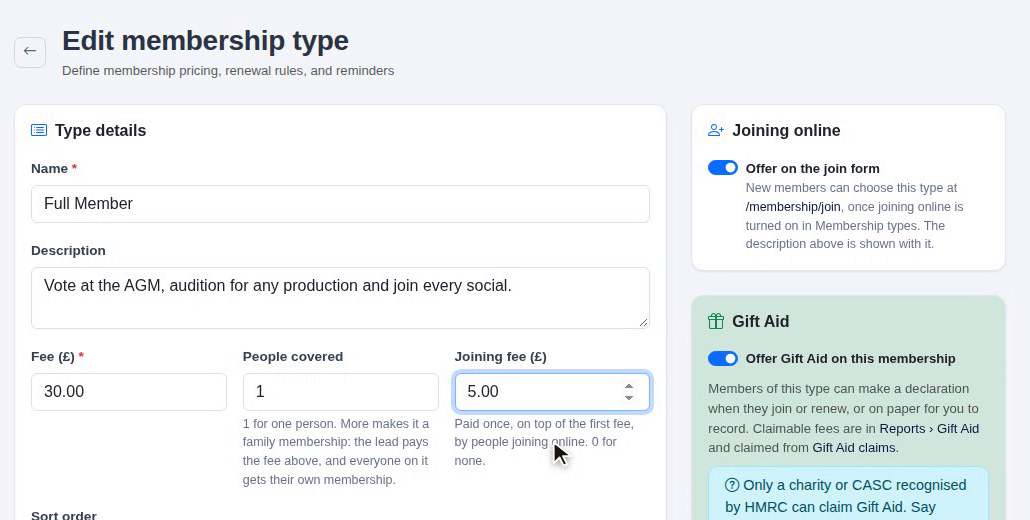
Edit a membership type and set its Joining fee (£). It's paid once, on top of the first fee, by people joining online, and never again. Leave it at 0 for none.
2. Make a discount code
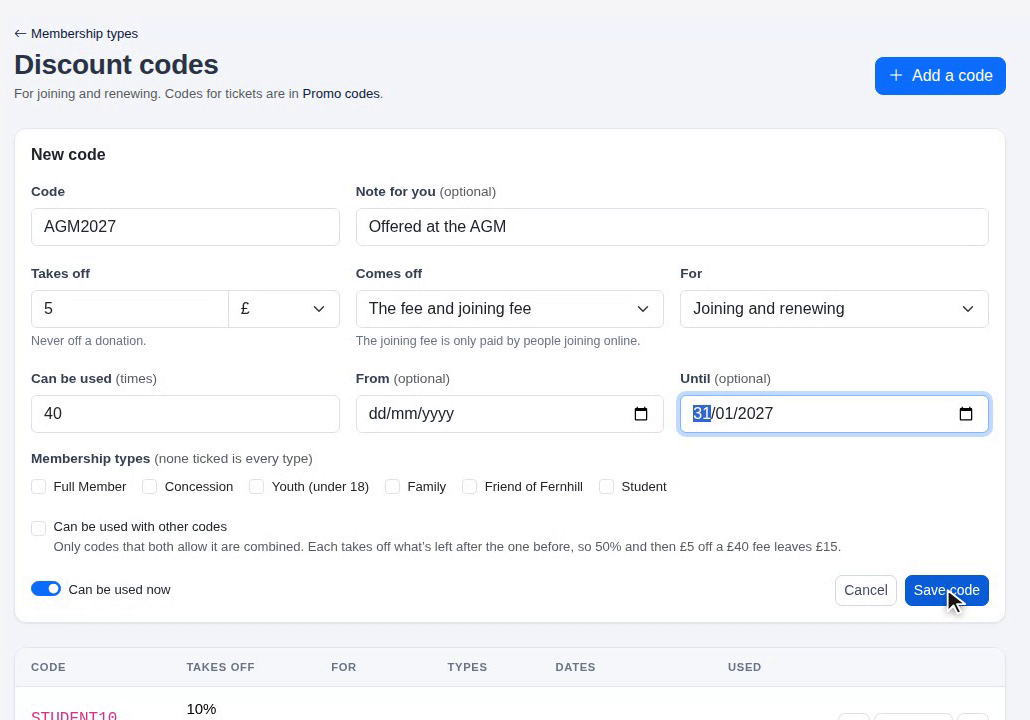
On Membership types, click Discount codes, then Add a code. Fill in:
- Code (for example AGM2027) and a Note for you.
- Takes off: a percentage or an amount.
- Comes off: the fee, the joining fee, or both.
- For: joining and renewing, joining only, or renewing only.
- Limits: Can be used (times), From and Until dates, and which membership types.
- Can be used with other codes, and Can be used now.
Click Save code.
3. Using a code
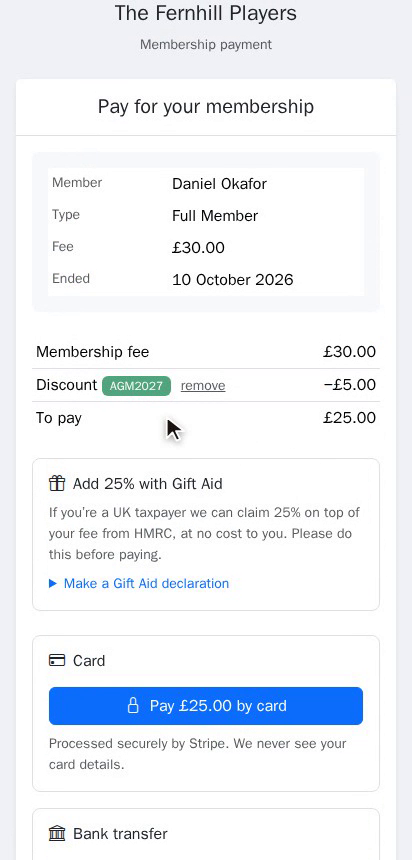
Members type the code in the discount code box on the join form, or on their payment page under Have a discount code? and click Apply. The discount shows straight away in what's due, with remove beside it.
4. Switching codes off
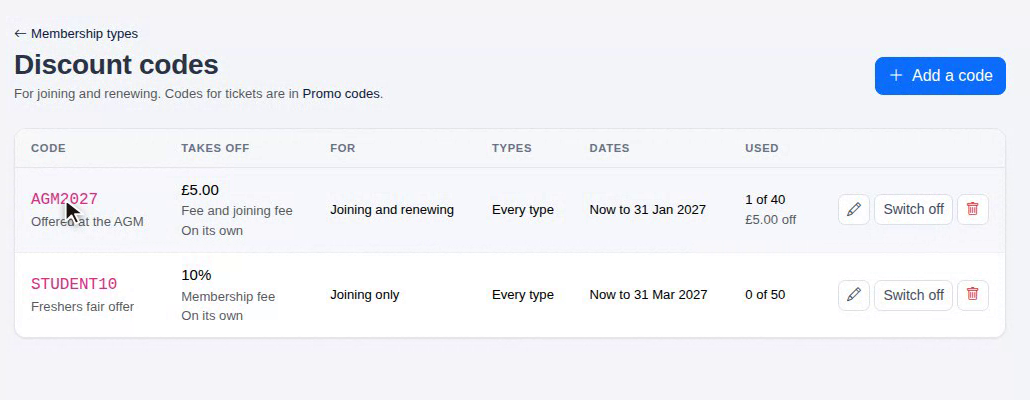
In the list of codes, click Switch off (or Switch on) at any time. A code held by an application that's given up on, or taken off, is given back.
Track your progress
Make a free account to take the quick quiz after each guide, keep your place in the course and get a certificate when you finish.