Membership donations and Gift Aid
Let members add a donation when they join or renew, and claim Gift Aid on membership fees if your society can.
Members can give a little extra when they pay, and if your society is a charity or CASC, you can claim Gift Aid on their fees. This guide is part of the free course Running membership in TheatreHQ.
1. Donations
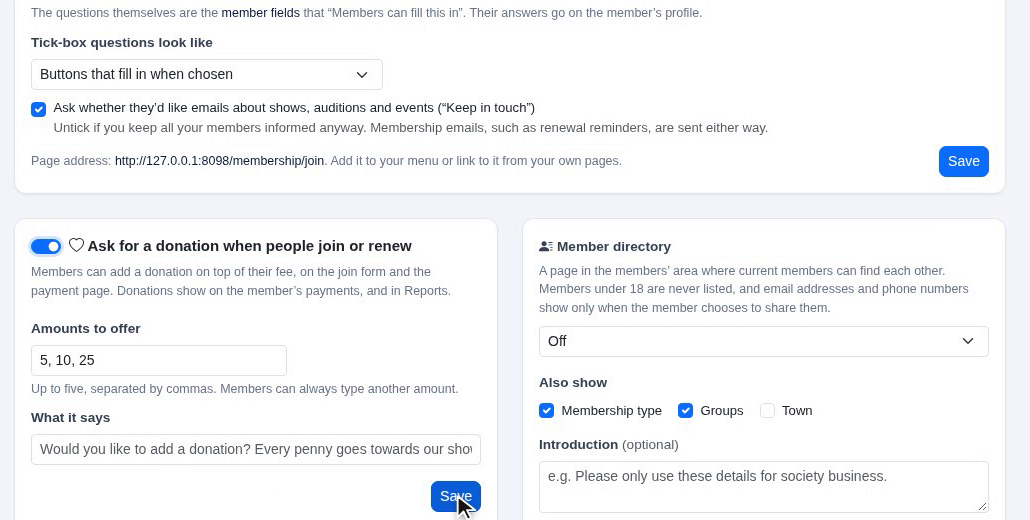
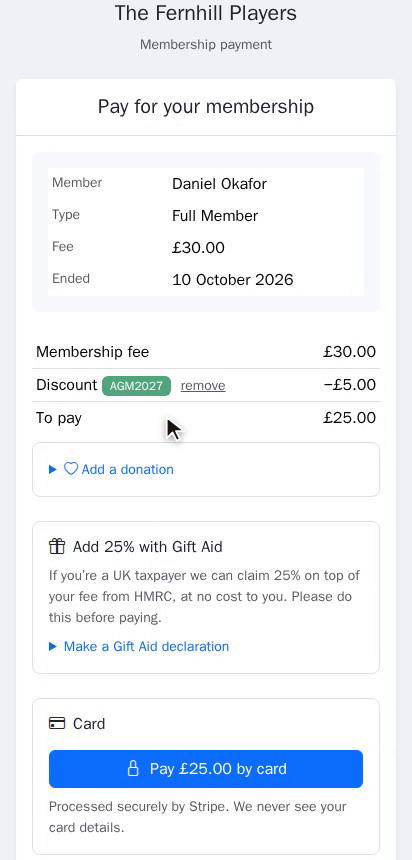
On Membership types, switch on Ask for a donation when people join or renew, set the Amounts to offer (up to five, separated by commas) and What it says, and click Save. The donation shows on the join form and the payment page; members pick an amount or type their own, and it's added to what they pay. Donations show on the member's payments and in Reports.
2. Gift Aid on a type
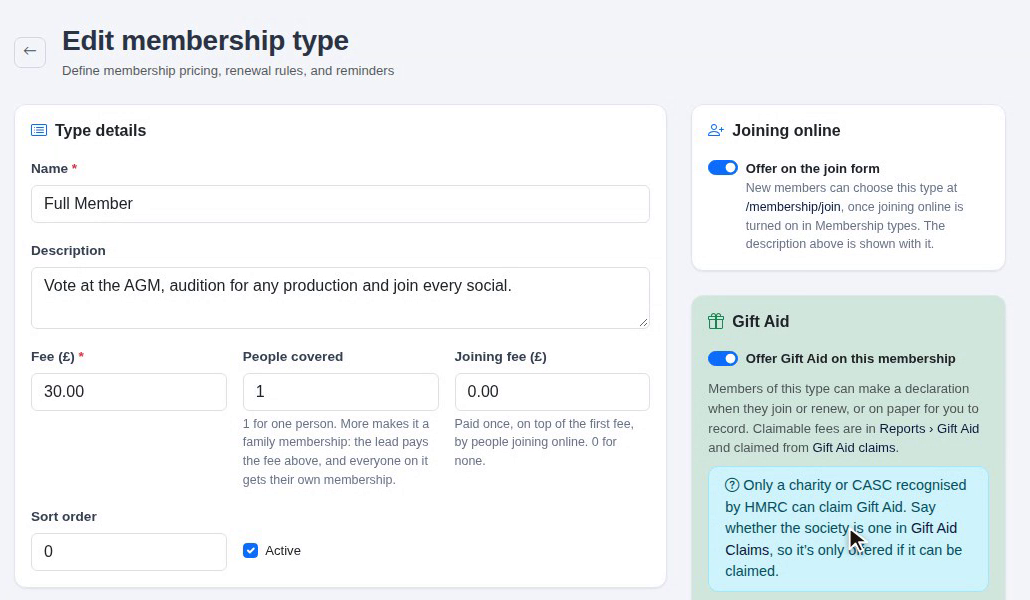
Edit each type that can be gift aided and switch on Offer Gift Aid on this membership. Only a charity or CASC recognised by HMRC can claim, so say whether your society is one in Gift Aid Claims first; read When can a membership fee be Gift Aided? on the same card.
3. Declarations
Members make a declaration when they join or pay (Add 25% with Gift Aid). You can record a paper or emailed declaration on their membership page with Change beside Gift Aid, or when adding them by hand. Imports bring yes/no and the declaration date across.
4. The Gift Aid report
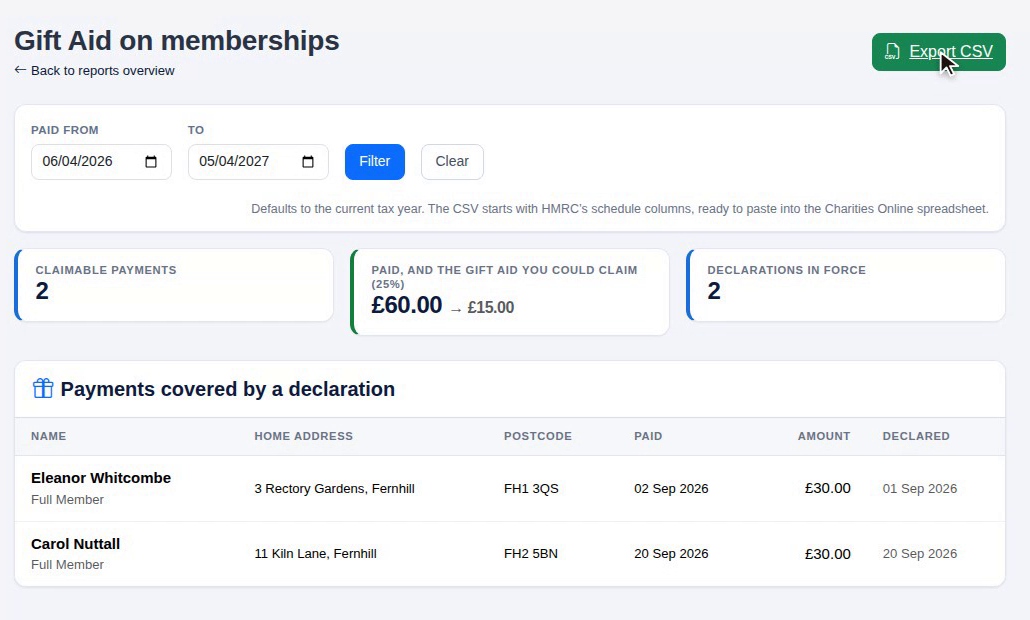
Reports > Gift Aid (Gift Aid on memberships) shows the claimable payments, how much was paid and the Gift Aid you could claim, and the declarations in force, for the current tax year or the dates you choose. Export CSV starts with HMRC's schedule columns, ready to paste into the Charities Online spreadsheet.
Track your progress
Make a free account to take the quick quiz after each guide, keep your place in the course and get a certificate when you finish.