Payment requests: ask anyone to pay for anything with a link
Ask anyone, member or not, to pay for a trip, a costume deposit or a T-shirt with a link, let them pay in parts, and record cash.
Sometimes you need money for something that isn't a membership: a theatre trip, a costume deposit, a show T-shirt. Payment requests let you ask anyone to pay for anything, with a link. This guide is part of the free course Running membership in TheatreHQ.
1. Open Payment requests
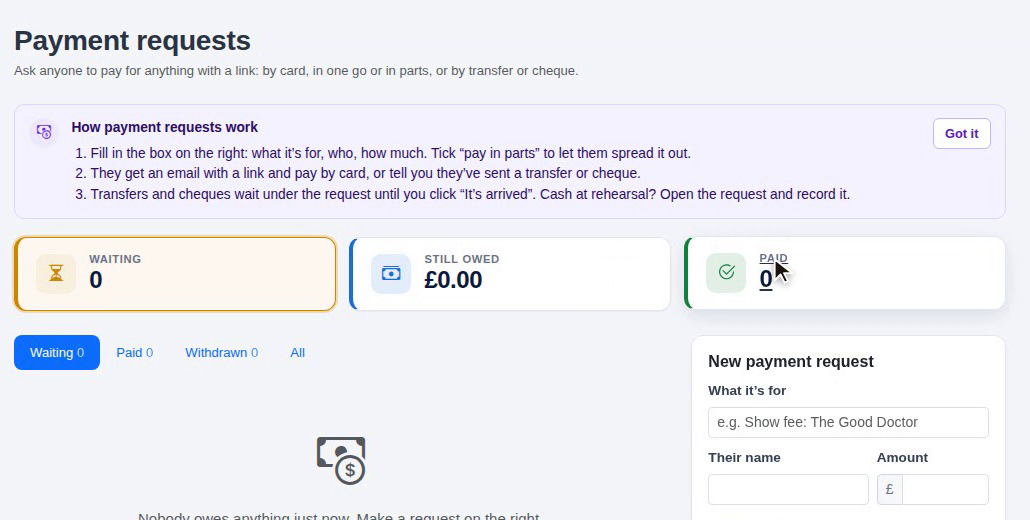
Go to Membership > Payment requests. The tiles show what's Waiting, what's Still owed and what's Paid, with tabs for Waiting, Paid, Withdrawn and All.
2. Make a request
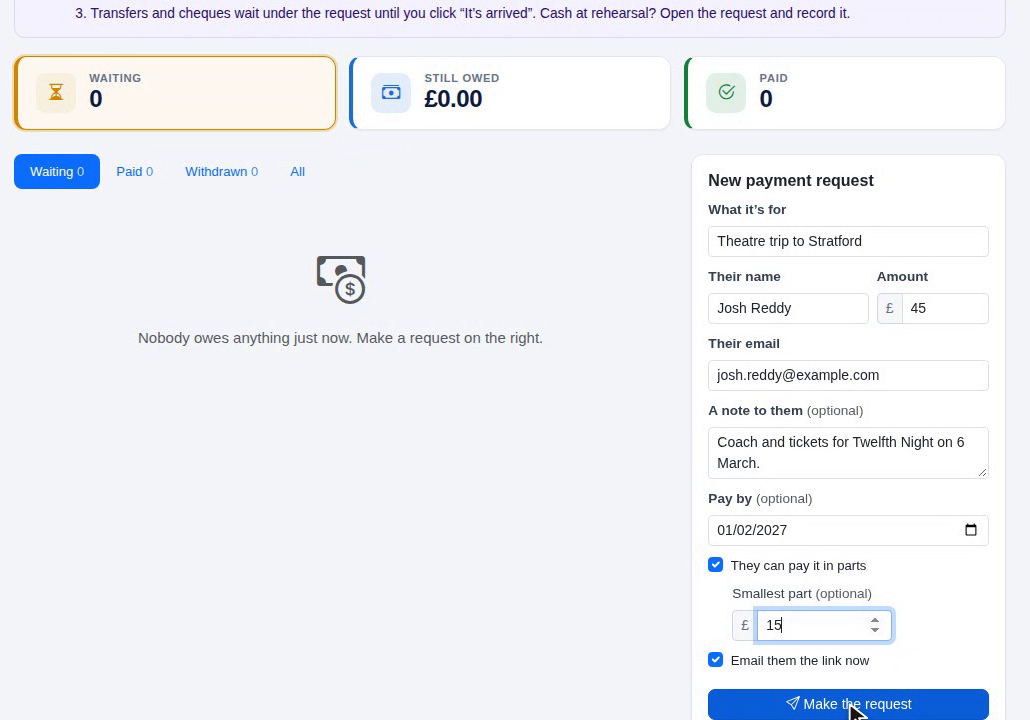
Under New payment request, fill in What it's for, Their name, the Amount and Their email, and optionally A note to them and a date to Pay by. Tick They can pay it in parts and set the Smallest part for something bigger. Leave Email them the link now ticked and click Make the request.
3. What they see
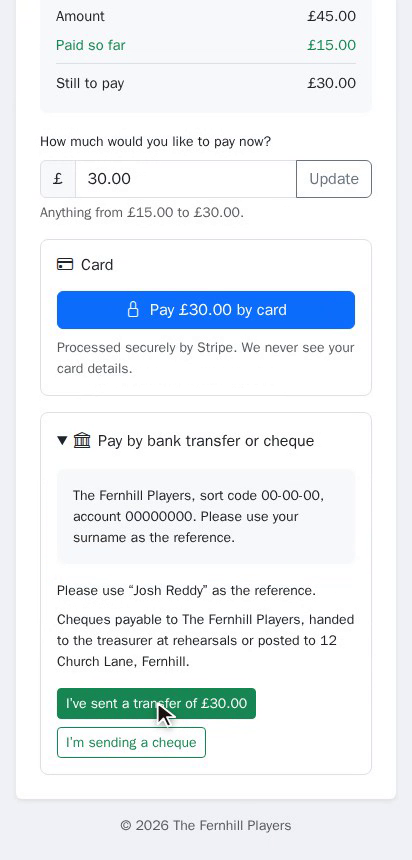
Their link opens a payment page showing the amount, what's been paid and what's still to pay. They can pay by card, or open Pay by bank transfer or cheque to see your details and tell you they've sent it.
4. Manage a request
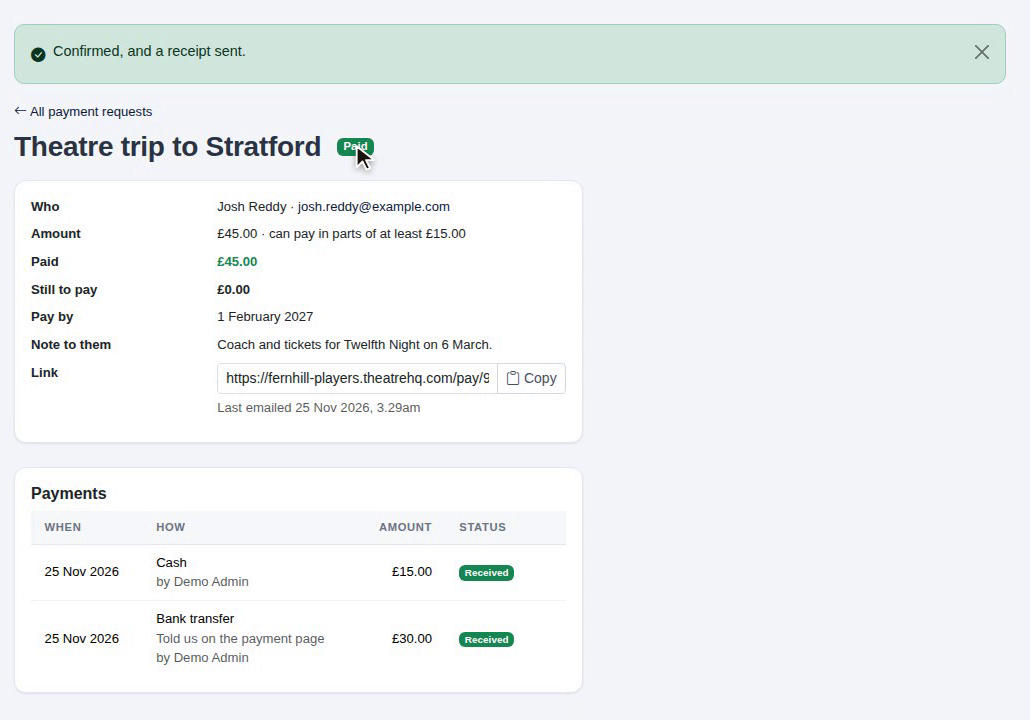
Open a request to Copy its link, Email it again or Withdraw it. If they pay you cash, use Record a payment and tick Email them a receipt. Transfers and cheques they tell you about wait for It's arrived or Didn't arrive. Once it's paid in full, it moves to Paid.
Track your progress
Make a free account to take the quick quiz after each guide, keep your place in the course and get a certificate when you finish.