Recording cash and cheques, confirming transfers, and bulk mark as paid
Record cash and cheque payments, see part payments add up, confirm bank transfers, and mark lots of members as paid at once.
Plenty of members still pay by cash or cheque, often at the AGM. This guide is part of the free course Running membership in TheatreHQ.
1. Record a payment
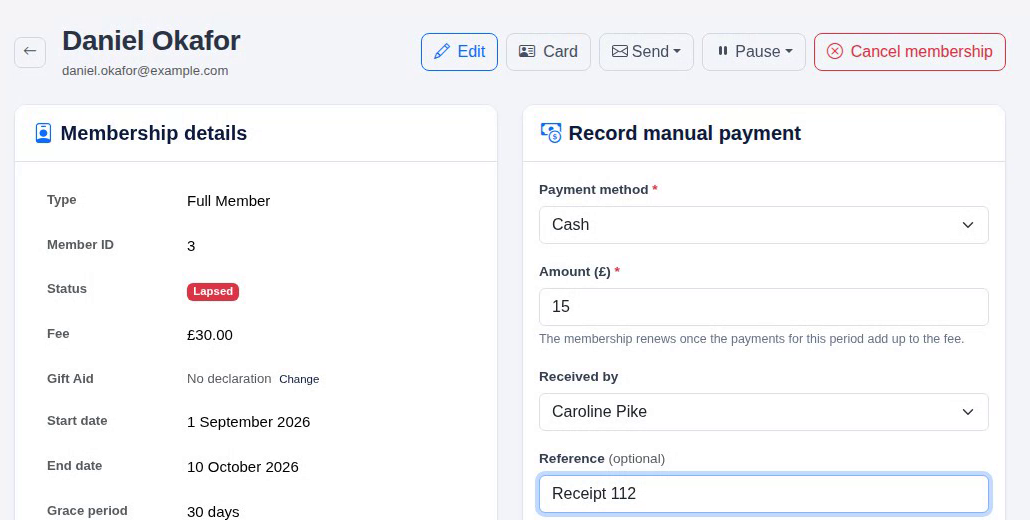
On the member's page, use Record manual payment: choose the Payment method, check the Amount, choose who it was Received by, add a Reference such as a cheque number, and click Record payment. A receipt is emailed.
2. Part payments add up
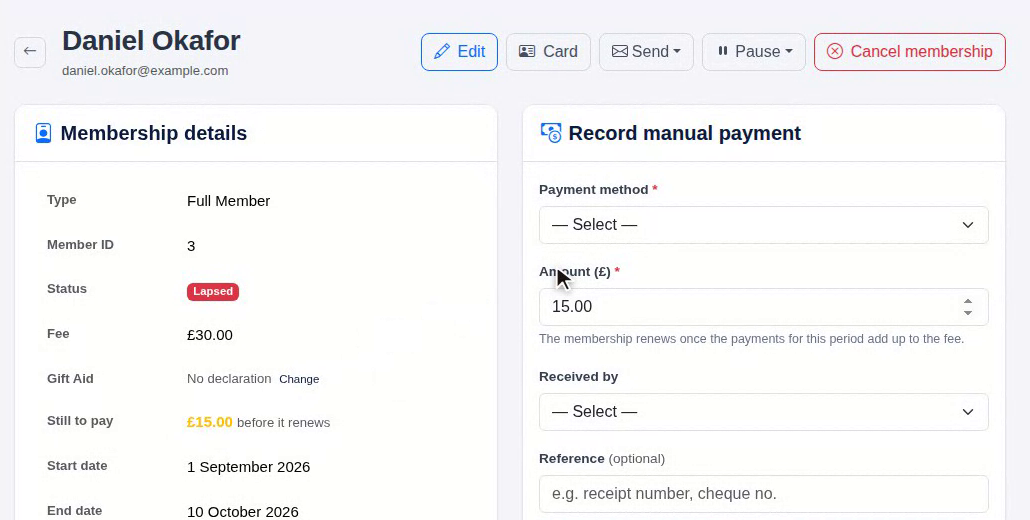
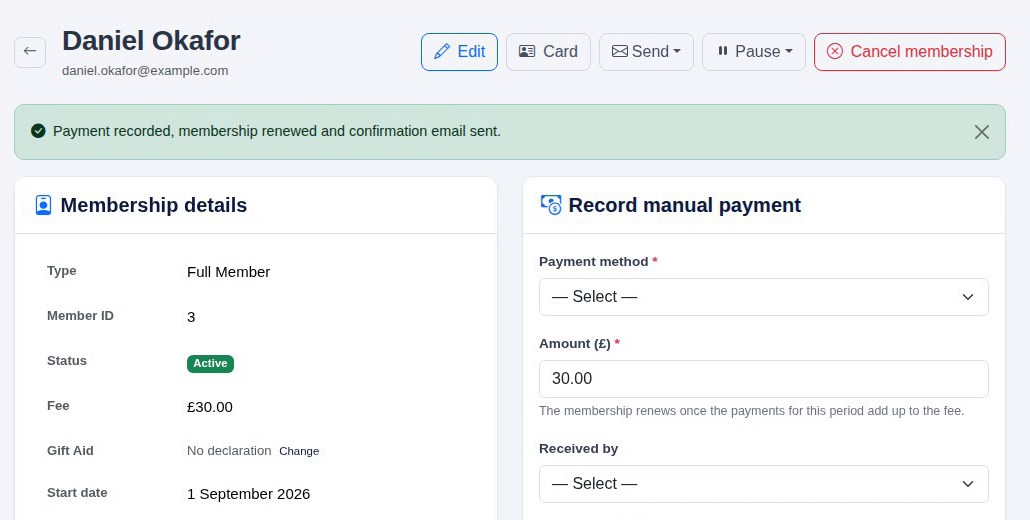
The membership renews once the payments for the period add up to the fee. Pay £15 of £30 and you'll see Part payment recorded. £15.00 still to pay before the membership renews, and Still to pay on the page. The second £15 renews it.
3. Confirm transfers and cheques
Transfers and cheques that members tell you about wait in Payment history as Pending, and All members shows how many there are. When the money arrives, click Received; if it never does, Not received.
4. Mark several members as paid
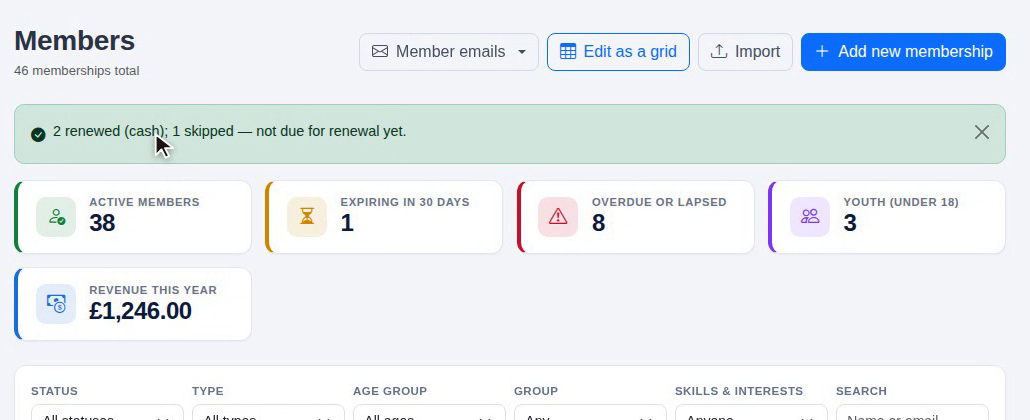
On All members, tick everyone who paid, choose cash, bank transfer or cheque in the bar at the bottom, and click Mark selected as paid. Each renews for the full fee and gets a confirmation.
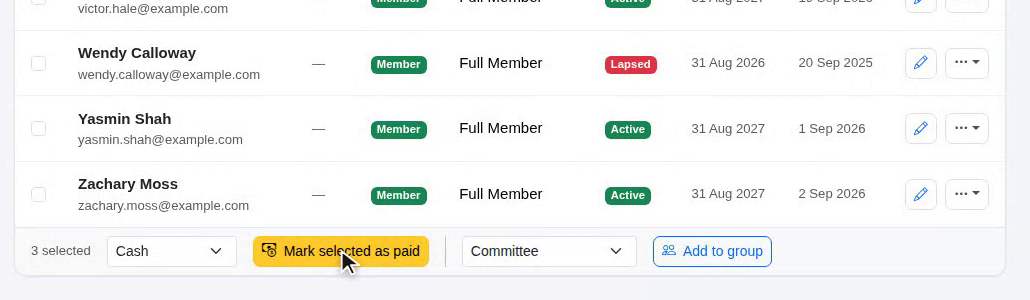
Only memberships due for renewal in the next 60 days are renewed. Others are skipped, and the message says why: not due yet, cancelled, paused, waiting for approval, or on a family membership (mark the lead paid).
Track your progress
Make a free account to take the quick quiz after each guide, keep your place in the course and get a certificate when you finish.