Showing your Google, Trustpilot or Facebook reviews on your homepage
Put your reviews from Google, Trustpilot, TripAdvisor or Facebook on your homepage, and some ideas for getting more of them.
People trust other audience members more than anything you say about yourselves. If you already collect reviews on Google, Trustpilot, TripAdvisor or Facebook, you can show them on your homepage, so visitors see what others thought before they decide to book.
1. Get the embed code from the review site
Each review site has its own widget, which gives you a short piece of code to paste into a website:
- Google: use a reviews widget for your Google Business Profile.
- Trustpilot: go to Trustpilot Business, then Get Reviews > Widgets, and copy the code.
- TripAdvisor: use TripAdvisor's widget centre.
- Facebook: use Facebook's Page Plugin with the Reviews tab switched on.
Choose a style that suits your website, then copy the code it gives you.
2. Paste it into TheatreHQ
Go to Integrations > Reviews. Paste the code into the box for that platform. You can fill in more than one box if you use several sites.
3. Choose which one to show
Under Active Platform, pick the platform you want on your homepage. Only one can show at a time; choose None to hide the reviews section. Click Save Review Settings, then look at your homepage to check it looks right.
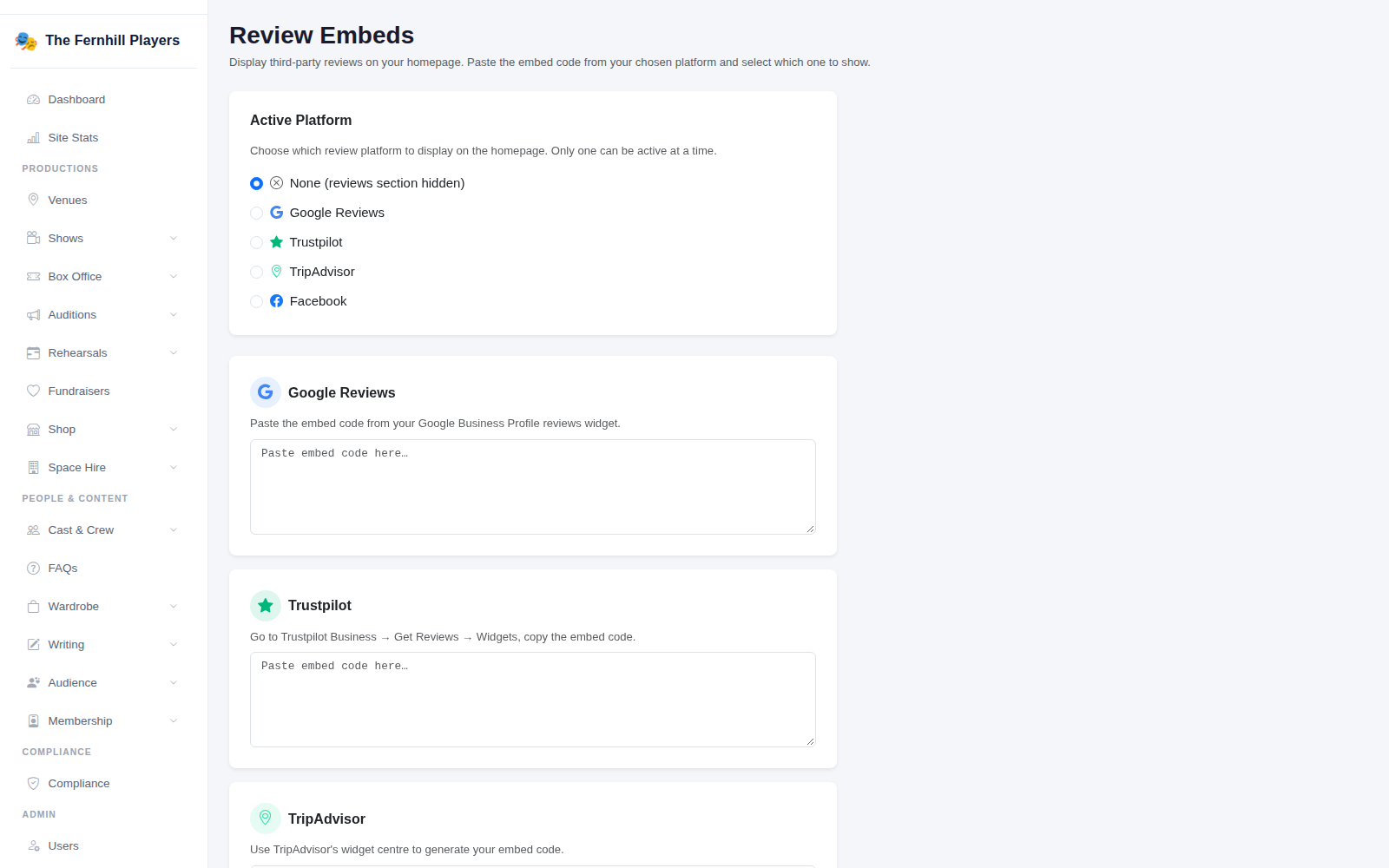
Only admins can change these settings, because the code is added to your homepage exactly as pasted. Only use code from the review sites themselves.
Getting more reviews
A review widget is only as good as the reviews in it. A few things that help:
- Ask straight after the show, while people are still on a high. TheatreHQ's post-show review request email does this for you.
- Put a QR code linking to your review page in the programme and on a sign in the foyer.
- Ask the cast to nudge their friends and family. They're your most enthusiastic audience.
- Reply to reviews, good and bad, politely and briefly. It shows you're listening.
Tip: pick the platform with the most recent reviews to show, not just the most reviews. A homepage full of comments from five years ago doesn't say much about your next show.