What a new member sees when they join
What joining your society looks like for a new member on their phone, from choosing a membership to paying by card, bank transfer or cheque.
Here's what joining looks like for a new member, on their phone. It's worth trying it yourself before you share the link. This guide is part of the free course Running membership in TheatreHQ.
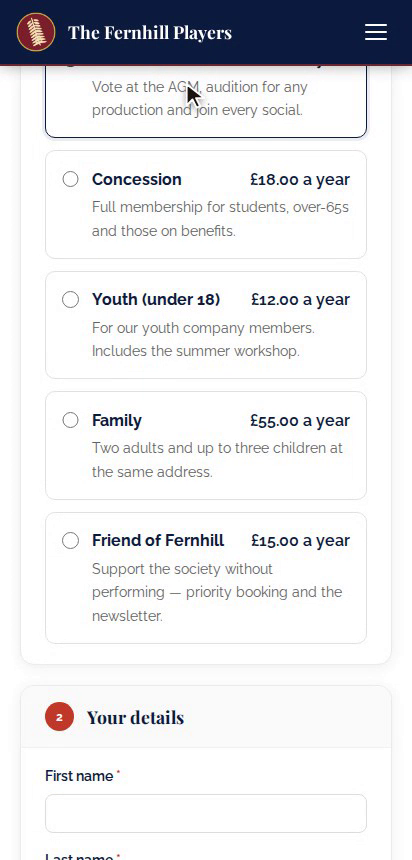
1. Choose a membership
Your join page lists each type you offer online, with its price and description. A type with a joining fee shows it too, for example "£5.00 joining fee, then £10.00 a year".
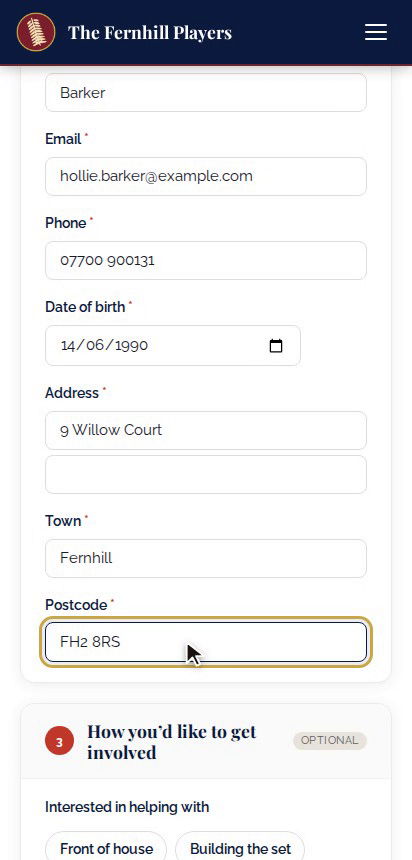
2. Their details
Name, email, phone, date of birth and address. Someone under 18 is asked for a parent or guardian's name and phone (and optionally their email and relationship). A family membership asks who else is on it: first name, last name, date of birth and, if they have one, an email.
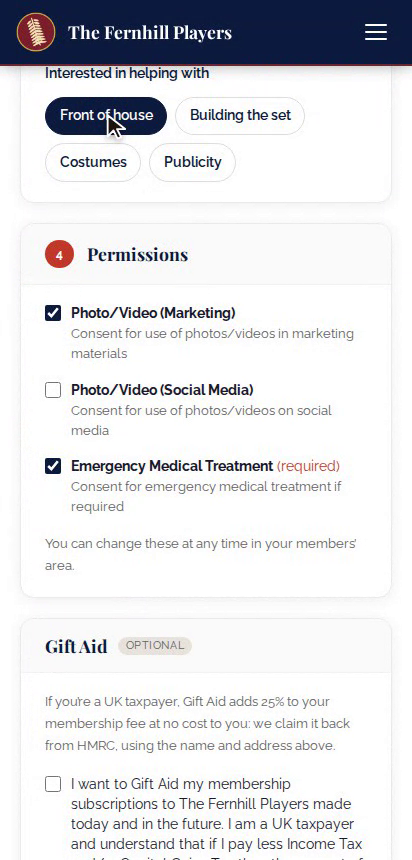
3. Questions, permissions and Gift Aid
Next come your own questions, the permissions (consents), Gift Aid if the type offers it, a discount code box if you have codes, and Keep in touch if you ask it. Then Continue to payment (or Send my application if you approve applications first).
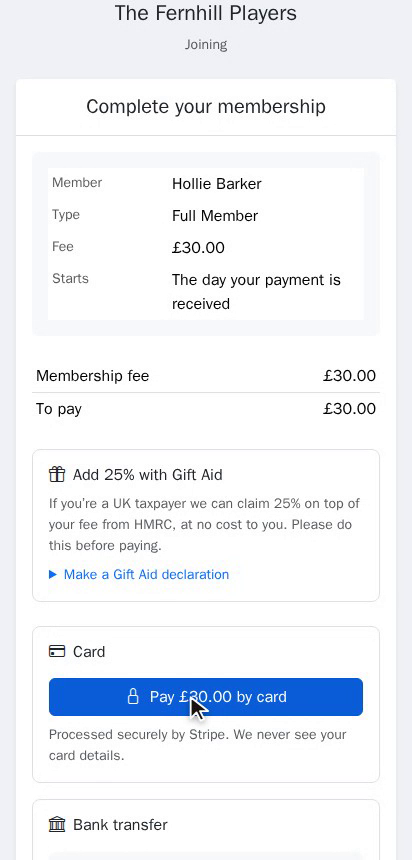
4. Paying
The payment page shows what's due: the fee, any joining fee, less any discount, plus any donation they choose. Each payment method you allow is shown: card (Stripe or SumUp), PayPal, Direct Debit, bank transfer or cheque. They can add a Gift Aid declaration here too.
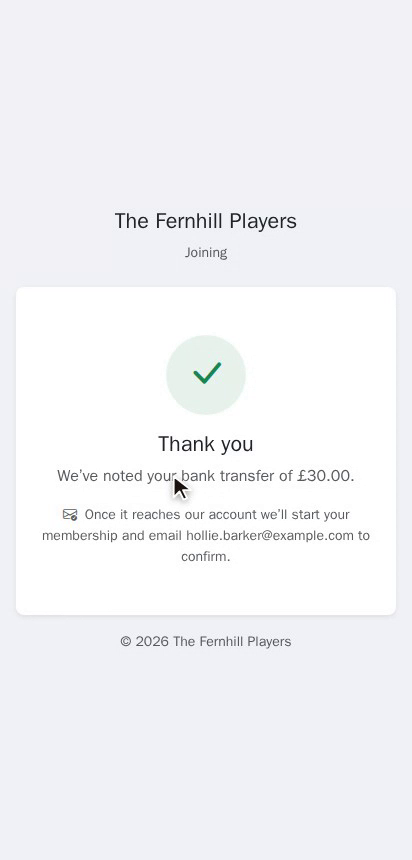
Choosing bank transfer or cheque shows your details; they confirm and the page says Thank you. The payment shows as awaiting confirmation until you click Received on their membership page.
5. Welcome
Once the money is in, their membership starts and they're emailed a welcome with a link to choose a password for their account, where they'll find My membership and their membership card.
Track your progress
Make a free account to take the quick quiz after each guide, keep your place in the course and get a certificate when you finish.