A member's page: payments, notes, pausing, cancelling and reinstating
What's on a member's page, and how to record payments, keep notes, pause, resume, cancel and reinstate a membership.
Every membership has its own page. Click a member's name on All members to open it. This guide is part of the free course Running membership in TheatreHQ.
1. Membership details
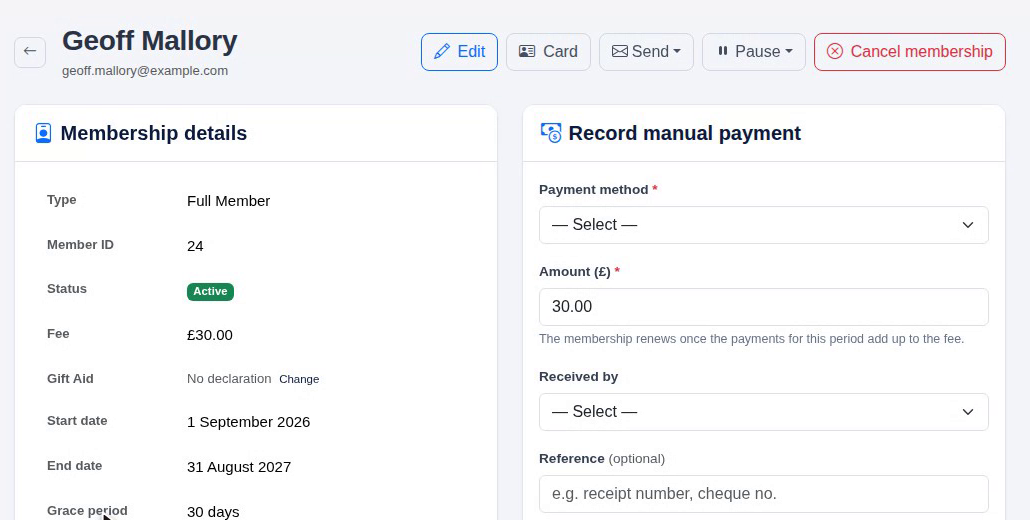
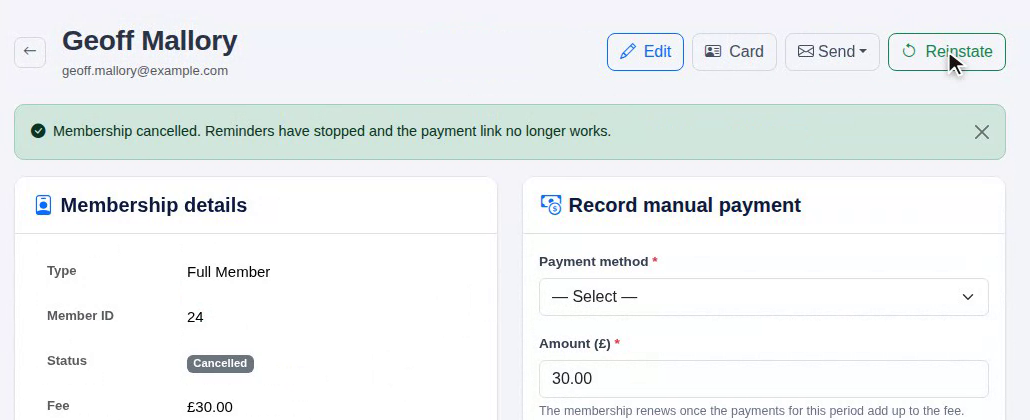
Type, member ID, status, fee, Gift Aid (with Change), start and end dates and the grace period. For a family membership you'll also see who's on it, and with Direct Debit, its state.
2. Payments
Record manual payment takes cash, cheques and transfers (see Recording cash and cheques). Payment history lists every payment; Refund records that one was given back. You return the money yourself.
3. Notes
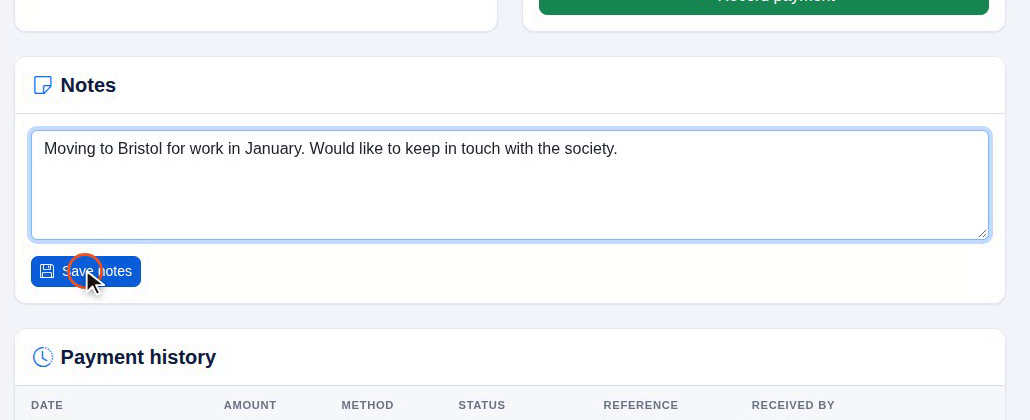
Notes are only for your committee. Type anything useful and click Save notes.
4. Pause and resume
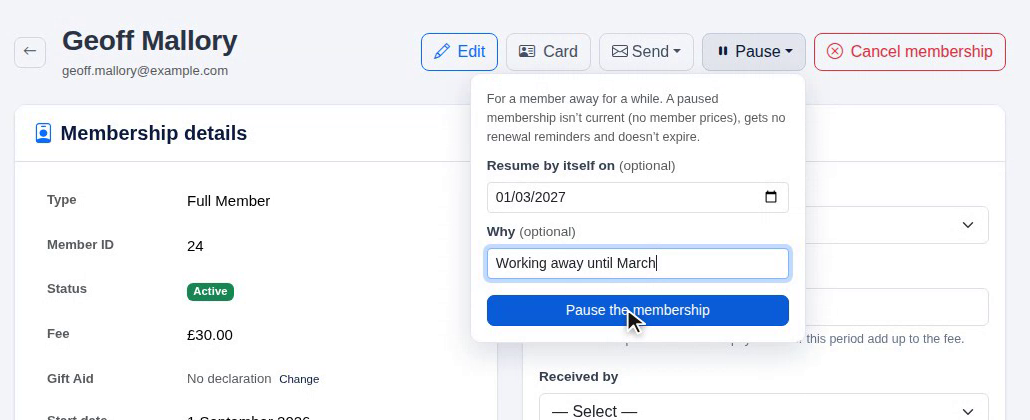
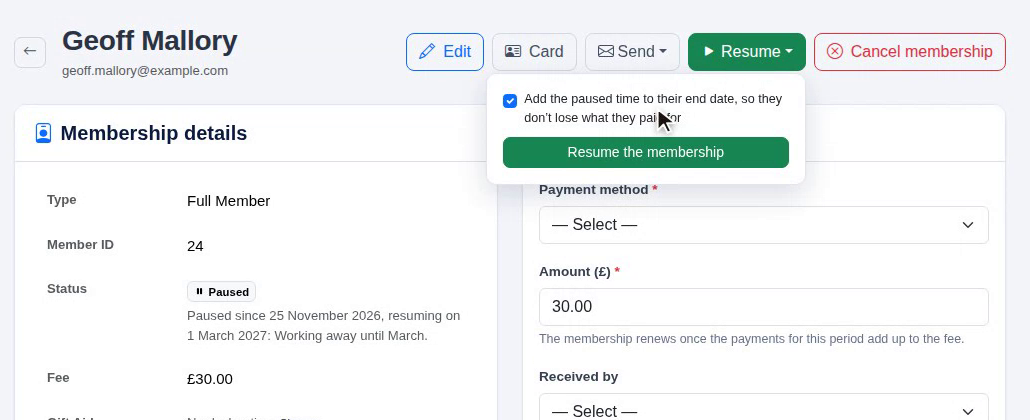
Click Pause, optionally choose Resume by itself on a date and say Why, then Pause the membership. A paused membership shows Resume: tick Add the paused time to their end date if you want, and click Resume the membership.
5. Cancel and reinstate
Cancel membership ends it: reminders stop and the payment link no longer works. If they come back, open the page and click Reinstate.
6. The member profile
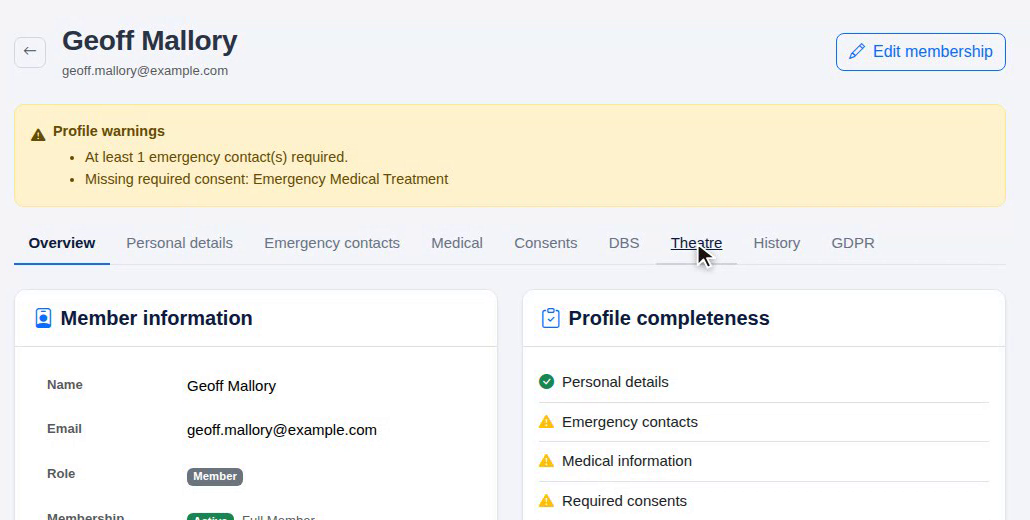
From the ⋯ menu on the list, Member profile has tabs for Overview (with profile completeness), Personal details, Emergency contacts, Medical, Consents, Theatre (skills and interests), History (every change) and GDPR. Young members also have Guardians, and adults DBS.
Track your progress
Make a free account to take the quick quiz after each guide, keep your place in the course and get a certificate when you finish.