Claiming Gift Aid from HMRC
Check what is ready to claim, fix anything HMRC would reject, make a claim, download a schedule for Charities Online, and mark it as sent.
Part 3 of 3. Gift Aid Claims gathers every gift-aided donation and membership fee your website has taken, checks each one has what HMRC needs, and turns them into a claim your treasurer uploads to HMRC. The video above walks through it.
This guide shows how TheatreHQ helps with Gift Aid. It isn't tax advice: your treasurer should check your own position with HMRC.
1. Check what's ready to claim
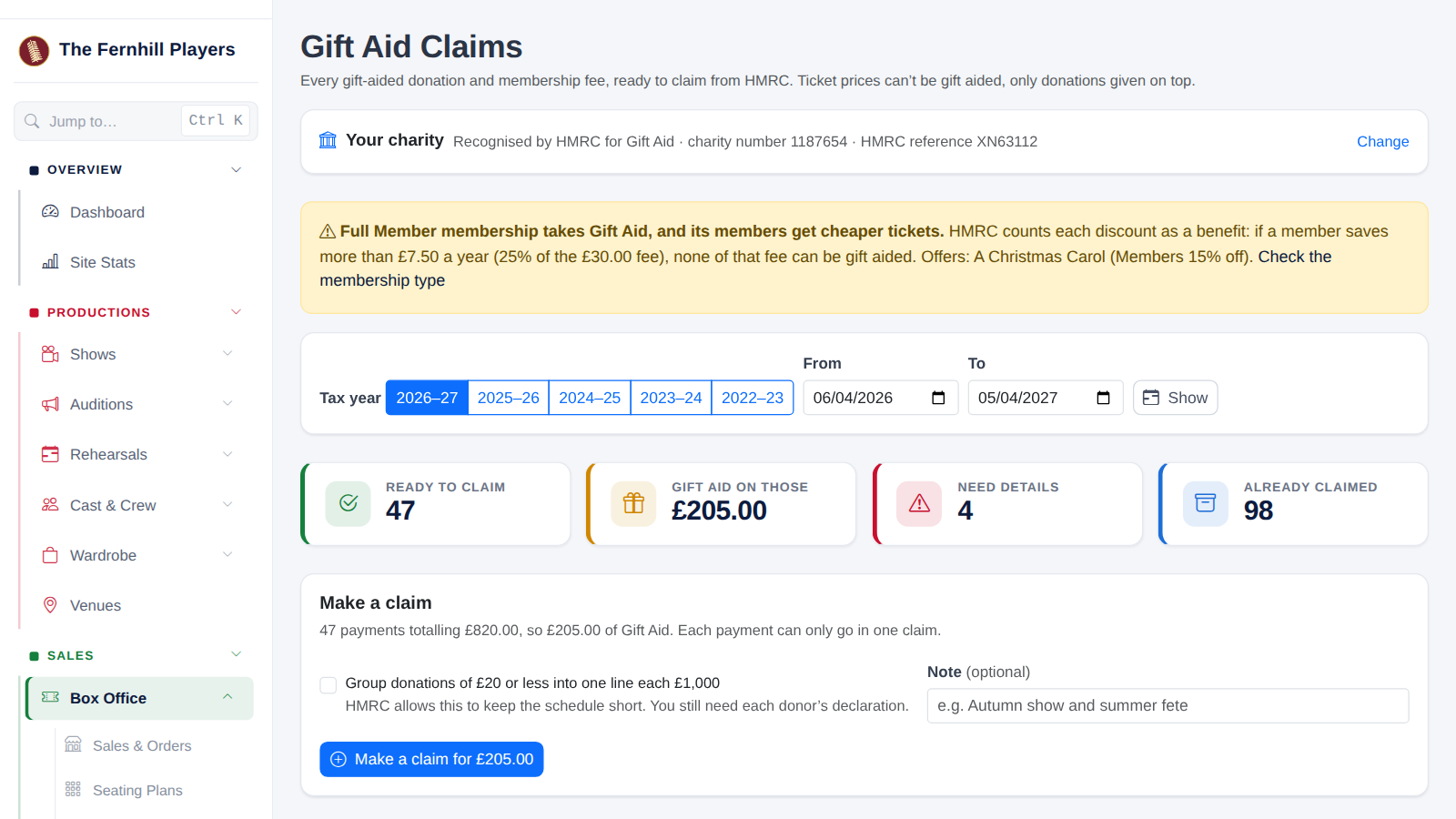
Gift Aid Claims opens on the current tax year (6 April to 5 April). Buttons take you to this year and the four before, because HMRC accepts claims up to four years back, or you can choose your own dates with From and To.
The tiles show how many payments are Ready to claim, the Gift Aid on those, how many Need details, and how many are Already claimed.
2. Fix anything that's missing
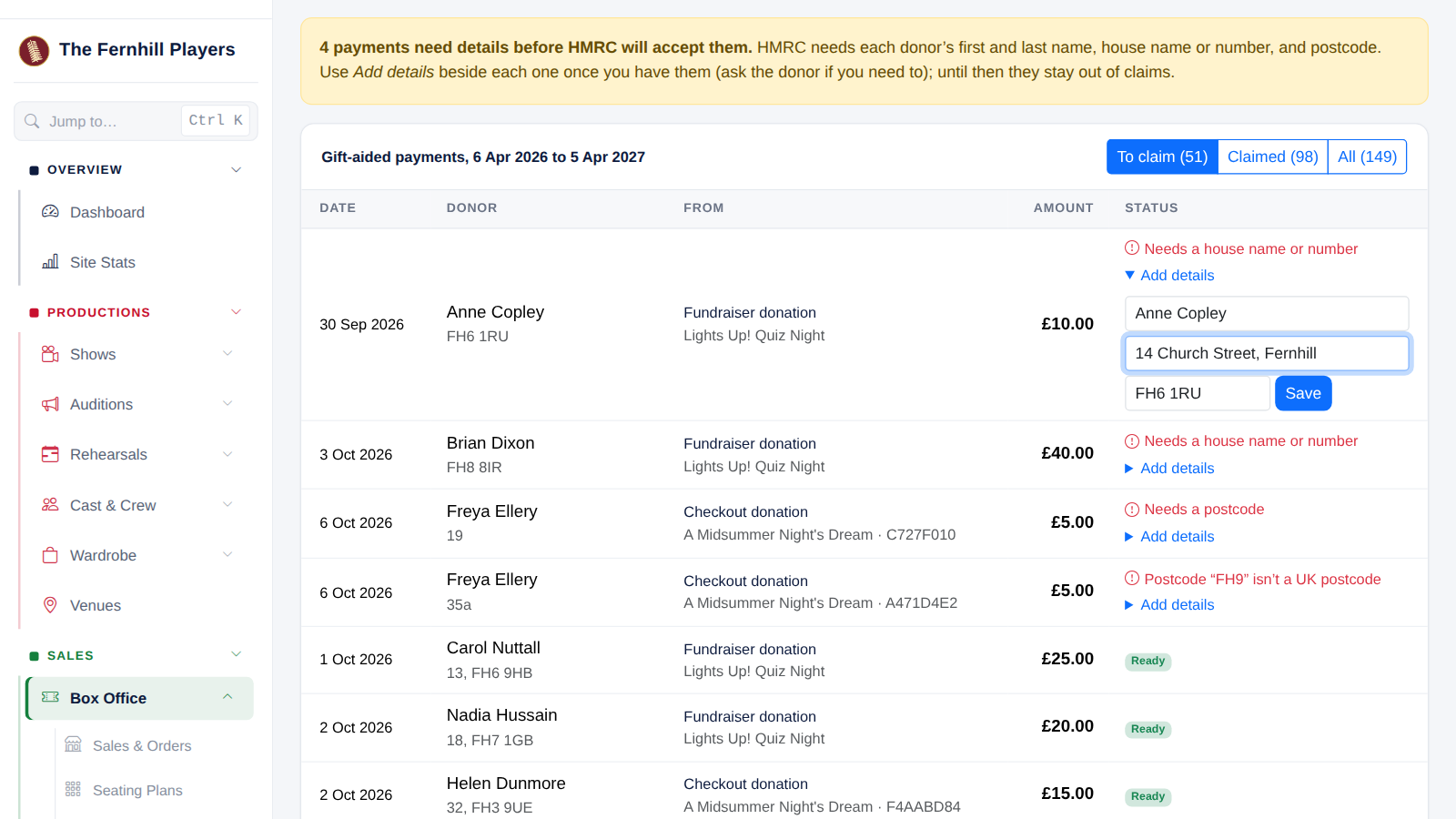
HMRC needs each donor's first and last name, house name or number, and a UK postcode. TheatreHQ works the house number out from the address ("12a High Street" gives 12a, "Rose Cottage, Main Street" gives Rose Cottage) and tidies postcodes ("fh61ru" becomes FH6 1RU).
Anything still missing is listed at the top in red, with the reason, and kept out of claims. Once you have the details (ask the donor if you need to), press Add details, fill them in and press Save. The payment is then ready to claim.
3. Make the claim
In the Make a claim box, tick Group donations of £20 or less if you'd like to: HMRC lets small donations be added together into lines of up to £1,000, which keeps the schedule short. You still need each donor's declaration on file. Add a note if it helps, and press Make a claim for £….
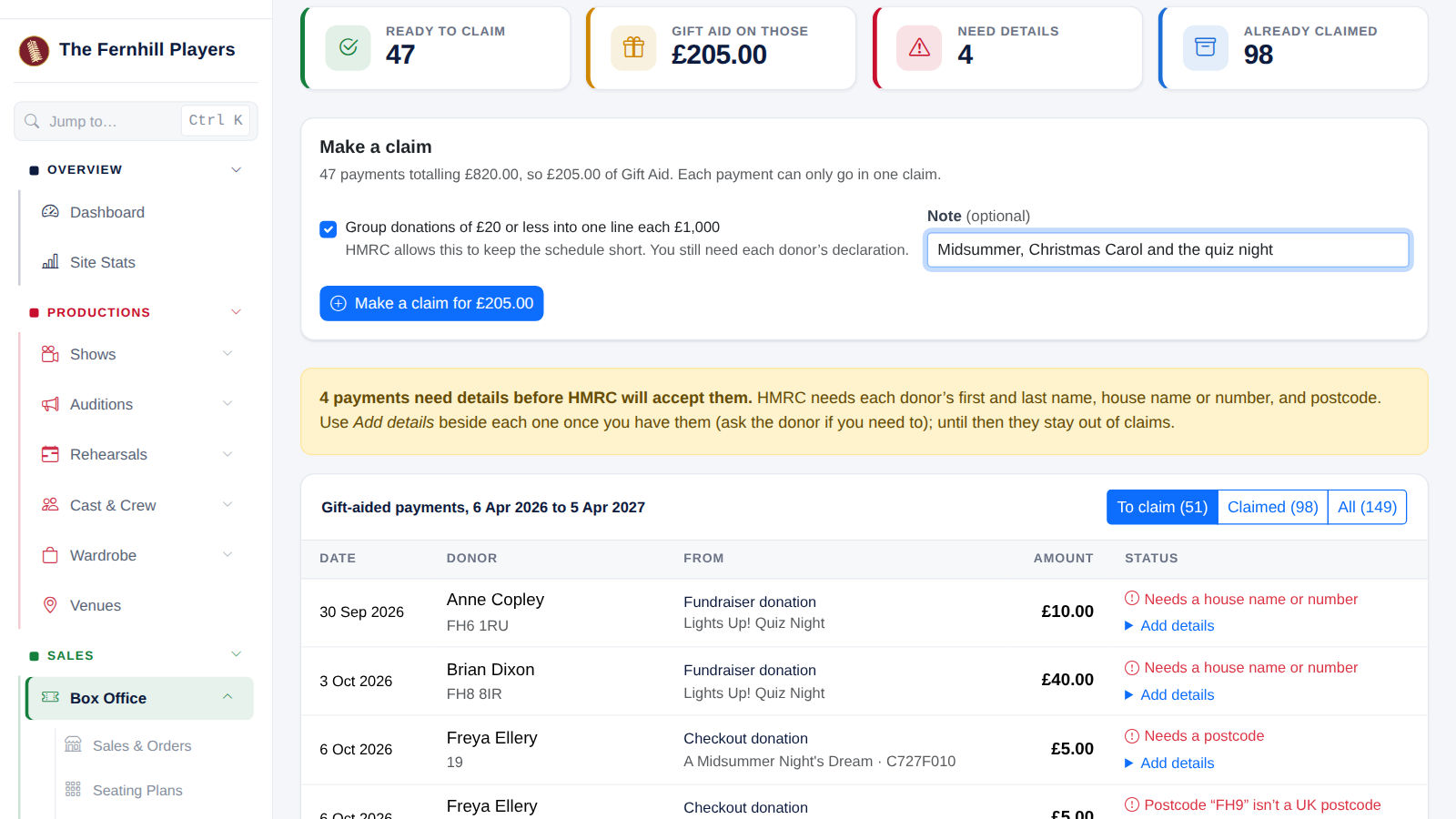
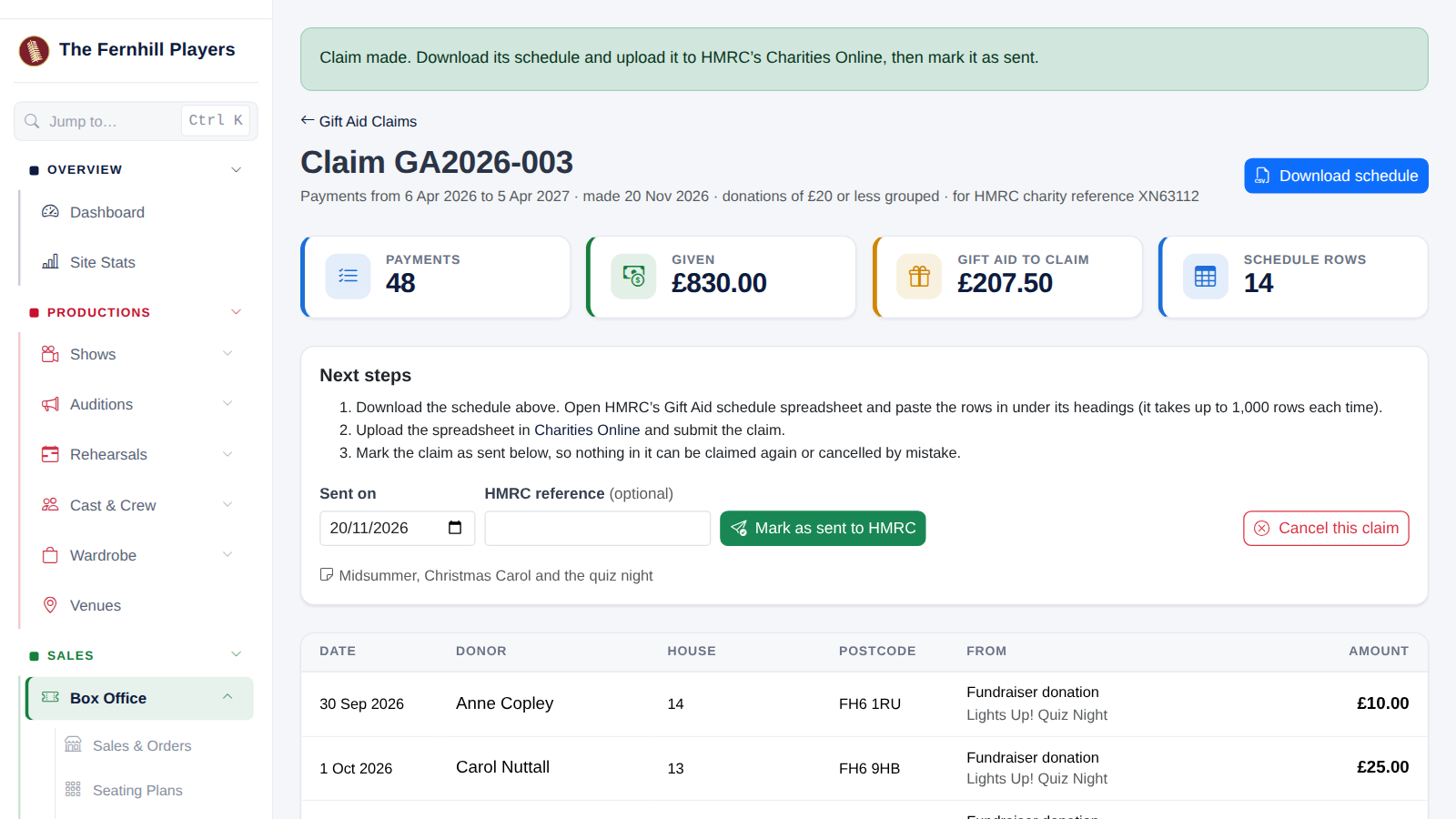
Everything that's ready goes into a numbered claim, such as GA2026-003. A payment can only ever be in one claim, so nothing is claimed twice.
4. Download the schedule and upload it to HMRC
Press Download schedule. The file is laid out like HMRC's Gift Aid schedule spreadsheet: title, first name, last name, house name or number, postcode, aggregated donations, sponsored event, donation date and amount. Copy the rows into HMRC's spreadsheet, under its headings, and upload it in Charities Online. HMRC takes up to 1,000 rows at a time, so bigger claims download in parts.
TheatreHQ never sends anything to HMRC itself: your treasurer stays in charge of what's claimed.
5. Mark it as sent
Once it's submitted, come back to the claim, check the Sent on date, add HMRC's reference if you have one, and press Mark as sent to HMRC. The claim is locked and shows a green Sent to HMRC badge with the date and reference.
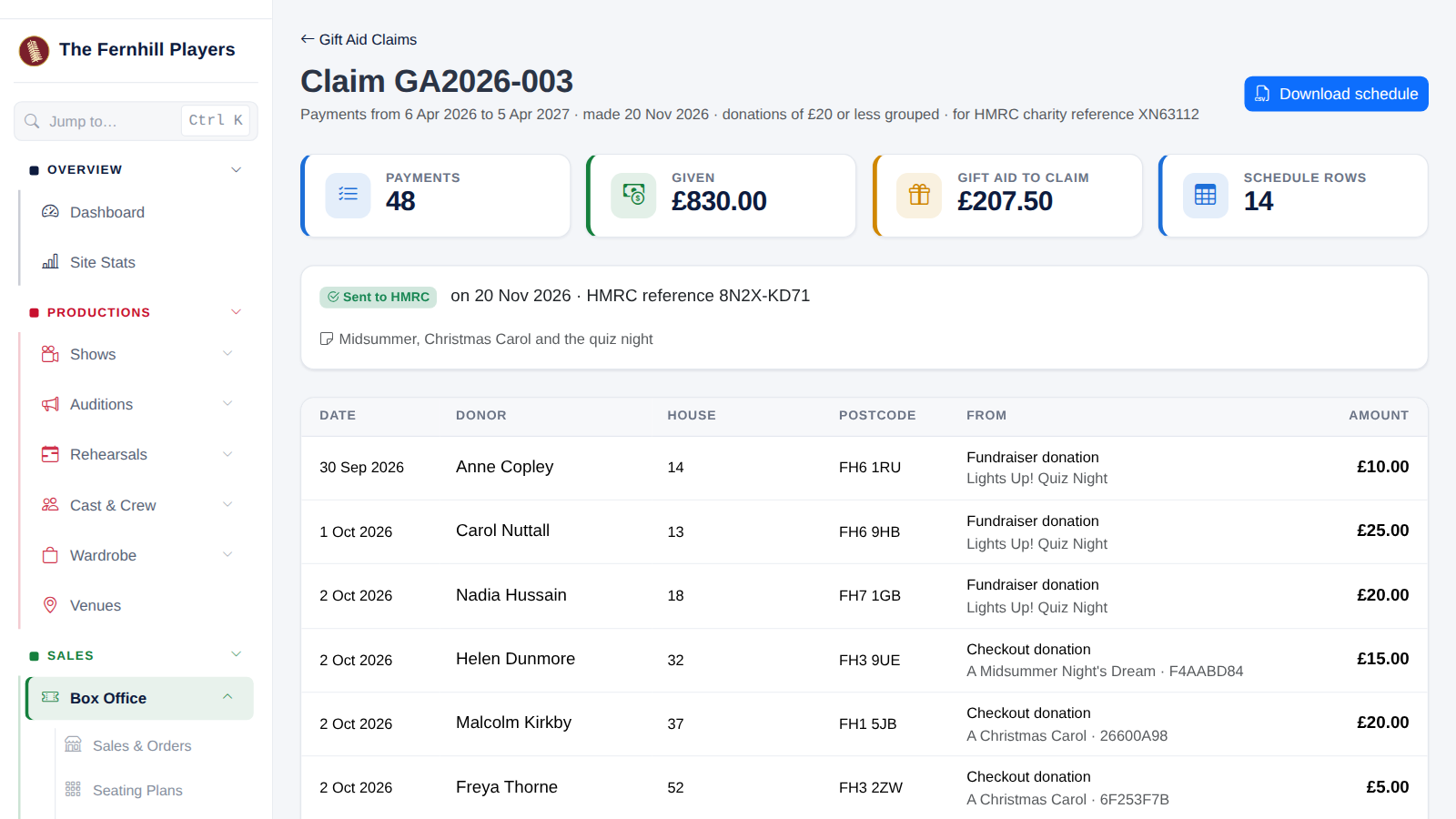
Until a claim is marked as sent, Cancel this claim puts its payments back so they can go in another claim. Making, cancelling and sending claims, adding details and changing your charity details all go on the admin log, with who did it.
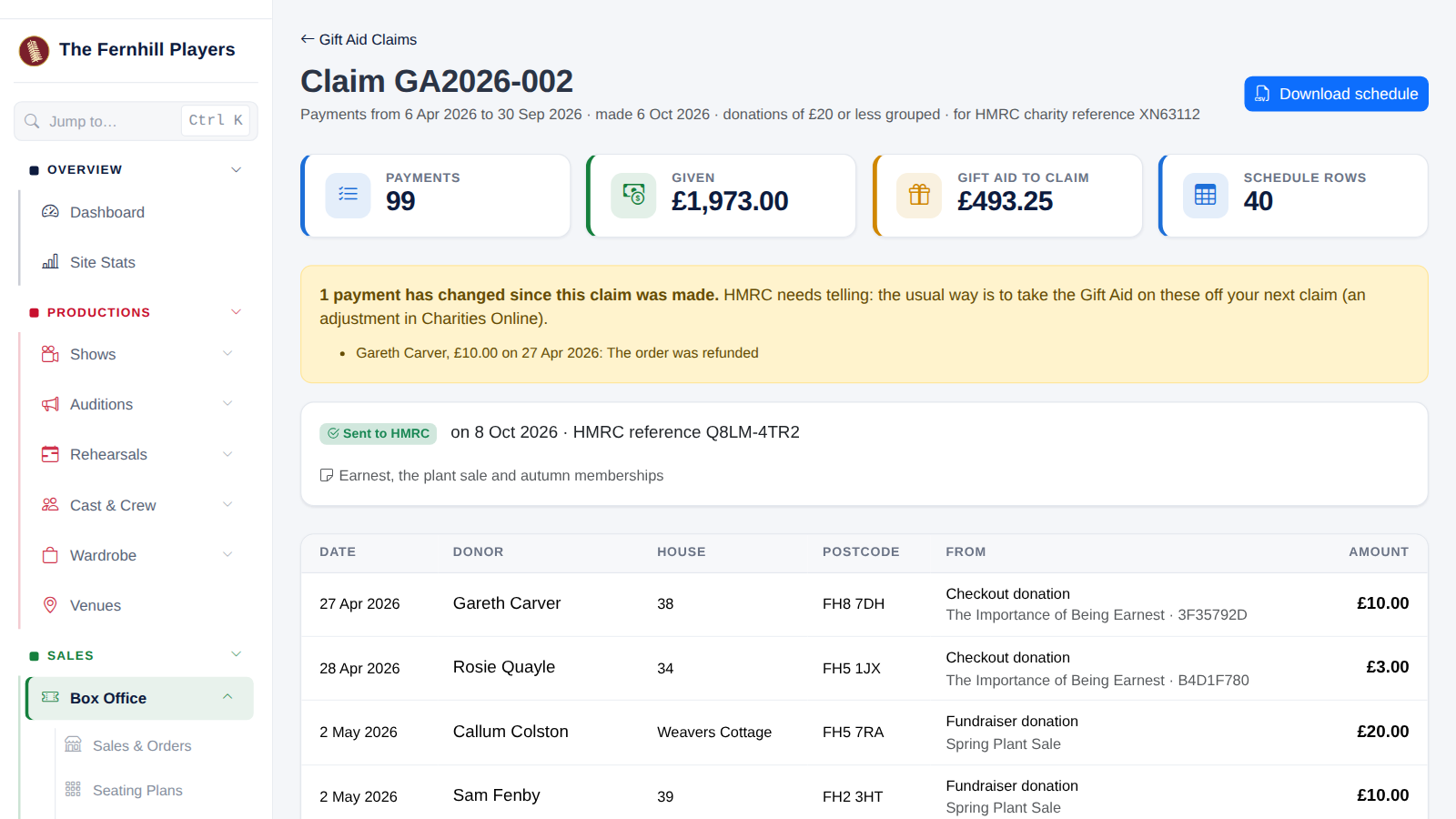
If a payment is refunded after you've claimed
The claim shows a yellow warning listing the payment that has changed. HMRC needs telling, and the usual way is to take that Gift Aid off your next claim, as an adjustment in Charities Online.
Questions people ask
- Can we gift aid tickets? No, not even at fundraisers. Only donations given on top of tickets.
- We're a CASC. You can claim on donations, but not on membership fees.
- Can I undo a claim? Yes, with Cancel this claim, until it's marked as sent.
- How far back can we claim? Four years. The page has buttons for this tax year and the four before.
HMRC's own guidance: Gift Aid: what donations charities and CASCs can claim on, Charities detailed guidance, chapter 3: Gift Aid, and Claim Gift Aid online.
This guide shows how TheatreHQ helps with Gift Aid. It isn't tax advice: your treasurer should check your own position with HMRC.
Track your progress
Make a free account to take the quick quiz after each guide, keep your place in the course and get a certificate when you finish.