Collecting Gift Aid at the checkout, at fundraisers and on memberships
Switch on Gift Aid for donations at the ticket checkout, fundraiser donations and membership fees, see what donors see, and check the member discount warning.
Part 2 of 3. Once you've told TheatreHQ you're a charity (see Can your society claim Gift Aid?), switch Gift Aid on in the places you collect it. The video above shows each one.
This guide shows how TheatreHQ helps with Gift Aid. It isn't tax advice: your treasurer should check your own position with HMRC.
1. Switch on Gift Aid where you collect it
There are three places Gift Aid can come from:
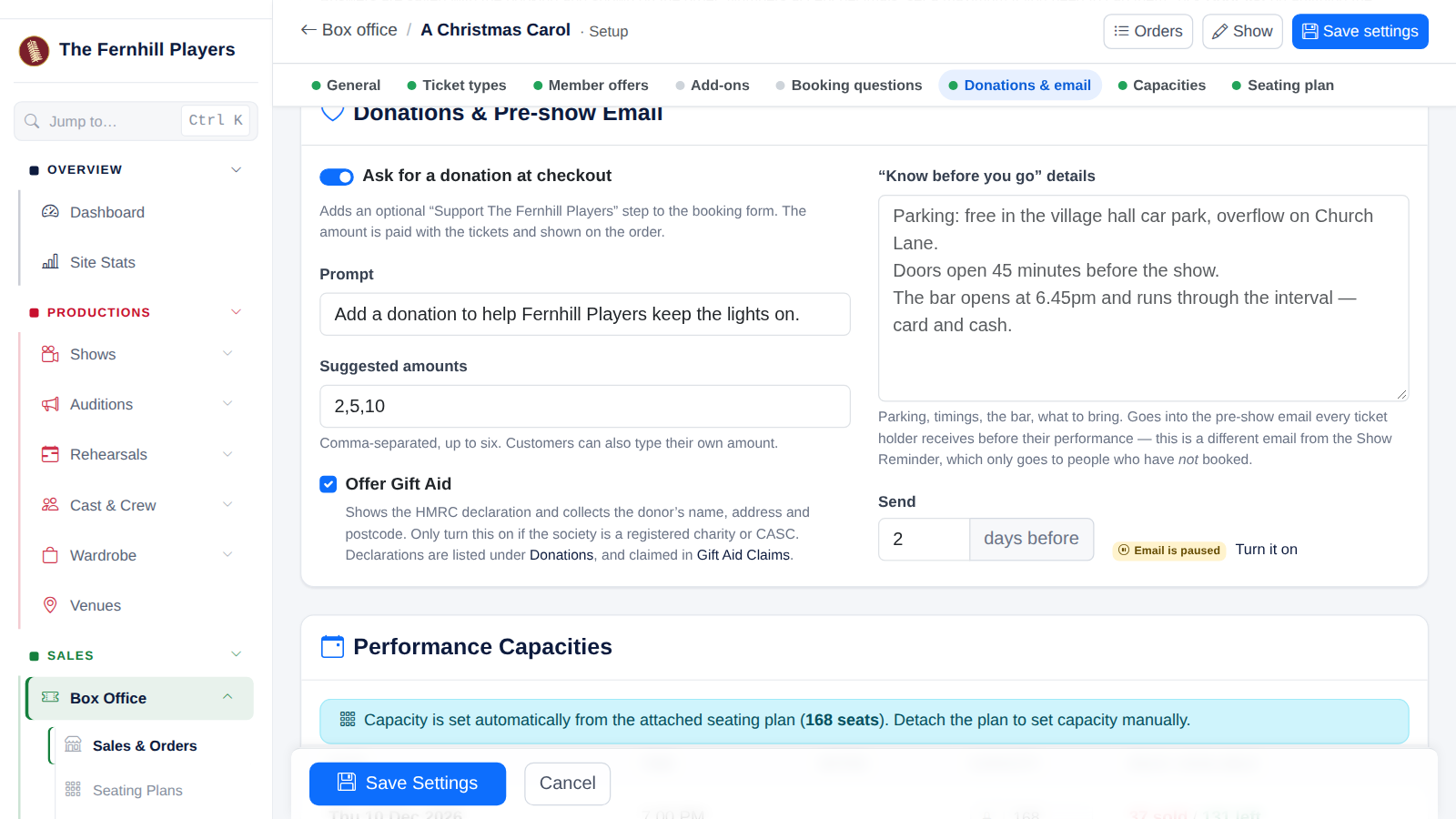
- Donations at the ticket checkout: in Box Office Setup for each show, under Donations, turn on donations, choose your suggested amounts and tick Offer Gift Aid.
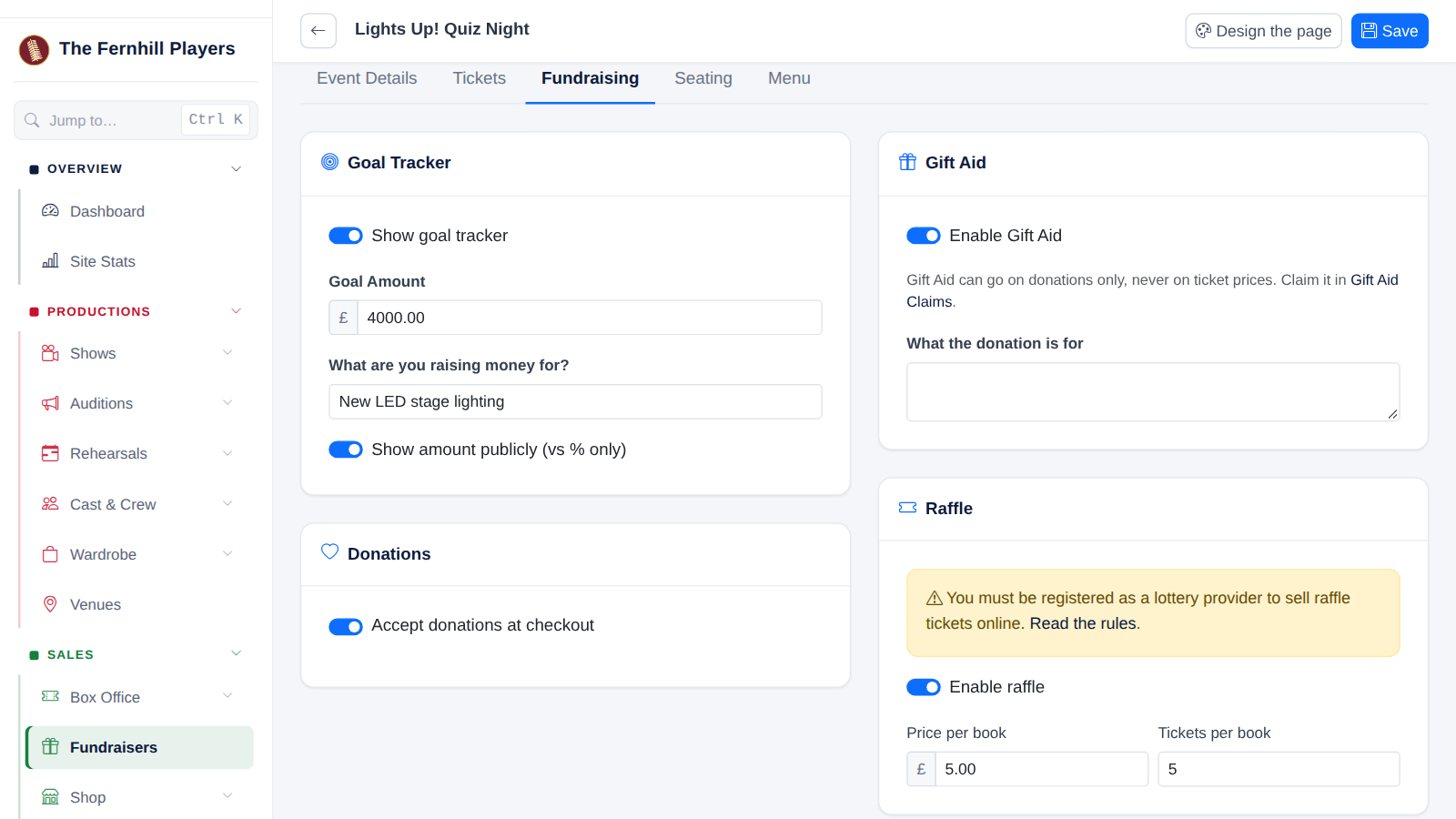
- Fundraiser donations: edit the fundraiser, open the Fundraising tab and turn on Enable Gift Aid. You can also record cash donations with a Gift Aid declaration, as in Recording donations with Gift Aid.
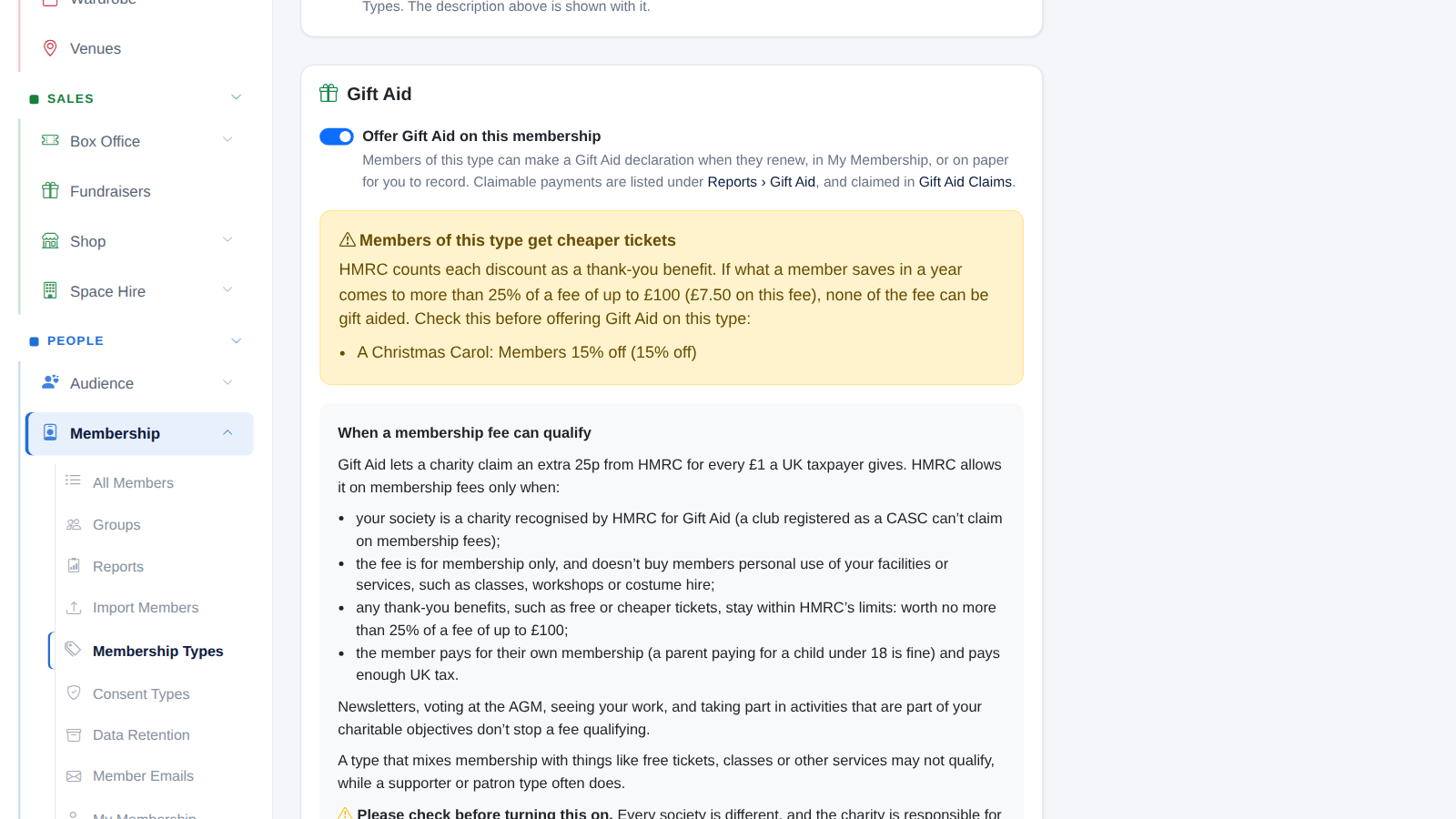
- Membership fees: in Membership → Membership Types, open a type and turn on Offer Gift Aid on this membership. Members can then make a declaration when they join or renew, or in My Membership, and you can record a paper declaration for them.
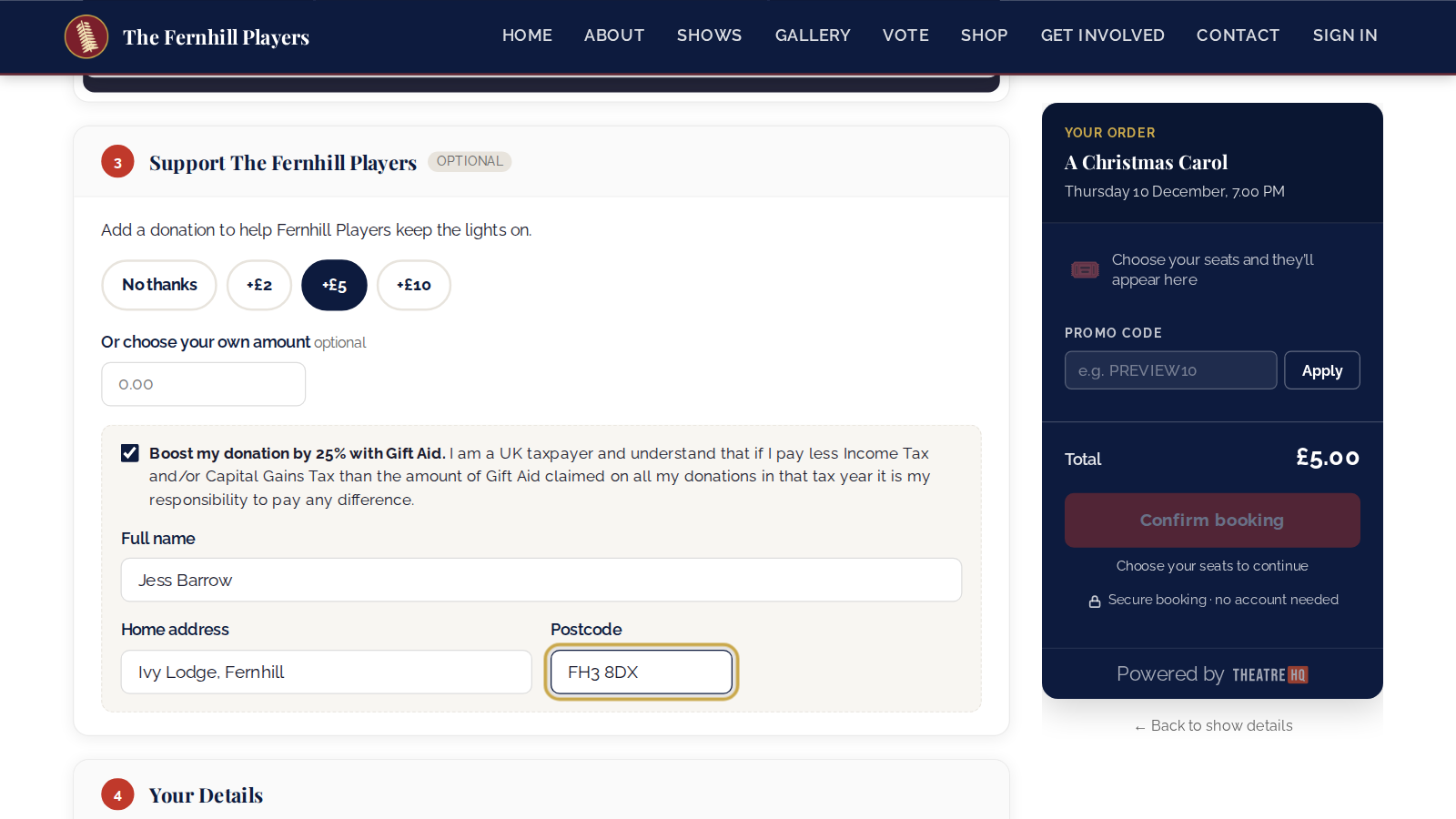
At the checkout, once someone chooses a donation, they see Boost my donation by 25% with Gift Aid with HMRC's taxpayer wording. Ticking it asks for their full name, home address and postcode. Their tickets are never gift aided, only the donation.
2. Watch for the member discount warning
HMRC counts cheaper tickets for members as a thank-you benefit. If a membership type takes Gift Aid and its members get cheaper tickets, TheatreHQ warns you on the claims page and on the membership type, listing the actual offers and the limit for that fee. In the Fernhill example, Full Members pay £30 and get 15% off A Christmas Carol: what a member saves in a year must stay under £7.50, or none of the fee can be gift aided.
Next: Claiming Gift Aid from HMRC.
Track your progress
Make a free account to take the quick quiz after each guide, keep your place in the course and get a certificate when you finish.