Recording donations with Gift Aid
Turn on Gift Aid for a fundraiser, record cash donations with the donor's declaration, and export what you need for your HMRC claim.
If your group is a charity registered with HMRC for Gift Aid, every pound a UK taxpayer gives you is worth an extra 25p. TheatreHQ records the Gift Aid declarations for each fundraiser, adds up what you can claim and gives your treasurer the details they need.
Before you start: only turn on Gift Aid if your group is a registered charity or has charitable status, and is recognised by HMRC for Gift Aid.
1. Turn on Gift Aid for the fundraiser
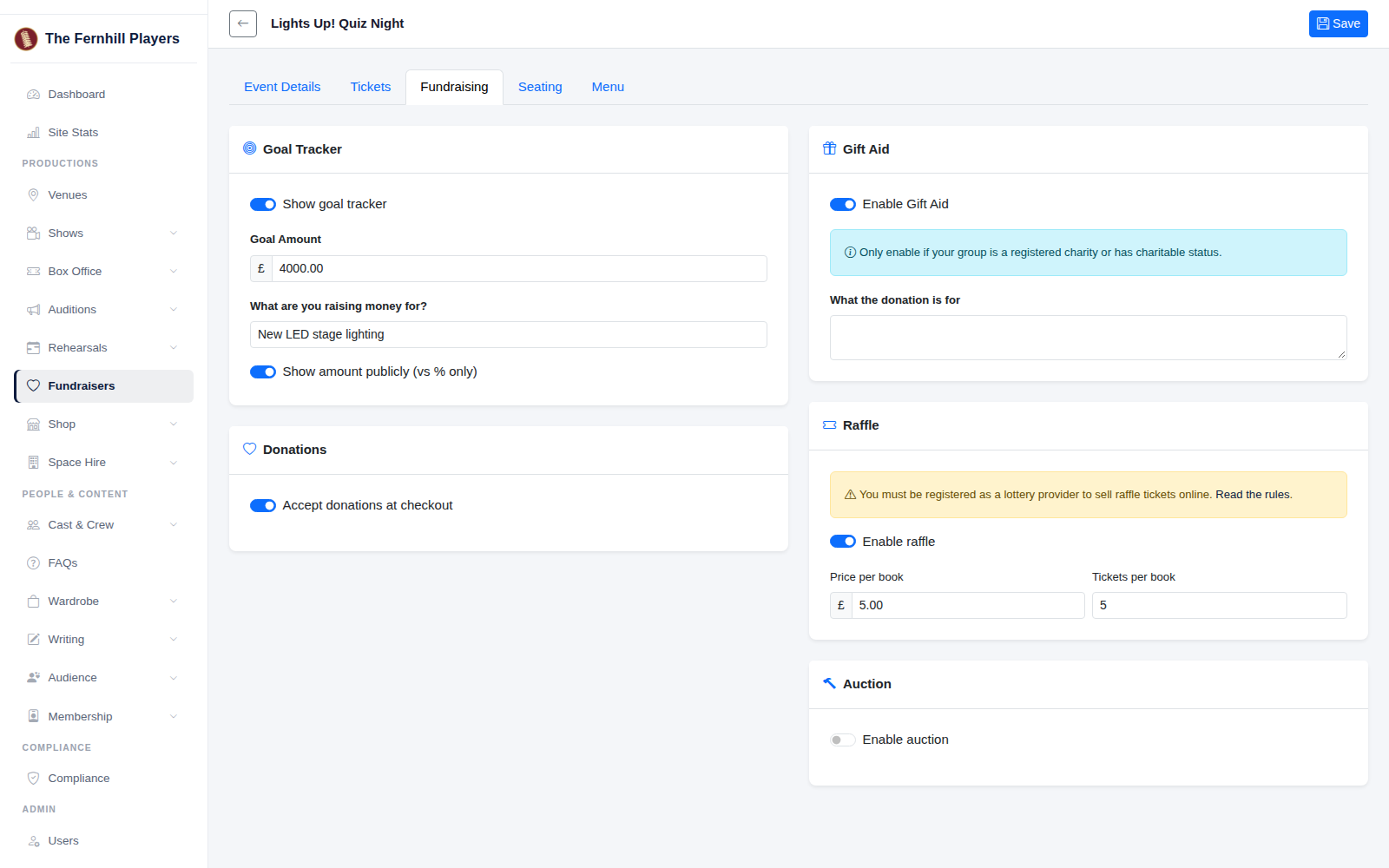
Go to Fundraisers, click the edit button for your event and open the Fundraising tab. Turn on Accept donations at checkout and Enable Gift Aid, and say what the donations are for if you like. Click Save. People donating online when they book can now tick the Gift Aid box and give their name, address and postcode.
2. Record a cash donation on the night
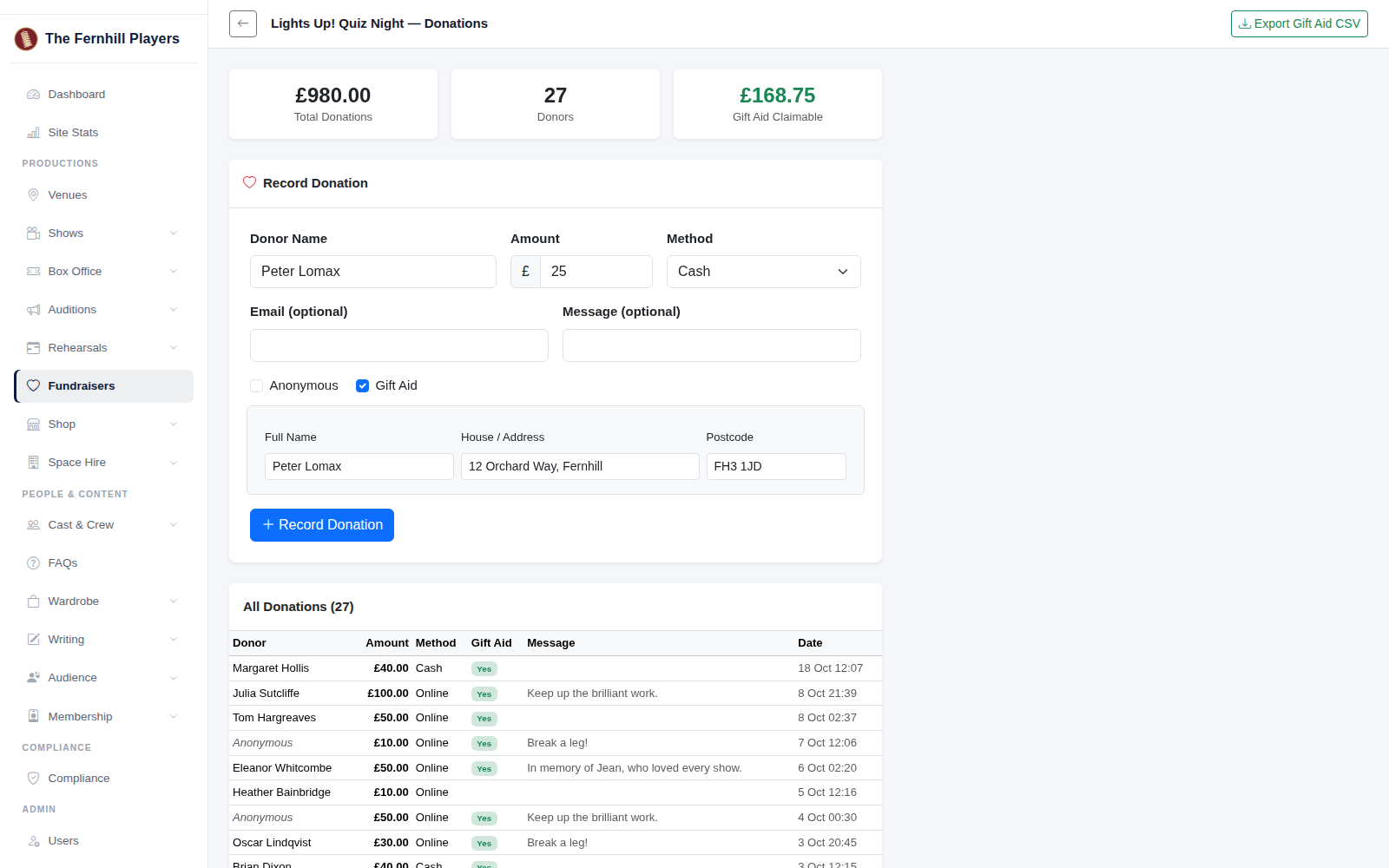
Go to Fundraisers, click the report button for your event, then Donations. Under Record Donation, enter the donor's name, the amount and how they paid. You can add their email, a message, or tick Anonymous if they'd rather not be named.
If they're a UK taxpayer and want to add Gift Aid, tick Gift Aid and fill in their full name, house name or number and address, and postcode. HMRC needs all three, so TheatreHQ won't save a Gift Aid donation without them. Click Record Donation.
3. See your totals
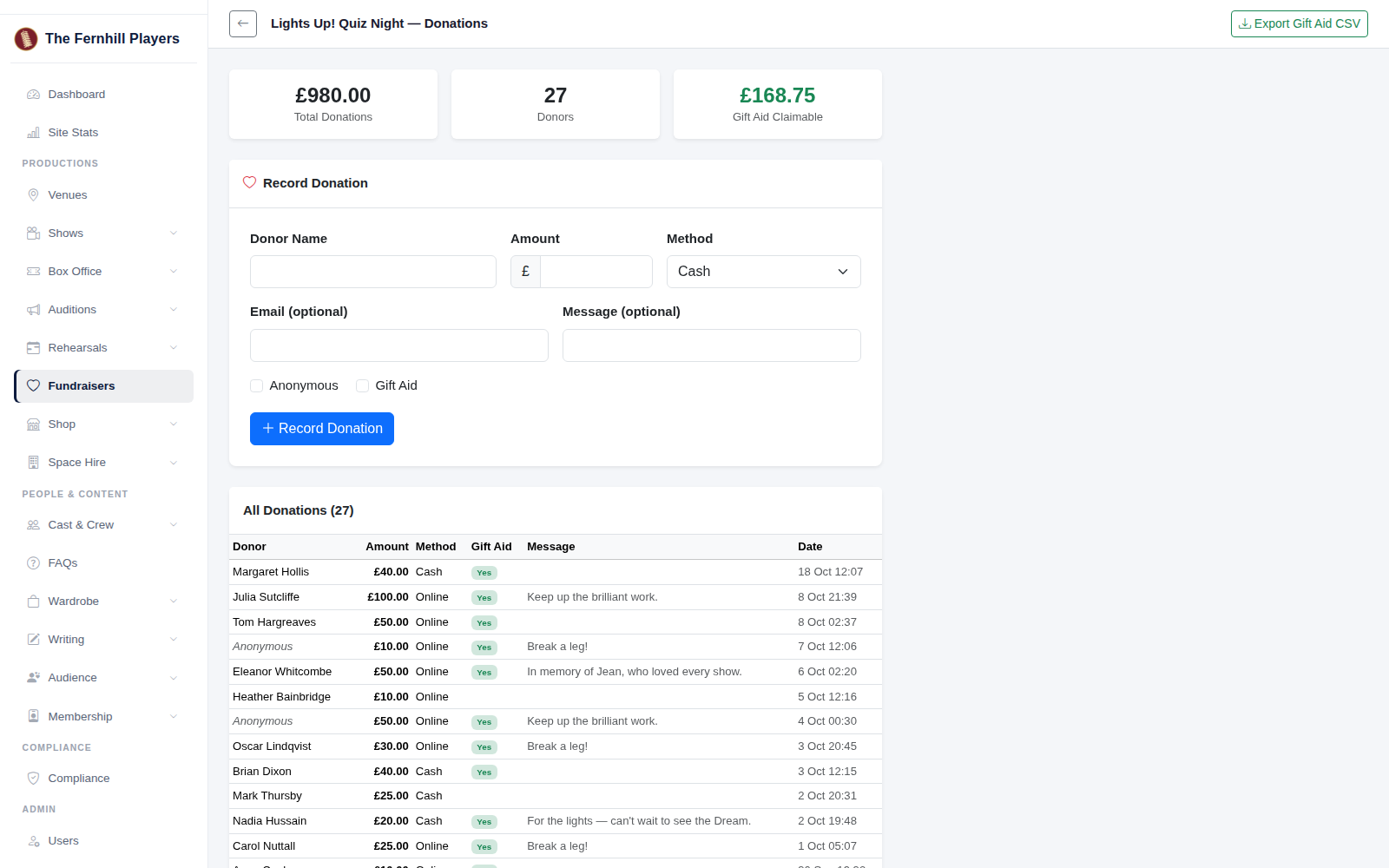
The boxes at the top show your total donations, the number of donors and how much Gift Aid you can claim. Every donation is listed below, online and cash, with Gift Aid marked.
4. Export for your Gift Aid claim
When it's time to claim, click Export Gift Aid CSV. You'll get a spreadsheet of every confirmed Gift Aid donation, with the donor's first name, surname, house name or number, postcode, donation date and amount in the columns HMRC's claim schedule uses, so your treasurer can copy them across. Add the donor's title if you know it.
Tip: keep a paper Gift Aid form at the donations table too, for anyone who'd rather fill it in themselves, and enter the details afterwards.