Custom roles: give membership helpers just the access they need
Make a custom role for a membership helper, choose what they can do in Membership, and add them with that role.
Your membership helpers don't need the keys to everything. A custom role gives someone just the parts of TheatreHQ they need. For custom roles across the whole of TheatreHQ, see Custom roles: giving volunteers just the access they need. This guide is part of the free course Running membership in TheatreHQ.
1. Custom roles
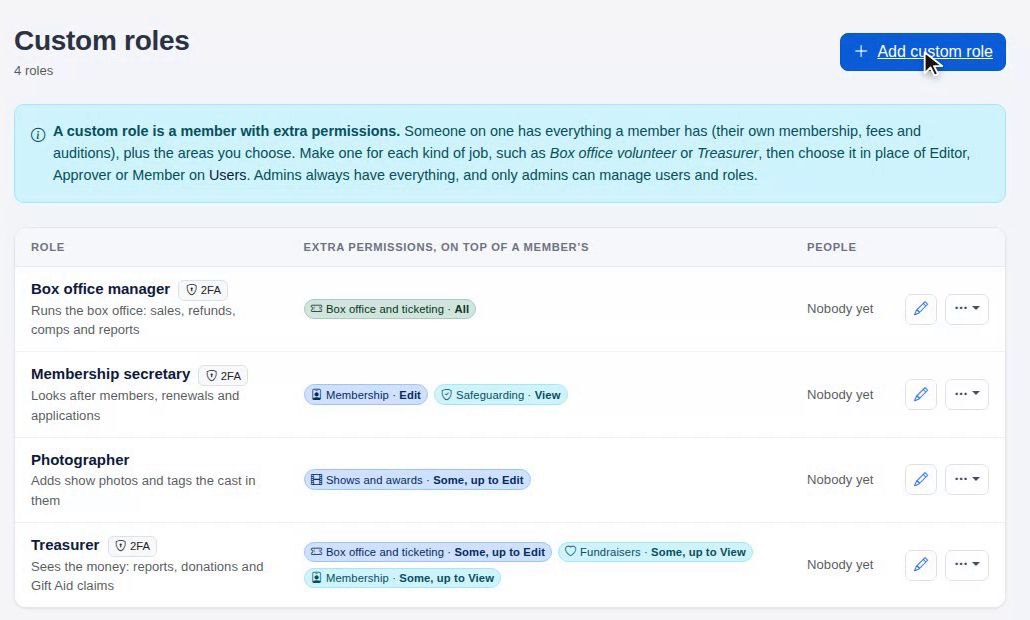
Under Users, open Custom roles. There's a Membership secretary and a Treasurer ready to use, or click Add custom role.
2. Name and two-factor sign-in
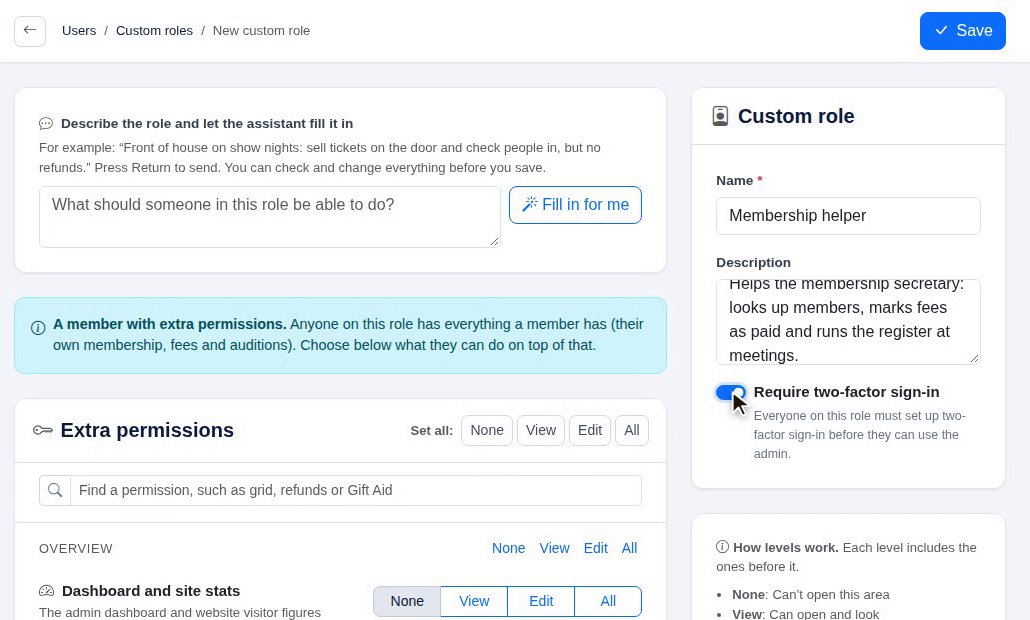
Give it a Name, like Membership helper, and a Description, so others pick the right one. Switch on Require two-factor sign-in, because it can see members' details.
3. Choosing permissions
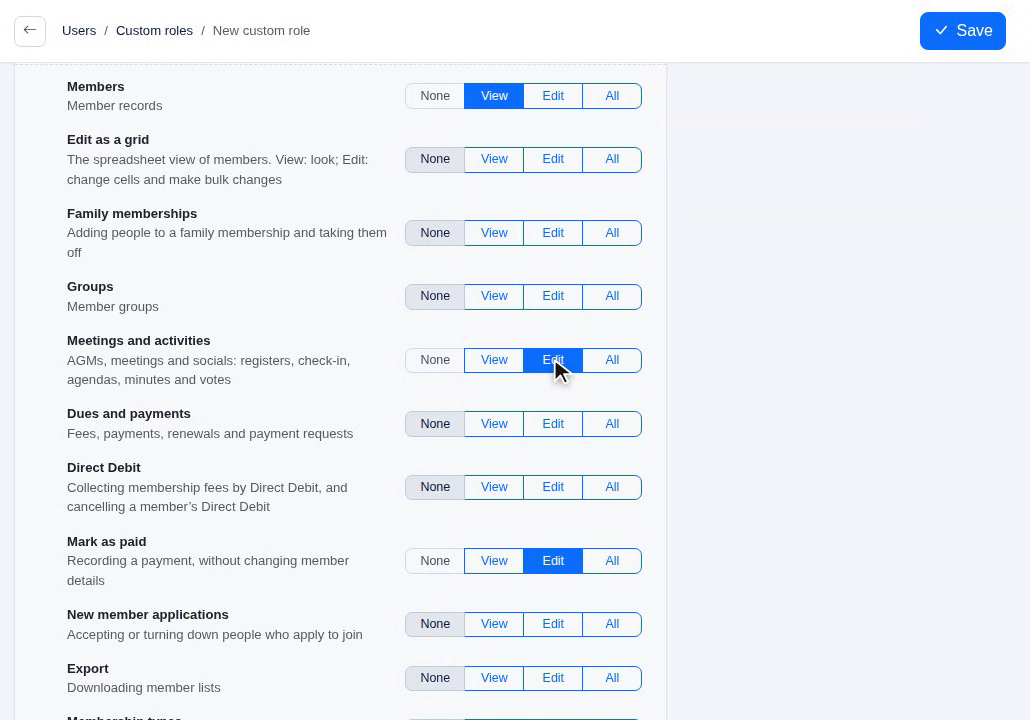
Under Extra permissions, use Set all: None, then open Fine-tune on Membership. Choose a level for each part: None, View, Edit or All. For a helper, that might be Members: View, Mark as paid: Edit and Meetings and activities: Edit. Click Save.
For now, a role decides which areas someone can open: the role form says so, and Edit and All will limit changes inside each area as it's updated.
4. Adding your helper
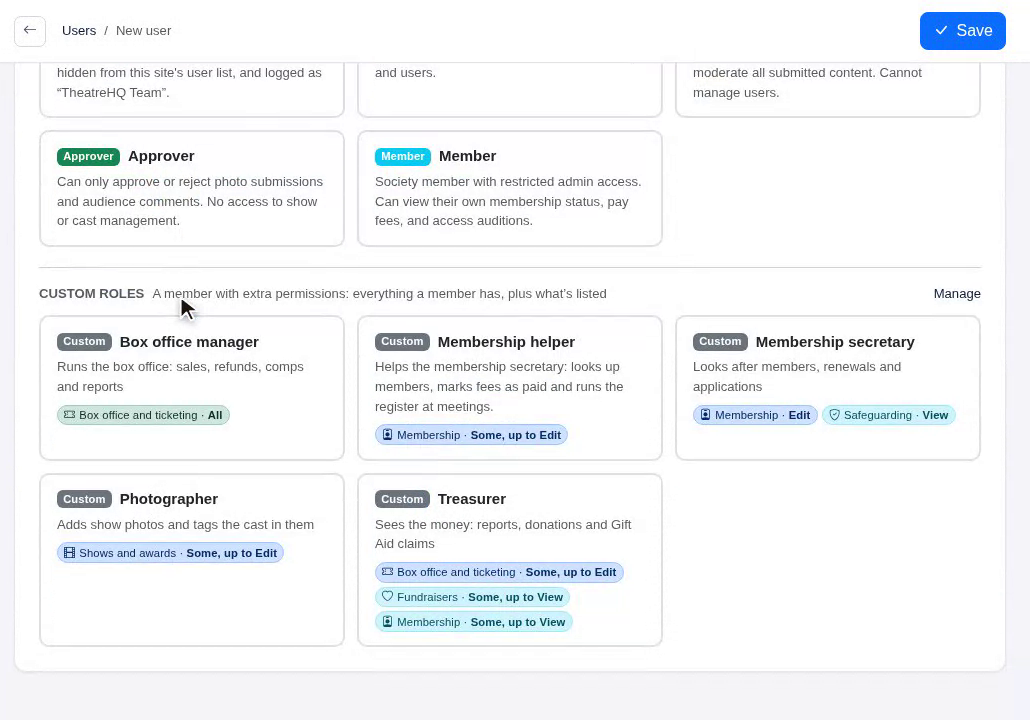
In All users, click Add new user. Add your helper's name and email, choose the new role under Custom roles, and save: they're sent an invite to set up their sign-in. Someone on a custom role keeps everything a member has, and sees only the pages their role opens. Changing the role changes it for everyone on it.
At the moment, a role can only be chosen for a new account or someone who already has a custom role: an existing member's account can't be picked from All users.
Track your progress
Make a free account to take the quick quiz after each guide, keep your place in the course and get a certificate when you finish.