Promo codes and discounts for your shows
Create discount codes for preview nights, group bookings or cast families, and let your audience apply them when they book.
Promo codes let you give a discount to the people you choose: a cheaper preview night, a group rate, or free tickets for cast and crew families. Your audience type the code on the booking page, and the discount comes off straight away.
1. Find your promo codes
In the admin menu, go to Sales > Box Office > Promo Codes. On the left is the form for a new code. On the right, All codes lists every code with its discount, the show it's for, its rules, how many orders have Used it and how much it has Given away.
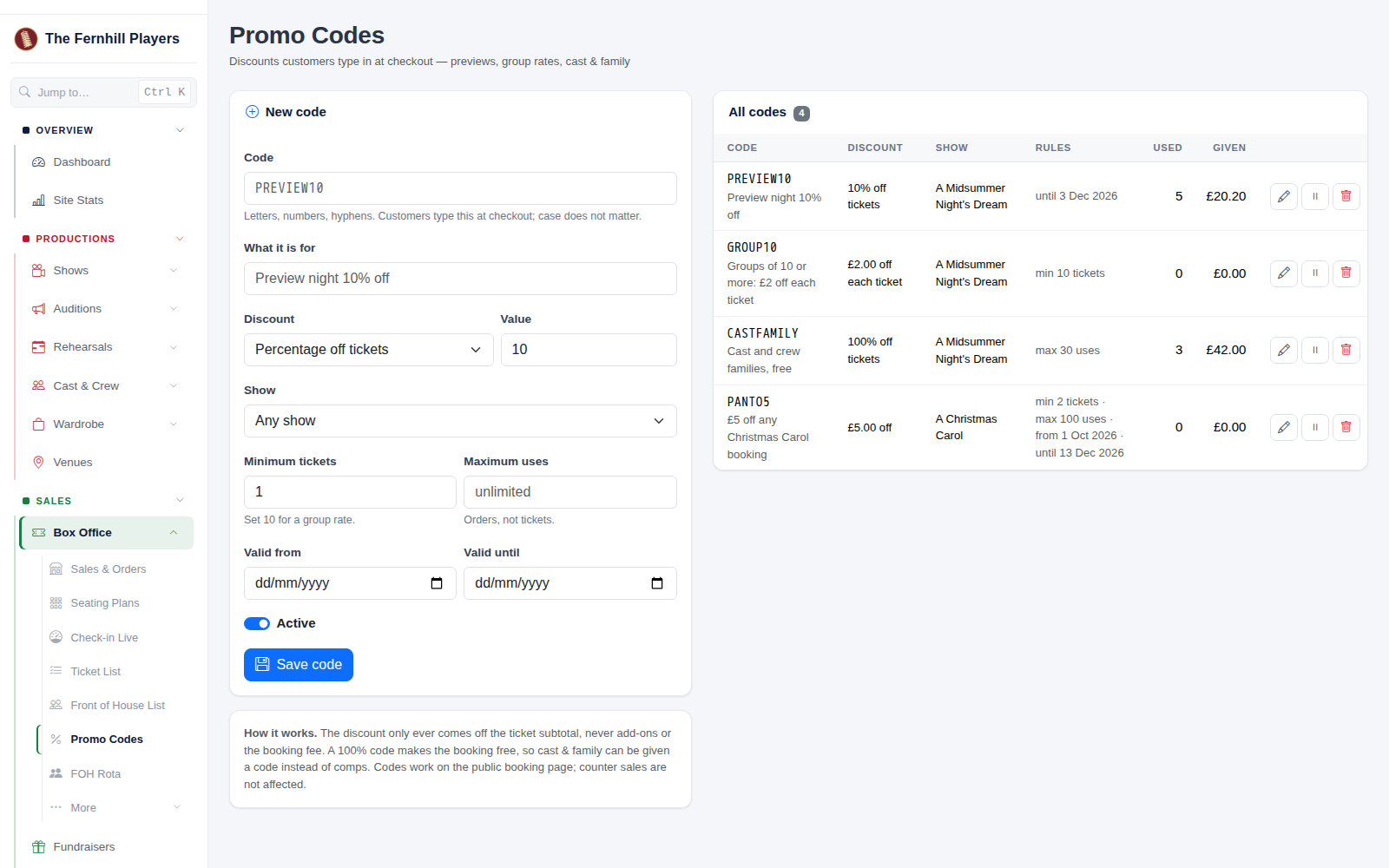
2. Make a code
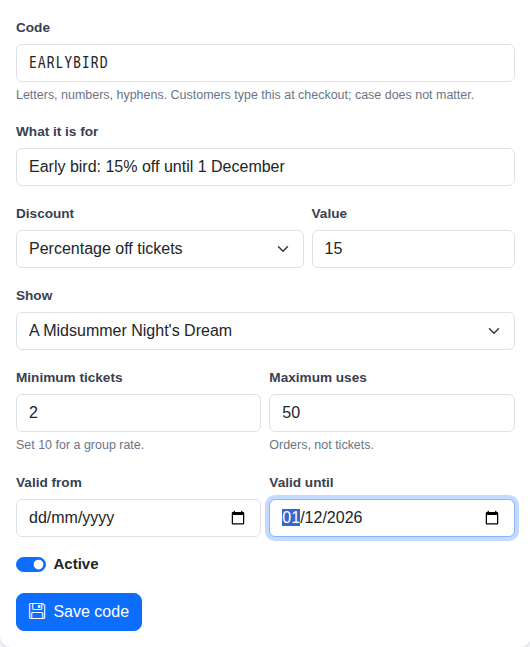
Fill in the form:
- Code: what customers type at checkout. Letters, numbers and hyphens. Capitals don't matter.
- What it is for: a short note so you remember what the code is for, like Preview night 10% off.
- Discount and Value: Percentage off tickets, Fixed amount off the order, or Fixed amount off each ticket.
- Show: one show, or Any show.
- Minimum tickets: set 10 for a group rate.
- Maximum uses: how many orders can use it (orders, not tickets). Leave it blank for no limit.
- Valid from and Valid until: optional dates, for an early bird offer or a single preview.
- Active: switch it off to pause the code.
Then click Save code.
3. What your audience sees
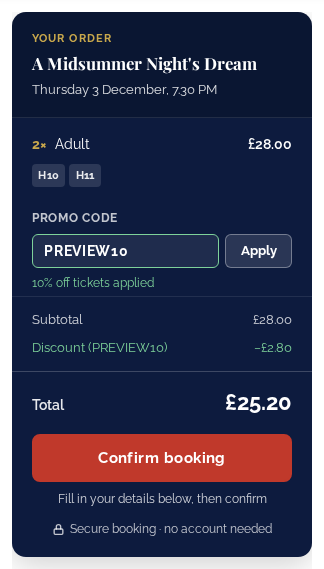
The Promo code box appears in the booking summary whenever there's a live code that could be used for that show, so it doesn't get in the way on shows without one. Your customer types the code, clicks Apply, and the discount shows in the totals before they confirm.
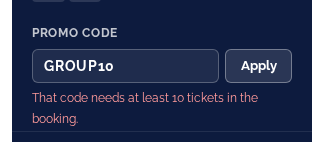
If a code can't be used, they're told why: it needs more tickets in the booking, it has expired or isn't valid yet, it's for a different show, or it has been used up.
Good to know
- The discount only comes off the tickets, never add-ons such as programmes, or the booking fee.
- A 100% code makes the tickets free, so you can give cast and crew families a code instead of recording complimentary tickets.
- If your members get a discount on tickets, they get whichever saves more: their member price or the code.
- Codes work on your public booking page. Cash sales recorded in the box office aren't affected.
- Each order shows the code used and the discount it gave. To change a code, click its pencil; to pause it, switch it off from the list.