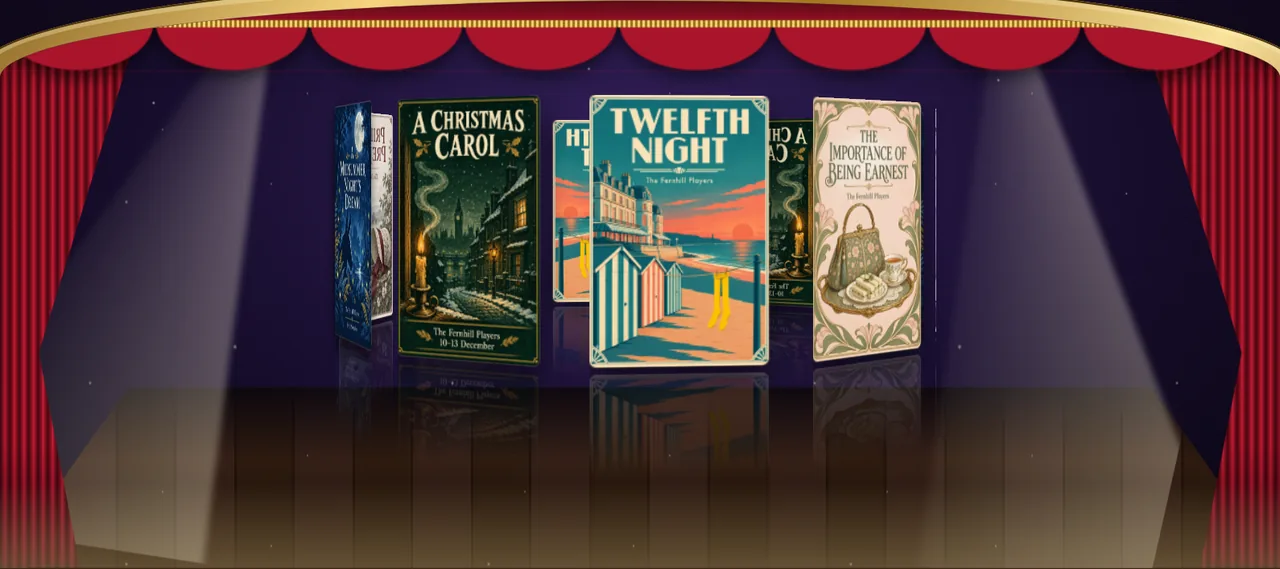
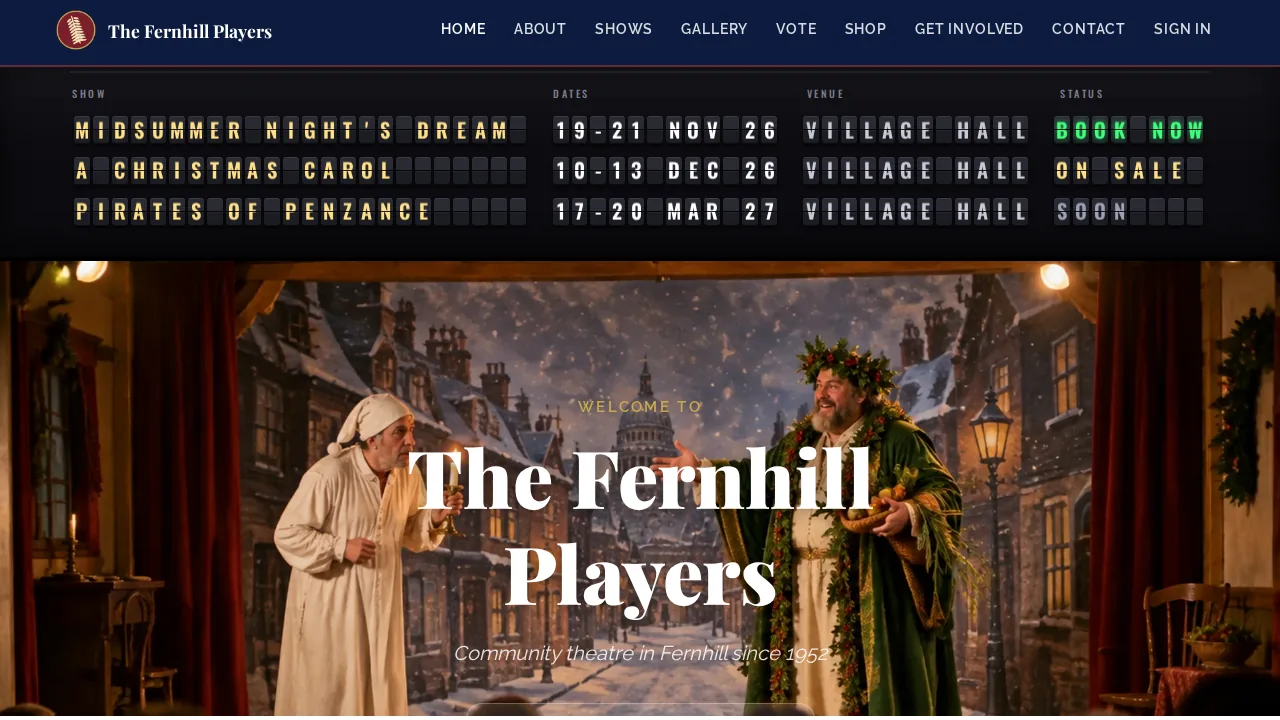
This is a community theatre's website. And at the top of its home page is a departures board, every letter rattling into place like a station at rush hour. Scroll down, and a pair of red velvet curtains part, because you scrolled, to reveal the season's posters turning on a stage.
Neither of those is a TheatreHQ feature. They're designs, written in plain HTML and CSS and dropped onto the page with custom code blocks, which are coming soon to every TheatreHQ site.
What custom code blocks are
Our built-in editors cover the common choices, with dozens of options each. Custom blocks remove the ceiling. Each site gets three blocks of its own HTML and CSS, and each one is a home page section like any other: switch it on or off, and drag it anywhere, alongside your hero, cards, shows and gallery.
- Off by default. Nothing changes on your site until an admin switches a block on.
- Admins only. The same people who manage the Homepage Sections menu.
- Your posters, photos and fonts. Use pictures from your own site, and Google Fonts for display type.
- Plenty of room. Up to 50,000 characters of HTML and 20,000 of CSS in each block.
They're for societies with someone handy at web design, or a designer friend, who wants something the built-in options can't do: a sponsor banner in your own brand, an animated season launch, or a panto takeover for December.
Six ideas, six directions
To show the range, we built six blocks for our demo society, the Fernhill Players, each one moving a different way, and placed them at the top, middle and bottom of the home page. A site has three at a time, so these are two sets of three.
Next performances. An airport-style board at the very top of the page. Every letter is its own flap: each one rattles through a few random characters before settling, in a cascade from the top row down, every fourteen seconds. Hover over a show and its row updates again, and BOOK NOW glows green.
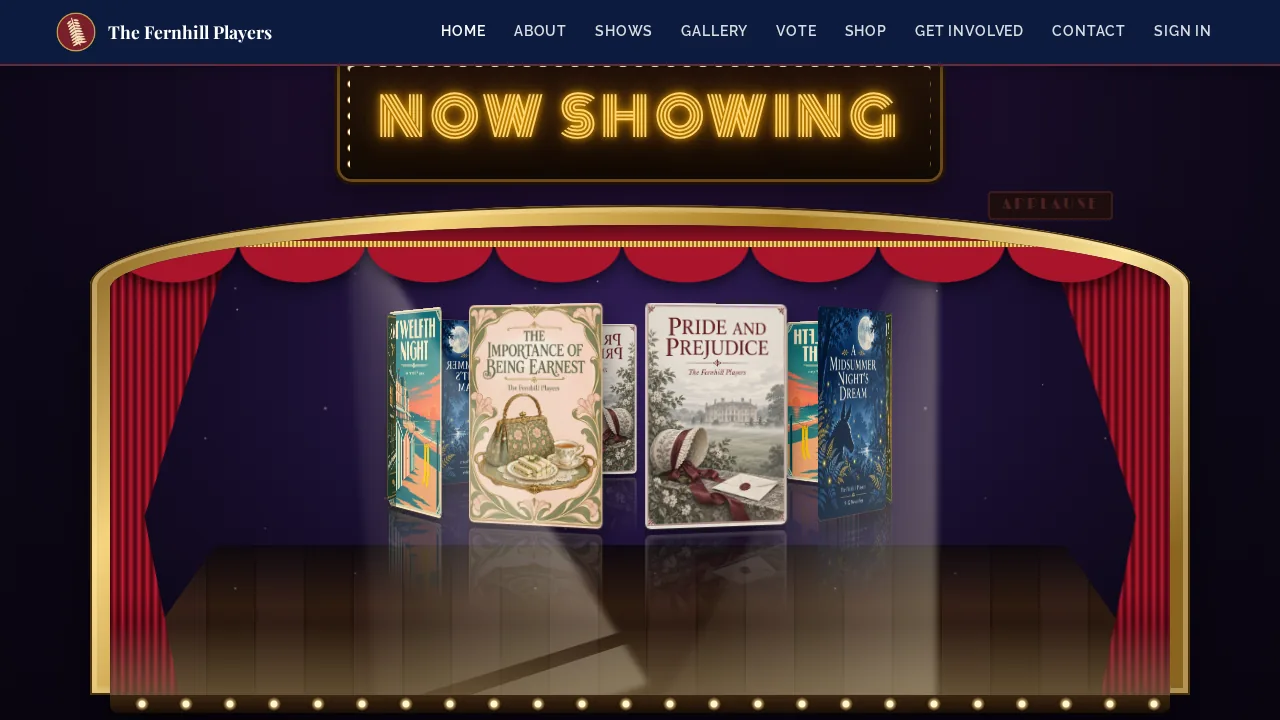
The Grand Reveal. A gold proscenium arch with a velvet pelmet and a NOW SHOWING marquee. The curtains open as you scroll down to it, and behind them a ring of posters turns in 3D on a reflective stage under sweeping spotlights. Hover over the stage and it stops, a poster steps forward, and an APPLAUSE sign lights up.
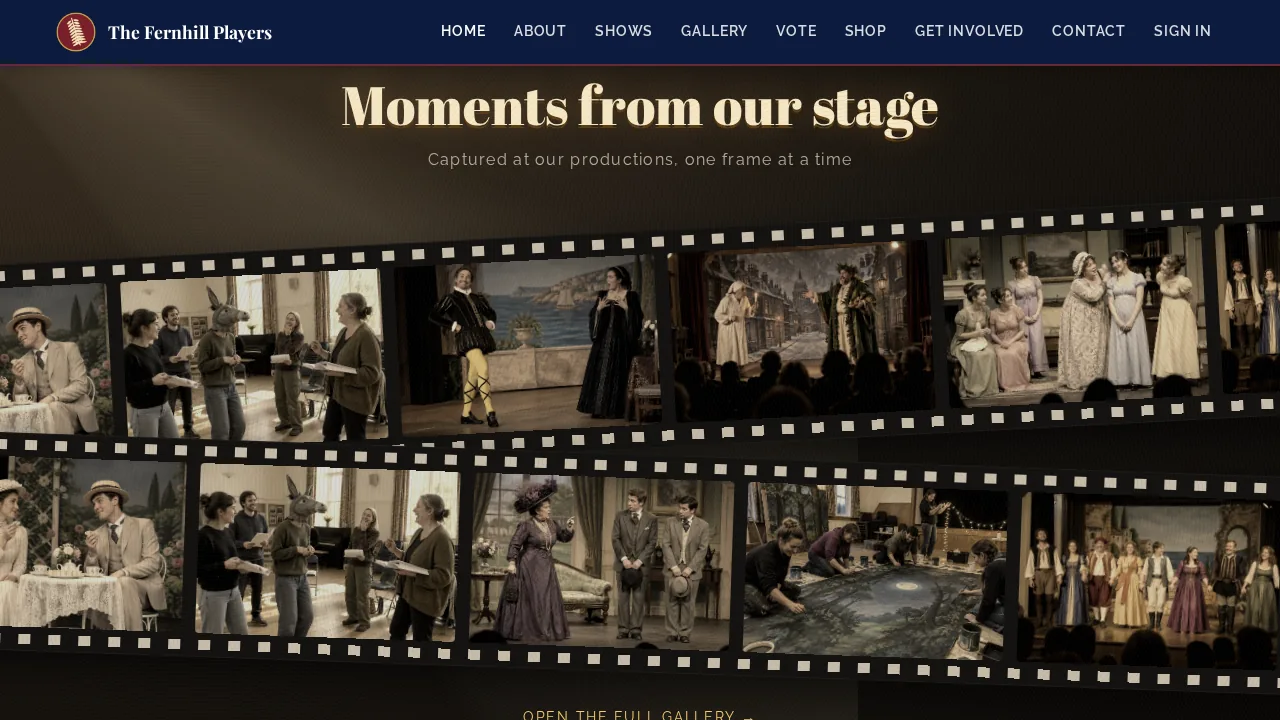
Moments from our stage. Two film reels full of production photos in sepia, running in opposite directions under a flickering projector beam. Scrolling pushes the reels further apart, and hovering stops a reel and pops a photo into full colour.
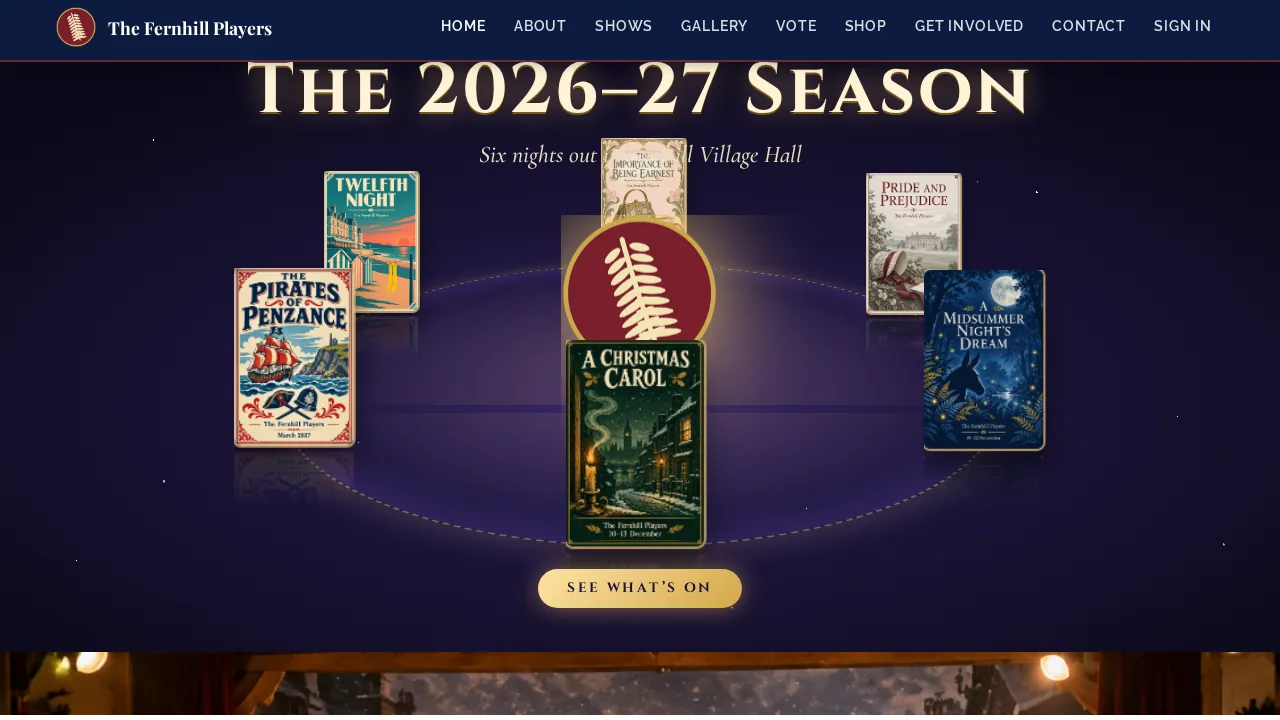
The season in orbit. The six posters of the season circle the society's emblem on a tilted 3D path, passing behind it and in front of it, under a sky of twinkling stars.
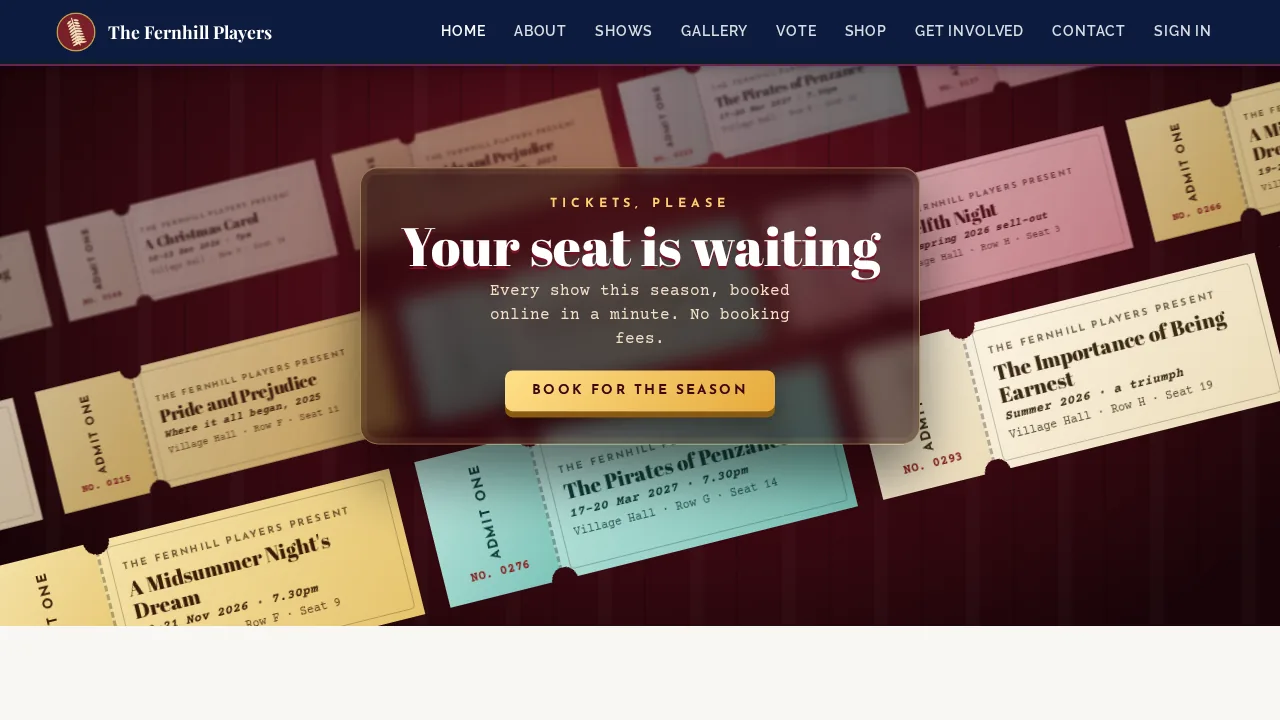
Tickets, please. Three layers of ticket stubs drift diagonally across a velvet backdrop, the far ones small, soft and slow, the near ones large and quick, behind a glass panel inviting people to book.
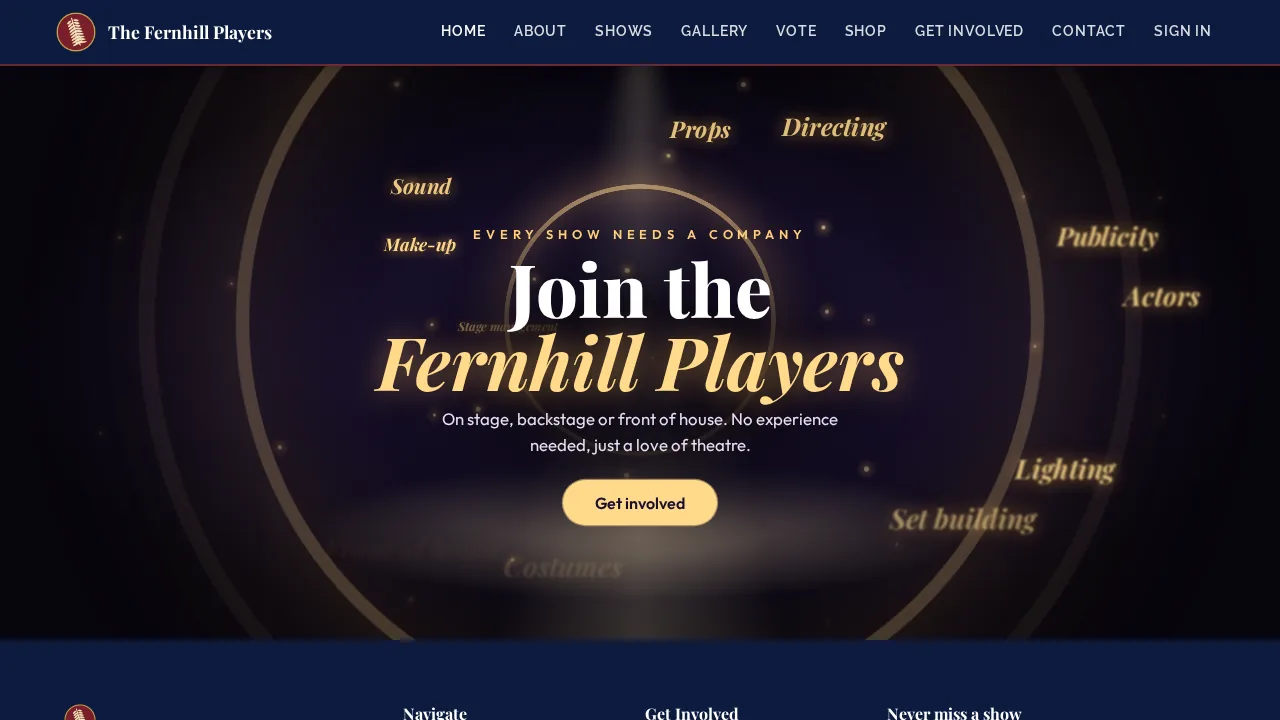
Join the company. At the bottom of the page, a single spotlight. Ripples and sparks spread from the centre of the stage, and the names of every job in a show, from Actors to Front of house, burst outwards, calling for new members.
All six work on a phone with no sideways scrolling, and all six stop moving for visitors who've asked their device for reduced motion.
How to add one
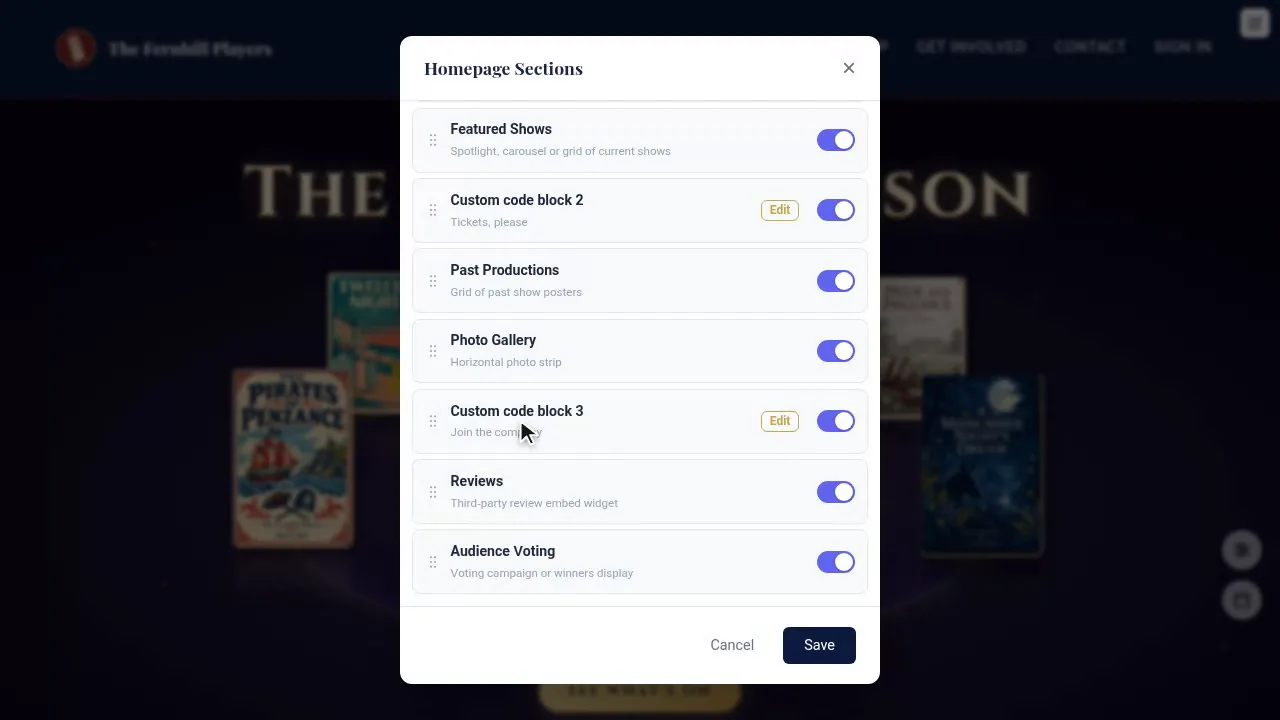
- On your home page, signed in as an admin, open the Homepage Sections menu: the round button with three lines, bottom right.
- Find Custom code block 1, 2 or 3 at the bottom of the list, switched off, and press Edit.
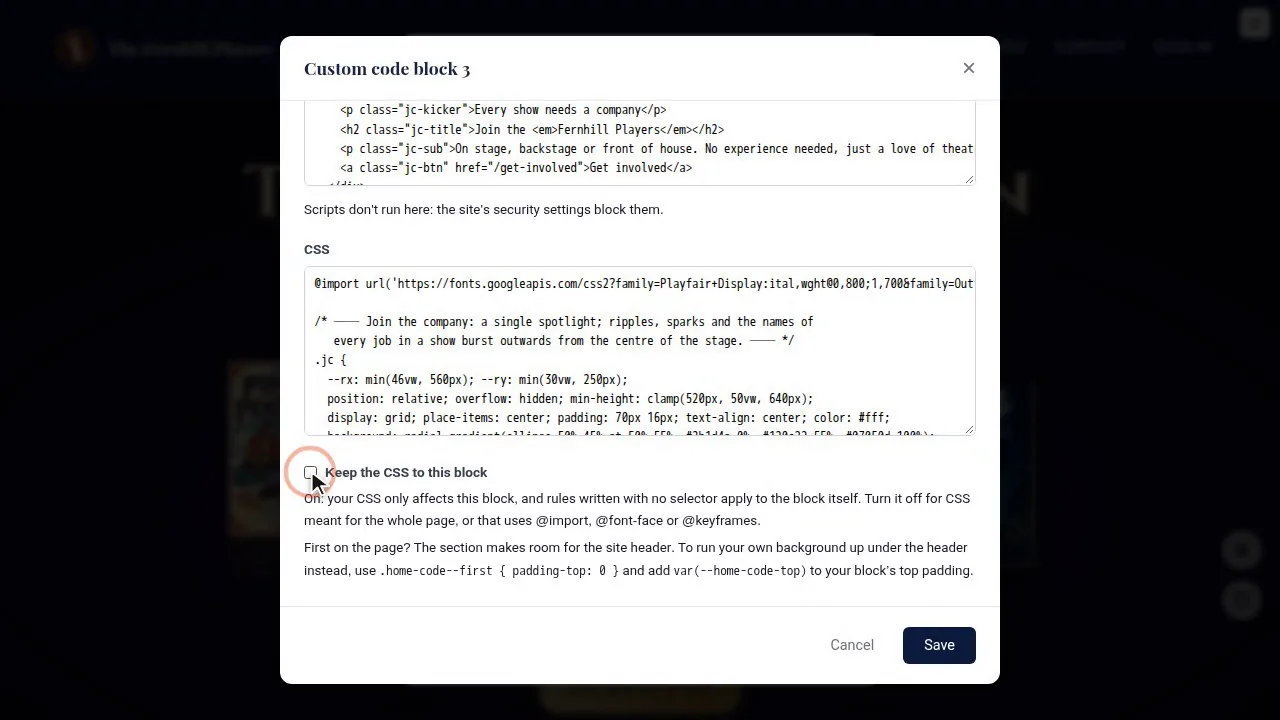
- Give the block a name (only you see it, in the menu), paste in your HTML and your CSS, and choose whether to keep the CSS to this block.
- Press Save. The page reloads with the block saved.
- Back in the Homepage Sections menu, switch the block on and drag it to where it should appear, then Save.
Safe by design
Custom blocks are HTML and CSS only, and everything moves with CSS. That's what makes them safe to offer:
- Scripts never run. A
<script>tag is kept but ignored, so a pasted snippet can't do anything harmful. - CSS can be kept to its block (on by default), so one block can't restyle the rest of your site by accident. Switch it off for things that need the whole page, like animations and web fonts, and give your own classes a prefix.
- Pictures come from your own site: your uploads, posters and gallery photos. Images from other websites are blocked.
- The header is looked after. A block placed first on the page gets the same room under your site header as the hero, whatever your header style.
One thing to know: the scroll-driven effects, like the curtains and the reels pushing apart, need a current Chrome, Edge or Safari. In other browsers the curtains open on a timer instead, so nothing breaks.
Ideas to try
- A sponsor wall in your sponsors' own colours.
- An animated launch for your new season.
- A panto takeover for December, with snow.
- A fundraising thermometer drawn in CSS for your roof appeal.
Coming soon
The designs are yours, or your designer's. TheatreHQ gives them a home. Custom code blocks are coming soon to every TheatreHQ site, and when they arrive, your home page stays exactly as it is until you switch a block on.
If you build something with them, we'd love to see it. Send it to us, or get a free demo site and try it out.