Your website should look like your society, not like everyone else's. Until now, the main pages of a TheatreHQ site, like the contact page, What's On, Our Shows and the blog, mostly looked the way we built them. In TheatreHQ 4.19, coming soon, your society can change them itself, without a developer. There's a brand-new calendar too.
One way of editing, on every page
Every page uses the same editor, so you only learn it once. Sign in as an editor or admin and press the round pencil at the top right of a section. A panel opens with two tabs: Content for the words and what's shown, and Styling for the look. On the Styling tab the panel moves to the side, and the page changes as you adjust things.
Nothing is kept until you press Save, and Cancel puts the page back. If you change nothing at all, your website looks exactly as it does today, so upgrading won't change anything until you decide to.
A contact page that sends messages to the right people
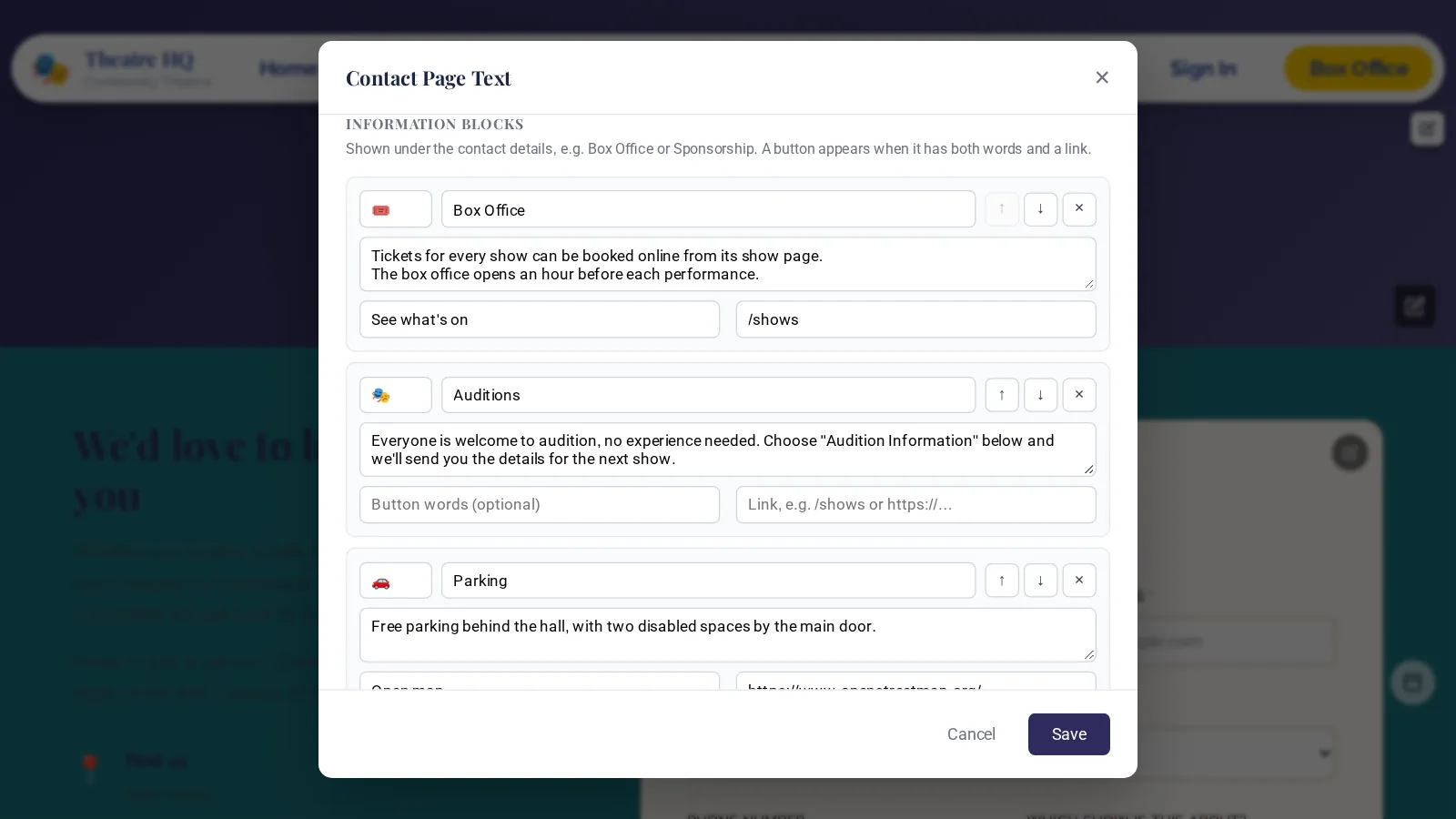
There are now two pencils on the contact page. The first changes the page text: the heading and introduction, whether to show your email, phone and venue (and what to call them), and up to eight information blocks, each with an emoji, a title, some text and an optional button. Think Box Office, Auditions, Parking with a map link, or Sponsorship.
The second pencil is for the form itself. You can change every label, the button and the thank-you message. And, by popular request, each subject can go to its own people. Ticket enquiries can go to the box office, and audition questions to the director and the producer. You can have up to 20 subjects, each sent to up to five addresses; a subject with no address goes to your site's main contact email. Only admins can change who receives messages.
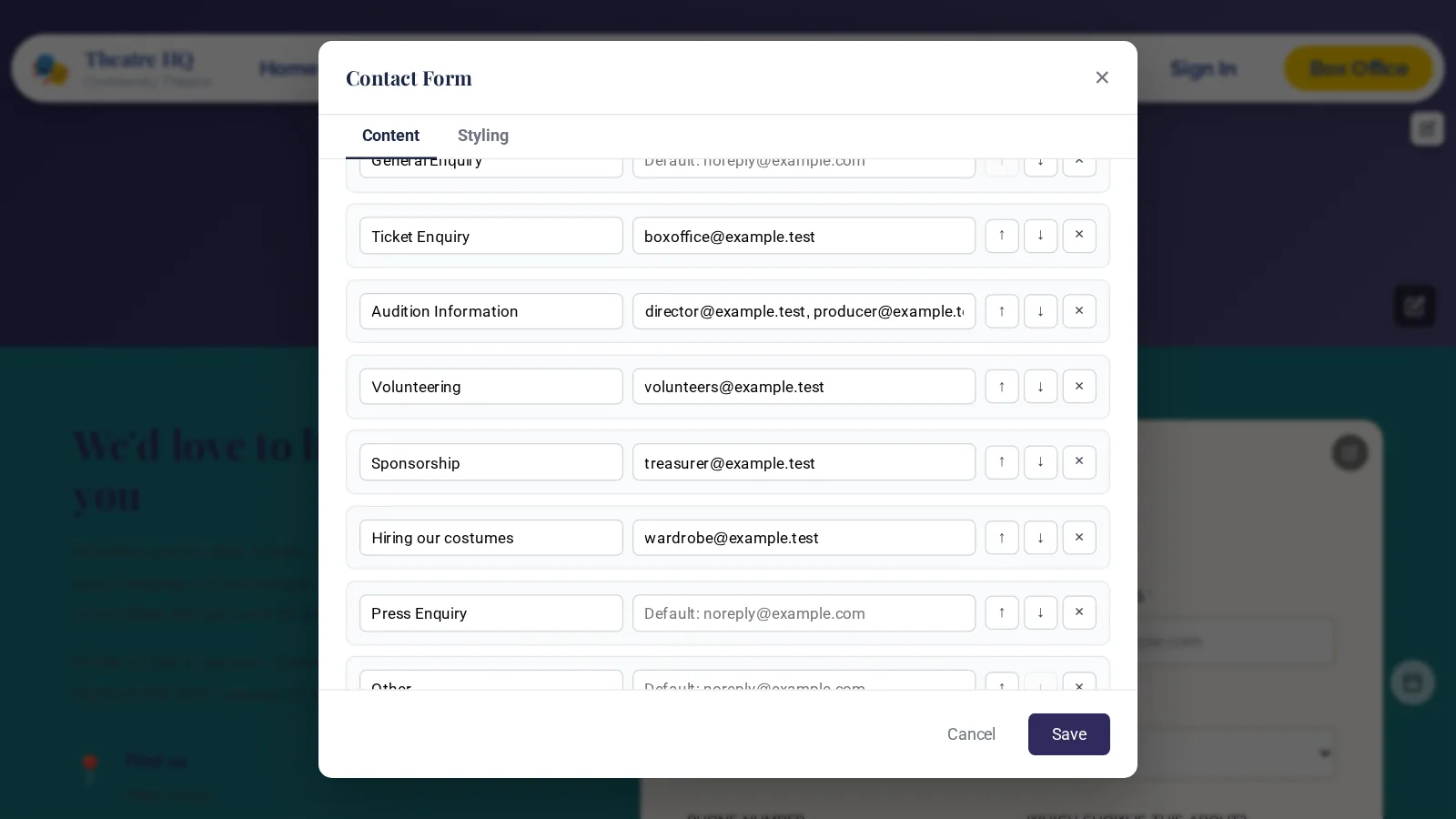
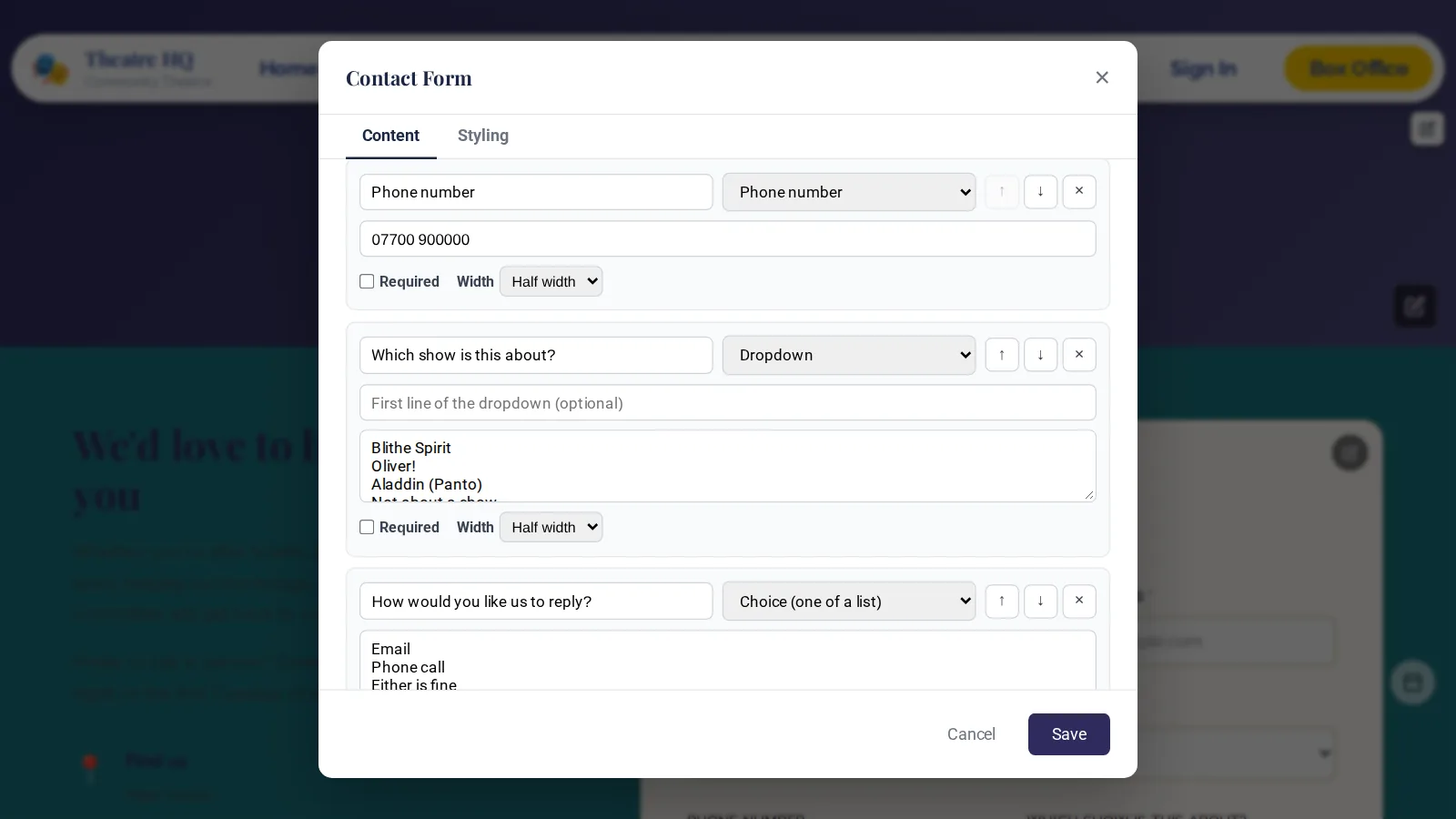
You can add up to 15 questions of your own too, in nine types: short or long text, email, phone, number, date, a dropdown, a choice from a list and a tick box. Ask which show someone is writing about, or how many are in their group. Each question can be required, full or half width, and placed before or after the message box. Answers are checked when the form is sent, with plain messages like "Group size" needs a number, and they arrive neatly in the email you receive.
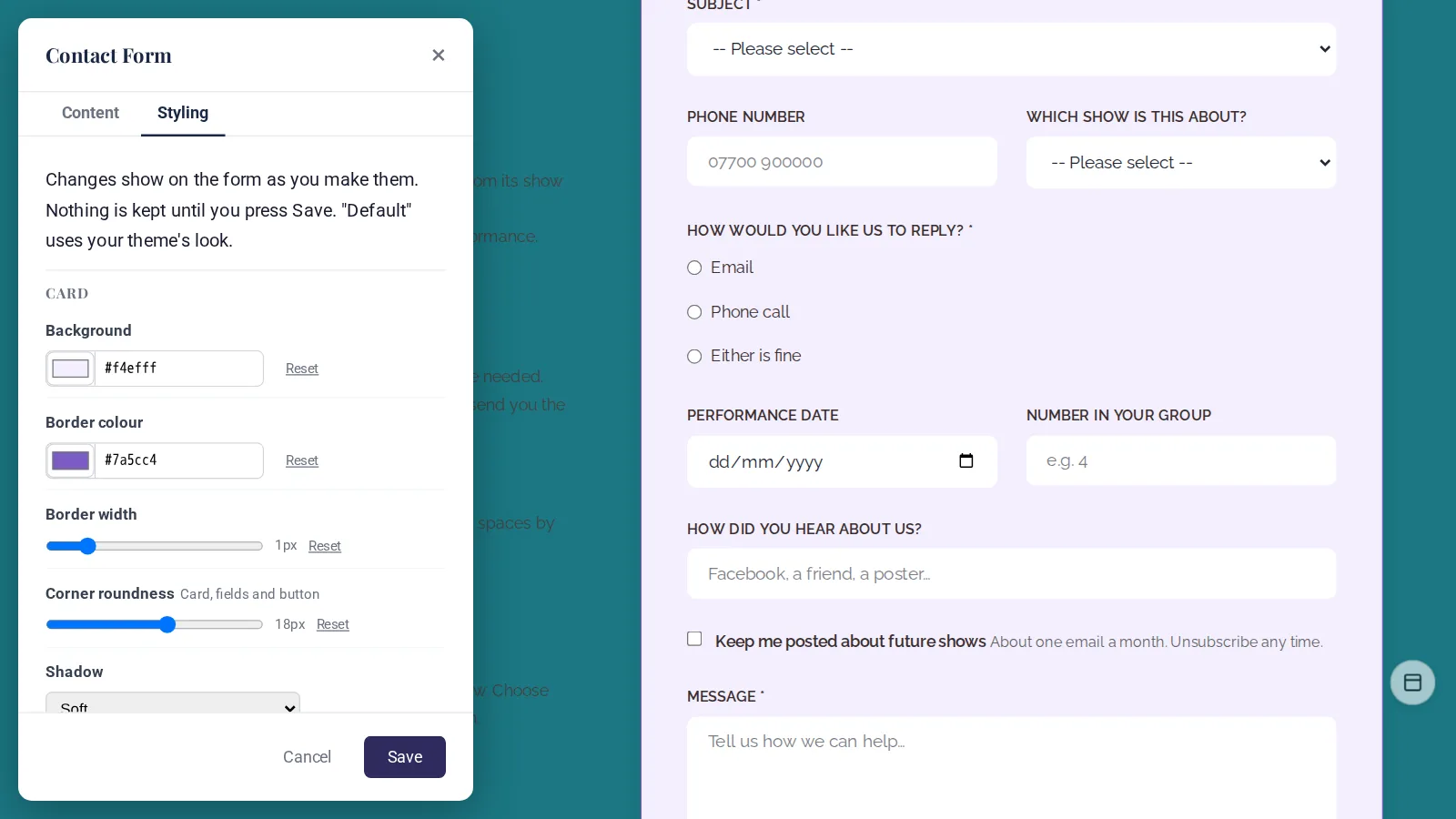
On the Styling tab, 20 options let you make the form match your website: the card, the text, the fields and the button, all previewed as you go.
Our Shows: made for a long history
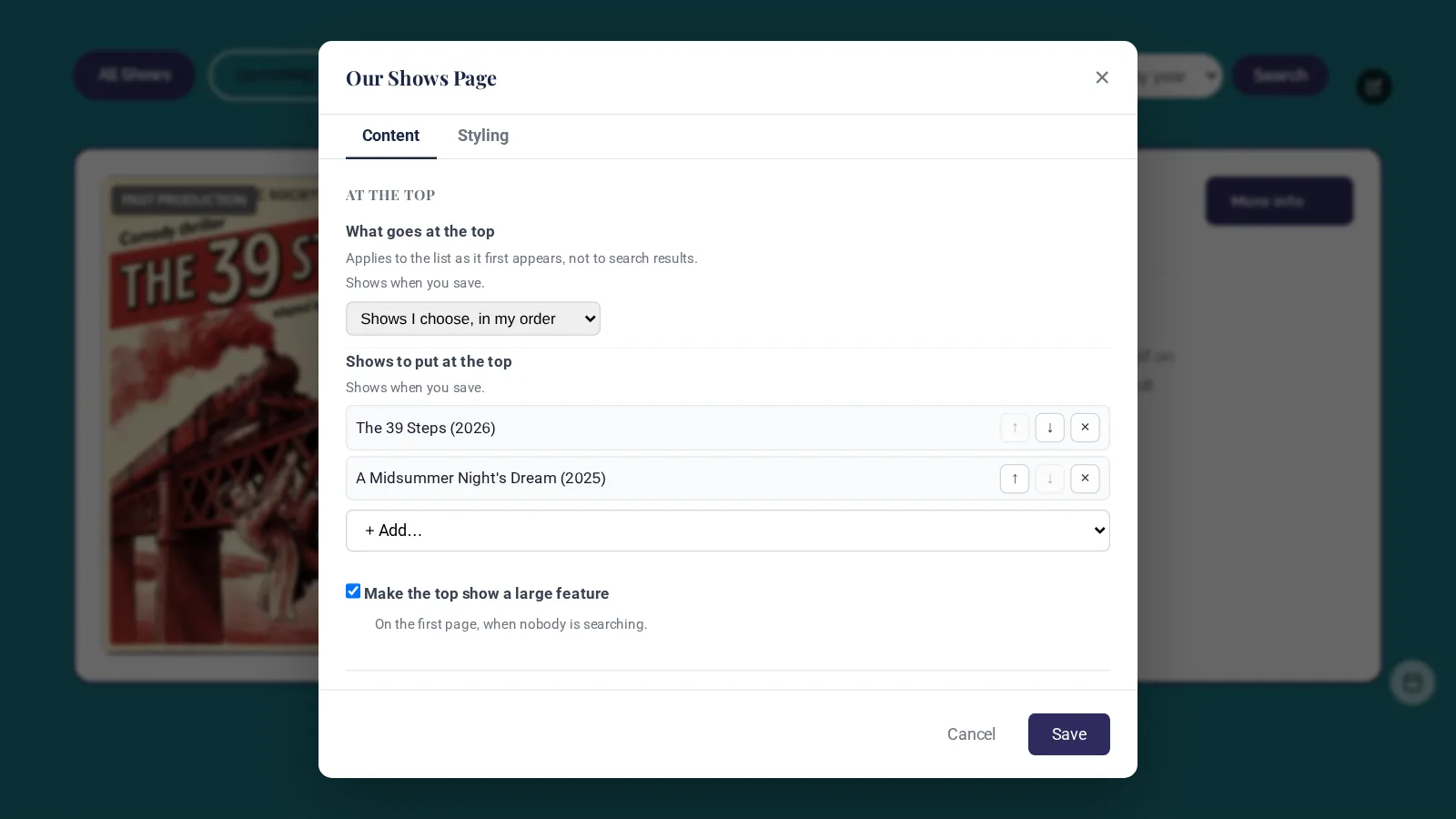
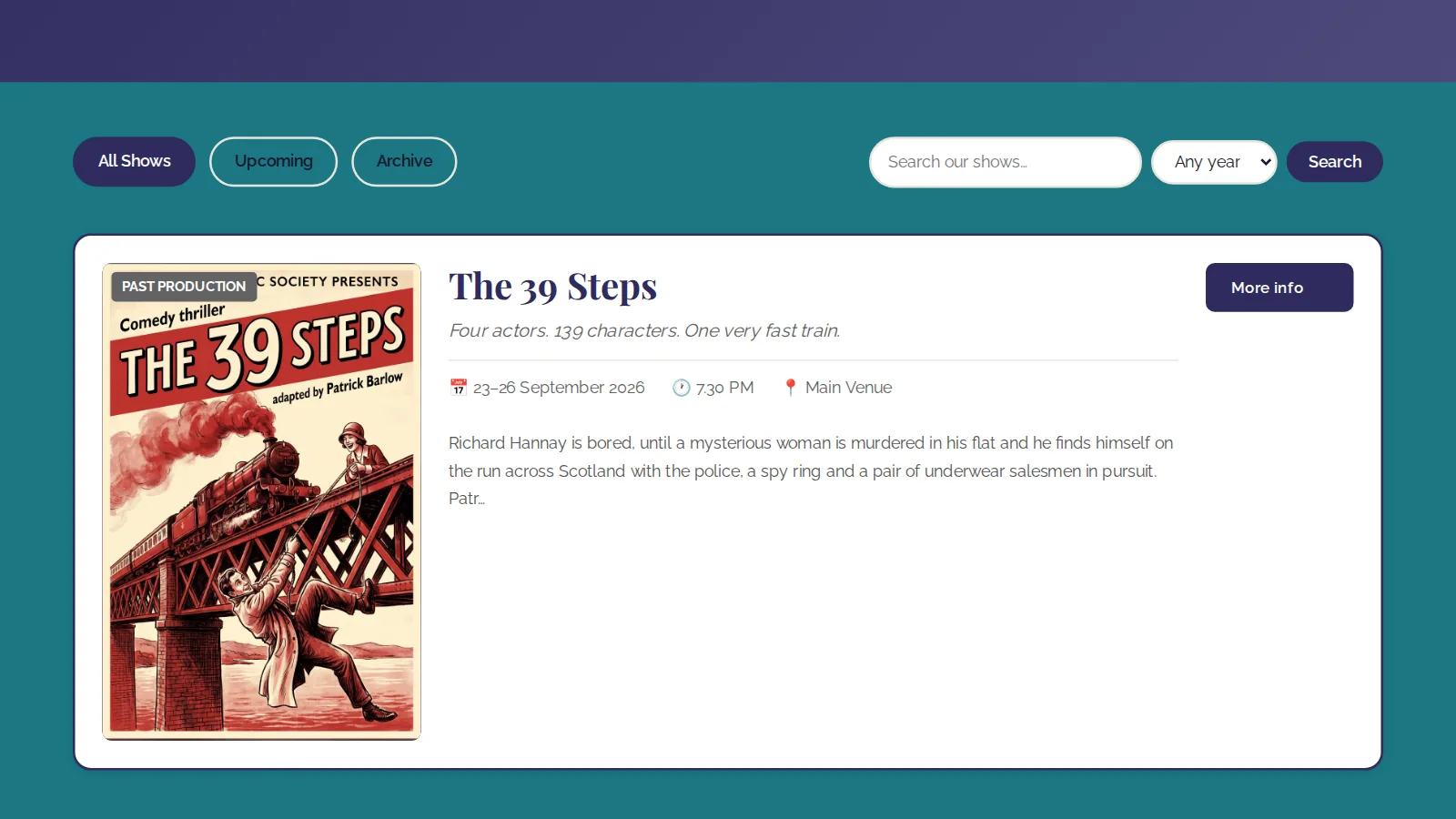
Some societies have decades of productions on their site, so the Our Shows page now copes with a long archive. Pick the shows that sit at the top, in your order (up to ten), or show what's on now and coming up first, and make the top show a large feature.
Visitors can search titles, taglines and descriptions (typing a year, like 1998, finds that year's shows), pick a year from a dropdown, and move through the archive a page at a time, with 10, 12, 20 or 25 shows per page. There are five list styles and five grid styles to choose from, with options for poster size and shape, colours and what each show displays.
What's On: each show once, with its dates
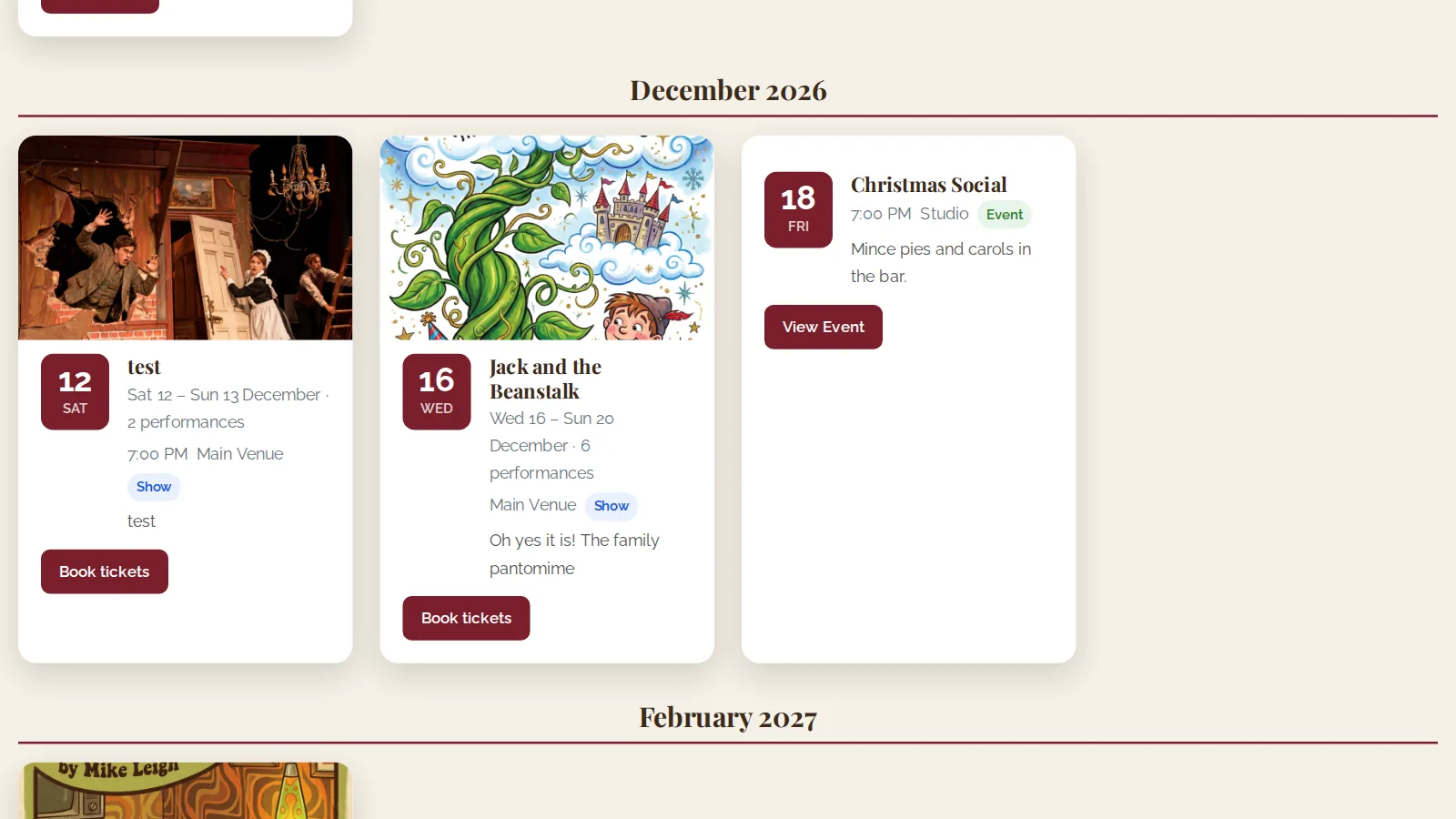
What's On can now list each show once, with all its dates, instead of an entry for every night. A show reads as, for example, "Wed 16 – Sun 20 December · 6 performances". On one test site that turned 25 entries into 7. You can group by month and choose from list, grid or compact layouts, including timeline, ticket stub and large-picture styles.
The blog: pin posts and filter by show
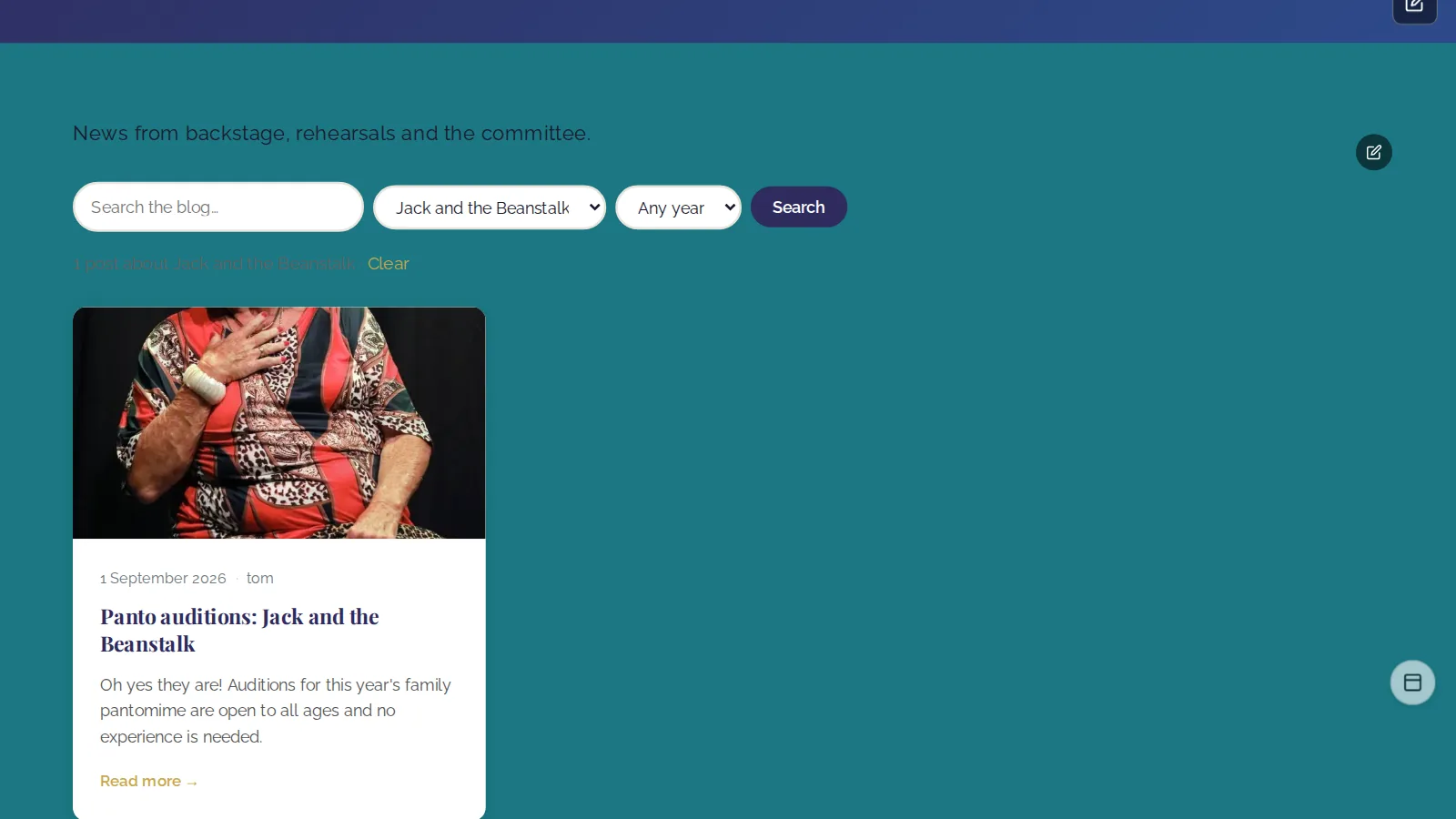
Pin up to six posts to the top of your blog and make the first a large feature. Posts can be linked to shows, so visitors can find every post about a particular production, as well as search and filter by year. There are ten layouts here too.
On What's On, Our Shows and the blog, grid layouts get extra options: how many across on a computer (two to five), two across on a phone, spacing, picture height, centred text and more.
A brand-new calendar
The new Calendar page shows everything your society has on in one place: performances, public events, fundraisers and audition days. You can add it to your menu from the menu editor's list of pages.
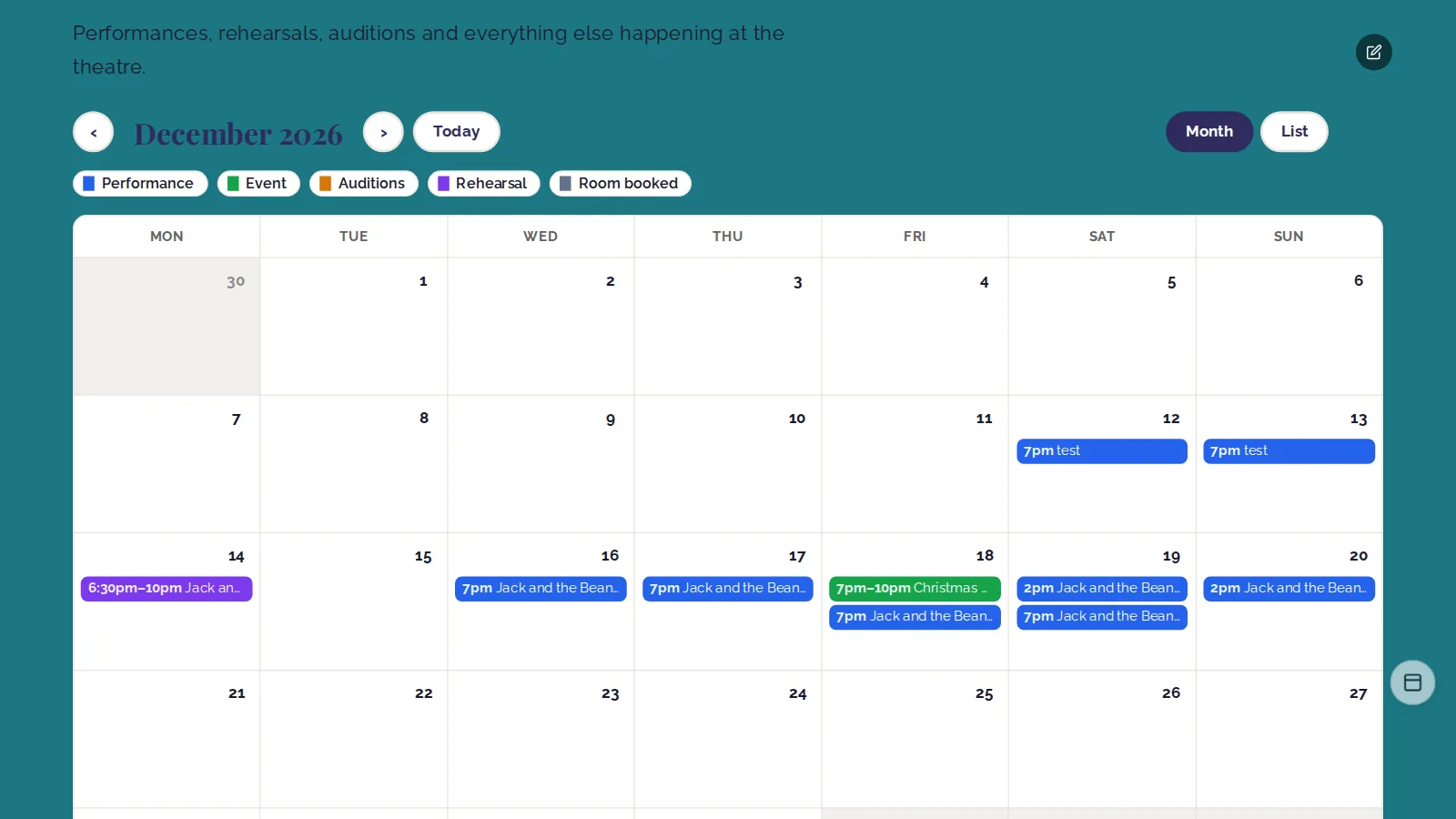
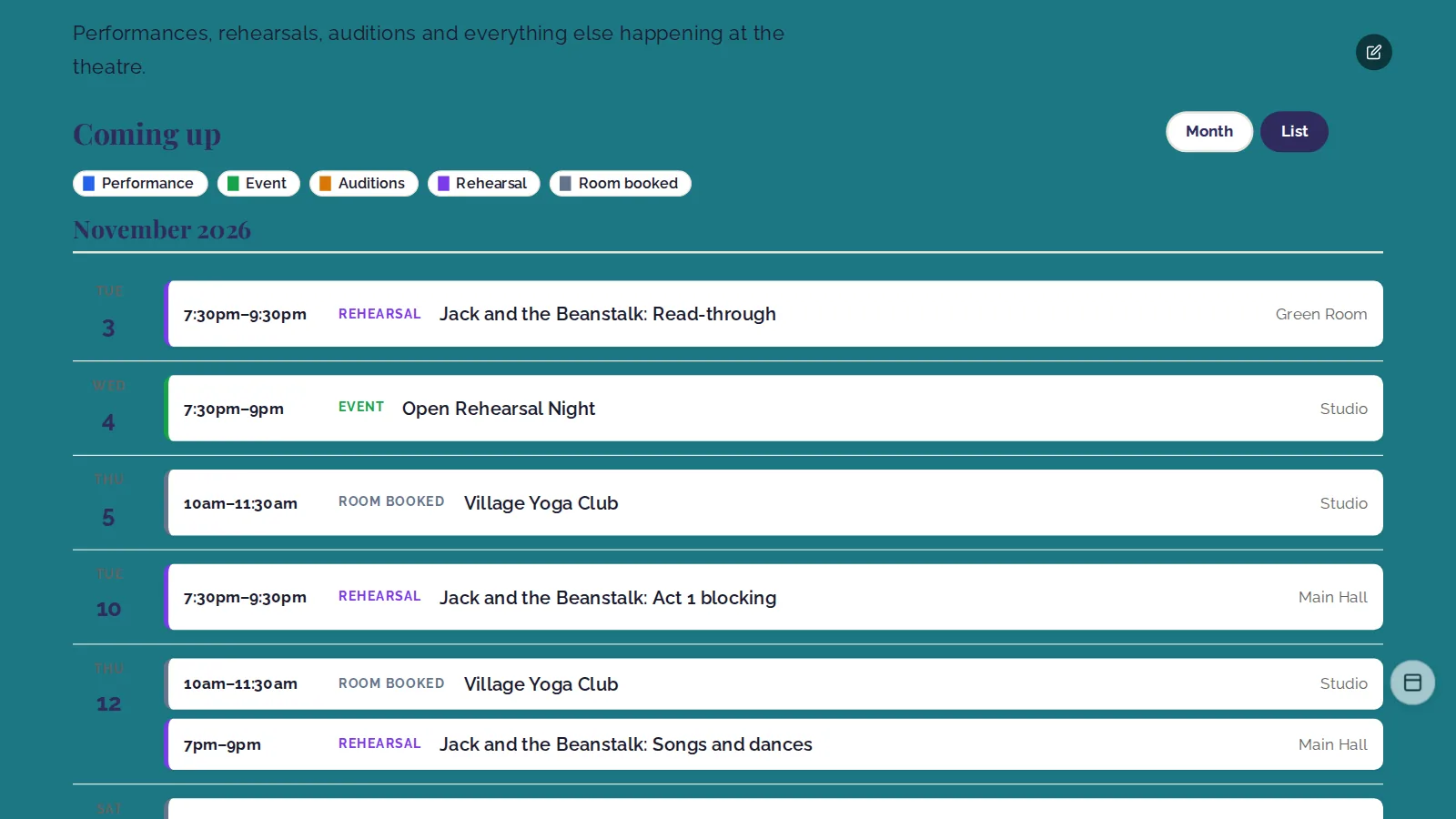
Rehearsals and room bookings can be shown too, each set to off, signed-in members only, or everyone. Privacy comes first: both start switched off, the public only ever sees that something is on and when, and rehearsal locations are for members only. A group that booked a room is named only if they agreed to it when booking; otherwise it just says "Room booked".
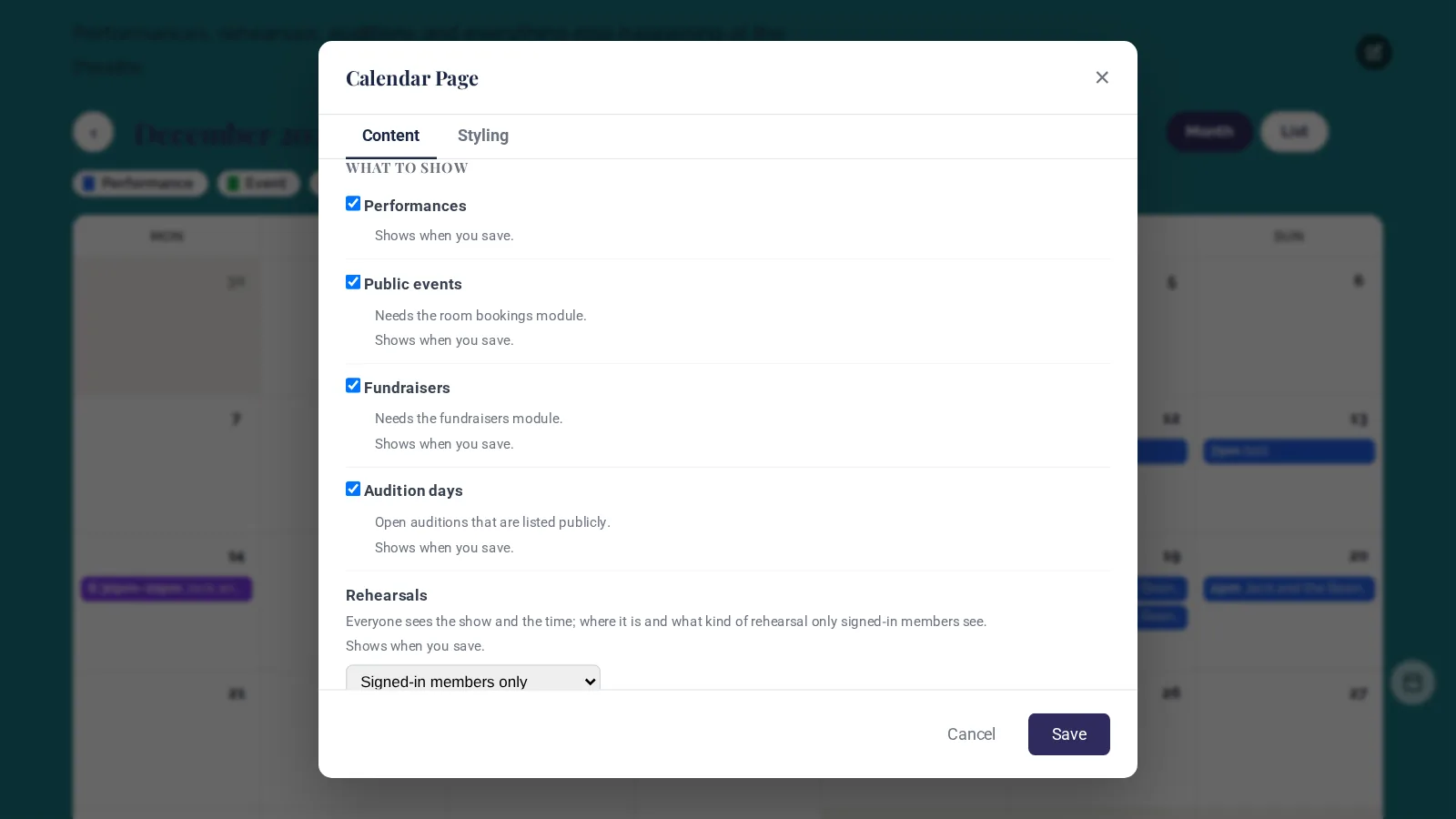
Visitors can switch between the month and a list of what's coming up, and the colour key doubles as a filter: tap "Rehearsal" or "Room booked" to hide or show them. You choose the names and colours, whether weeks start on Monday or Sunday, and you can offer a link to add your performances to a phone calendar. On a phone, the month becomes a tidy list of the days that have something on.
Already out: TheatreHQ 4.18
A few improvements are already live on TheatreHQ sites:
- Show pages can condense performance dates, so nights in a row read as one line, like "Thursday 3 – Saturday 5 December at 7.30pm".
- The gallery lets visitors choose a show from a dropdown, or from a tile per show with its picture.
- The mega menu can be full width, page width or compact, and dropdown menus stay open while you move the mouse into them.
- A large logo no longer covers the top of pages, and the +/− ticket buttons on shows without a seating plan work again.
- A small TheatreHQ credit in the footer and on tickets, which you can turn off in Admin → Settings → Branding.
We also fixed some things that weren't working as they should. The Get Involved form now submits properly. Contact and Get Involved messages now go to the contact email in your settings, using your site's own mail settings, so pressing Reply answers the visitor, and visitors see an honest message if sending fails. Five admin buttons that did nothing now work, including deleting a rehearsal and switching members' rehearsal reminders on and off. And room bookings save again on sites installed before 26 April 2026.
When can I use 4.19?
TheatreHQ 4.19 is coming soon. When it arrives, your website will look exactly the same until you choose to change something. Want to see it on your own society's pages? Get a free demo site, or get in touch and we'll show you around.