Recurring hire bookings
Book a regular hirer, like a weekly class or toddler group, for a whole term at once, skipping holidays and any dates that are already taken.
Regular hirers, like a yoga class, a choir or a toddler group, often book the same slot every week. Rather than adding each date by hand, a recurring booking sets up the whole term at once.
1. Set the schedule
Go to Space Hire > Recurring. Choose the Space, how often it repeats (Weekly, Fortnightly or Monthly), the Day of Week, the start and end time, and the first and last dates of the booking.
If the booking is one of your own rehearsals rather than a hirer, choose the production under Link to Production. For a whole production, Booking your hall for a production and rehearsals is quicker.
2. Add the hirer's details
Under Booker Details, add the hirer's name, email, phone number and organisation, and what they're using the space for.
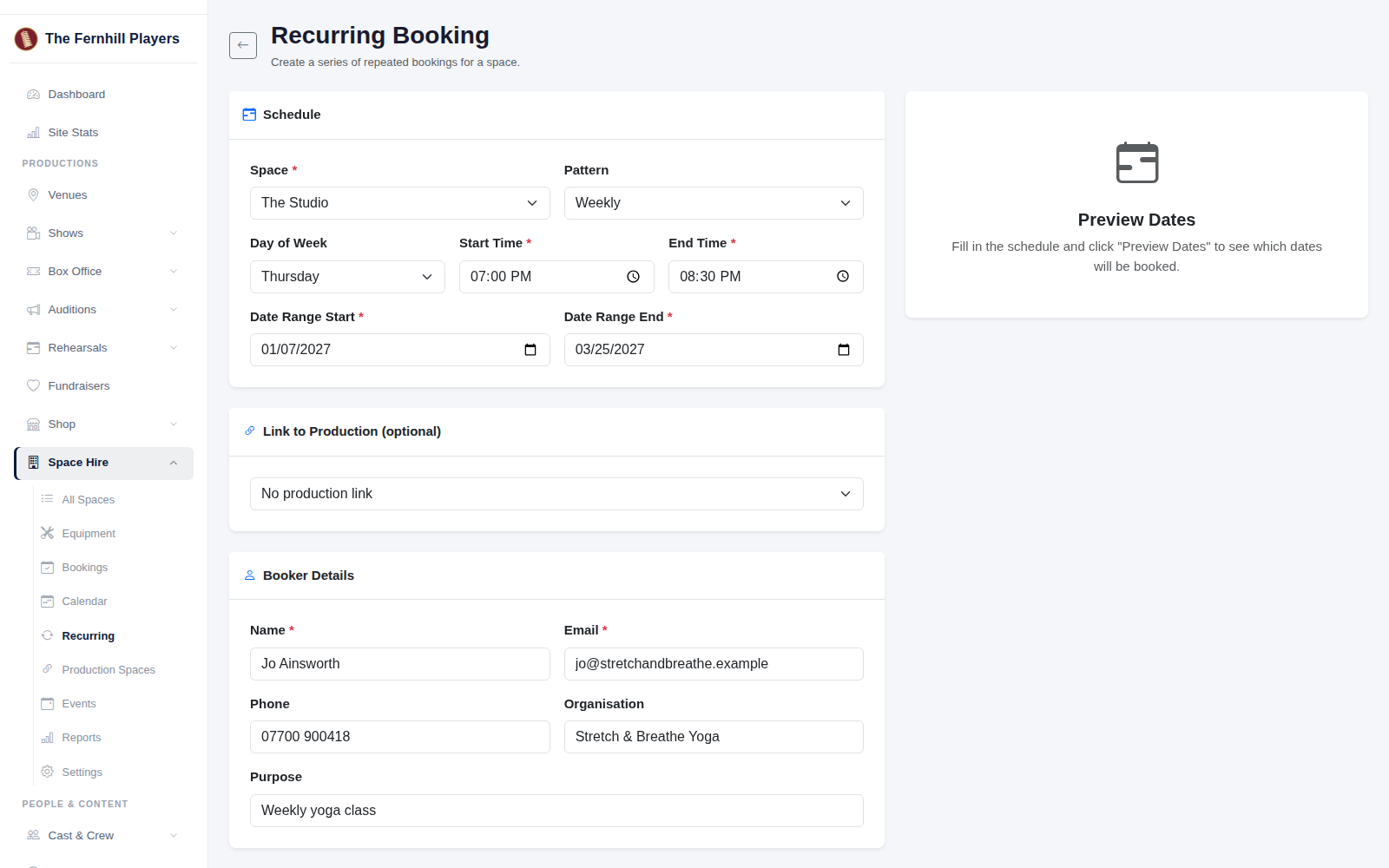
3. Preview the dates
Click Preview Dates. TheatreHQ lists every date in the series. Any date that clashes with an existing booking is marked Conflict and ticked already, so it's left out and never double booked. Tick any other dates you want to skip, such as half term, bank holidays or Christmas week.
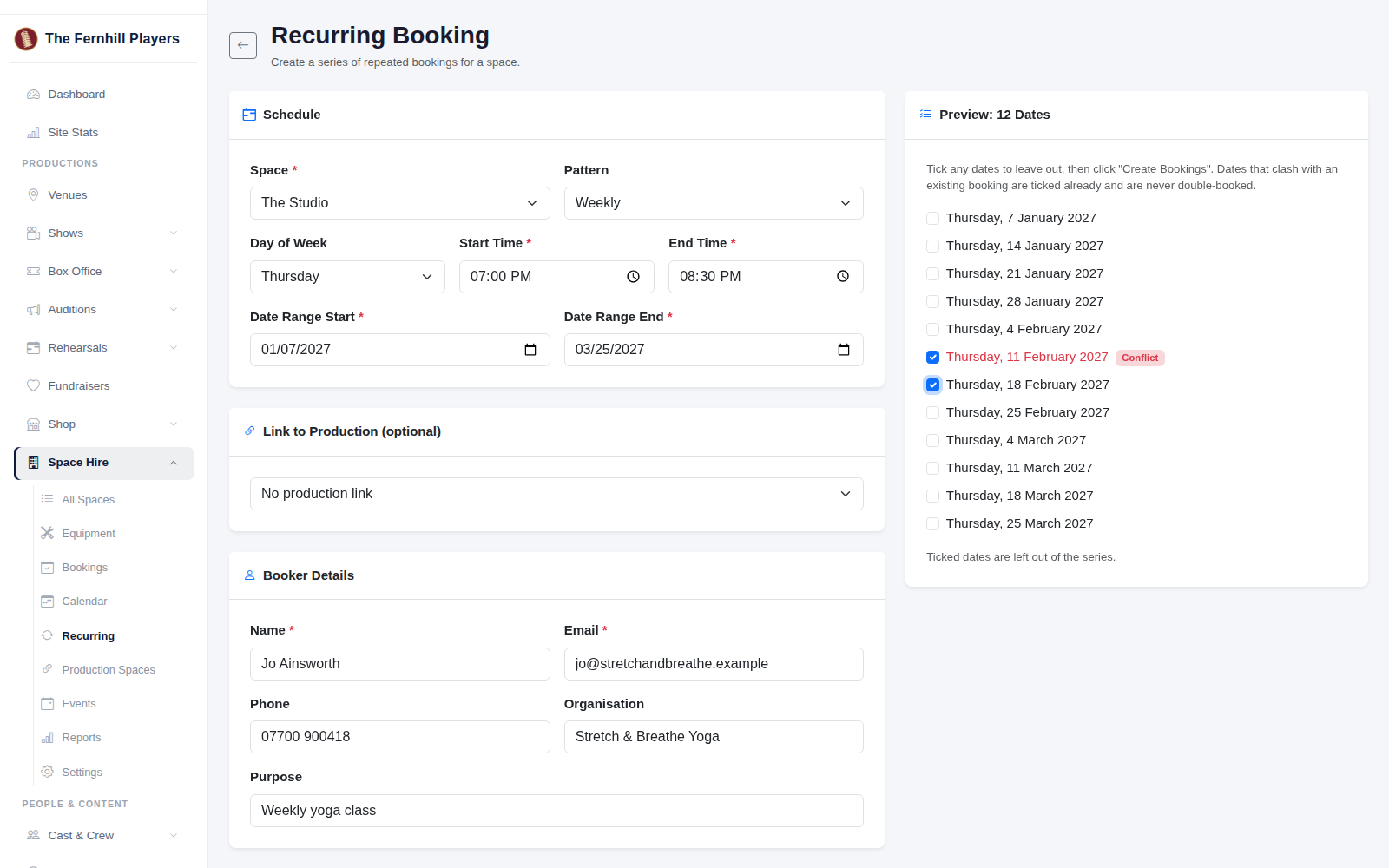
4. Create the bookings
When the list looks right, click Create Bookings. Each date becomes a booking in your Bookings list and calendar, so you can see the whole week in your hall at a glance.
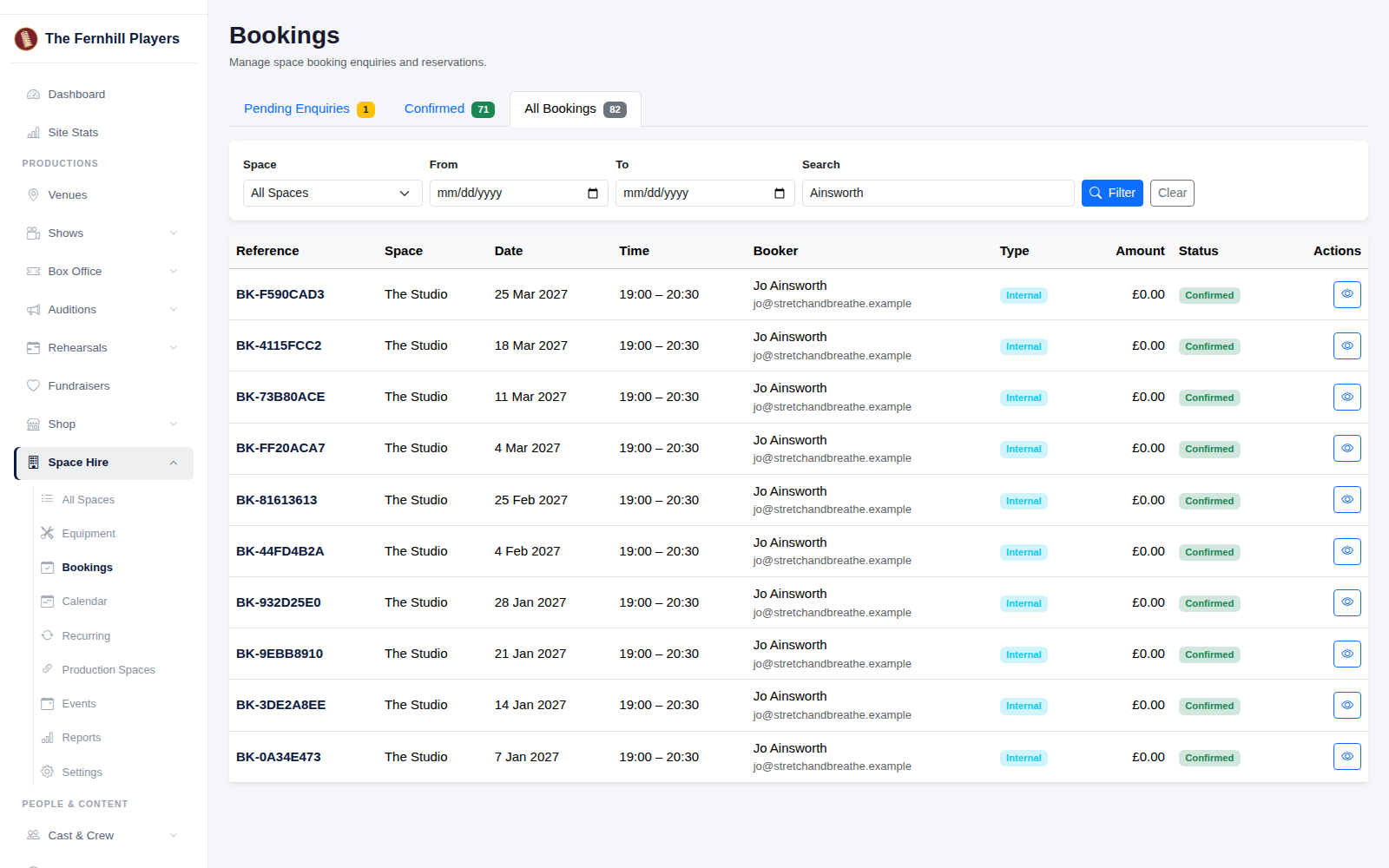
Tip: recurring bookings are added at no charge. If you invoice the hirer, agree the price with them and keep it with your hire records.