Booking your hall for a production and rehearsals
Put a production's performances and weekly rehearsals into your hall's diary in one go, without double booking anyone who already hires the space.
If your group runs its own hall and hires it out, your own shows and rehearsals need to be in the hall diary too, so the space isn't hired out on top of them. Production Spaces books a whole production in one go.
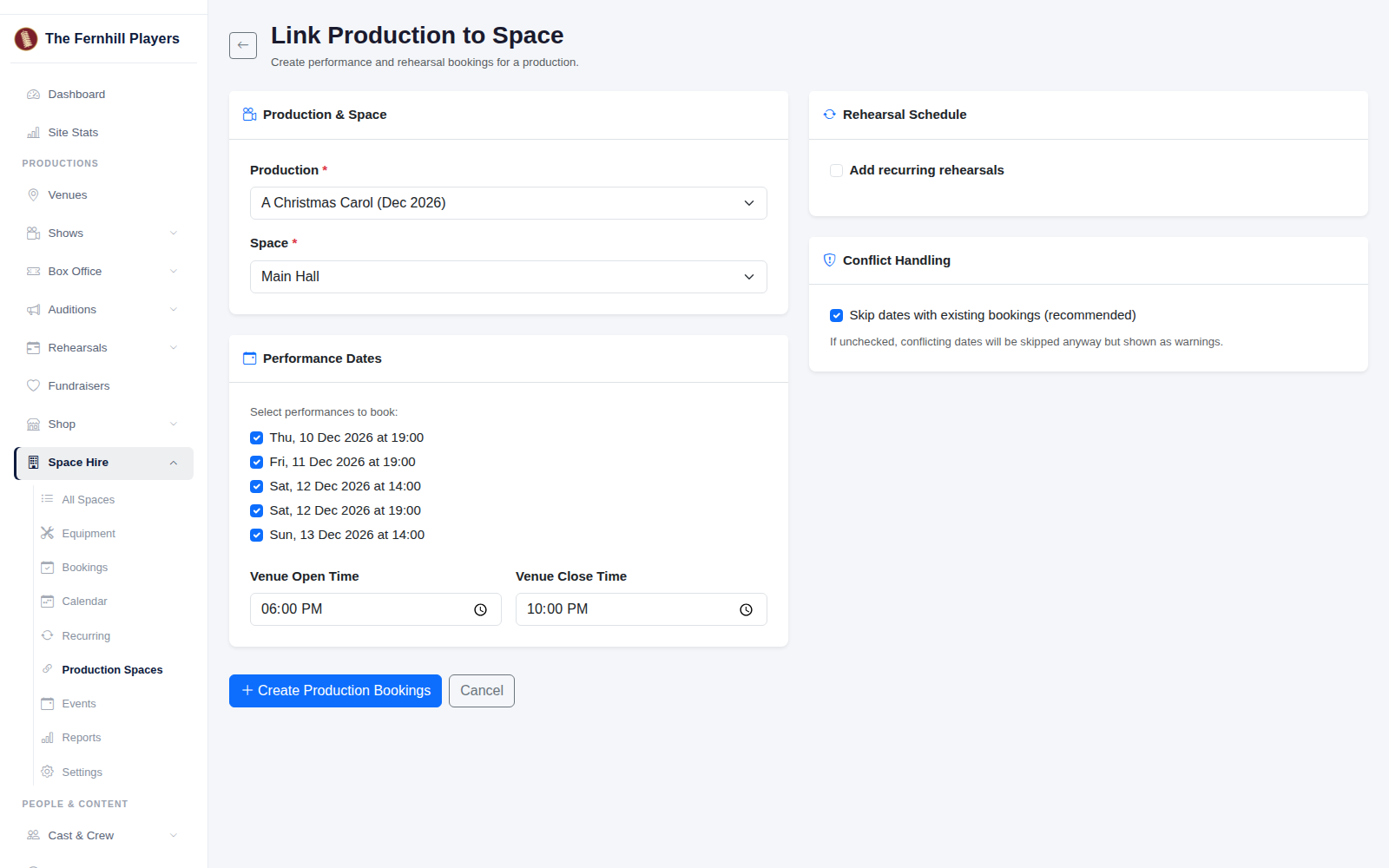
1. Choose the production and the space
Go to Space Hire > Production Spaces. Choose your Production and the Space it will use.
2. Check the performance dates
The performance dates load from the production automatically, all ticked. Untick any that aren't in this space. Set the Venue Open Time and Venue Close Time; each performance is booked between these times, so allow for get-in and getting the audience out.
3. Add your rehearsals
To book rehearsals as well, tick Add recurring rehearsals. Choose Weekly or Fortnightly, the day of the week, the start and end time, and the dates your rehearsals run between.
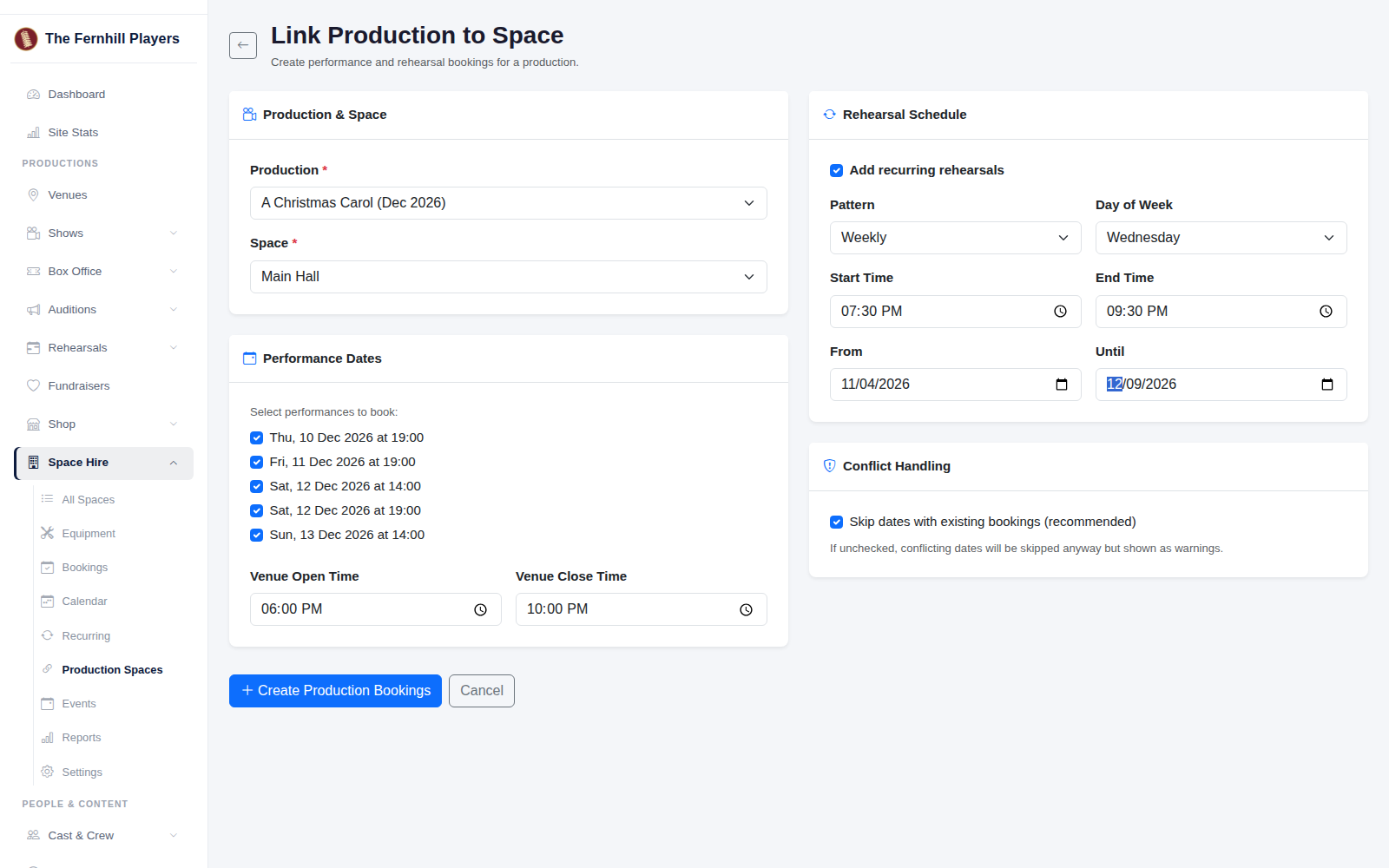
4. Leave conflict handling on
Leave Skip dates with existing bookings ticked. If the space is already booked at that time, TheatreHQ leaves that date out rather than double booking, and tells you which dates it skipped.
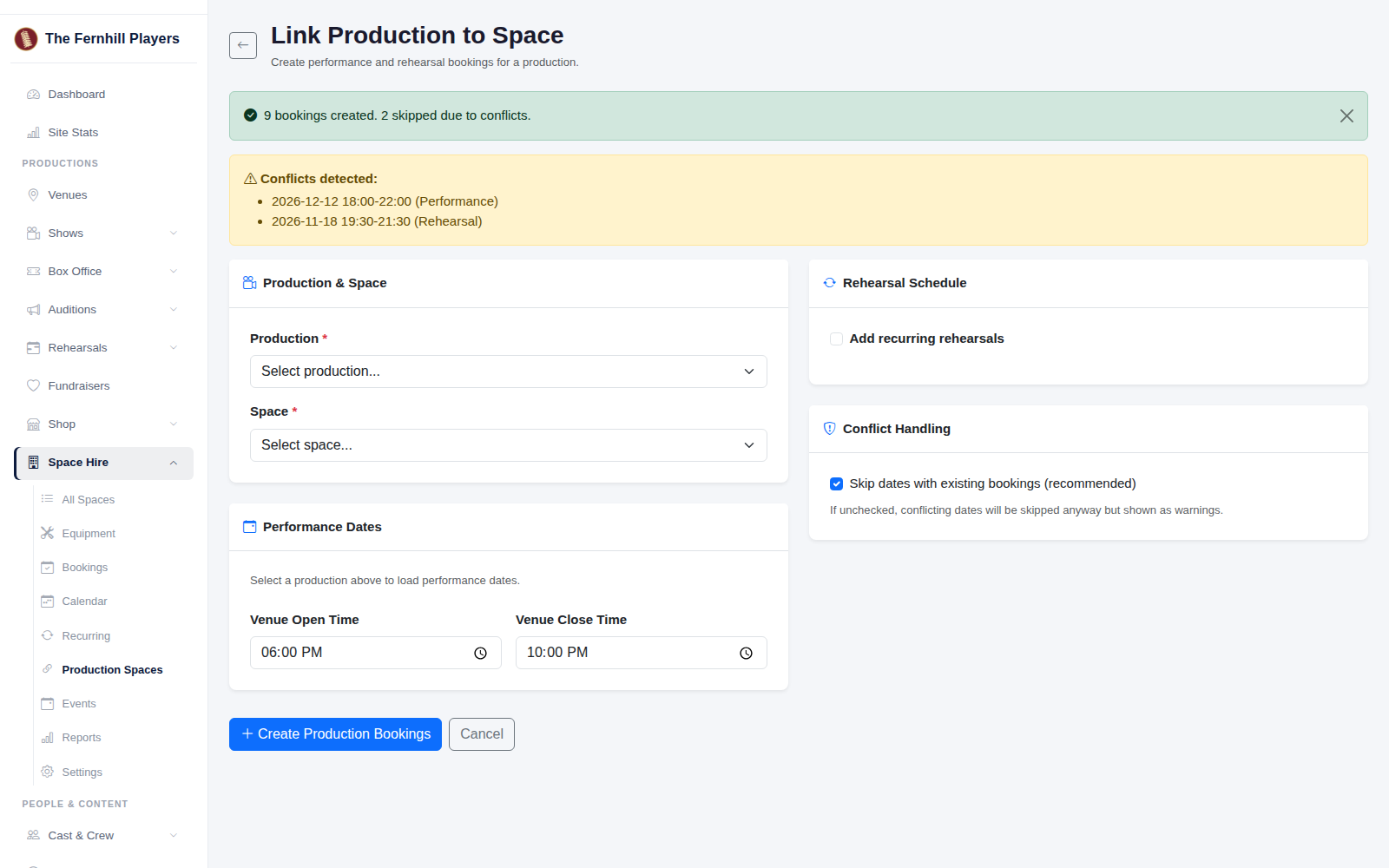
5. Create the bookings
Click Create Production Bookings. You'll see how many bookings were made and a list of any dates that clashed, so you can sort those out with the other hirer or find another room.
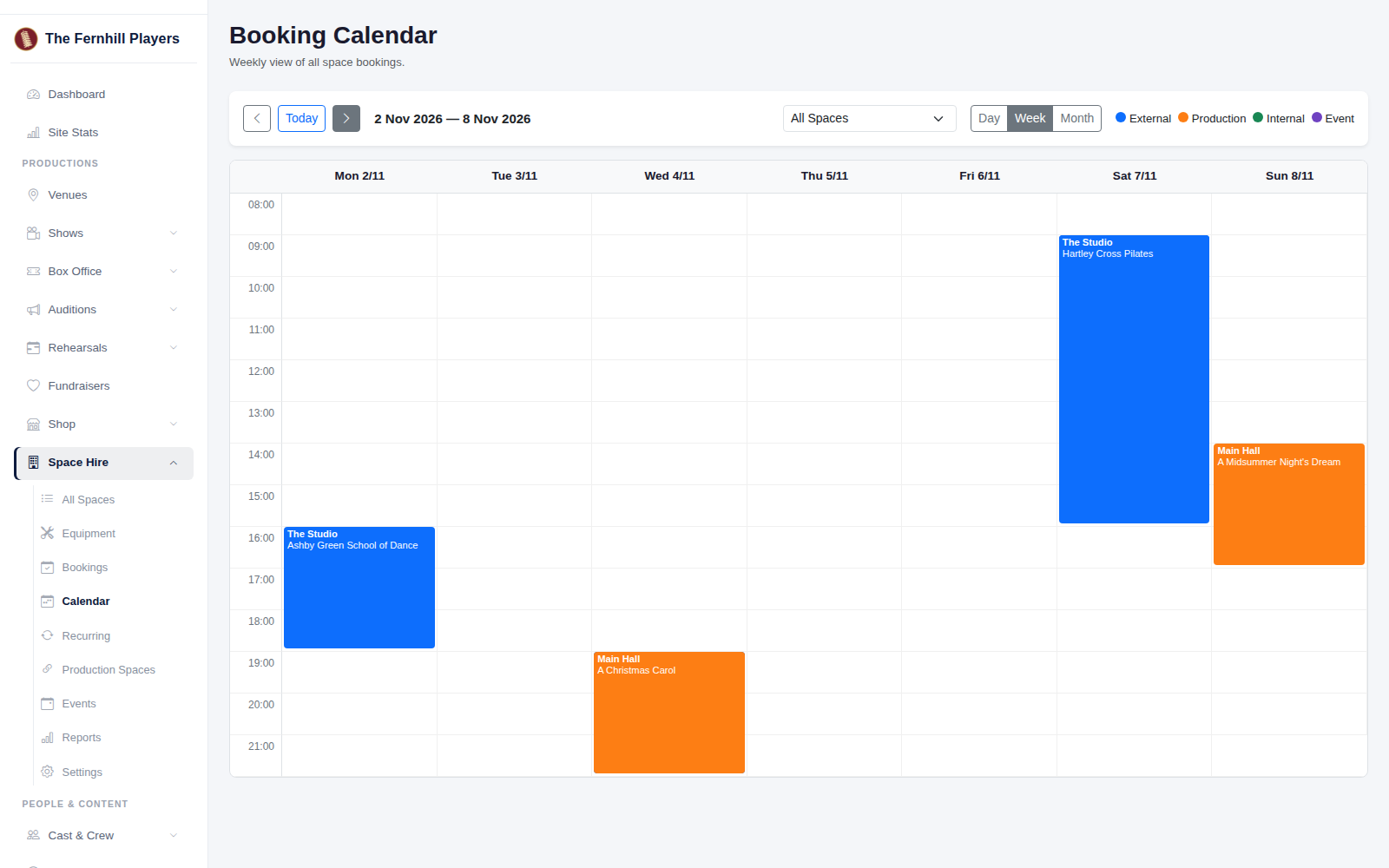
Every booking appears in the Calendar, so whoever handles hire enquiries can see at a glance when the space is taken.
Tip: every performance is booked between the same open and close times. On a day with a matinee and an evening show, the second performance is listed as a clash, so check that day's booking covers both shows and adjust it if not.