Creating referral links for your cast
Give each cast member their own booking link and see who has sold the most tickets.
Your cast are often your best sellers. Referral links give each person their own booking link to share with friends and family, and show how many tickets each link has sold — a bit of friendly competition that helps fill the house. You can create links for posters and adverts too.
1. Open Sales by Referrer
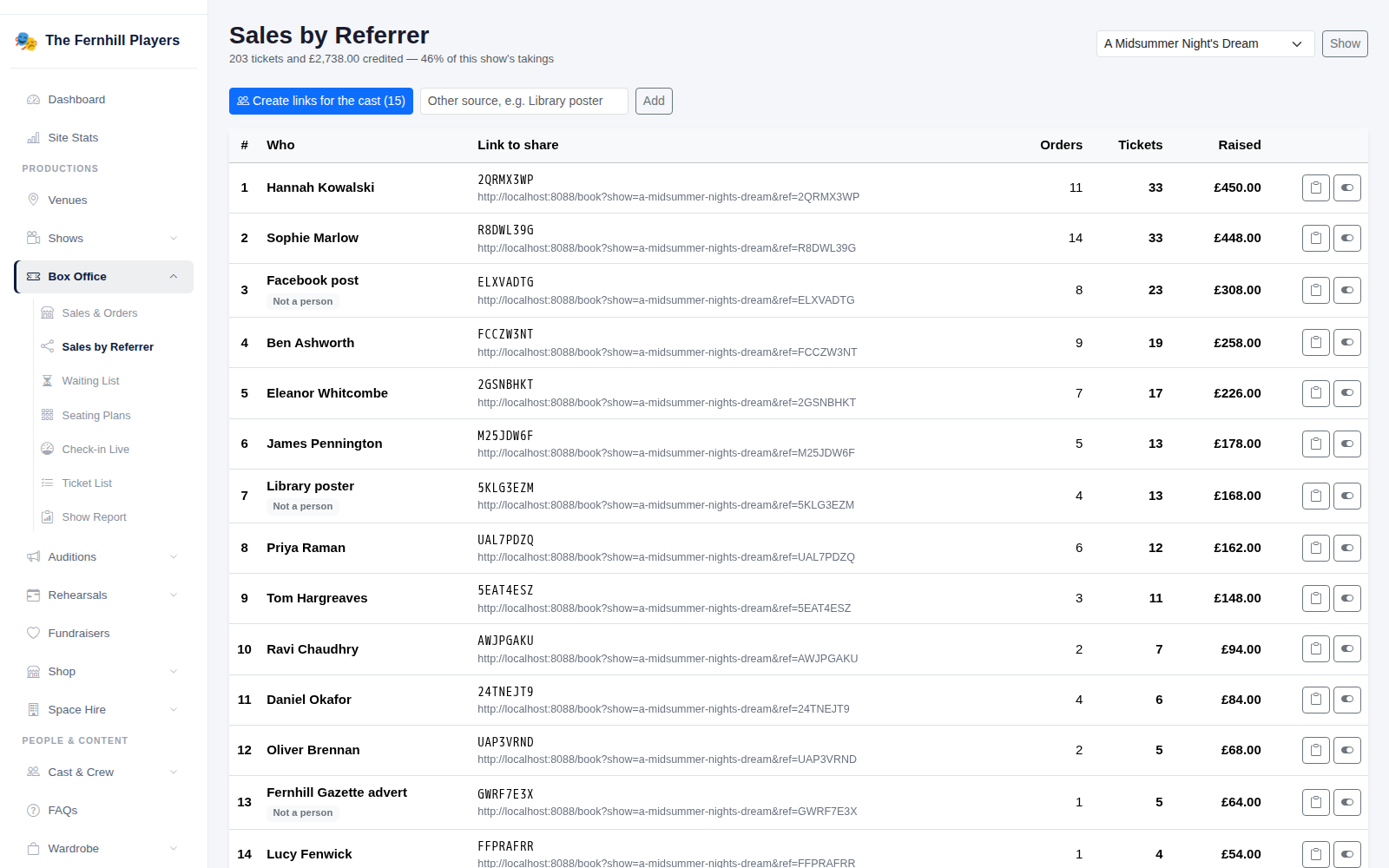
Go to Box Office > Sales by Referrer and choose the production. Click Create links for the cast and TheatreHQ makes a link for everyone in the company in one go.
You can also add your own links for other places you promote the show — a poster in the library, a Facebook post or a newspaper advert — so you can see which of those bring in bookings.
2. Share the links
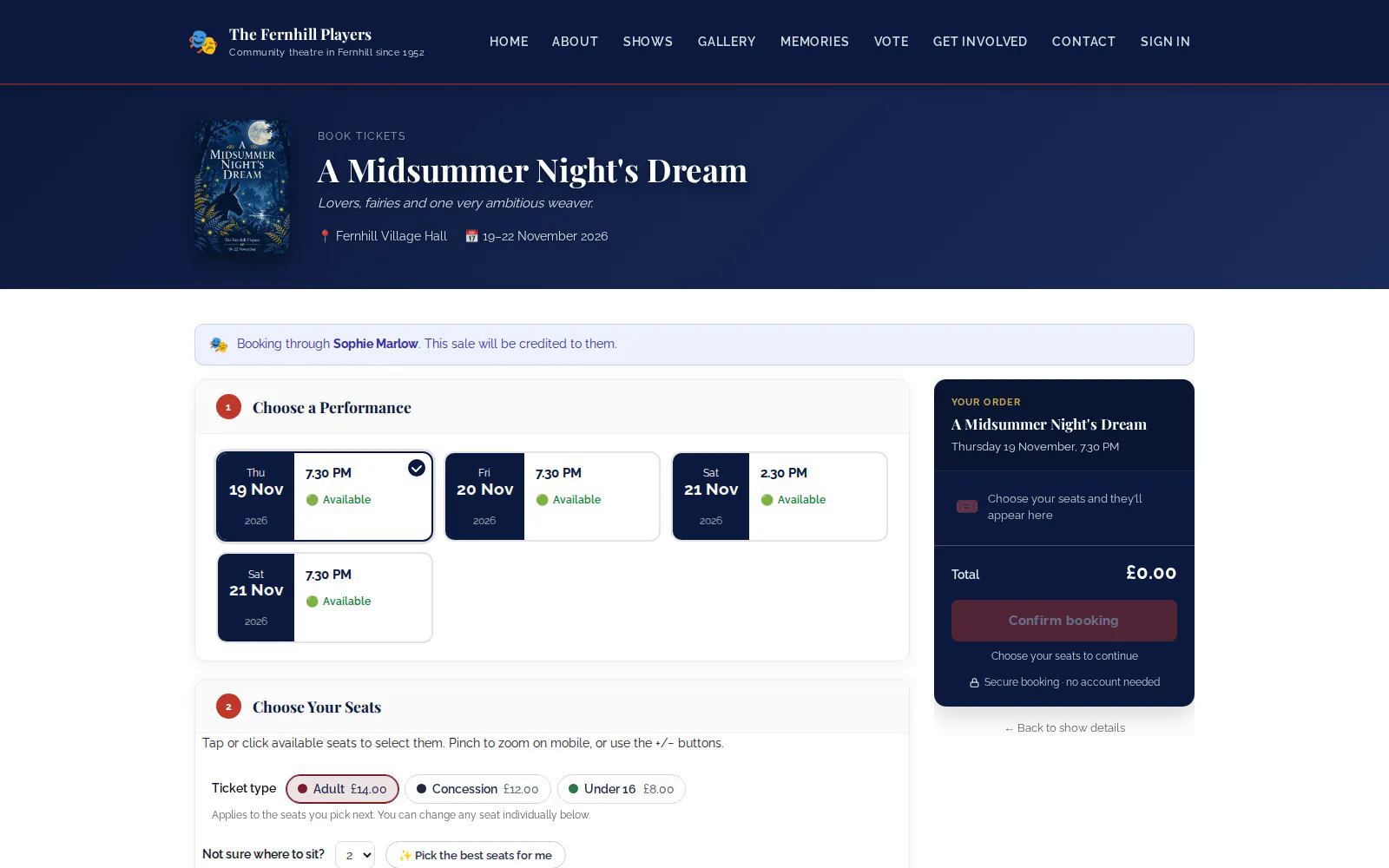
Each link opens the show's booking page. Copy it from the list and send it to the right person, or put it on the poster or post it belongs to. When someone books through it, the booking page shows Booking through and the person’s name, and the sale is credited to them.
3. See who's selling
Sales by Referrer ranks every link by tickets sold and money raised, with the number of orders, so you can see who's selling the most — and which posters and adverts are working.
Tip: share the leaderboard at rehearsal — it's a good motivator in the last couple of weeks before opening.