Turning modules on and off (and finding a missing menu item)
Can't find Box Office, Shop or another menu item? How modules and module access work, and how to switch features on and off.
TheatreHQ is made of modules — Box Office, Wardrobe, Shop, Membership, Fundraisers and more. You can switch off the ones your society doesn't use, so your admin menu and website only show what you need. This guide shows how, and what to check if a menu item seems to have gone missing.
1. Open the Modules page
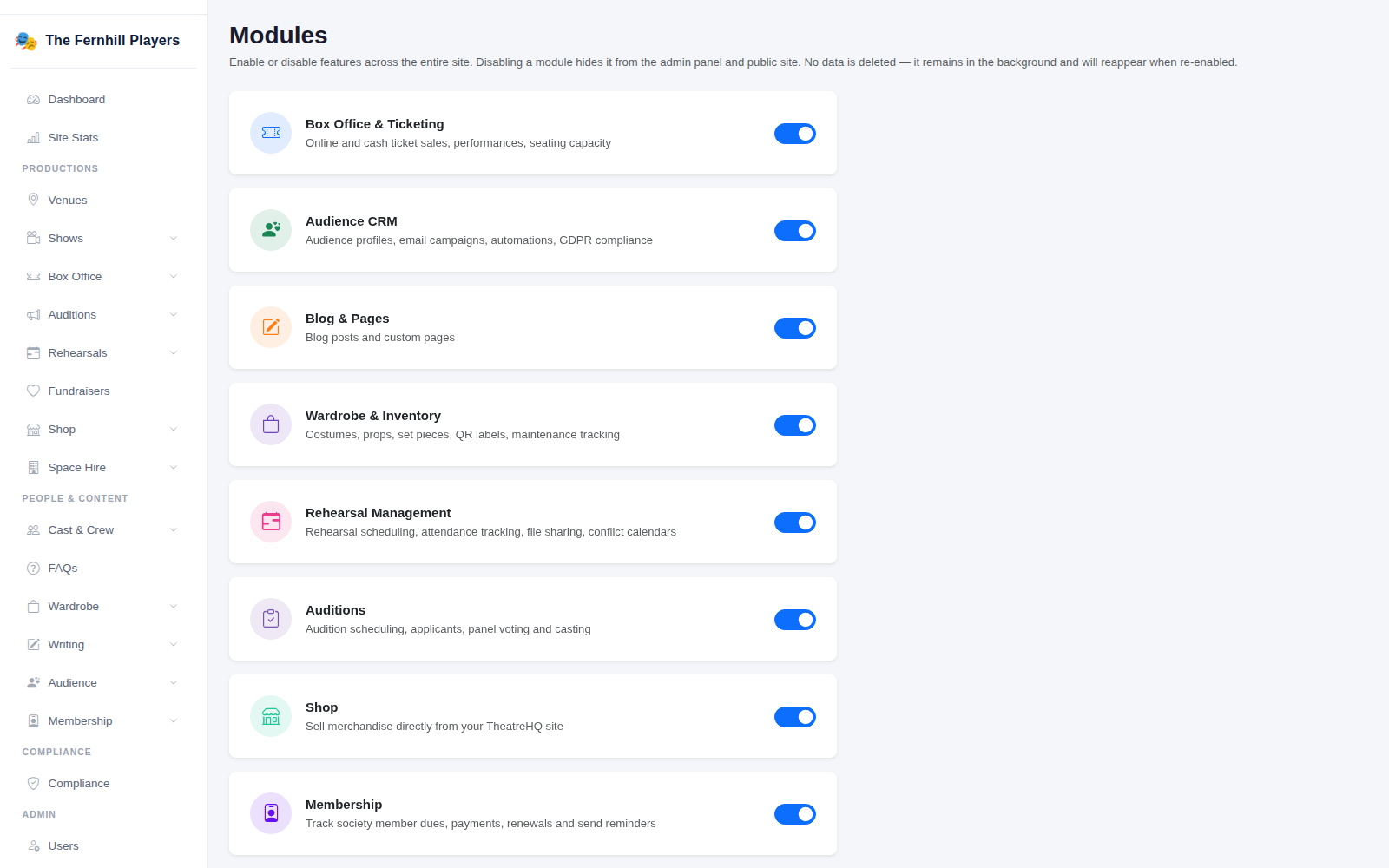
Go to Settings > Modules. You need to be an administrator to see it. Each module is listed with a short description and a switch.
2. Switch modules on or off
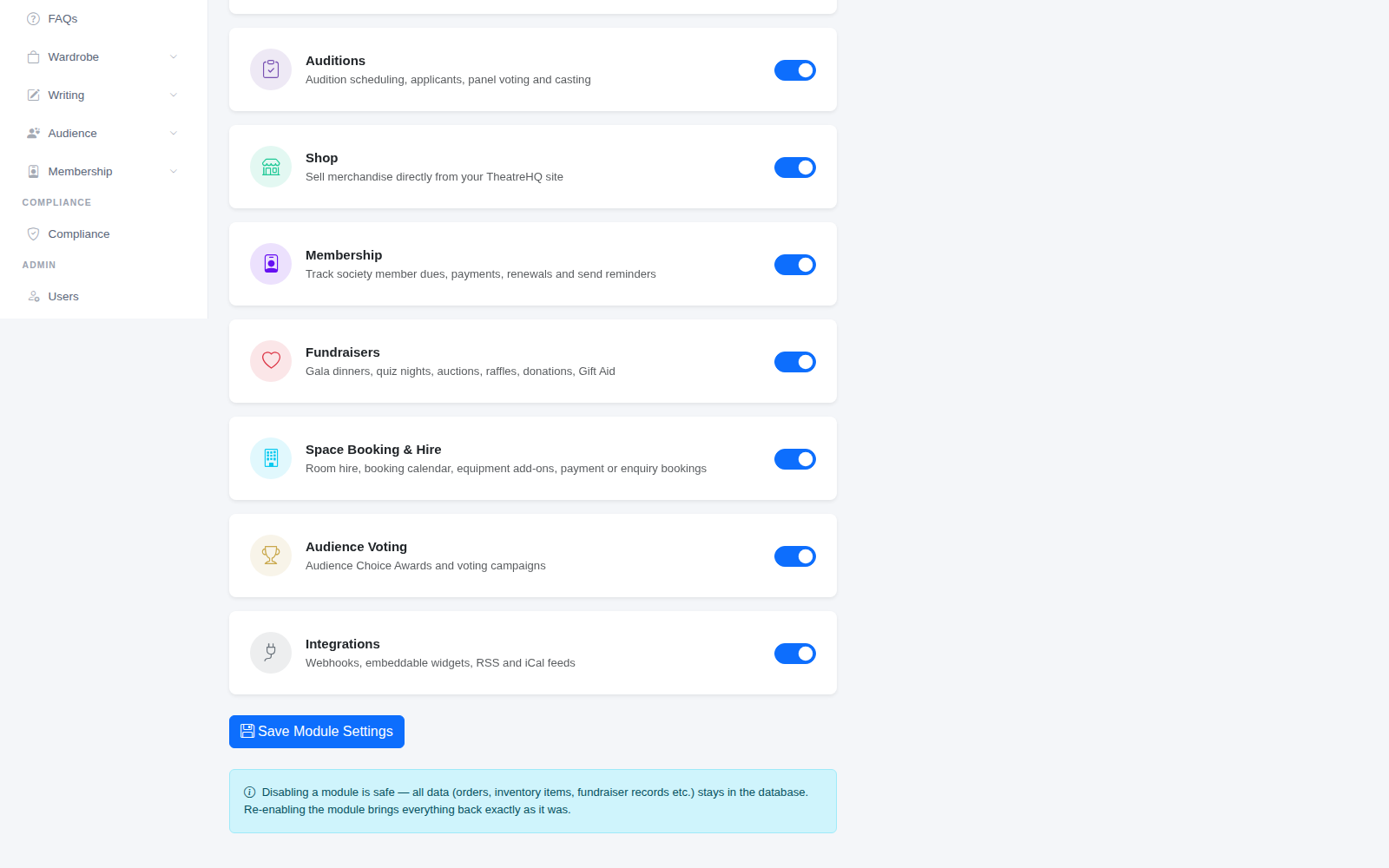
Turn a module's switch on or off, then click Save Module Settings at the bottom. Switching a module off hides it from the admin menu and from your public website straight away.
Switching off is safe: no data is deleted. Orders, wardrobe items, fundraiser records and everything else stay in the database, and switching the module back on brings it all back exactly as it was.
Can't find a menu item? Check these
If you, or someone on your committee, can't find a feature you expected — the Box Office, the Shop, Wardrobe, Fundraisers or anything else — it's almost always one of these:
- The module is switched off. An administrator can check Settings > Modules and switch it back on.
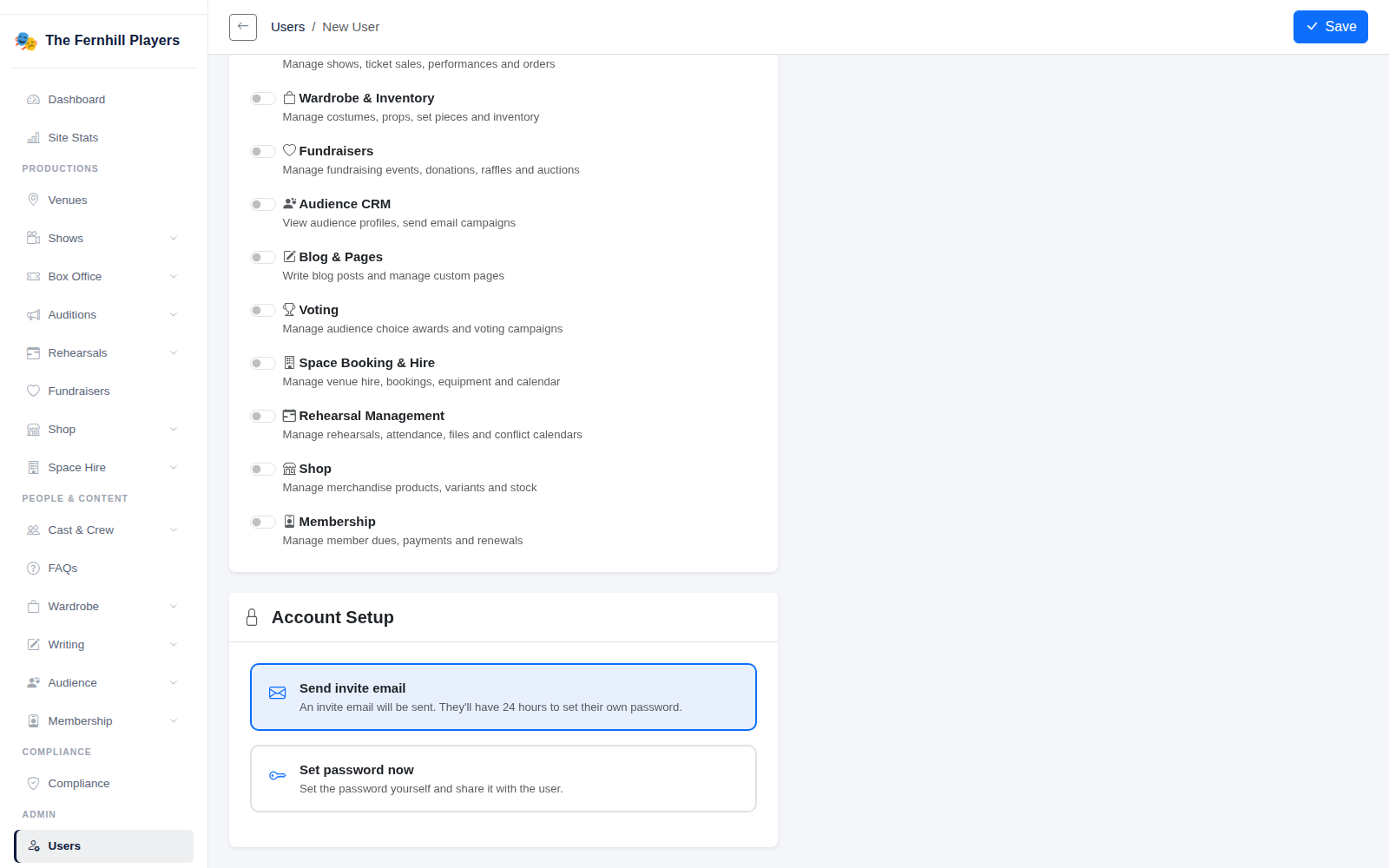
- The person doesn't have access to it. Administrators see every module. Editors and approvers only see the modules ticked for them under Module Access on their user account — see below.
- The module isn't listed on the Modules page at all. It may not be available on your site yet — get in touch with us and we'll sort it out.
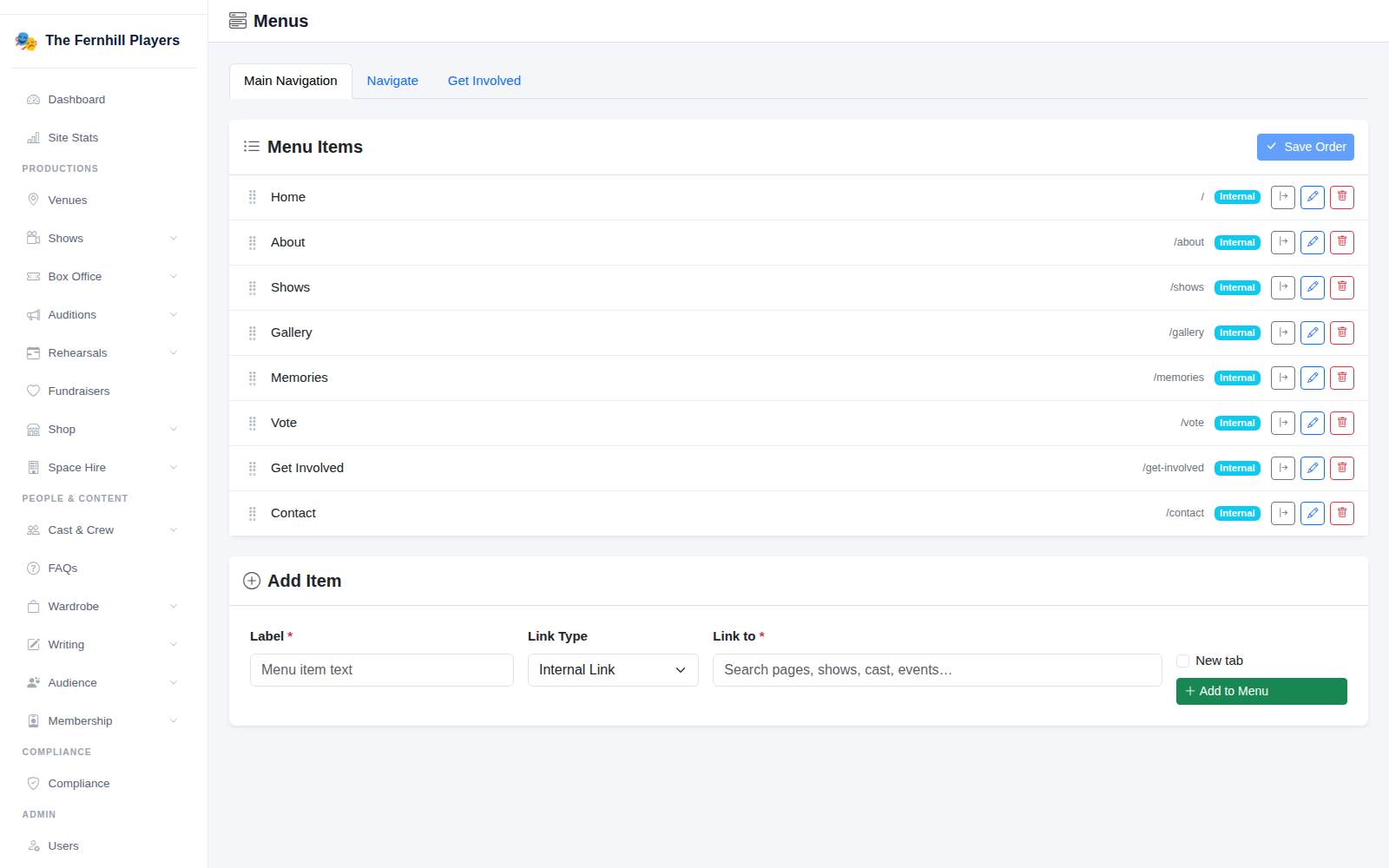
- It's missing from your website's menu. Your website's navigation is set separately under Settings > Menus — see below.
3. Check a committee member's module access
Go to Users, open the person's account and look at Module Access. Tick the modules they need — for example Box Office & Ticketing for whoever runs your box office — and click Save. Administrators always have access to everything, so this only applies to editors and approvers.
4. Check your website's menu
If a page exists but isn't in your website's navigation, go to Settings > Menus. Here you can see and reorder the items in your Main Navigation, and use Add Item to add a page, show or link.
Tip: switching off modules you don't use keeps the admin tidy for your committee — and you can always switch them back on when you need them.