Using a waiting list for sold-out shows
Let people join a waiting list when a performance sells out, and tell them in turn when seats come back.
When a performance sells out, you don't have to turn people away. TheatreHQ offers a waiting list on the booking page, and when seats come back — a cancellation, a refund, an expired order — it tells the people waiting, in the order they joined. This guide explains how it works.
1. How audiences join
There's nothing to switch on. When a performance is sold out, its booking page shows a Sold out notice with a short form to join the waiting list: name, email address, how many seats they'd like, and whether any performance would do.
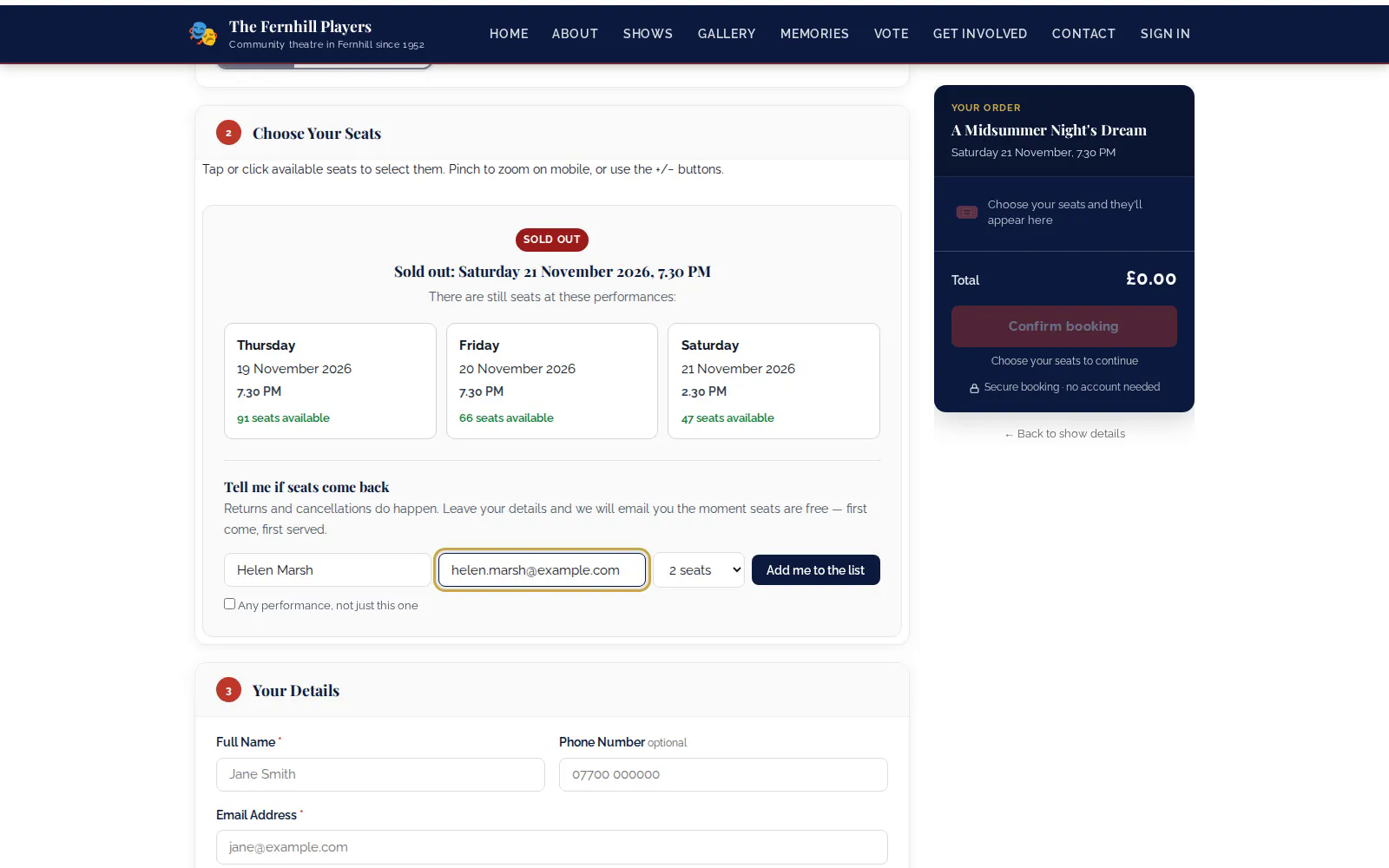
2. What they see
Once they've joined, they're told they're on the list and that you'll be in touch if seats become available. They don't need an account.
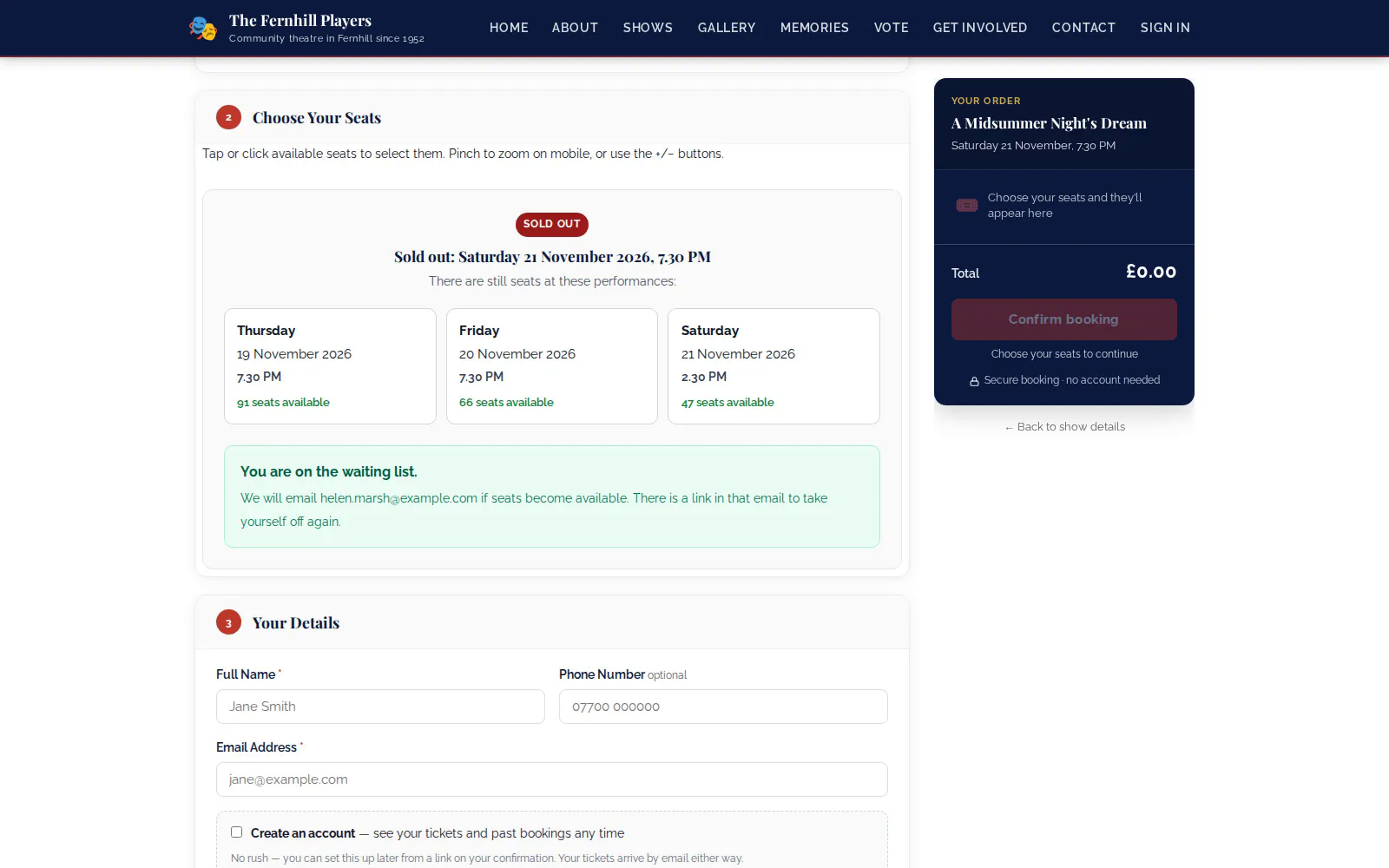
3. When seats come back
TheatreHQ keeps an eye on sold-out performances. When seats are released, it emails the people waiting in the order they joined, telling them seats are available so they can book. Each person is told once.
4. See who's waiting
Go to Box Office > Waiting List to see everyone waiting: when they joined, their name and email, the performance and number of seats they want, and their status. If you need to, you can send the notification again by hand from this screen.
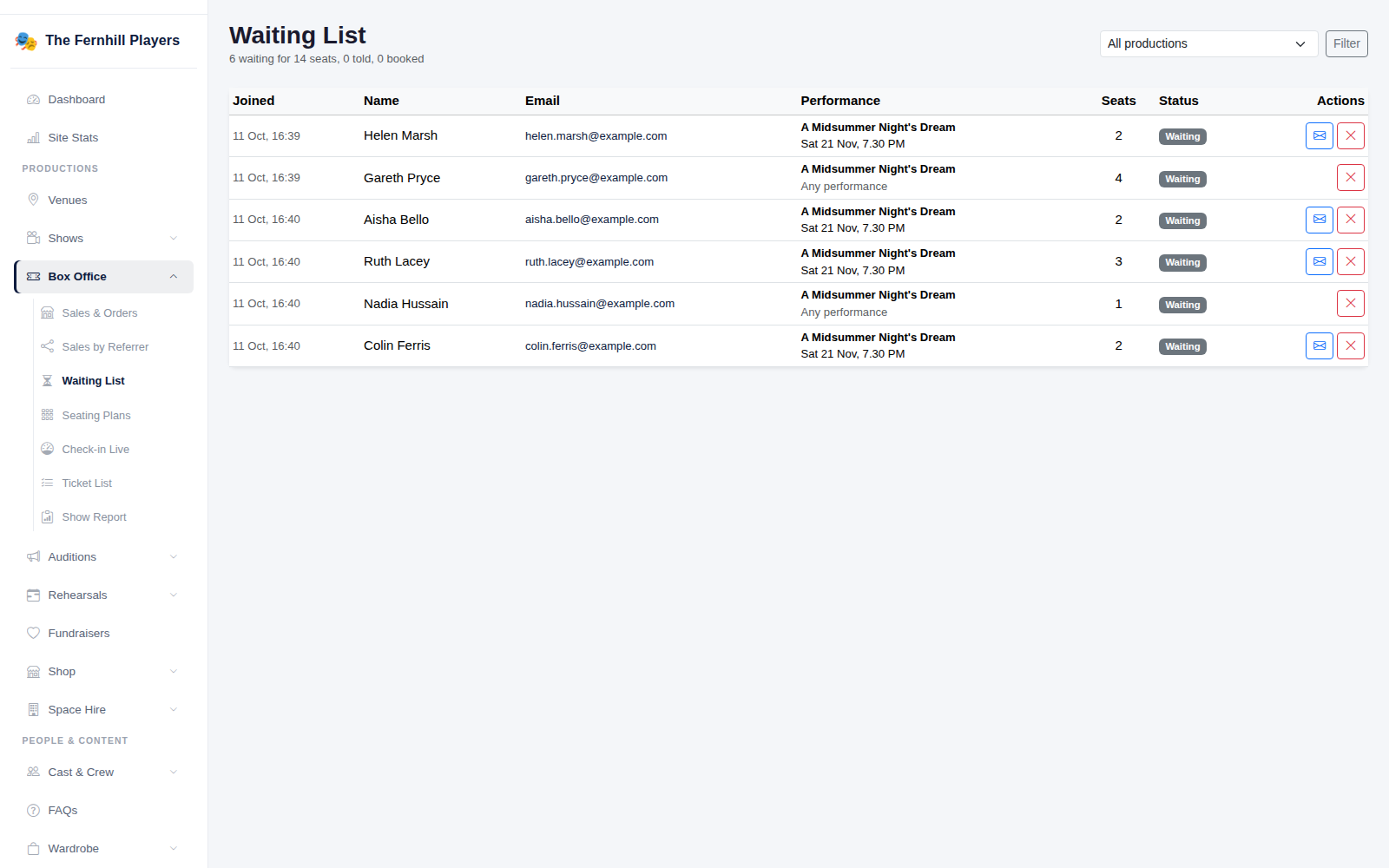
Tip: a waiting list is a useful sign of demand — if one night has a long list, it might be worth adding a performance.