Letting members book first with pre-release links
Set an on-sale date, then give members, patrons or the cast a link that lets them book before everyone else.
Letting members book before everyone else is one of the nicest perks a society can offer, and it gets early sales on the board. In TheatreHQ it takes two things: an on-sale date for the show, and a pre-release link for the people you want to let in early.
1. Set the on-sale date
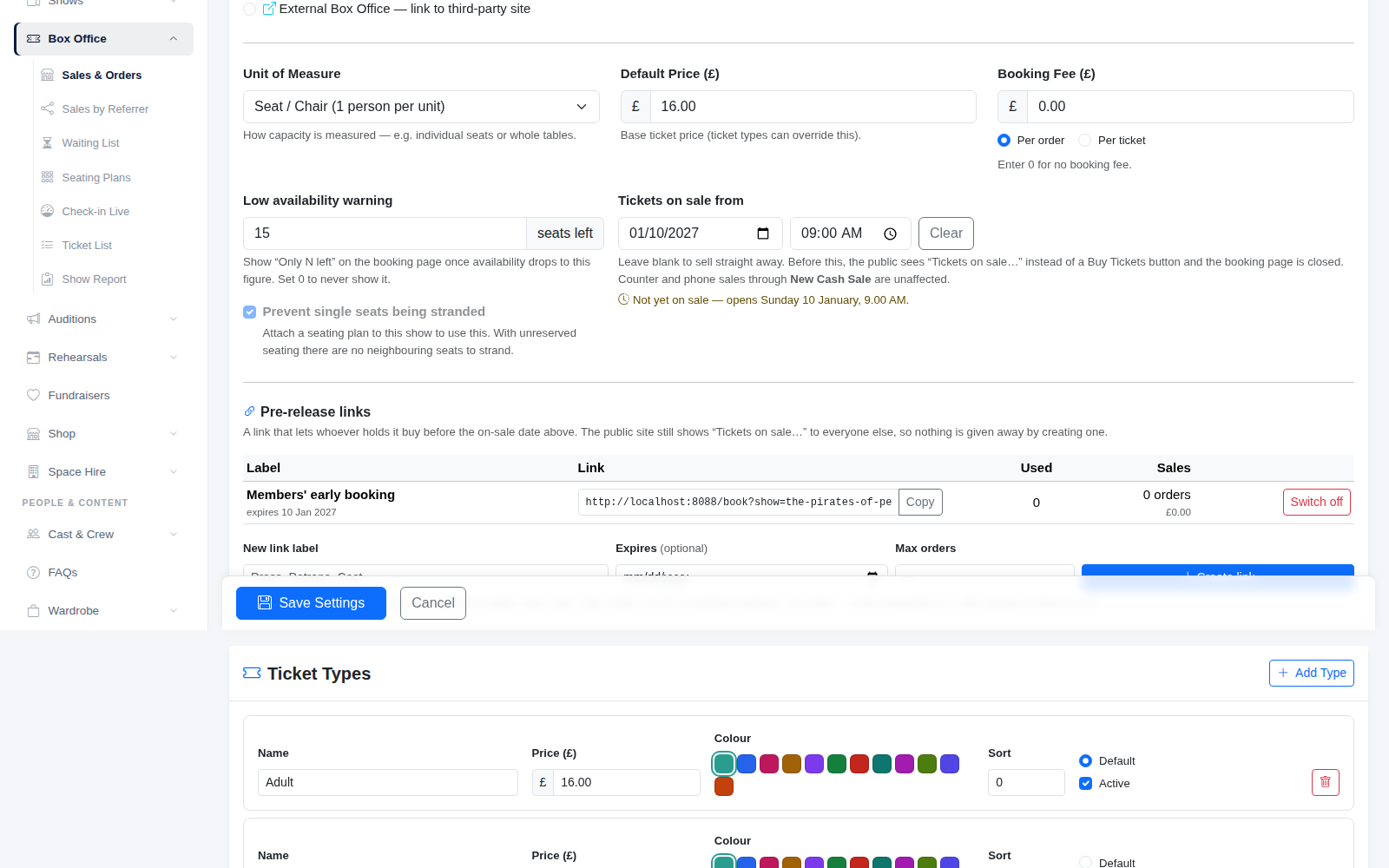
Open the show, and under Venue & Tickets click the box office button to open its setup. Set Tickets on sale from to the date and time general booking opens, then click Save Settings.
Until that moment, your website shows "Tickets on sale" with the date instead of a Buy Tickets button, so nobody can book early by accident. Leave the date blank and tickets are on sale straight away.
2. Create a pre-release link
Further down the same page, under Pre-release links, give the link a label so you know who it's for, such as Members' early booking, Patrons or Cast and crew. You can also set:
- Expires: the last day the link works. Usually the day before general sale.
- Max orders: how many orders the link can be used for. Leave it blank for no limit.
Click to create it and the link appears in the list with a Copy button. Anyone who opens it can book straight away, even though the show isn't on general sale yet. The list shows how many times each link has been used and how many orders it brought in, and you can Switch off a link at any time.
A link only works for its own show, so sharing one won't let anyone into another production's early booking.
3. Send it to the right people
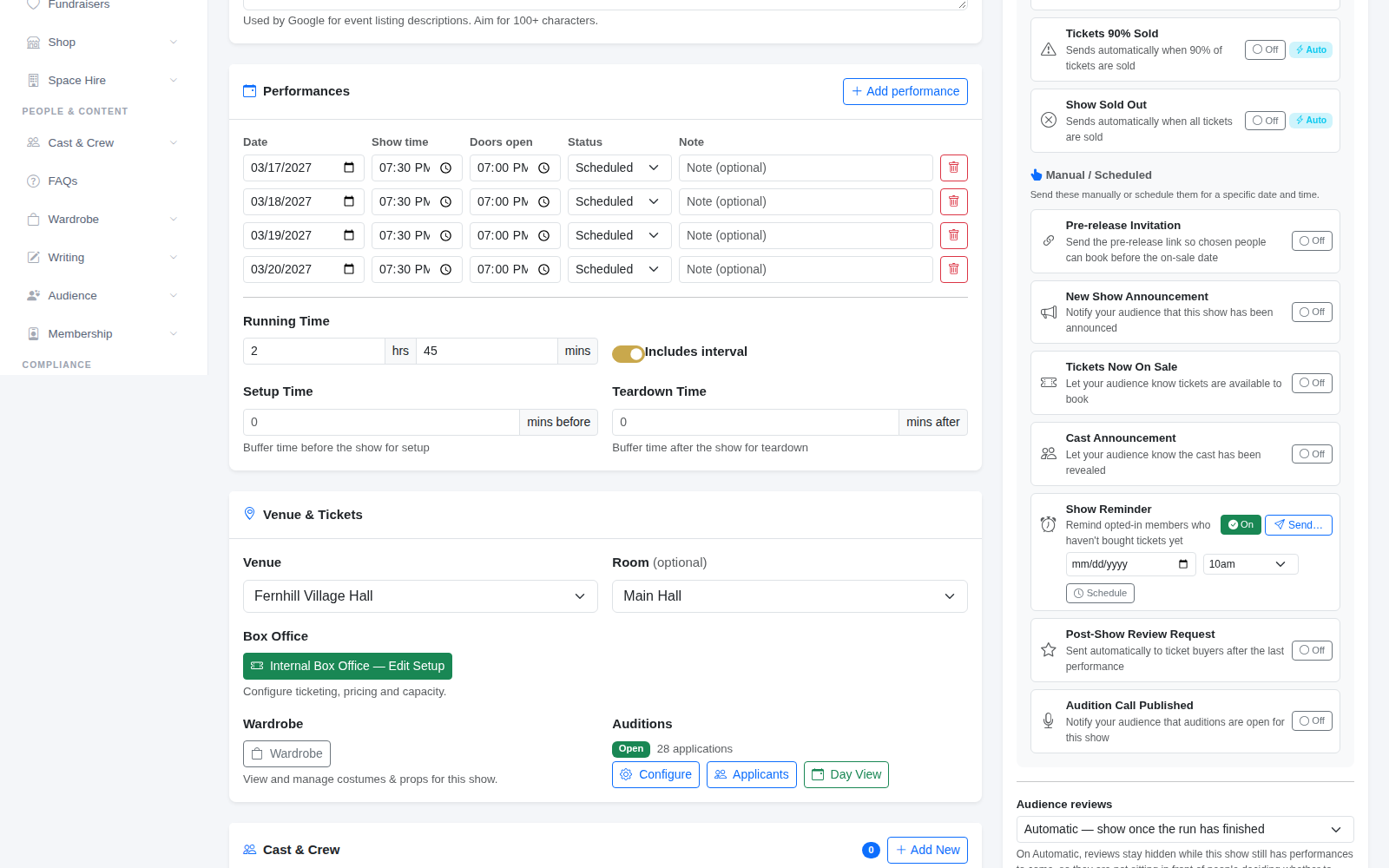
You can paste the link into your own email or newsletter, or let TheatreHQ send it. In the show's automated emails, the Pre-release Invitation sends the link to the people you choose: everyone with certain audience tags, such as VIP or Donor, or a list of email addresses.
Because the link gets around the on-sale date, it can't be sent to your whole audience list unless you choose to allow it, under Settings with Allow pre-release invites to be sent to everyone.
Ideas for using it
- Members first for a week, then general sale. It's a good reason to renew.
- A separate link for patrons and sponsors, with a small limit on orders.
- A link for the cast and crew to book for family before the best seats go.
- Pair it with a launch day: see Referral links for your cast for tracking which cast member sold what.
Tip: give each group its own link rather than sharing one. The usage figures then tell you exactly how much each early booking window was worth.