Selling programmes, interval drinks and other extras with your tickets
Let your audience buy a programme, an interval drink or an ice cream when they book, ask them about access needs, and hand everything over at the door without a queue at the bar.
The interval queue at the bar is where a lot of societies lose money: people give up, or there isn't time to serve everyone. If your audience can buy a programme or their interval drink when they book, you take the money up front, know how many to have ready, and the bar only has to hand things over. TheatreHQ calls these add-ons.
1. Add your add-ons
Open the show, go to its box office and click Edit Setup. Scroll down to Upsells / Add-ons and click Add Upsell for each thing you want to sell. Give it a Name, a short Description that tells people what they get and where to collect it, and a Price. Sort sets the order they're listed in. Click Save Settings.
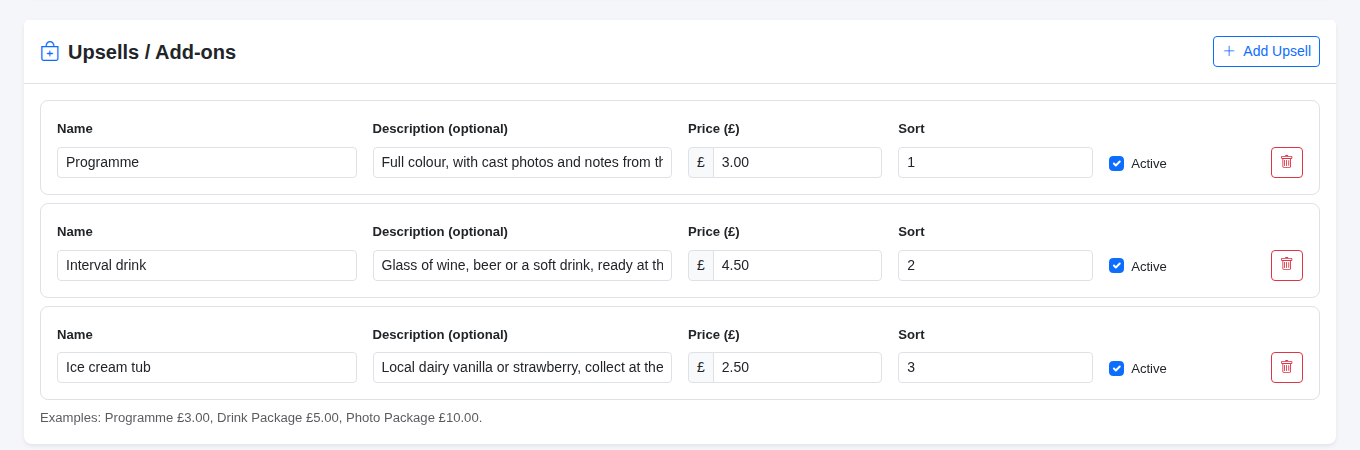
Add-ons belong to one show, so you can sell a souvenir programme for the panto and nothing at all for a play reading. If you stop selling something, untick Active rather than deleting it, and the record of what people have already bought is kept.
2. Ask booking questions
Just below, Booking Questions lets you ask one question per booking at checkout. Click Add Question, type the Question, and choose a Type: a Checkbox for yes or no, a Line of text for anything people need to explain, or a Number. Add Help text if it needs explaining, and tick Required only if you really can't do without the answer.
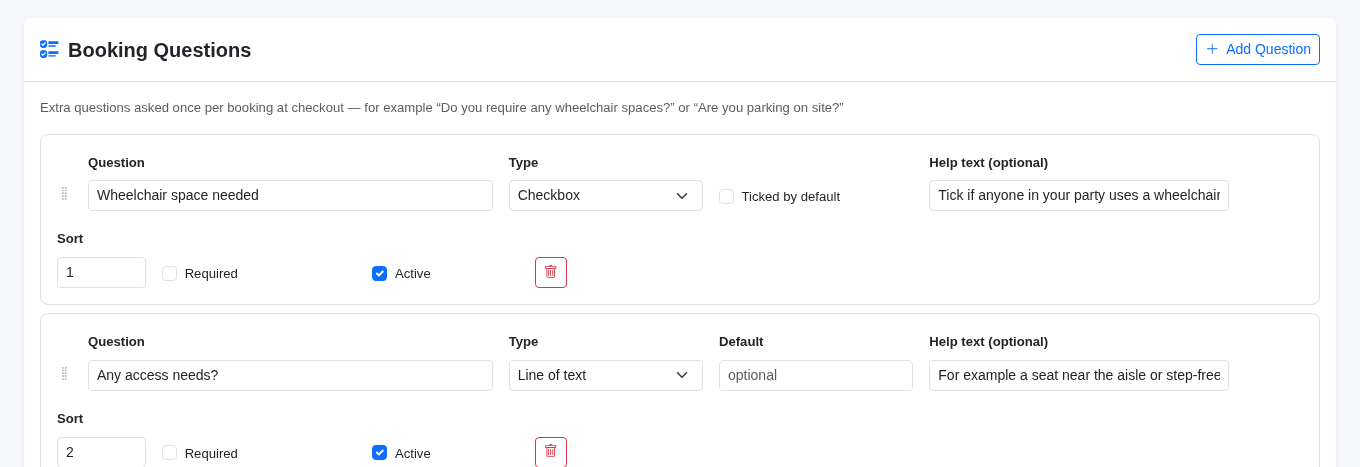
Access needs are the most useful thing to ask. Knowing before the night that someone needs a wheelchair space or an aisle seat saves an awkward shuffle at the door.
3. What your audience sees
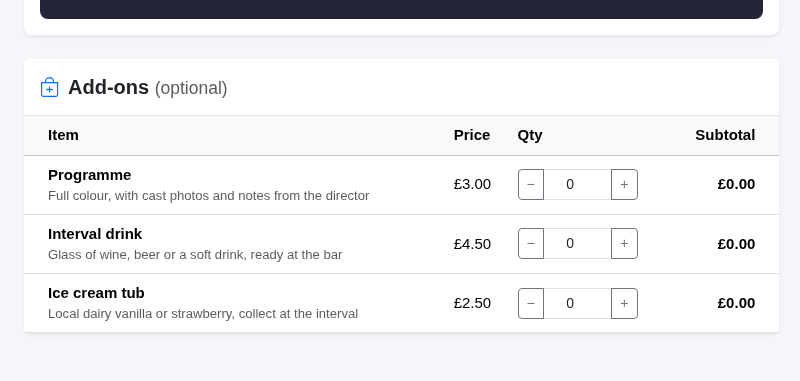
When someone books online, the add-ons appear as their own step after they've picked their seats, each with your description and price. They choose how many they want, answer your booking questions, and the add-ons are added to the same order and paid for with the tickets.
If you sell tickets yourself, for example over the phone or on the door, the New Cash Sale screen has the same Add-ons list, so box office sales can include them as well (see Cash sales, pay at the door and free tickets).
4. Hand them over at the door
When a ticket is scanned, the scanner shows what that booking has bought under the green ADMITTED screen, for example Programme × 1, please collect at the desk. Your door team can hand the programme straight over, or send people to the bar for their drink.
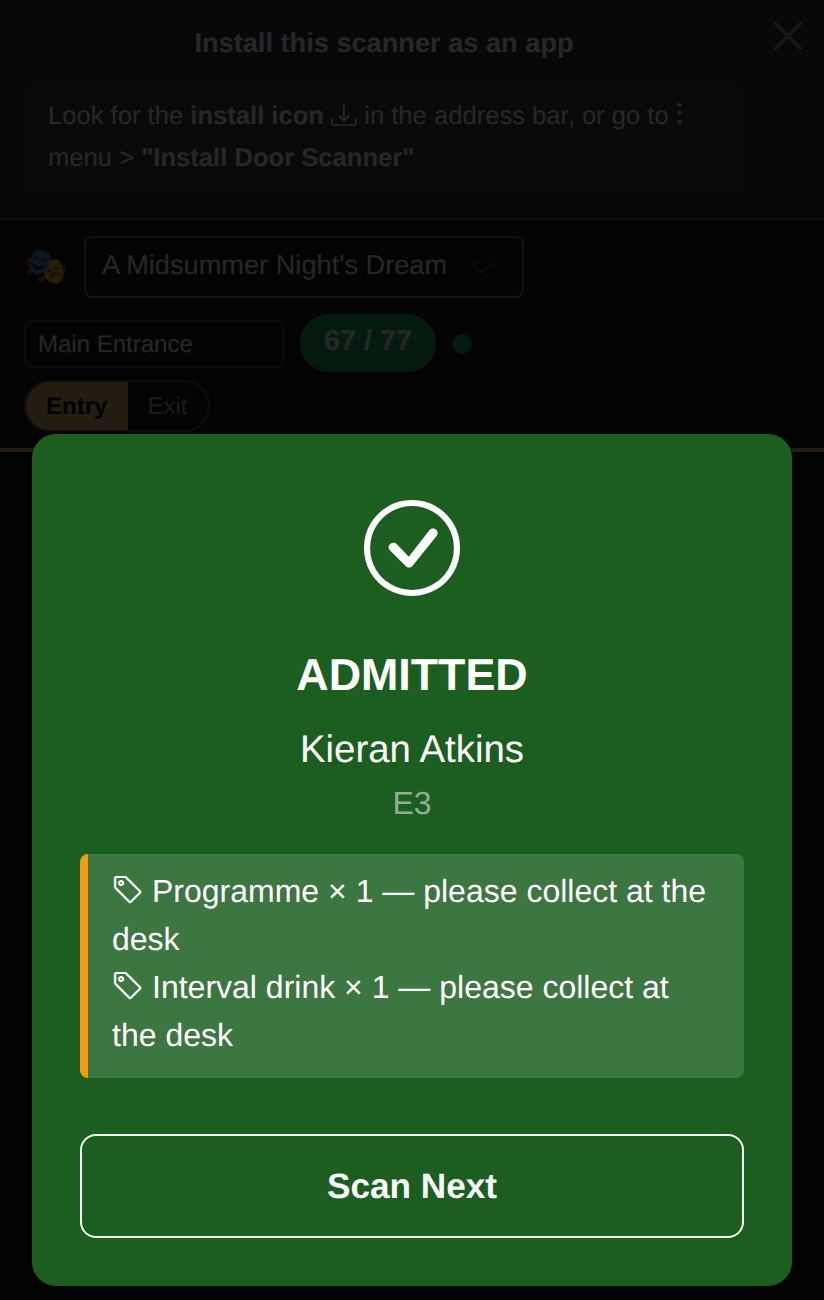
The extras belong to the whole booking, so they show on every ticket in it. If a family of four comes in together, hand their extras over once, not four times.
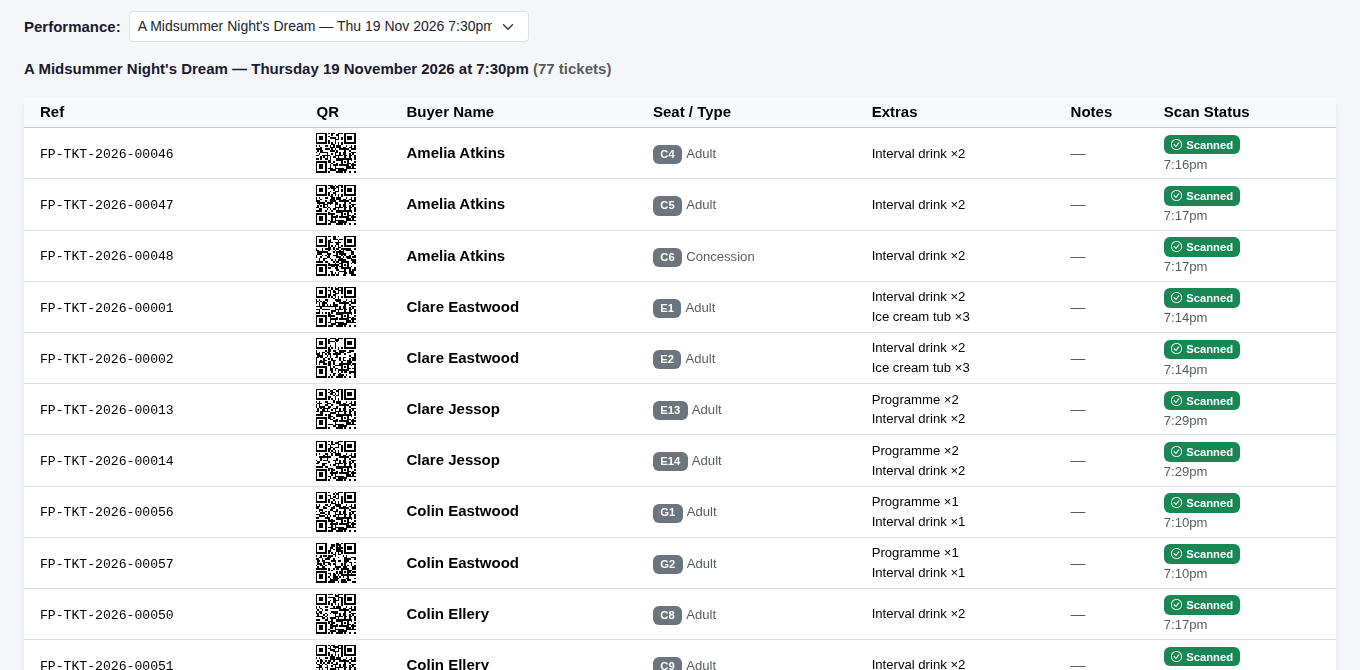
The Ticket List for the performance has an Extras column too, so you can print it for the bar and tick things off, or set out pre-ordered interval drinks with names on before the interval starts.
5. See how they sold
Your show's sales analytics show the Add-on Breakdown: how many of each were sold and how much they made. The Upsell Adoption figure at the top tells you what share of orders included an add-on, which is a quick way to see whether a new idea, such as a programme bundle, is catching on.

Tip: put the collection point in the description, such as collect at the bar. It saves your front of house team answering the same question all evening.