Recording a data breach
What counts as a data breach, how to record one in the breach register, and when you need to tell the ICO within 72 hours.
Even careful societies have the odd slip: an email sent to everyone with the addresses visible, a membership list left on a train, a laptop stolen with a spreadsheet on it. Data protection law says you must keep a record of every personal data breach, however small, and report the serious ones to the Information Commissioner's Office (ICO) within 72 hours. The breach register keeps that record for you.
What counts as a breach
A personal data breach is anything that leads to personal information being lost, destroyed, changed, or seen by someone who shouldn't see it, by accident or on purpose. For example:
- an email sent with everyone's addresses in the To or CC line instead of BCC;
- a spreadsheet of members sent to the wrong person;
- a phone, laptop or paper list with members' details lost or stolen;
- someone getting into an account they shouldn't.
1. Record it straight away
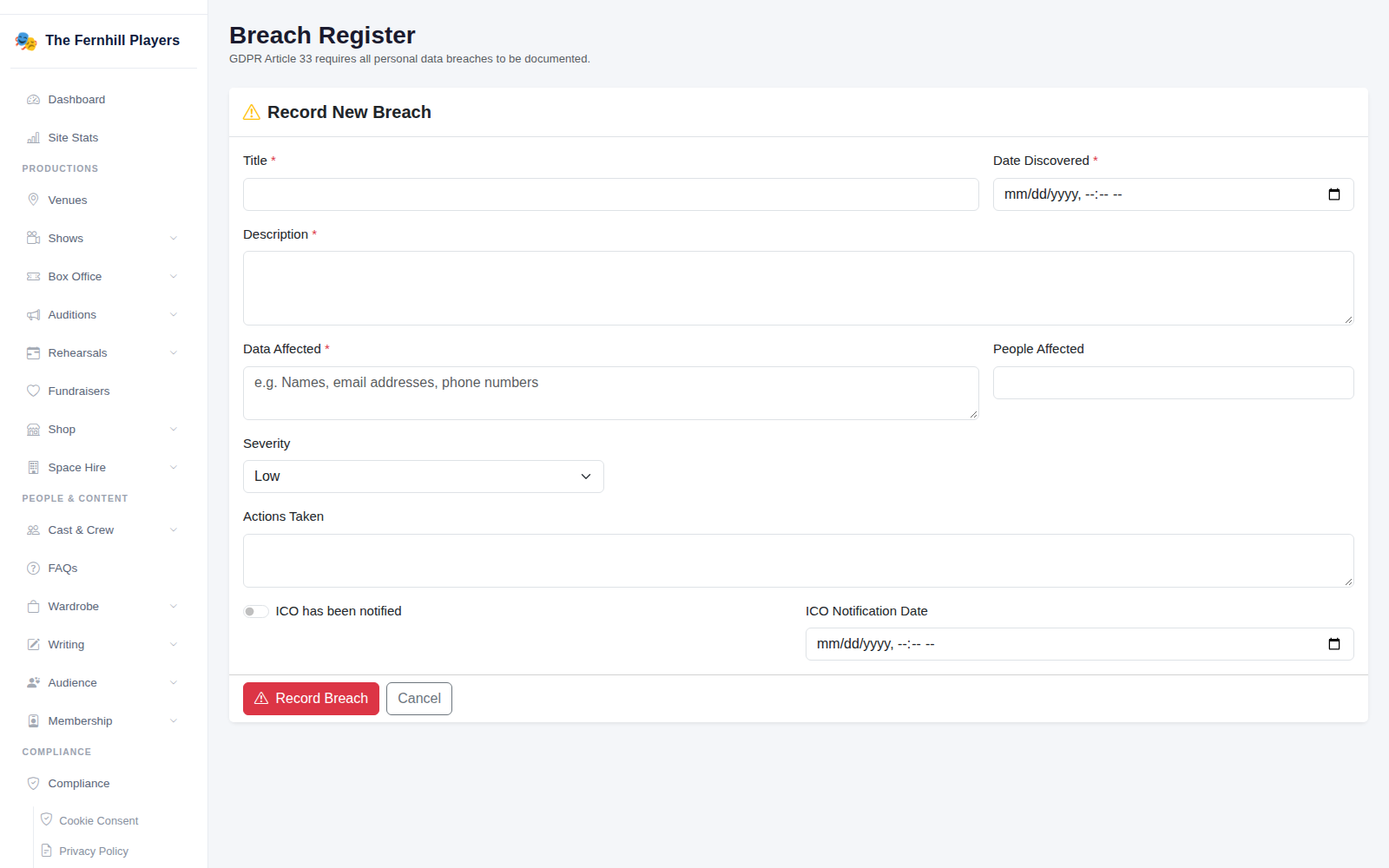
Go to Compliance > Breach Register and click Record Breach. Fill in:
- Title and Date Discovered. The 72 hours count from when you became aware of it.
- Description: what happened, in plain words.
- Data Affected and People Affected: what kind of information, and roughly how many people.
- Severity: your judgement of how much harm it could cause.
- Actions Taken: what you've done so far to contain it.
Click Record Breach. Record it even if it seems minor and you decide not to report it. The register is how you show you took it seriously.
2. Decide whether to tell the ICO
You must report a breach to the ICO within 72 hours if it's likely to put people's rights and freedoms at risk, for example if it could lead to fraud, embarrassment, or someone being found who doesn't want to be. If it's unlikely to cause any harm, you record it but don't need to report it.
If the risk to people is high, you should also tell the people affected without delay. The ICO's website has a short self-assessment to help you decide, and you can report a breach online or by calling 0303 123 1113.
3. Keep the record up to date
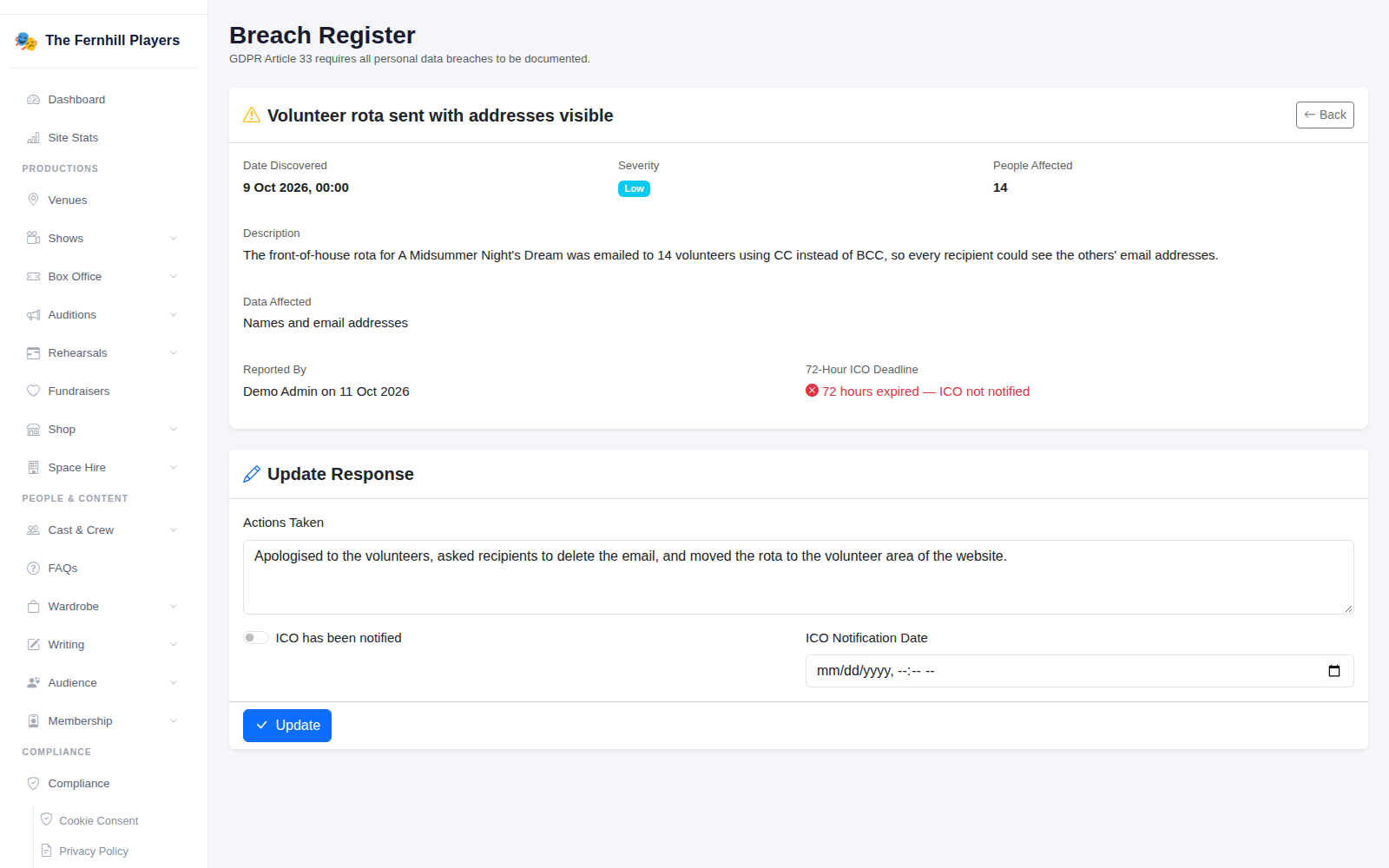
Open the breach to see its details and how long is left of the 72 hours. Under Update Response, add what else you've done, and if you report it, tick ICO has been notified and add the date. Click Update.
Tip: most breaches in societies come from email. Use BCC for group emails, or better, send them through email campaigns, which send to each person individually. See Looking after personal data for the other GDPR tools.