What your audience sees when they book
Walk through booking from your audience's side: the show page, choosing a performance, picking seats and confirming, with no account needed.
It's worth knowing exactly what your audience goes through when they book, so you can answer questions at the door and spot anything that might put people off. Here's the whole journey, from the show page to confirming their booking.
1. The show page
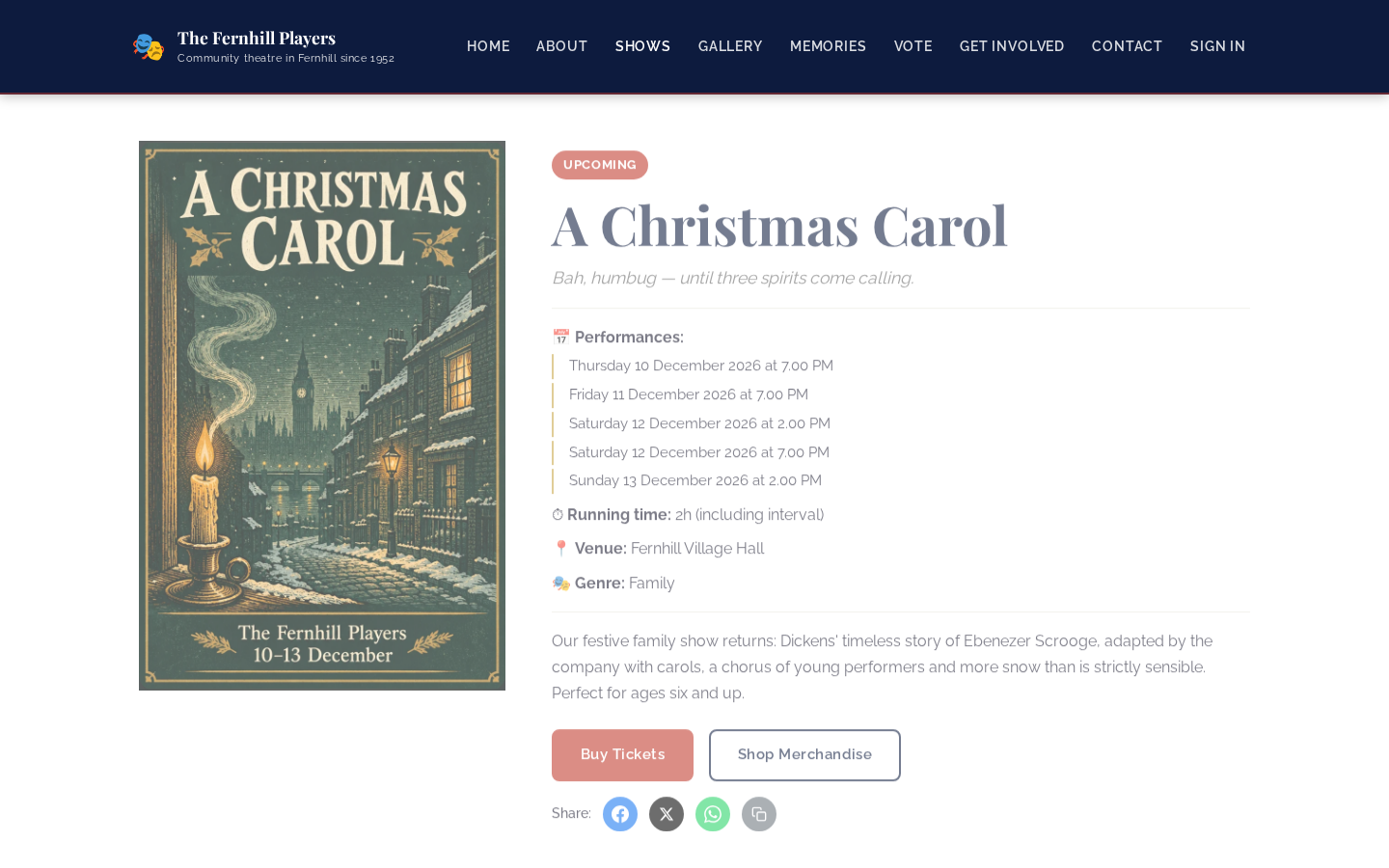
Each show has its own page with the poster, a description, every performance, the running time and the venue. When tickets are on sale there's a Buy Tickets button. Before the on-sale date, it says when tickets go on sale instead (see Letting members book first).
2. Choose a performance
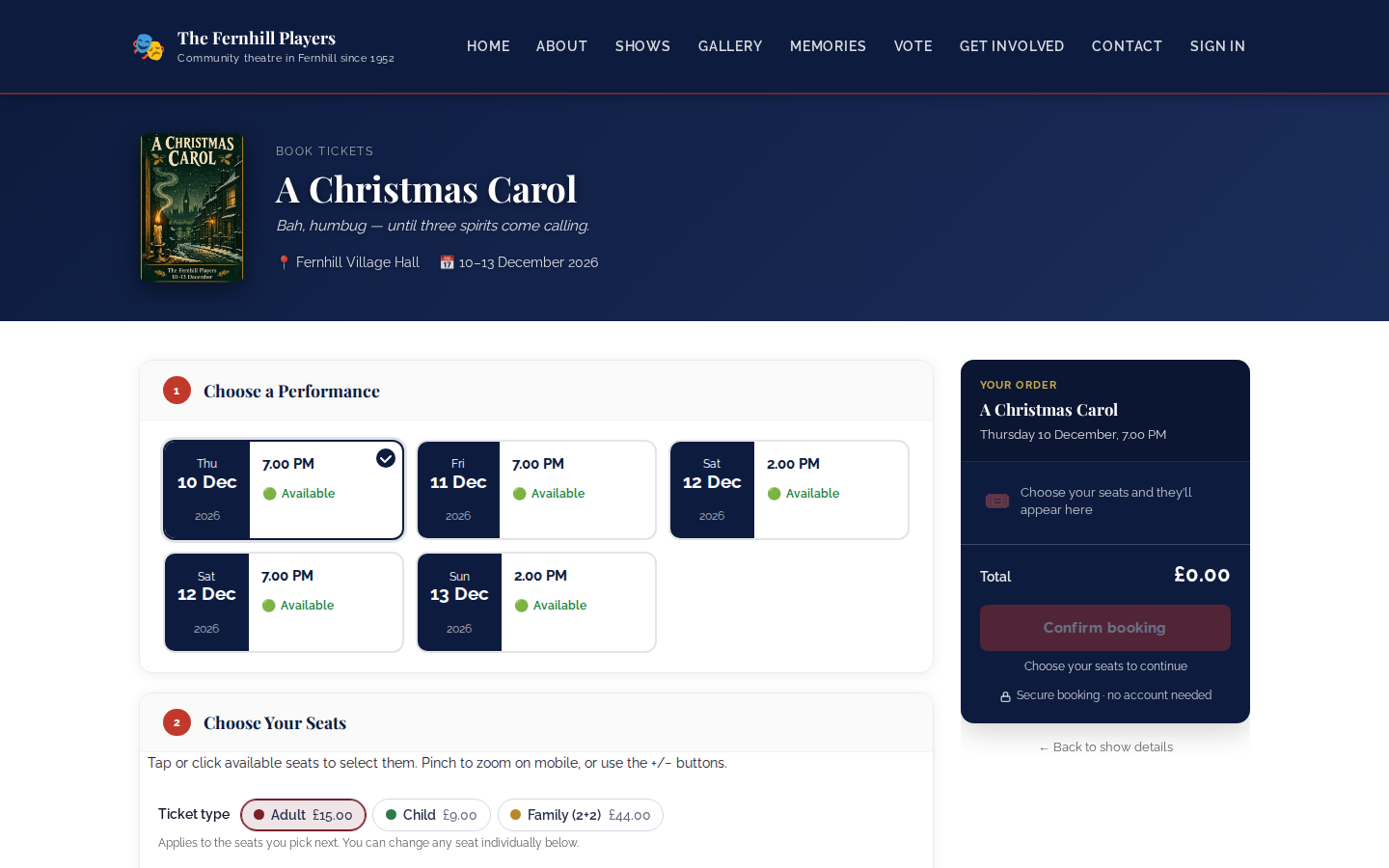
Every performance is shown with its date and time and whether there are seats available, so people can see at a glance which nights are filling up. They click the one they want.
3. Pick seats
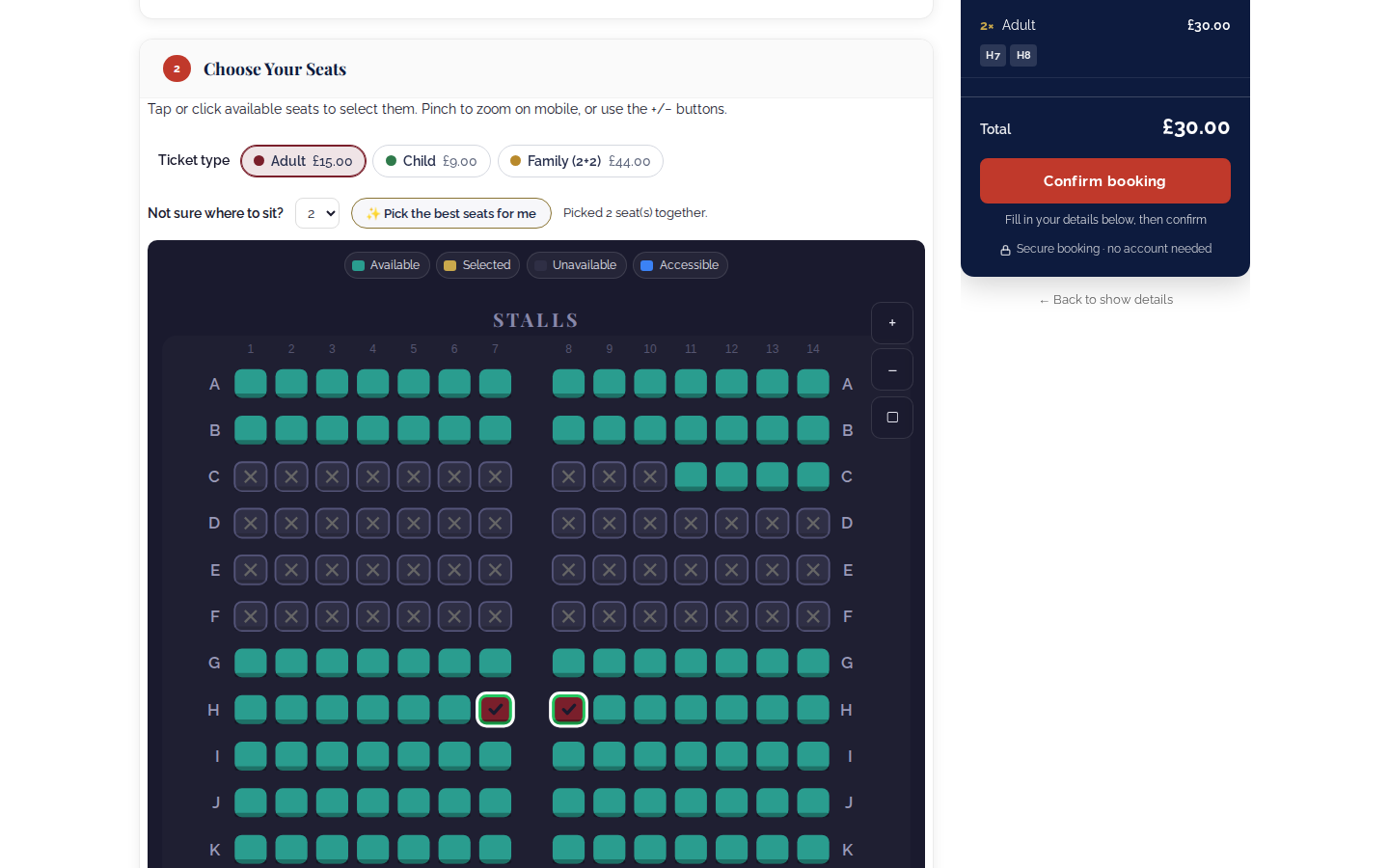
Next comes your seating plan. People choose a ticket type, such as adult, child or family, and click the seats they want. Taken seats are crossed out, and accessible seats are shown in their own colour. On a phone they can pinch to zoom.
If they're not sure where to sit, they choose how many seats they need and click Pick the best seats for me, which finds the best seats available together. Their order and the total appear alongside as they go.
4. Their details
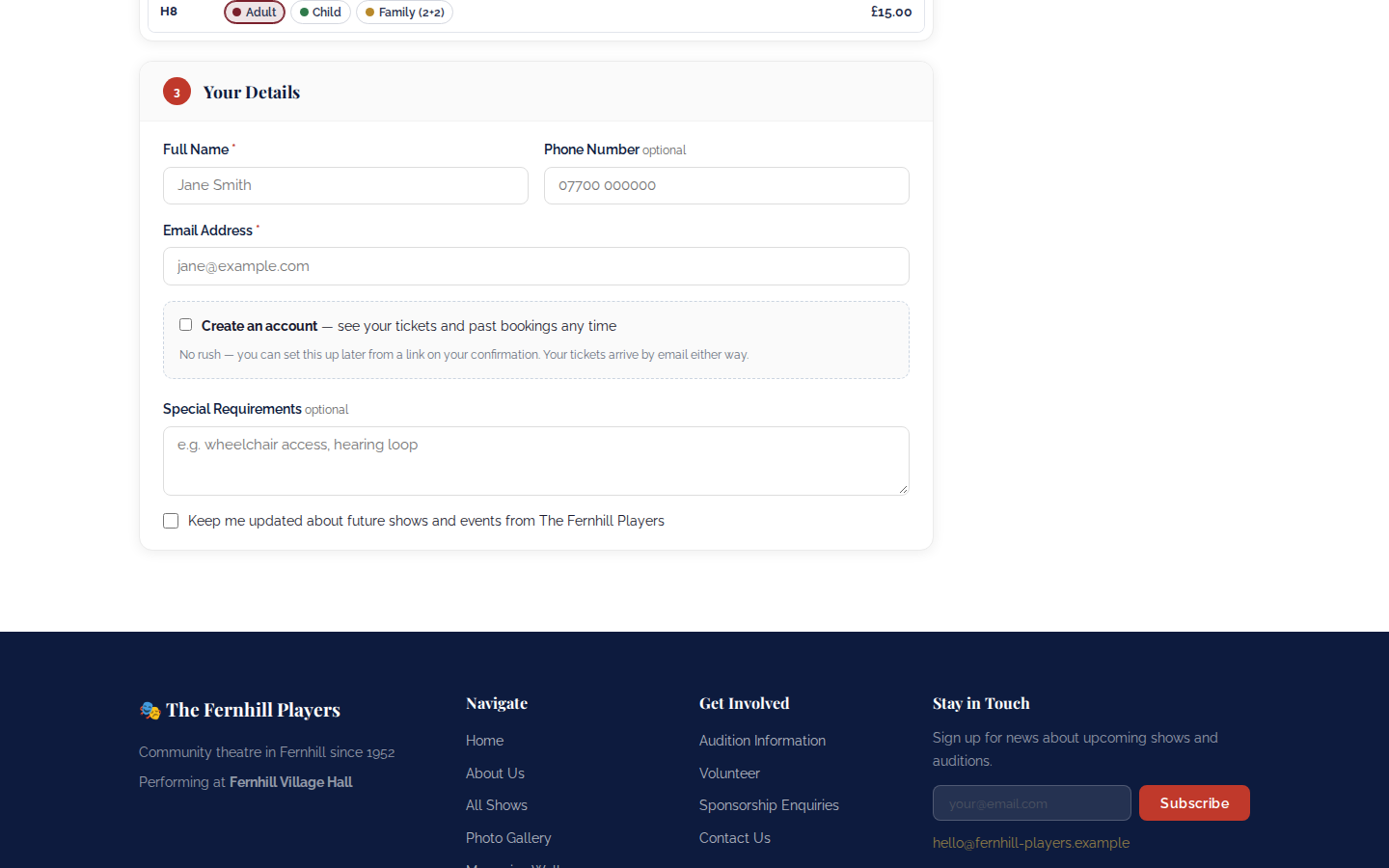
Finally they give their name, email address and, if they like, a phone number. They can add special requirements, such as a wheelchair space or the hearing loop, and choose whether to hear about future shows. Creating an account is optional; they can book without one.
They click Confirm booking, pay with the payment providers you've set up, and receive their tickets by email, ready to be scanned at the door (see Checking tickets at the door).
Before you go on sale
- Make a test booking yourself, ideally on a phone, so you know it all works.
- Check the seating plan matches your hall, including any seats you hold back.
- Make sure the show page has the running time and access information people look for.
Tip: the marketing box is unticked unless the person ticks it. Those who do join your audience list as opted in, ready for your next email campaign.